
1. Product Overview
The Mount-It! MI-12015 is a heavy-duty dual ultrawide monitor desk mount designed to support two screens ranging from 17 to 49 inches. It features height-adjustable stacking arms with a pole, gas spring technology for easy adjustments, and full motion capabilities. This mount offers versatile setup options, allowing for either stacked or side-by-side monitor configurations, and can be installed using a clamp or grommet method.
It is engineered to reclaim valuable desk space and provide an ergonomic viewing experience for various workflows, including advanced computing, studio work, and immersive gaming.
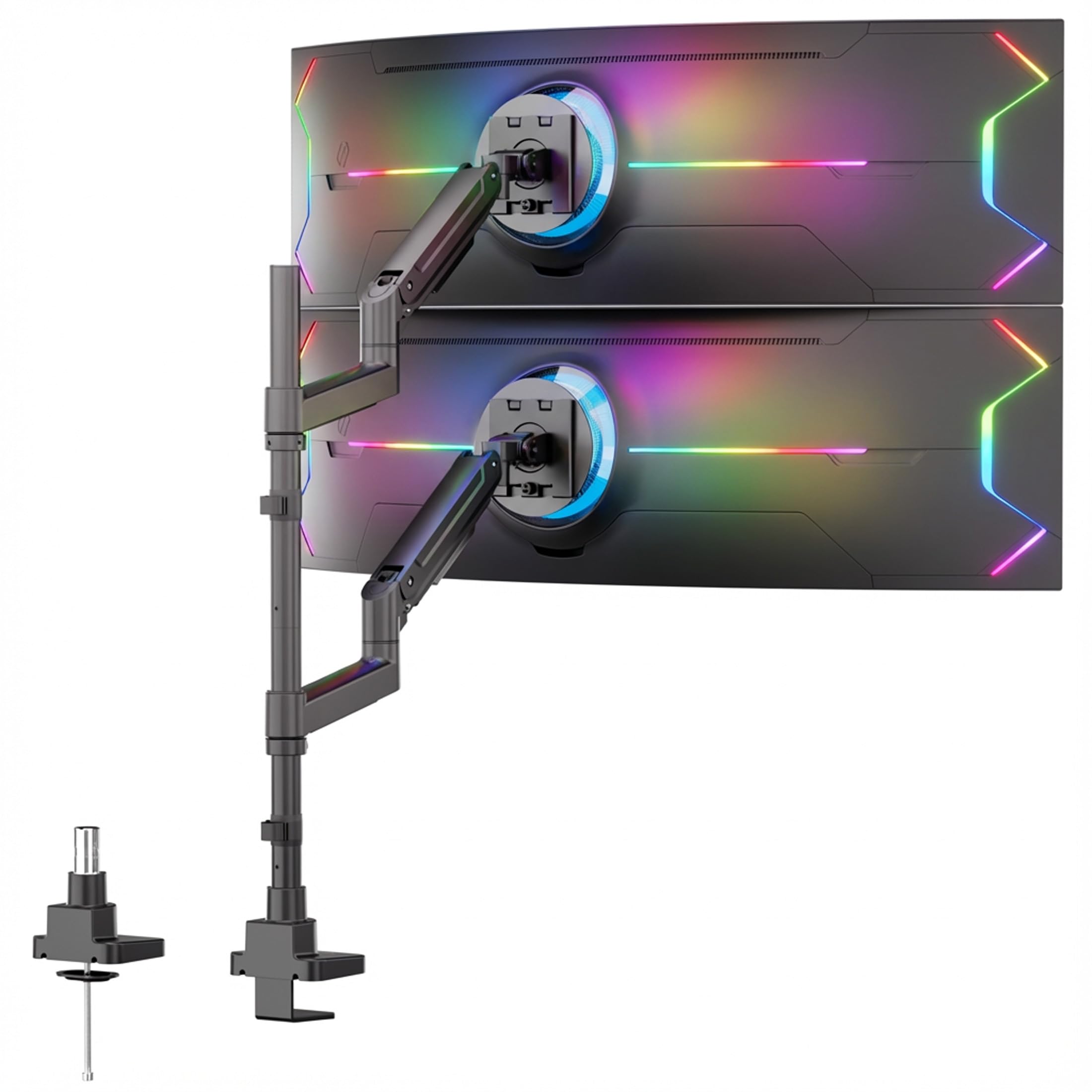
Image: The MI-12015 mount supporting two ultrawide monitors in a stacked configuration, demonstrating desk space optimization.
2. Safety Information
- Ensure all components are present and undamaged before assembly. Do not use if any parts are missing or defective.
- Verify that your desk surface is strong enough to support the combined weight of the mount and your monitors.
- Do not exceed the maximum weight capacity of 44 lbs (20 kg) per arm.
- Ensure VESA compatibility (75x75mm or 100x100mm) with your monitors.
- Tighten all screws securely, but do not overtighten to avoid stripping threads.
- Keep children and pets away during installation.
3. Package Contents
Please check that all parts are included in your package. If any parts are missing or damaged, contact customer support.
- Main Pole Assembly
- Gas Spring Monitor Arms (x2)
- VESA Plates (x2)
- Desk Clamp Assembly
- Grommet Mount Components
- Hardware Kit (screws, washers, spacers, Allen wrenches)

Image: A detailed view of the Mount-It! MI-12015 components, including the main pole, two gas spring arms, VESA plates, and various mounting hardware for both clamp and grommet installations.
4. Setup and Installation
This mount offers two installation methods: desk clamp and grommet mount. Choose the method best suited for your desk.
4.1 Desk Clamp Installation
- Attach the Clamp: Secure the desk clamp assembly to the edge of your desk. Ensure the clamp is fully tightened to prevent movement. The clamp fits desks between 0.4" and 1.8" thick.
- Insert the Pole: Place the main pole into the clamp base and tighten the securing screw.
- Attach Arms: Slide the gas spring monitor arms onto the pole at your desired height. Secure them with the provided collars and screws.
- Attach VESA Plates: Attach the VESA plates to the back of your monitors using the appropriate screws and spacers from the hardware kit. Note: For monitors with recessed VESA mounts, you may need to use longer screws and additional spacers (not always included) to ensure a secure fit.
- Mount Monitors: Carefully lift each monitor and slide its VESA plate onto the arm's mounting head. Ensure it clicks into place or is secured with the locking mechanism.
4.2 Grommet Mount Installation
- Prepare Grommet Hole: If your desk has a grommet hole, ensure it is clear. If not, drill a hole (check manual for recommended size) in your desk, avoiding structural elements. The grommet mount fits desks between 0.4" and 1.8" thick.
- Assemble Grommet Base: Assemble the grommet mount components through the hole, securing it tightly from underneath the desk.
- Insert Pole: Place the main pole into the grommet base and tighten the securing screw.
- Attach Arms and Monitors: Follow steps 3-5 from the Desk Clamp Installation section to attach the arms and monitors.

Image: Visual representation of the two installation methods: desk clamp and grommet mount, suitable for desks 0.4 to 1.8 inches thick.
4.3 Assembly Video Guide
For a visual guide on the assembly process, please refer to the official Mount-It! assembly video below:
Video: Official assembly guide for the Mount-It! MI-12015 Dual Stacking Monitor Mount for Ultrawide Screens. This video demonstrates the step-by-step installation process.
5. Operating and Adjustments
The MI-12015 mount provides extensive adjustability for an ergonomic setup.
5.1 Height Adjustment
The gas spring arms allow for effortless fingertip height adjustment. Gently push or pull the monitor to the desired vertical position. The 31.5-inch pole provides ample vertical range for stacked displays.

Image: Demonstrates fingertip height adjustment using the gas spring mechanism on the monitor arm.
5.2 Tilt, Swivel, and Rotation
Each monitor arm can be independently adjusted for optimal viewing angles:
- Tilt: Adjust the monitor tilt from +50° to -20° to reduce glare and find your preferred angle.
- Swivel: Swivel the monitor up to 180° (90° left/right) for sharing your screen or adjusting viewing direction.
- Rotation: Rotate the monitor 180° (portrait to landscape) for different content orientations.
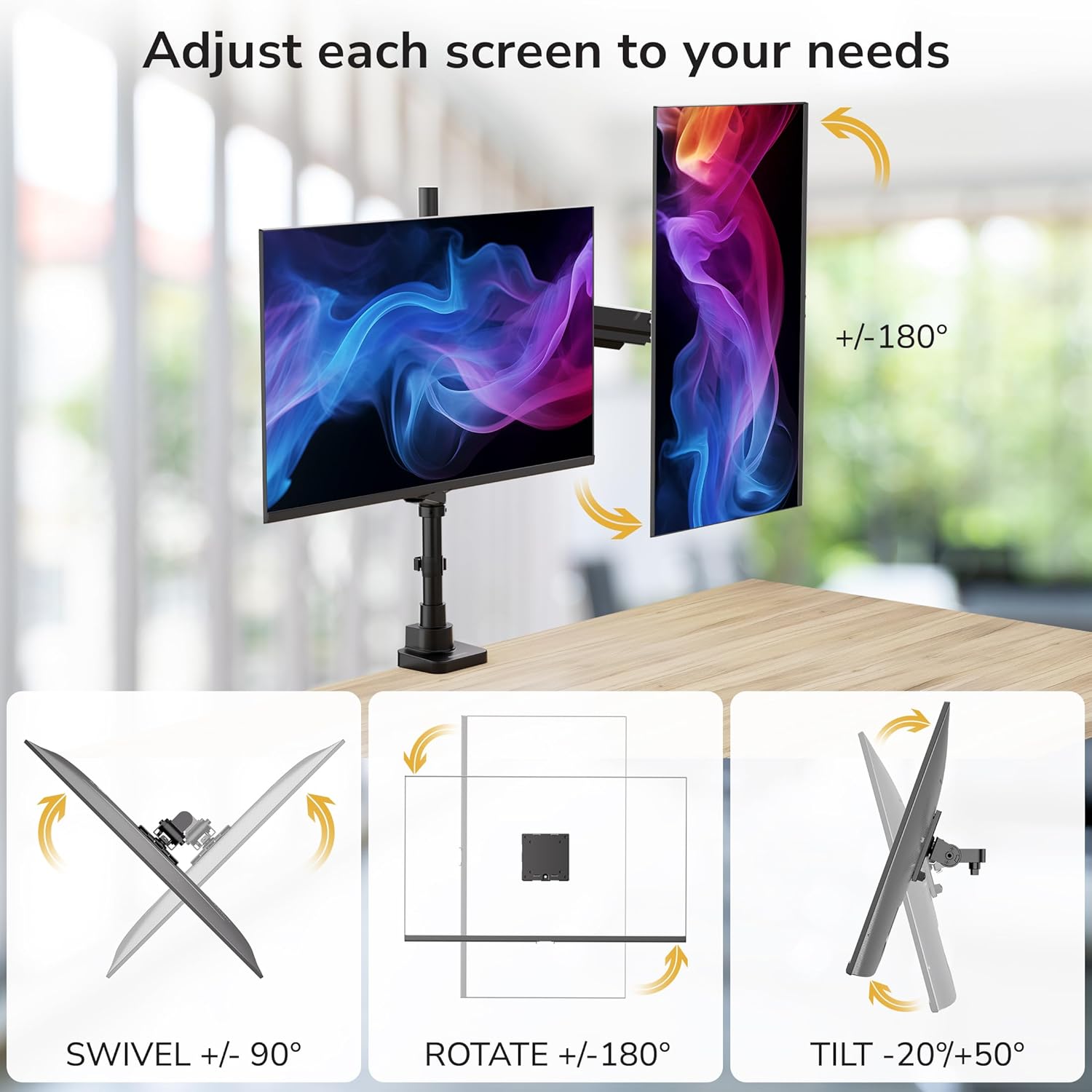
Image: Visual guide to the tilt (+50°/-20°), swivel (180°), and rotation (180°) adjustments available on each monitor arm.
5.3 Gas Spring Tension Adjustment
The gas spring tension may need adjustment depending on the weight of your monitor. Use the provided Allen wrench to fine-tune the tension:
- If the arm drops, turn the adjustment screw counter-clockwise until the arm stays in a horizontal position.
- If the arm rises, turn the adjustment screw clockwise until the arm stays in a horizontal position.

Image: Instructions for adjusting the gas spring tension to ensure the monitor arm holds its position correctly.
6. Maintenance
To ensure the longevity and proper functioning of your Mount-It! monitor mount, follow these simple maintenance guidelines:
- Regular Cleaning: Wipe down the mount with a soft, dry cloth to remove dust and debris. Avoid abrasive cleaners or solvents that could damage the finish.
- Check Connections: Periodically check all screws and bolts to ensure they remain tight. Re-tighten if necessary, but do not overtighten.
- Lubrication: The gas spring mechanism is designed for maintenance-free operation. Do not attempt to lubricate internal components.
- Inspect for Wear: Occasionally inspect the arms and joints for any signs of wear or damage. If any issues are found, contact customer support.
7. Troubleshooting
If you encounter any issues with your monitor mount, refer to the following common problems and solutions:
| Problem | Possible Cause | Solution |
|---|---|---|
| Monitor arm sags or does not hold position. | Gas spring tension is too low for the monitor weight. | Increase gas spring tension by turning the adjustment screw clockwise with the provided Allen wrench. Refer to Section 5.3. |
| Monitor arm is difficult to move or stays too high. | Gas spring tension is too high for the monitor weight. | Decrease gas spring tension by turning the adjustment screw counter-clockwise with the provided Allen wrench. Refer to Section 5.3. |
| Monitor wobbles or feels unstable. | Mounting screws are loose, or desk clamp/grommet is not secure. | Check and tighten all mounting screws, VESA plate connections, and the desk clamp/grommet base. Ensure the desk surface is stable. |
| VESA plate does not fit flush with the monitor back. | Monitor has a recessed VESA mounting area. | Use longer screws and appropriate spacers (may need to be purchased separately) to bridge the gap and ensure a secure connection. |
8. Specifications
- Model Number: MI-12015
- Mounting Type: Tabletop Mount (Clamp or Grommet)
- Material: Alloy Steel
- Color: Black
- Compatible Screen Sizes: 17 inches to 49 inches
- Maximum Weight Capacity: 44 lbs (20 kg) per arm
- VESA Compatibility: 75x75mm, 100x100mm
- Tilt Angle: +50° / -20°
- Swivel Angle: 180°
- Rotation Angle: 180° (Portrait/Landscape)
- Pole Height: 31.5 inches
- Desk Thickness Compatibility: 0.4 inches to 1.8 inches
- GTIN (UPC): 810164691903
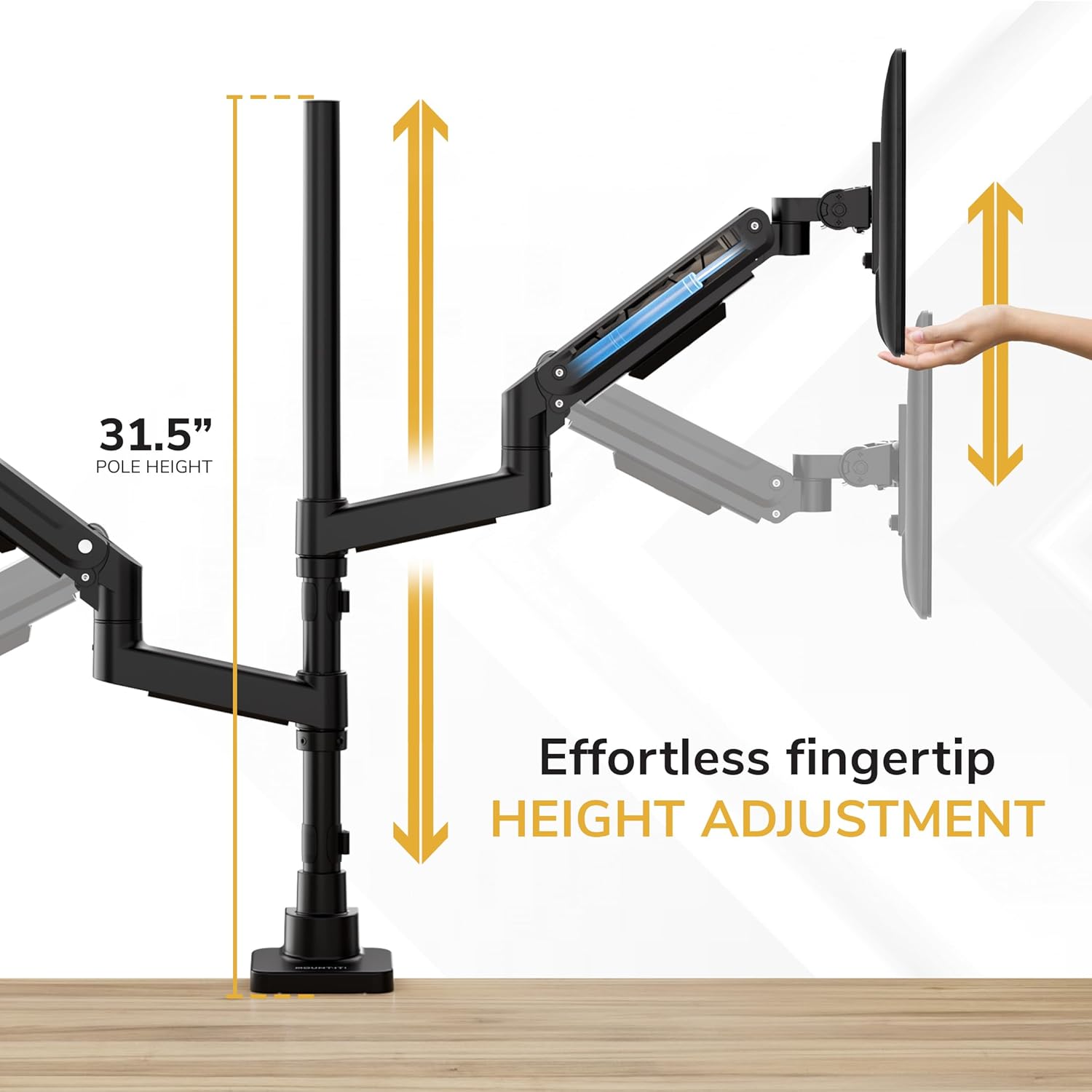
Image: Dimensional drawing of the MI-12015 mount, highlighting pole height, maximum wingspan, and desk thickness requirements for clamp and grommet installations.
9. Warranty and Support
The Mount-It! MI-12015 Dual Ultrawide Monitor Desk Mount comes with a lifetime warranty.
For any questions, technical assistance, or warranty claims, please contact our knowledgeable and responsive US-based customer support team during standard business hours. Refer to the product packaging or the official Mount-It! website for current contact information.