
1. Overview
The JBL Go 5 is an ultra-portable Bluetooth speaker designed to deliver powerful JBL sound in a compact, durable form factor. It features IP68 waterproof and dustproof protection, ambient edge lighting, and extended playtime, making it suitable for various environments.
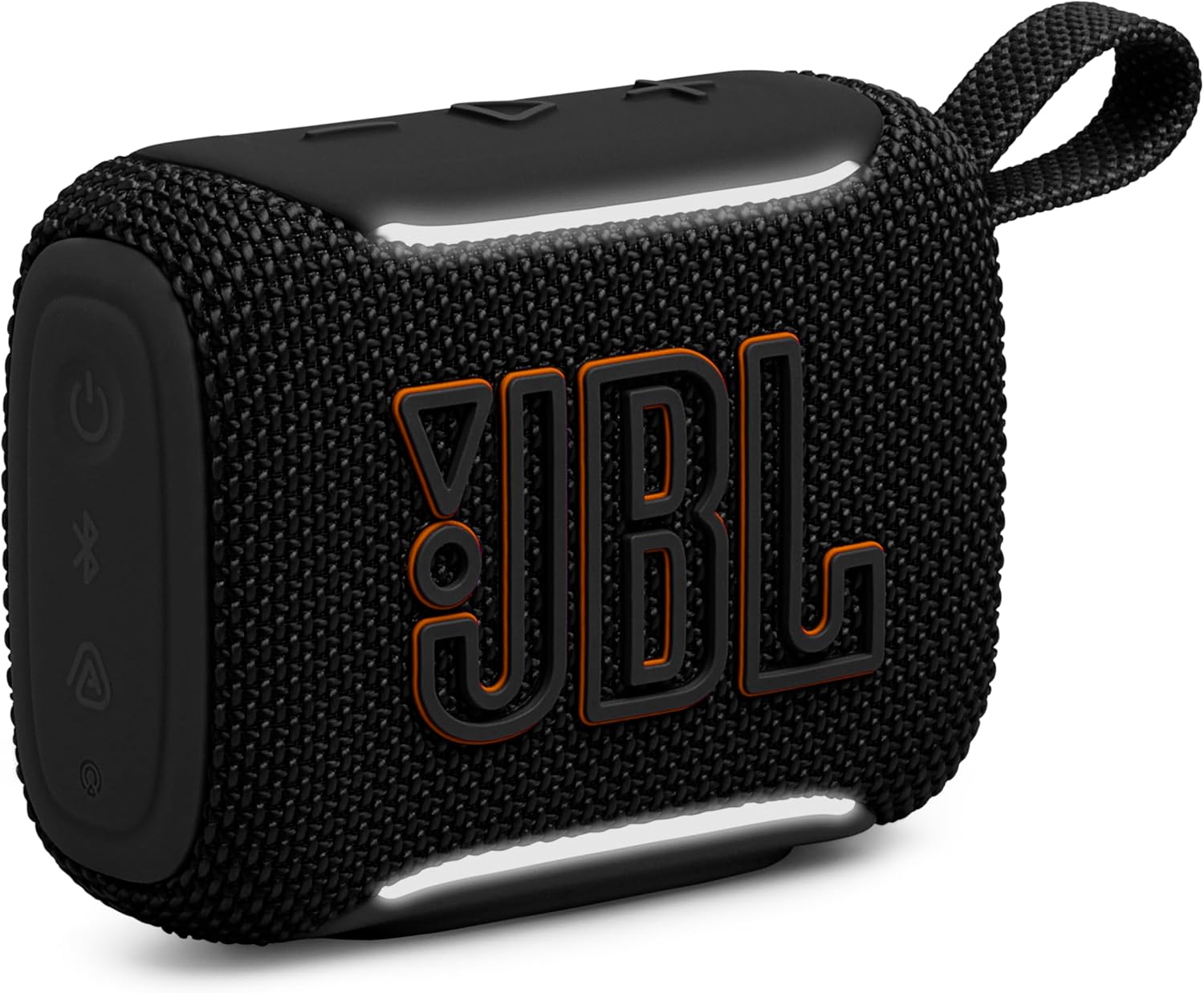
Image: Front view of the JBL Go 5 portable Bluetooth speaker.
Key Features:
- Bold JBL Sound: Delivers rich audio with deep bass.
- Ambient Edge Lighting: Customizable lighting themes provide visual cues for status.
- Extended Playtime: Up to 10 hours of audio playback with Playtime Boost.
- IP68 Waterproof & Dustproof: Designed to withstand water immersion and dust.
- AirTouch Instant Stereo Pairing: Connect two Go 5 speakers for true stereo sound.
- Auracast Multi-Speaker Linking: Link multiple Auracast-enabled speakers for expansive sound.
- Lossless USB-C Audio: Supports high-quality audio streaming via USB-C.
- JBL Portable App: Customize sound and settings.
2. What's in the Box
Verify that all items are present upon unboxing:
- 1 x JBL Go 5 Speaker
- Quick Start Guide
- Warranty Card
- Safety Instructions
- (USB cable not included)
3. Setup
3.1 Charging the Speaker
Before first use, fully charge your JBL Go 5 speaker. Connect a standard USB-C charging cable (not included) to the USB-C port on the speaker and to a power source.

Image: Illustration indicating that a USB-C charging cable is not included with the JBL Go 5 speaker.
3.2 Power On/Off
Press the power button located on the top of the speaker to turn it on or off. The ambient edge lighting will illuminate to indicate power status.
3.3 Bluetooth Pairing
- Turn on the JBL Go 5 speaker.
- The speaker will automatically enter Bluetooth pairing mode, indicated by a flashing light.
- On your device (smartphone, tablet, etc.), go to Bluetooth settings and select "JBL Go 5" from the list of available devices.
- Once connected, the speaker will emit a confirmation sound, and the ambient lighting will change to a steady color.
4. Operating the Speaker
4.1 Controls
The JBL Go 5 features intuitive controls on its top surface:

Image: Top view of the JBL Go 5 speaker showing the power, Bluetooth, and volume control buttons.
- Power Button: Press to turn the speaker on or off.
- Bluetooth Button: Press to enter Bluetooth pairing mode.
- Volume Up (+): Increase volume.
- Volume Down (-): Decrease volume.
- Play/Pause Button (Triangle): Press to play or pause audio. Double-press to skip track.
4.2 Ambient Edge Lighting
The ambient edge lighting provides visual feedback and can be customized via the JBL Portable app. It indicates power status, pairing mode, low battery, and Auracast mode.

Image: A pink JBL Go 5 speaker held in hands, showcasing its illuminated ambient edge lighting.
4.3 AirTouch Instant Stereo Pairing
To achieve true stereo sound, you can pair two JBL Go 5 speakers together using AirTouch:
- Ensure both JBL Go 5 speakers are powered on and in pairing mode.
- Bring the two speakers close together. They will automatically detect each other and link for stereo playback.
- The ambient lighting will provide visual confirmation of successful stereo pairing.

Image: Two JBL Go 5 speakers (black and red) being brought together to demonstrate AirTouch instant stereo pairing.
4.4 Auracast Multi-Speaker Linking
For a wider and more immersive sound experience, link multiple JBL Auracast-enabled speakers wirelessly:
- Ensure all Auracast-enabled speakers are powered on.
- Follow the instructions in the JBL Portable app to initiate Auracast linking.
- The speakers will connect to create a synchronized audio system.

Image: Two JBL speakers (camo and purple) illustrating the concept of expansive multi-speaker audio with Auracast.
4.5 Lossless USB-C Audio Playback
For the highest audio fidelity, connect your device to the JBL Go 5 using a USB-C cable (not included) for lossless audio playback. This requires compatible lossless audio content from supported applications or services.
4.6 Playtime Boost
The JBL Go 5 offers up to 8 hours of standard playtime, with an additional 2 hours available via the Playtime Boost feature, extending total playback to 10 hours on a single charge.
4.7 JBL Portable App
Download the JBL Portable app to unlock additional features and customization options, including a 7-band EQ for sound tuning, light theme selection, and firmware updates.
Video: An overview of the JBL Go 5 speaker, highlighting its features and upgrades. (Source: Tech Moe)
5. Maintenance
5.1 Waterproof and Dustproof (IP68)
The JBL Go 5 is rated IP68, meaning it is fully protected against dust and can withstand immersion in water up to 1.5 meters for up to 30 minutes. This makes it suitable for use in various outdoor and wet conditions.

Image: A JBL Go 5 speaker held over water, illustrating its waterproof and dustproof capabilities.
Video: A demonstration of the JBL Go 5's waterproof capabilities, including a bass test while submerged. (Source: Techscrew)
5.2 Cleaning
To clean the speaker, use a soft, damp cloth. Avoid using harsh chemicals or abrasive materials, as these can damage the speaker's finish or components. Ensure the USB-C port cover is securely closed before cleaning or exposing to water.
5.3 Battery Care
To prolong battery life:
- Avoid fully discharging the battery frequently.
- Store the speaker in a cool, dry place when not in use for extended periods.
- Charge the speaker regularly, even if not used, to maintain battery health.
6. Troubleshooting
If you encounter issues with your JBL Go 5, refer to the following common solutions:
- No Power: Ensure the battery is charged. Connect the speaker to a power source using a USB-C cable.
- No Sound: Check the volume levels on both the speaker and your connected device. Ensure the speaker is properly paired via Bluetooth.
- Bluetooth Disconnection: Move your device closer to the speaker. Ensure there are no obstructions between the devices. Try unpairing and re-pairing the speaker.
- Cannot Pair: Ensure the speaker is in Bluetooth pairing mode (flashing light). Turn off and on your device's Bluetooth, then try again.
- Poor Audio Quality: Ensure the speaker and device are within Bluetooth range. Check for interference from other wireless devices. If using USB-C audio, ensure the cable is secure and the audio source is high quality.
For persistent issues, consult the JBL Portable app or contact customer support.
7. Specifications
Detailed technical specifications for the JBL Go 5 speaker:
| Feature | Specification |
|---|---|
| Brand | JBL |
| Model Number | JBLGO5BLKAM |
| Speaker Maximum Output Power | 4.8 watts |
| Frequency Response | 20 hertz |
| Connectivity Technology | Bluetooth, USB |
| Audio Output Mode | Surround |
| Mounting Type | Floor Standing |
| Speaker Type | Portable Speaker |
| Additional Features | Hi Res Audio, LED Light, Portable, Stereo Pairing, Waterproof |
| Color | Black |
| Is Waterproof | True (IP68) |
| Control Method | App, Touch |
| Signal-to-Noise Ratio | 85 dB |
| Wireless Technology | Bluetooth |
| Number of Batteries | 1 Lithium Polymer battery required |
| Item Dimensions (D x W x H) | 1.7"D x 3.98"W x 3.05"H (43mm x 101mm x 77.4mm) |
| Item Weight | 8.16 ounces (0.23 kg) |
| Compatible Devices | Smartphone, Tablet, Laptop |
| Audio Driver Type | Dynamic Driver |
| UPC | 050036418478 |

Image: Graphic displaying key product specifications and dimensions of the JBL Go 5 speaker.
8. Warranty
The JBL Go 5 speaker comes with a 1 Year manufacturer's limited warranty. This warranty covers defects in materials and workmanship under normal use. Please refer to the included Warranty Card for full terms and conditions.
9. Support
For further assistance, product registration, or to access additional resources, please visit the official JBL support website or contact their customer service. You can also utilize the JBL Portable app for troubleshooting and updates.
Online Support: www.jbl.com/support