
1. Important Safety Instructions
Please read all instructions carefully before using this appliance and retain for future reference. Failure to follow these instructions may result in electric shock, fire, or serious injury.
- This appliance is for indoor household use only. Do not use outdoors or for commercial purposes.
- Always unplug the fan before cleaning, servicing, or moving it.
- Do not operate any fan with a damaged cord or plug. If the power cord is damaged, it must be replaced by the manufacturer, its service agent, or similarly qualified persons to avoid a hazard.
- Keep the power cord away from heated surfaces.
- Do not run cord under carpeting. Do not cover cord with throw rugs, runners, or similar coverings. Arrange cord away from traffic area and where it will not be tripped over.
- Do not insert fingers or foreign objects into any openings of the fan.
- This bladeless fan design minimizes risk, but supervision is recommended when children or pets are near the appliance.
- Place the fan on a stable, level surface to prevent tipping.
- Do not use the fan in areas where flammable liquids or gases are stored.

Image: The bladeless design ensures a soft, gentle breeze, making it safe for use around children, pets, and the elderly.

Image: The bladeless design provides enhanced safety, allowing children and pets to play nearby without risk from rotating blades.
2. Product Overview
The Uthfy 38-inch Bladeless Tower Fan is designed to provide efficient and quiet cooling for your home or office. It features a sleek, modern design with multiple speed settings, operating modes, oscillation, a timer, and ambient lighting for enhanced comfort and convenience.
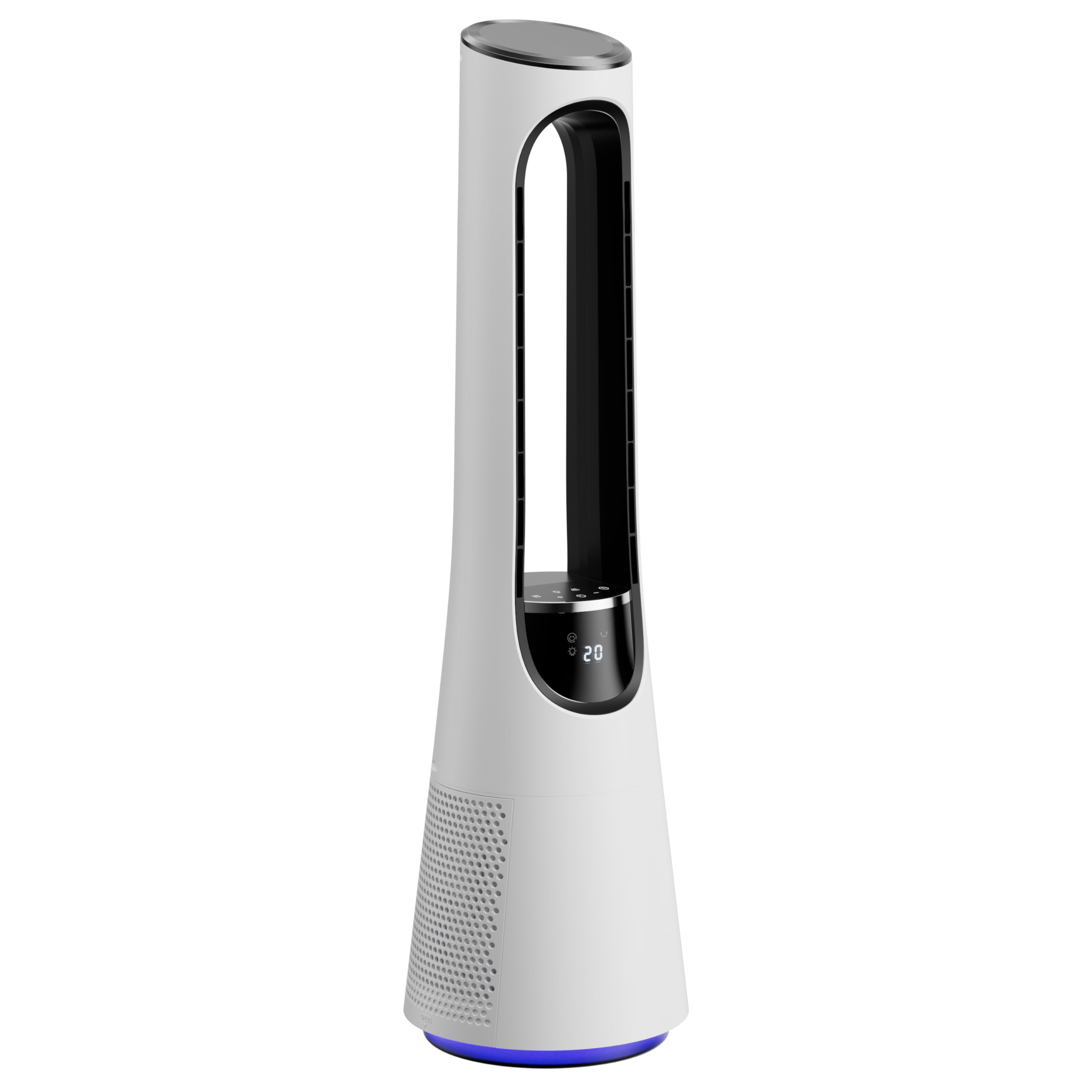
Image: The Uthfy Bladeless Tower Fan, showcasing its elegant design, remote control, and the gentle airflow it produces.
3. Package Contents
Please check the package for the following items:
- Uthfy 38-inch Bladeless Tower Fan
- Remote Control
- User Manual (this document)
4. Setup
The Uthfy Bladeless Tower Fan comes pre-assembled for your convenience. Follow these steps for initial setup:
- Unpack: Carefully remove the fan and all accessories from the packaging.
- Placement: Place the fan on a firm, level surface in the desired location. Ensure there is adequate space around the fan for optimal airflow and oscillation.
- Power Connection: Plug the power cord into a standard 120V AC electrical outlet.
5. Operating Instructions
The fan can be operated using the touch controls on the unit or the included remote control.
Control Panel & Remote Functions

Image: Overview of the fan's features including the LED display, touch controls, remote control, 120° oscillation, ambient light, 12-hour timer, and Sleep Mode.
- Power On/Off: Press the Power button (
 ) to turn the fan on or off.
 - Speed Adjustment: Press the Speed +/- buttons to cycle through 20 wind speeds. The current speed will be displayed on the LED screen.
- Mode Selection: Press the Mode button to switch between 4 operating modes:
- Normal Mode: Provides a constant, steady airflow at the selected speed.
- Natural Mode: Mimics a natural breeze by cycling through various wind speeds.
- Sleep Mode: Gradually reduces the fan speed every 30 minutes until it reaches speed level 2, promoting undisturbed rest.
- Power Mode (Turbo): Delivers maximum airflow for rapid cooling.
- Oscillation: Press the Oscillation button to activate or deactivate the 120° wide-angle oscillation feature, distributing air evenly across the room.
- Timer: Press the Timer button to set the fan to automatically turn off after a set period (1-12 hours). Each press adds one hour.
- Ambient Light: Long-press the Ambient Light button for 3 seconds to activate the 5-color breathing light effect. Press again to cycle through colors or turn off.

Image: The fan offers 4 distinct modes (Normal, Natural, Sleep, Power) and 20 adjustable speeds to cater to various cooling preferences.
6. Maintenance
Regular cleaning and maintenance will ensure optimal performance and extend the lifespan of your fan.
- Cleaning the Exterior: Wipe the exterior surfaces of the fan with a soft, damp cloth. Do not use abrasive cleaners or solvents.
- Filter Cleaning: The fan features a detachable filter for easy cleaning. Regularly remove and clean the filter to maintain airflow efficiency. Refer to the diagram below for filter location.
- Storage: If storing the fan for an extended period, unplug it, clean it thoroughly, and store it in a cool, dry place, preferably in its original packaging.
7. Troubleshooting
If you encounter any issues with your Uthfy Bladeless Tower Fan, please refer to the following common problems and solutions:
| Problem | Possible Cause | Solution |
|---|---|---|
| Fan does not turn on | No power supply Power button not pressed | Ensure the power cord is securely plugged into a working outlet. Press the Power button on the unit or remote. |
| Weak airflow | Filter is dirty Low speed setting | Clean the detachable filter. Increase the fan speed setting. |
| Remote control not working | Batteries are dead or incorrectly inserted Obstruction between remote and fan | Replace batteries with new ones, ensuring correct polarity. Remove any obstructions and ensure the remote is pointed at the fan. |
| Fan makes unusual noise | Fan is not on a level surface Internal obstruction | Place the fan on a stable, level surface. Unplug the fan and check for any foreign objects. If the noise persists, contact customer support. |
8. Specifications
| Feature | Specification |
|---|---|
| Brand | Uthfy |
| Model Number | WYS01-B |
| Product Dimensions (D x W x H) | 10.63"D x 10.63"W x 37.8"H |
| Item Weight | 9.3 Pounds |
| Power Source | DC (120 Volts) |
| Wattage | 50 watts |
| Number of Speeds | 20 |
| Operating Modes | Normal, Natural, Sleep, Power |
| Oscillation | 120° |
| Timer | 1-12 Hours |
| Noise Level | 35 Decibels |
| Control Type | Remote Control, Touchpad Control |
| Material | Acrylonitrile Butadiene Styrene |
| Indoor/Outdoor Usage | Indoor |
9. Warranty and Support
Uthfy products are manufactured to the highest quality standards. This product is covered by a limited warranty from the date of purchase. Please refer to the warranty card included in your package for specific terms and conditions.
For technical support, warranty claims, or general inquiries, please contact Uthfy Customer Service:
- Email: support@uthfy.com
- Website: www.uthfy.com