
1. Important Safety Instructions
Please read all instructions carefully before using the Dhyala KJ03 Air Purifier. Keep this manual for future reference.
- Ensure the power cord is not damaged and is placed where it cannot be tripped over or chewed by pets. The 1.83-meter anti-chew power cord is designed for durability.
- Do not operate the air purifier if it has been damaged or is not functioning correctly.
- Keep the air inlet and outlet clear of obstructions.
- The device features a child lock to prevent accidental activation. Engage this feature when children are present.
- For safety, the air purifier automatically shuts off if tilted more than 45 degrees.
- This HEPA air purifier has passed multiple international safety certifications including ETL, EPA, FCC, CE, and CARB.
2. Product Overview
The Dhyala KJ03 Air Purifier is designed to improve air quality in large rooms. It features a multi-intake design and a 3-stage filtration system.
Package Contents:
- Dhyala KJ03 Air Purifier Unit
- Filter Assembly (Pre-filter & Main Filter)
- Power Cord
- Aromatherapy Pads (1 pre-installed, 2 extra)

Image: Dhyala KJ03 Air Purifier unit with arrows indicating air flow.
3. Setup
Unboxing and Filter Preparation:
Before first use, remove all packaging from the filters inside the unit.
Video: Dhyala KJ03 Air Purifier Unboxing Video. This video demonstrates how to unbox the air purifier and prepare it for use, including removing filter packaging.

Image: Filter installation process for the Dhyala KJ03 Air Purifier.
Placement:
The Dhyala KJ03 features a front, rear, and dual-sided multi-intake design for optimal air circulation. Place the unit in a central location within the room to maximize its effectiveness. Ensure there is adequate space around the air inlets and outlets for unrestricted airflow.
4. Operating Instructions
Control Panel Overview:

Image: Diagram illustrating the functions of the Dhyala KJ03 Air Purifier's control panel.
Basic Operation:
- Power On/Off: Press the power button to turn the unit on or off.
- Fan Speed: Select from four manual fan speeds (1-4) to adjust purification intensity.
- Auto Mode: The built-in PM2.5 sensor monitors air quality in real-time and automatically adjusts the fan speed to maintain optimal air purification.
- Sleep Mode: Activate sleep mode for quiet operation (as low as 15 decibels) and a dimmed display, ideal for nighttime use.
- Timer Function: Set the air purifier to operate for a duration of 1 to 12 hours.
- Child Lock: Press and hold the child lock button to prevent unintended changes to settings.
Smart Features:
The Dhyala KJ03 Air Purifier offers smart connectivity for enhanced control and monitoring.
- WiFi Connectivity: Connect the air purifier to your home WiFi network to enable remote control via a mobile application.
- App Control: Use the dedicated mobile app to control all functions, monitor air quality, and set schedules from anywhere.
- Voice Control: Compatible with Alexa and Google Assistant for convenient voice commands.
Video: Dhyala Air Purifier KJ03 App Operation Guide. This video demonstrates how to connect and control the air purifier using the mobile application.

Image: Smartphone displaying the control app for the Dhyala KJ03 Air Purifier.
Air Quality Indicator (AQI) Display:
The integrated PM2.5 sensor provides real-time air quality readings on the display, indicated by a color-coded system:
- Green: Excellent air quality (0-35 particles)
- Yellow: Moderate air quality (36-75 particles)
- Red: Poor air quality (>75 particles)
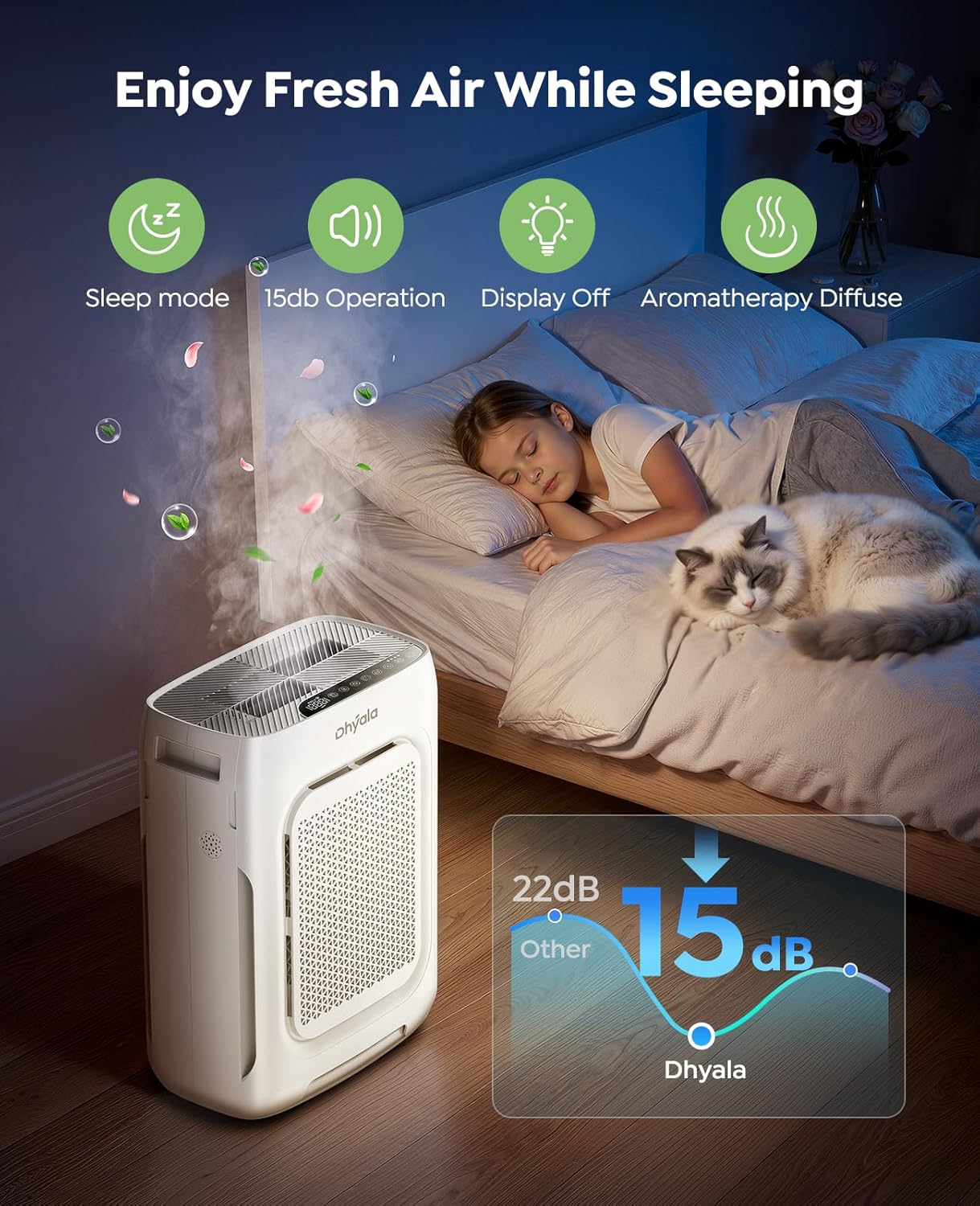
Image: Dhyala KJ03 Air Purifier displaying real-time air quality with color-coded indicators.
Aromatherapy Function:
The air purifier includes a built-in aromatherapy box. Add a few drops of essential oil (not included) to the aromatherapy pad to diffuse a pleasant scent into your room.
Video: How to Use Aromatherapy on the KJ03? This video demonstrates how to use the aromatherapy feature of the air purifier.
5. Maintenance
Regular maintenance ensures optimal performance and extends the life of your Dhyala KJ03 Air Purifier.
Pre-filter Cleaning:
The pre-filter is washable and designed for reuse. Clean it regularly to remove larger particles like pet hair and dust, which helps prolong the life of the main HEPA filter.
- Remove the pre-filter from the unit.
- Wash the pre-filter under running water or vacuum it to remove accumulated debris.
- Ensure the pre-filter is completely dry before re-installing it into the air purifier.

Image: Demonstrating how to clean the washable pre-filter.
Filter Replacement:
The air purifier is equipped with a filter replacement indicator light that will illuminate when it's time to change the main filter. Replace the filter promptly to maintain purification efficiency.
Video: How to Clean and Replace Pre-filters for KJ03? This video also covers the replacement of the main filter.

Image: Exploded view of the Dhyala KJ03 Air Purifier's dual filter system.
6. Troubleshooting
If you encounter any issues with your Dhyala KJ03 Air Purifier, refer to the information below. For further assistance, contact customer support.
Common Issues and Solutions:
- Unit not turning on: Check if the power cord is securely plugged in. Ensure the unit is on a stable, level surface; the tilt protection feature will prevent operation if the unit is tilted more than 45 degrees.
- Reduced airflow or purification: Check if the pre-filter is clean. If the filter replacement indicator light is on, replace the main filter. Ensure air inlets and outlets are not blocked.
- Unusual noise: Ensure the unit is on a flat surface. Check if filters are correctly installed.

Image: Illustration of the Dhyala KJ03 Air Purifier's safety features, including tip-over protection.
7. Specifications
| Model Number | KJ03 |
| Product Dimensions | 7.48 x 12.99 x 17.24 inches |
| Item Weight | 8.82 Pounds (4 Kilograms) |
| Power Source | AC |
| Wattage | 45 watts |
| Control Method | Touch, App, Voice |
| Filter Type | HEPA H13 |
| Particle Retention Size | 0.3 Micron |
| Floor Area Coverage | Up to 3000 sqft (286 Square Meters) in one hour |
| CADR Value | Up to 265 CFM (450 m³/h) |
| Noise Level | As low as 15 Decibels (Sleep Mode) |
| Contaminant Filtration | Cigarette smoke, dust, odors, pet dander, pet hair, pollen, VOCs |
| Special Features | Dual Filters, Multi-intake Design, Smart Wi-Fi, Aromatherapy Box, Child Lock, Tilt Protection |
| Smart Home Compatibility | Alexa, Google Assistant |
8. Warranty and Support
Dhyala is committed to providing high-quality products and excellent customer service.
- Warranty: Every Dhyala air purifier comes with a 24-month warranty.
- Customer Service: We offer 24/7 after-sales service and lifetime technical support.
- Contact Us: Please feel free to contact us with any questions or concerns at Support@Dhyala.com.