
Introduction
The JBL Go 5 is an ultra-portable, waterproof, and drop-proof speaker designed to deliver powerful JBL sound in a compact form factor. It features ambient edge lighting, AirTouch instant stereo pairing, and the ability to link multiple compatible speakers via Auracast™ for an enhanced audio experience. This manual provides essential information for setting up, operating, and maintaining your JBL Go 5 speaker.
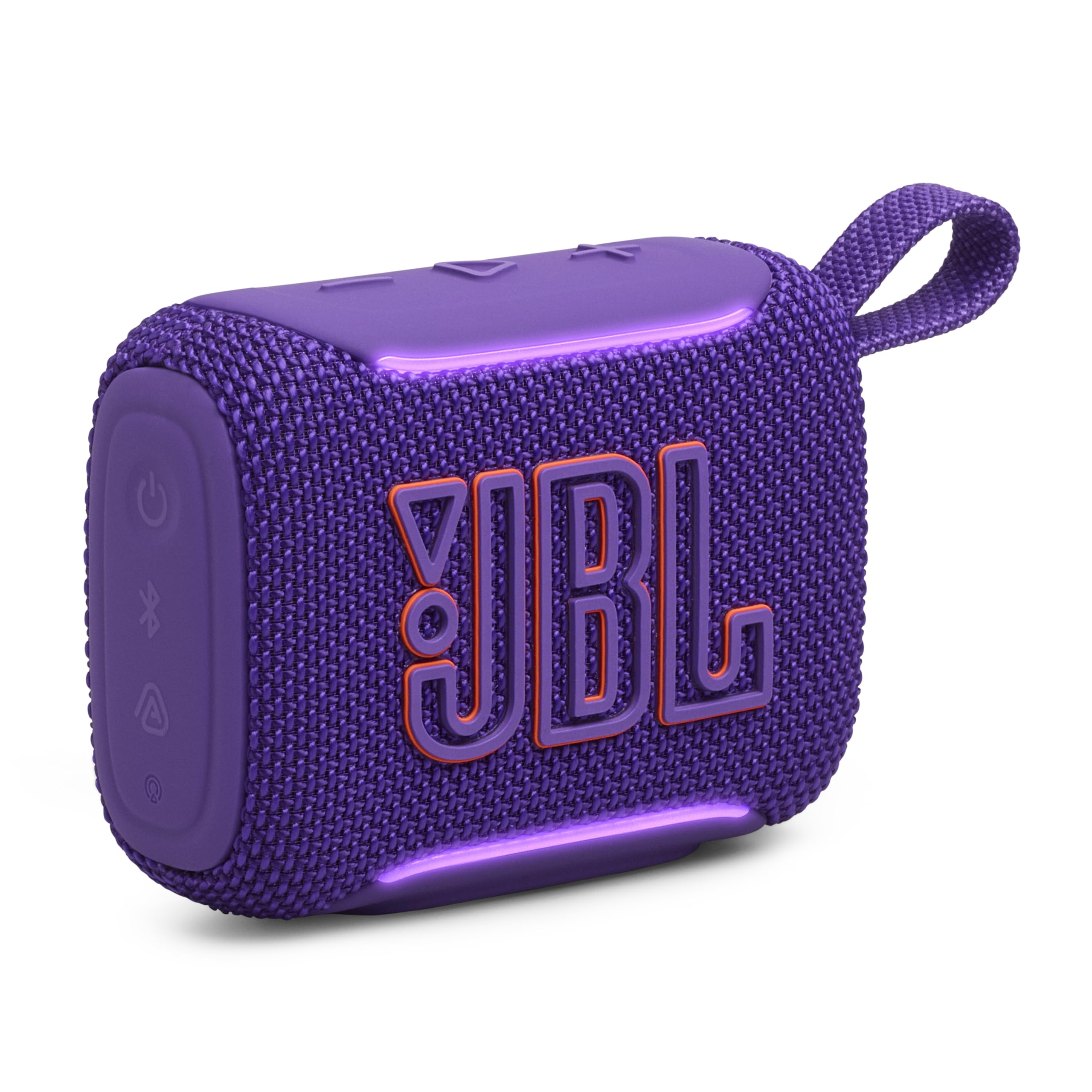
Figure 1: JBL Go 5 Portable Speaker (Purple)
Key Features
- Powerful JBL Sound: Experience legendary JBL sound with deep bass from a palm-sized speaker.
- Ambient Edge Lighting: Customizable light themes provide visual cues for power, pairing, battery status, and Auracast mode.
- Extended Playtime: Enjoy up to 8 hours of battery life, with an additional 2 hours using Playtime Boost.
- Durable Design: IP68 waterproof, dust-proof, and drop-proof construction ensures durability in various environments.
- AirTouch Stereo Pairing: Instantly pair two JBL Go 5 speakers for true left and right stereo sound without an app.
- Auracast™ Connectivity: Link multiple JBL Auracast™-enabled speakers wirelessly for a wider, more immersive sound experience.
- Lossless USB-C Audio: Supports high-quality audio streaming via USB-C for compatible devices and content.
- JBL Portable App: Customize sound with a 7-band EQ, select light themes, and update firmware.
Video 1: Official JBL Go 5 Product Overview. This video highlights the speaker's design, features, and usage scenarios, including its portability, durability, and sound capabilities.
What's in the Box
Upon unboxing your JBL Go 5, you should find the following items:
- 1 x JBL Go 5 Speaker
- Quick Start Guide
- Warranty Card
- Safety Sheet
- (USB cable not included)

Figure 2: Contents of the JBL Go 5 packaging, showing the speaker and documentation.
Setup
1. Charging the Speaker
Before first use, fully charge your JBL Go 5 speaker. Use a USB-C charging cable (not included) to connect the speaker to a power source. The ambient edge lighting will indicate charging status.
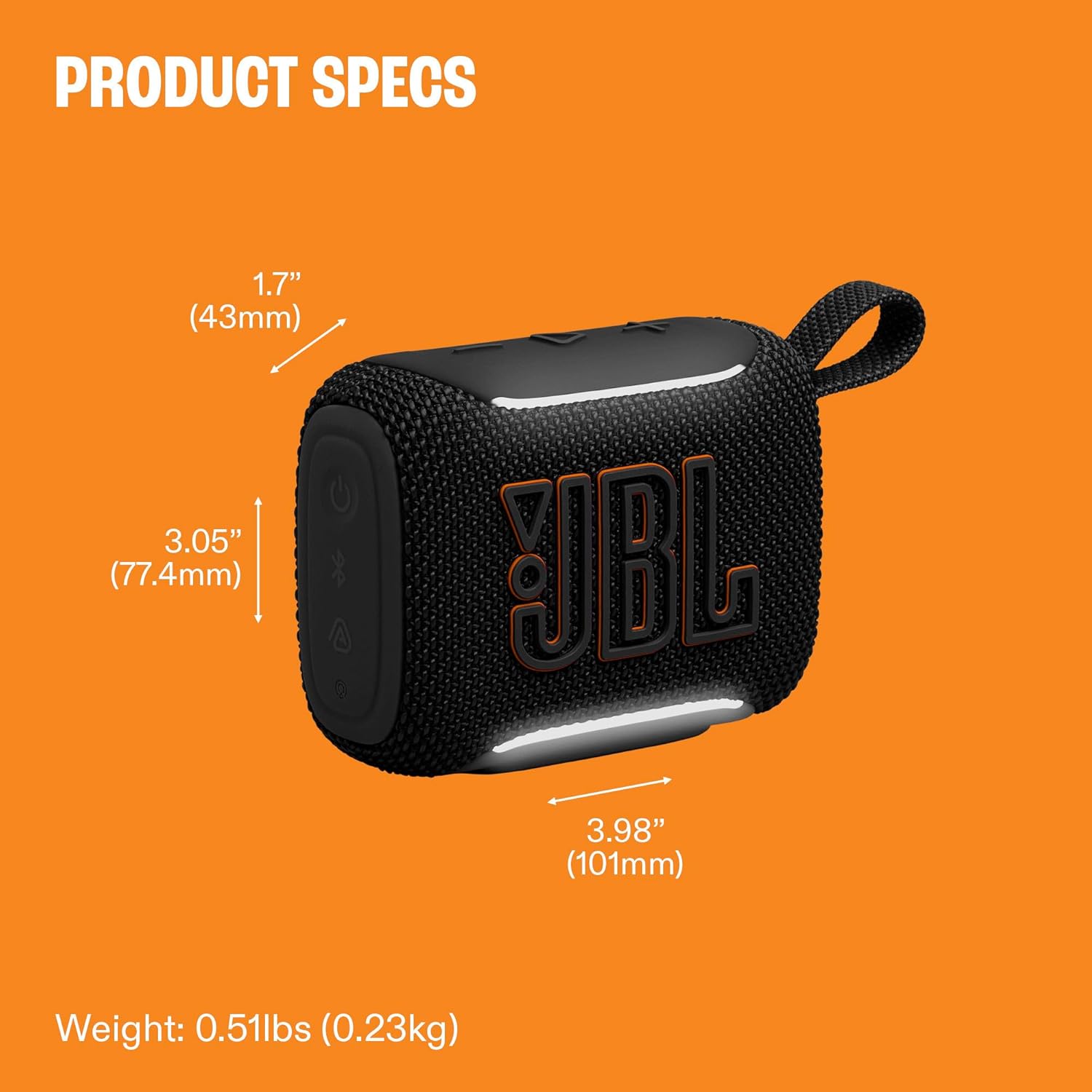
Figure 3: USB-C charging port located on the bottom of the JBL Go 5 speaker.
2. Powering On/Off
Press the power button located on the top panel to turn the speaker on or off. The ambient edge lighting will illuminate upon powering on.

Figure 4: Top panel of the JBL Go 5 with power, Bluetooth, and volume controls.
3. Bluetooth Pairing
- Turn on your JBL Go 5 speaker. The ambient edge lighting will indicate it's ready for pairing.
- On your mobile device, navigate to the Bluetooth settings.
- Select "JBL Go 5" from the list of available devices to connect.
- Once connected, the speaker will emit a confirmation tone, and the edge lighting will change to a steady color.
Operating Instructions
Basic Controls
- Power Button: Press to turn on/off.
- Volume Buttons (+/-): Press to adjust volume up or down.
- Play/Pause Button: Press once to play or pause music.
- Skip Track: Double-press the Play/Pause button to skip to the next track.
- Bluetooth Button: Press to enter Bluetooth pairing mode.
AirTouch Instant Stereo Pairing
For a true stereo sound experience, you can instantly pair two JBL Go 5 speakers using AirTouch:
- Ensure both JBL Go 5 speakers are powered on and not connected to any other device.
- Gently touch the two speakers together. They will automatically detect each other and pair for stereo sound.
- The ambient edge lighting will provide visual confirmation of successful stereo pairing.

Figure 5: AirTouch feature allowing two JBL Go 5 speakers to pair for stereo sound.
Auracast™ Multi-Speaker Linking
To create an even larger soundstage, you can link multiple JBL Auracast™-enabled speakers:
- Ensure all JBL Auracast™-enabled speakers are powered on.
- Follow the instructions in the JBL Portable app to initiate Auracast™ linking.
- The speakers will connect wirelessly, expanding your audio coverage.
JBL Portable App Customization
Download the JBL Portable app to unlock additional features and customize your listening experience:
- 7-band EQ: Fine-tune your sound preferences.
- Light Themes: Select from various ambient edge lighting patterns (e.g., Bounce, Loop, Switch, Freeze).
- Firmware Updates: Keep your speaker updated with the latest features and improvements.

Figure 6: JBL Go 5 showcasing its ambient edge lighting feature.
Maintenance
The JBL Go 5 is designed for durability with an IP68 rating, making it waterproof and dust-proof. It is also drop-proof.
- Cleaning: To clean the speaker, gently wipe it with a damp cloth. Do not use harsh chemicals or abrasive materials.
- Water Exposure: After exposure to water, ensure the USB-C port is completely dry before charging to prevent damage.
- Storage: Store the speaker in a cool, dry place when not in use for extended periods.

Figure 7: The JBL Go 5 is IP68 rated, making it suitable for use near water and resistant to dust.
Troubleshooting
| Problem | Solution |
|---|---|
| Speaker does not turn on. | Ensure the speaker is charged. Connect it to a power source using a USB-C cable. |
| Cannot pair via Bluetooth. | Make sure the speaker is in pairing mode (ambient edge lighting blinking). Ensure your device's Bluetooth is on and within range. Forget the device in your phone's Bluetooth settings and try pairing again. |
| No sound or low volume. | Check the volume levels on both the speaker and your connected device. Ensure the speaker is properly paired. |
| AirTouch stereo pairing fails. | Ensure both Go 5 speakers are powered on, not connected to other devices, and are gently touched together. |
| Ambient edge lighting not working. | Check settings in the JBL Portable app. Ensure the speaker is powered on. |
Specifications
| Feature | Detail |
|---|---|
| Brand | JBL |
| Model Name | Go 5 |
| Model Number | JBLGO5PURAM |
| Speaker Maximum Output Power | 4.8 Watts |
| Connectivity Technology | Bluetooth, USB |
| Bluetooth Version | 6.0 (implied from video, product description mentions 5.3 for Go4, 6.0 for Go5) |
| Waterproof Rating | IP68 (Waterproof and Dust-proof) |
| Drop-Proof | Yes |
| Battery Life | Up to 10 hours (8 hours + 2 hours with Playtime Boost) |
| Item Dimensions (D x W x H) | 1.7"D x 3.98"W x 3.05"H (43mm D x 101mm W x 77.4mm H) |
| Item Weight | 8.16 ounces (0.23kg) |
| Signal-to-Noise Ratio | 85 dB |
| Number of Batteries | 1 Lithium Polymer battery required |

Figure 8: Visual representation of JBL Go 5 dimensions and weight.
Warranty and Support
Warranty Information
The JBL Go 5 comes with a 1-Year manufacturer's warranty. Please retain your proof of purchase for warranty claims. For detailed terms and conditions, refer to the Warranty Card included in your product packaging.
Customer Support
For further assistance, technical support, or service inquiries, please visit the official JBL support website or contact their customer service. Refer to the Quick Start Guide or Safety Sheet for specific contact details in your region.


