
1. Introduction
This manual provides detailed instructions for the Antigravity ATZ10-RS RE-START Lithium Battery and the Antigravity SC-10 Super-Charger. This bundle offers a complete solution for powersports starting power and efficient lithium battery maintenance. Please read all instructions carefully before use to ensure safe and optimal performance.
2. ATZ10-RS Lithium Battery Overview
The Antigravity ATZ10-RS is a high-performance lithium-ion battery designed for powersports applications, featuring advanced RE-START Technology to prevent being stranded by a dead battery.
2.1 Key Features
- RE-START Technology: Built-in safety feature that reserves enough energy to restart your vehicle if the battery is over-discharged.
- 4-Terminal Design: Offers flexible connection options, fitting both left and right side connections for easier installation.
- High Cranking Amps & Amp Hours: Provides up to 2x more cranking amps and amp hours compared to other lithium batteries of the same size.
- Lightweight: Significantly lighter than traditional lead-acid batteries, improving vehicle performance.
- Full Battery Management System (BMS): Monitors for over-charge, over-discharge, cell balancing, and thermal protection.
2.2 Product Image
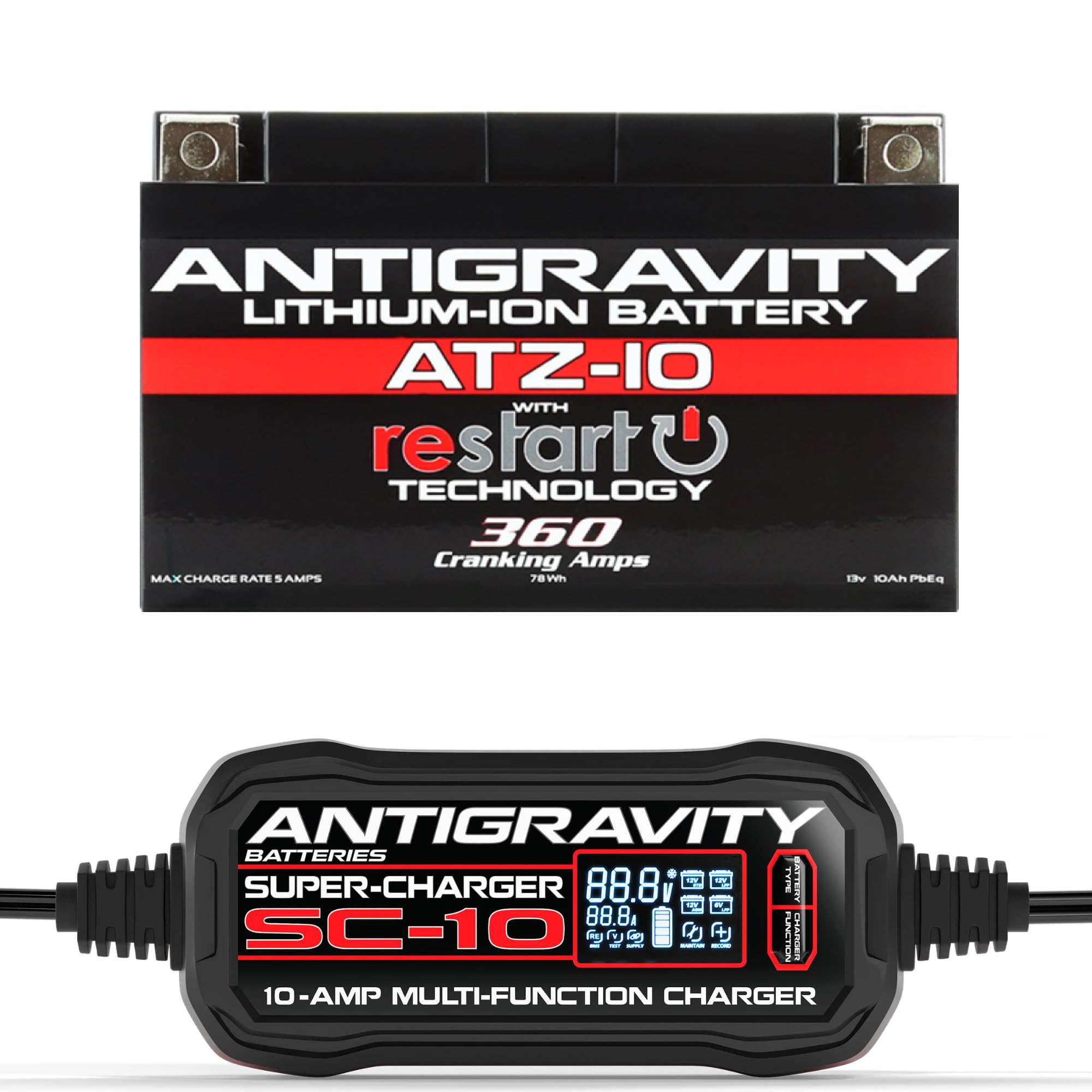
2.3 Product Video: Overview of RE-START Batteries
2.4 Product Video: RE-START Series Overview
3. SC-10 Super-Charger Overview
The Antigravity SC-10 Super-Charger is a 10-amp multi-function charger/maintainer designed for optimal charging and maintenance of both 6V/12V lithium (LiFePO4/LFP) and lead-acid (AGM, FLA, GEL) batteries.
3.1 Key Features
- Multi-Function Charging: Compatible with 6V/12V Lithium (LiFePO4/LFP) and 12V Lead/Acid (AGM, FLA, GEL) batteries.
- Digital Screen: Displays real-time charging voltage, current, and status.
- Built-in Voltage Tester: Allows for quick assessment of battery voltage.
- Built-in Power Supply: Can power 12V devices, including a cigarette lighter adapter.
- Lithium BMS Re-set: Awakens the Battery Management System on deeply discharged lithium batteries.
- 10-Amp Fast Charging: Provides efficient and rapid charging for various vehicles.
3.2 Product Video: Antigravity Battery Charger Overview
4. Setup
4.1 ATZ10-RS Battery Installation
- Ensure your vehicle's ignition is off and the key is removed.
- Locate the existing battery in your vehicle. This typically involves removing a seat, fairing, or cover.
- Disconnect the negative (-) terminal first, followed by the positive (+) terminal.
- Carefully remove the old battery.
- Place the Antigravity ATZ10-RS battery into the battery tray. Utilize the 4-terminal design to ensure the most convenient and secure connection.
- Connect the positive (+) terminal first, then the negative (-) terminal. Ensure all connections are tight and secure.
- Replace any covers, fairings, or seats removed during the process.
4.2 SC-10 Super-Charger Connection
- Identify the battery type (Lithium or Lead/Acid) you intend to charge.
- Connect the charger's clamps to the battery terminals: red clamp to positive (+), black clamp to negative (-).
- Plug the SC-10 Super-Charger into a standard AC power outlet.
- The digital screen will illuminate, displaying real-time battery information.
5. Operating Instructions
5.1 Using RE-START Technology (ATZ10-RS Battery)
If your ATZ10-RS battery has entered RE-START mode due to over-discharge, it will have reserved enough power to restart your vehicle. To activate:
- Locate the RE-START button on the top of the battery.
- Press the RE-START button firmly. This will re-engage the battery for starting.
- Attempt to start your vehicle. Once started, the battery will begin to recharge from your vehicle's charging system.
5.2 Charging with SC-10 Super-Charger
- After connecting the charger to the battery and power outlet, the charger will automatically detect the battery voltage.
- Use the 'BATTERY TYPE' button to select the correct battery chemistry (e.g., 12V STD for standard lead-acid, 12V LFP for lithium).
- The charger will begin its charging cycle. Monitor the digital screen for charging voltage, current, and status.
- The charger will automatically switch to maintenance mode once the battery is fully charged.
5.3 Built-in Voltage Tester (SC-10)
The SC-10 Super-Charger features a built-in voltage tester. When connected to a battery, the digital screen will display the current voltage, allowing you to quickly assess the battery's state of charge.
5.4 Power Supply Mode (SC-10)
The SC-10 can function as a 12V power supply. Connect the charger to a power outlet and select the 'SUPPLY' function. This mode can be used to power 12V accessories or maintain vehicle systems during battery changes.
5.5 Lithium BMS Re-set (SC-10)
If a lithium battery's BMS has shut down due to deep discharge, the SC-10's 'BMS RE-SET' function can awaken it. Select this function on the charger to attempt to revive the battery.
6. Maintenance
6.1 ATZ10-RS Battery Care
- Regular Charging: For optimal lifespan, keep your lithium battery charged, especially during periods of non-use. The SC-10 Super-Charger is ideal for this.
- Terminal Inspection: Periodically check battery terminals for corrosion or loose connections. Clean as necessary.
- Storage: If storing the vehicle for extended periods, ensure the battery is fully charged and consider using the SC-10 in maintenance mode.
6.2 SC-10 Super-Charger Care
- Cleaning: Wipe the charger with a dry cloth. Do not use harsh chemicals or immerse in water.
- Storage: Store the charger in a cool, dry place away from direct sunlight and moisture.
- Cable Inspection: Regularly inspect cables and connectors for damage. Do not use if damaged.
7. Troubleshooting
7.1 ATZ10-RS Battery Issues
- Battery Not Starting: If the RE-START button does not activate the battery, ensure all connections are secure. If the battery is severely discharged beyond the RE-START reserve, it may require charging with the SC-10.
- Slow Cranking: Check battery voltage with the SC-10. If low, charge the battery. Ensure terminals are clean and tight.
7.2 SC-10 Super-Charger Issues
- Charger Not Turning On: Verify the charger is properly plugged into a live AC outlet. Check for blown fuses in the outlet or charger (if applicable).
- Charger Not Charging: Ensure correct battery type is selected. Check for secure connections to the battery terminals. If charging a deeply discharged lithium battery, use the 'BMS RE-SET' function.
- Error Codes: Refer to the SC-10 user manual for specific error code interpretations and solutions.
8. Specifications
8.1 Antigravity ATZ10-RS Lithium Battery
- Model: ATZ10-RS
- Battery Type: Lithium-Ion (LiFePO4)
- Voltage: 12V
- Cranking Amps: 360 CA (Cold Cranking Amps)
- RE-START Technology: Yes
- Terminal Design: 4-Terminal
8.2 Antigravity SC-10 Super-Charger
- Model: SC-10
- Charging Amperage: 10 Amps
- Battery Compatibility: 6V/12V Lithium (LiFePO4/LFP), 12V Lead/Acid (AGM, FLA, GEL)
- Functions: Charge, Maintain, Test, Supply, BMS Re-set
- Display: Digital Screen (Voltage, Current, Status)
9. Warranty
The Antigravity ATZ10-RS Lithium Battery and SC-10 Super-Charger bundle comes with a best-in-class warranty. For specific warranty terms and conditions, please refer to the documentation included with your product or visit the official Antigravity Batteries website.
10. Support
For further assistance, technical support, or to view additional product information, please visit the Antigravity Batteries official website or contact their customer service department. Always refer to the latest version of the user manual for the most up-to-date information.