
BAOFENG VBT-888S PLUS
BAOFENG VBT-888S Plus Walkie Talkies User Manual
Model: VBT-888S PLUS
1. Introduction
The BAOFENG VBT-888S Plus is an upgraded two-way radio system designed for reliable long-range communication. This kit includes six rechargeable walkie talkies, earpieces, and a convenient 6-way multi-gang charger. With a 1500 mAh battery and Type-C charging capabilities, these radios are suitable for various applications such as schools, churches, warehouses, construction sites, and outdoor team activities. This manual provides essential information for setting up, operating, and maintaining your BAOFENG VBT-888S Plus walkie talkies.
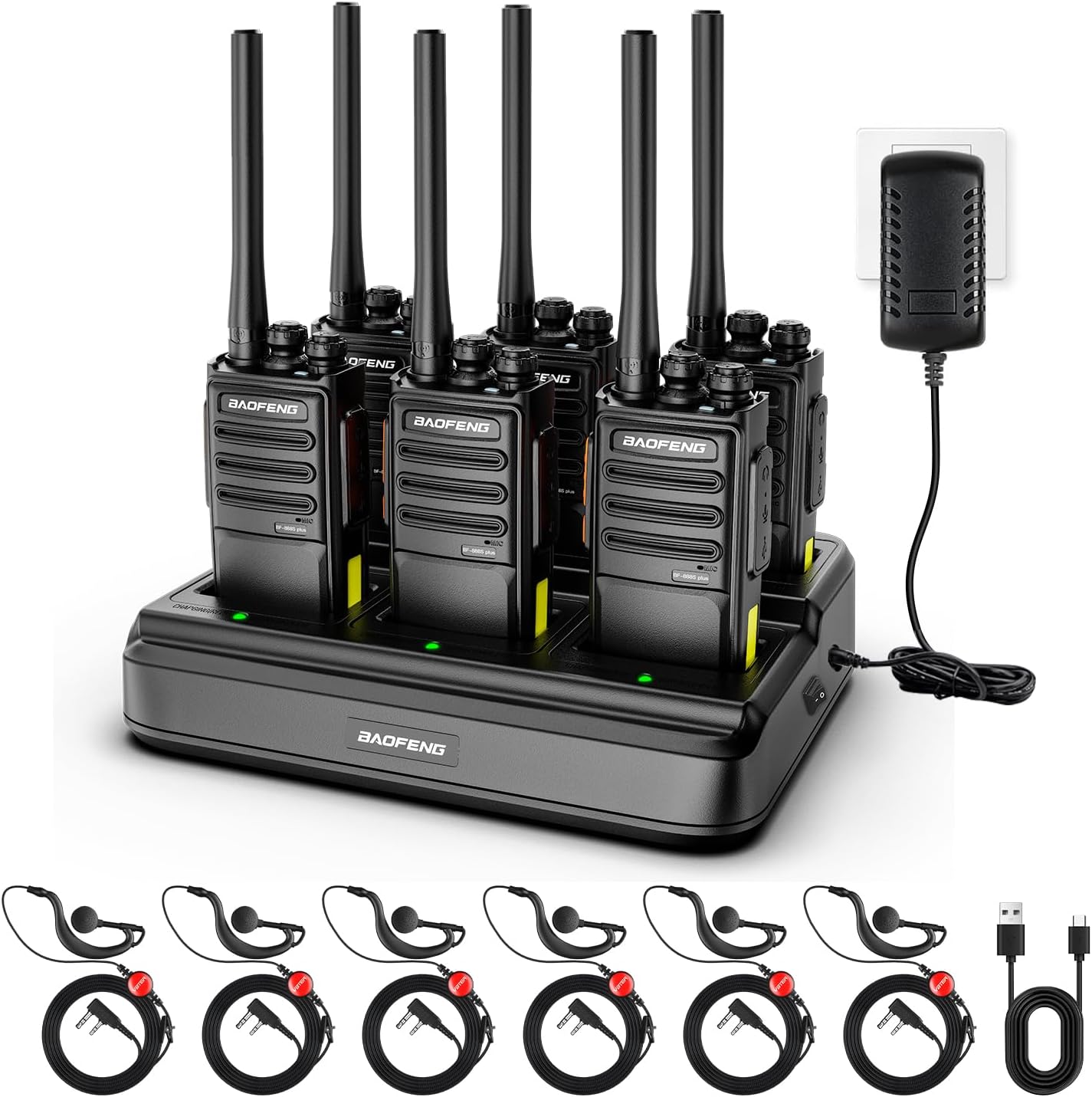
Image: BAOFENG VBT-888S Plus Walkie Talkies charging in the included 6-way multi-gang charger.
2. What's in the Box
Your BAOFENG VBT-888S Plus package includes the following items:
- 6 x Walkie Talkies
- 1 x 6-Way Gang Charger
- 6 x Detachable Antennas
- 6 x USB Type-C Cables
- 6 x Upgrade Earpieces
- 6 x Back Clips
- 6 x Lanyards
- 6 x Batteries (1500mAh Lithium Ion)
- 1 x Instruction Manual
- 1 x Power Adapter for 6-Way Charger
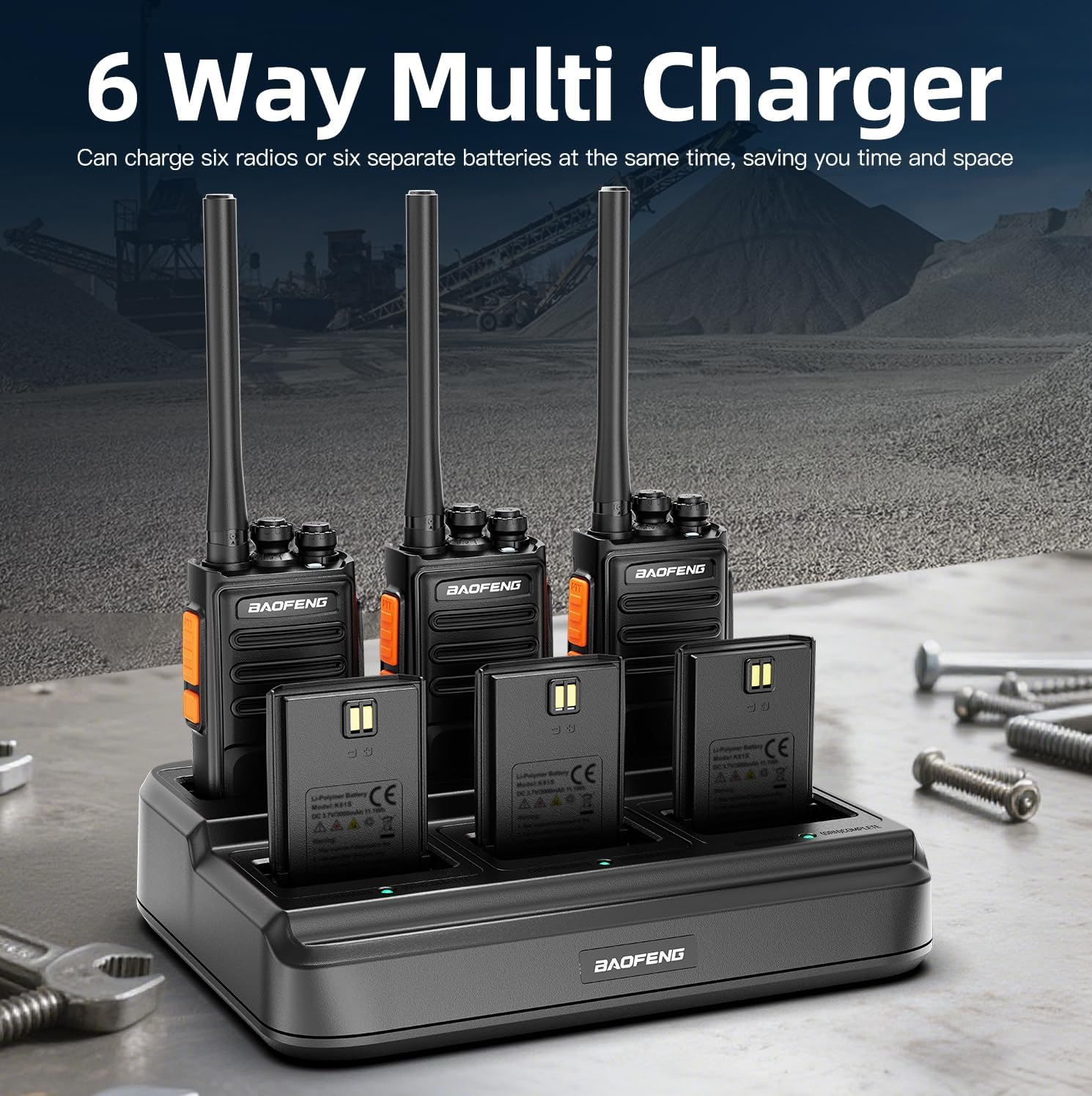
Image: All components included in the BAOFENG VBT-888S Plus package, laid out for clear viewing.
3. Product Overview
Familiarize yourself with the main components of your BAOFENG VBT-888S Plus walkie talkie:

Image: Detailed diagram illustrating the various parts of the VBT-888S Plus radio, including the Channel Switch, On/Off/Volume Knob, Indicator Light, Earpiece/USB Jack, PTT button, Speaker, Noise Reduction button, and Microphone.
- Channel Switch: Rotate to select one of the 16 available UHF channels.
- On/Off/Volume Knob: Turn clockwise to power on and increase volume; turn counter-clockwise to decrease volume and power off.
- Indicator Light: Illuminates to show status (e.g., transmitting, receiving, charging).
- PTT (Push-To-Talk) Button: Press and hold to transmit your voice.
- Speaker/Microphone: For audio output and input.
- Earpiece/USB Jack: Connect the earpiece or Type-C charging cable.
- Back Clip: Attach to your belt or clothing for convenient carrying.
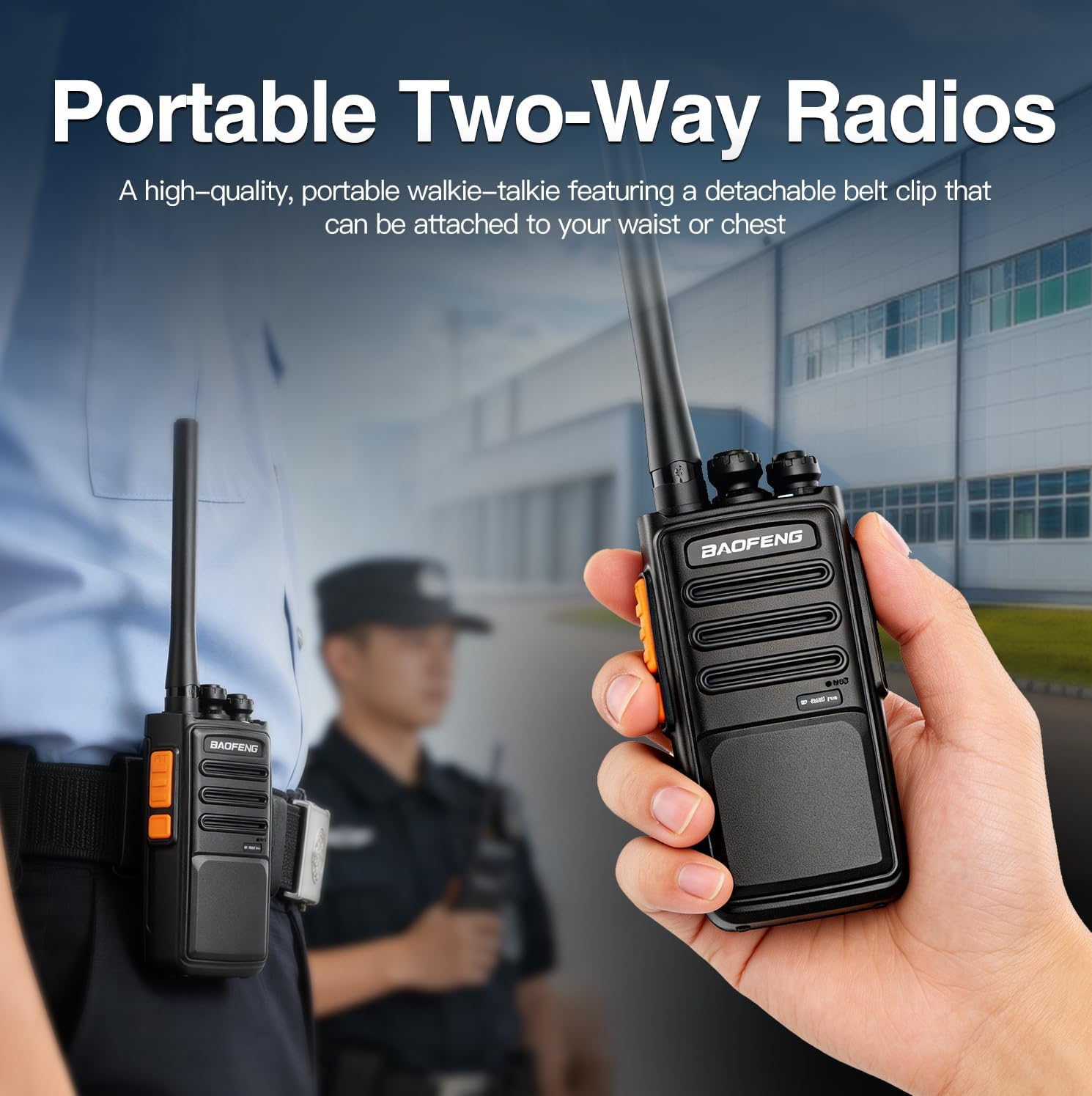
Image: A person demonstrating the portability of the walkie talkie, showing it attached to a belt using the back clip.
4. Setup
4.1 Battery Installation
- Ensure the walkie talkie is powered off.
- Align the battery pack with the grooves on the back of the radio.
- Slide the battery pack upwards until it clicks into place.
- To remove, press the release latch (if present) and slide the battery downwards.
4.2 Antenna Attachment
- Screw the antenna clockwise into the connector on the top of the walkie talkie until it is finger-tight.
- Do not overtighten.
4.3 Charging the Batteries
The BAOFENG VBT-888S Plus radios can be charged using the included 6-way multi-gang charger or individually via Type-C cables.
Using the 6-Way Multi-Gang Charger:
- Connect the power adapter to the 6-way charger and plug it into a power outlet.
- Place the walkie talkies (with batteries installed) or individual batteries into the charging slots.
- The indicator light on each slot will show the charging status (e.g., red for charging, green for fully charged).
- A full charge typically takes 3-4 hours.

Image: The 6-way multi-gang charger with walkie talkies and spare batteries inserted into their respective charging slots.
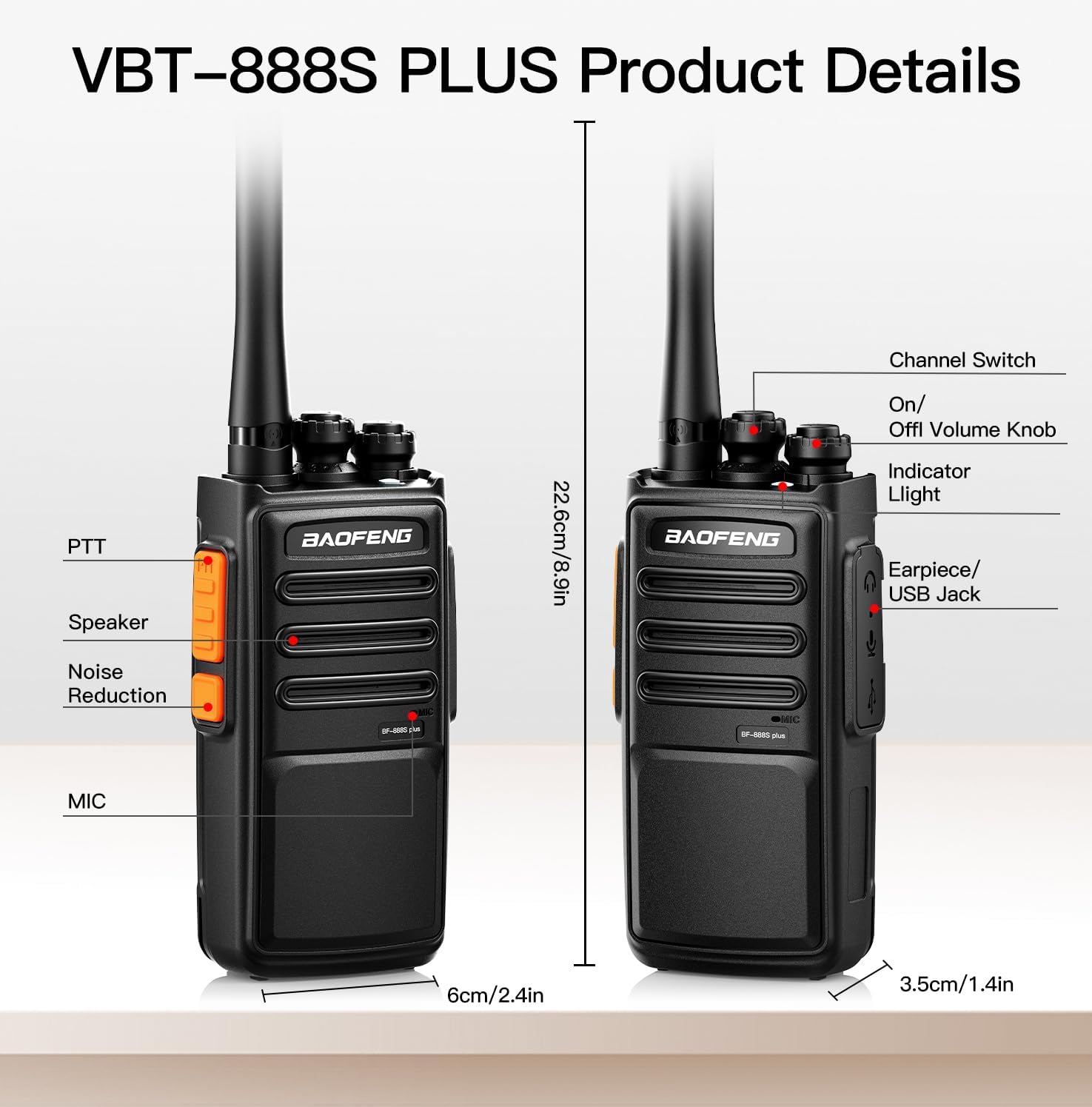
Image: Close-up of the 6-way charger showing the dedicated ON/OFF button and charging indicator lights (green for complete, yellow for in progress).
Using Type-C Charging:
- Connect one end of the Type-C USB cable to the radio's Earpiece/USB Jack.
- Connect the other end to a compatible USB power source (e.g., laptop, car charger, power bank).
- The radio's indicator light will show charging status.

Image: Various Type-C charging methods for the walkie talkie, including vehicle charging, power bank charging, and PC charging.
A fully charged 1500mAh battery provides approximately 10-12 hours of continuous talk time and up to 72 hours of standby time.

Image: Graphic illustrating charging time (3-4 hours), work time (12 hours), and standby time (72 hours) for the walkie talkies.
4.4 Earpiece Connection
Insert the earpiece plug firmly into the Earpiece/USB Jack on the side of the radio. Ensure a secure connection for optimal audio.
5. Operating Instructions
5.1 Power On/Off and Volume Adjustment
- To power on, rotate the On/Off/Volume knob clockwise until you hear a click and the radio announces the current channel.
- Continue rotating clockwise to increase the volume.
- To decrease volume, rotate counter-clockwise.
- To power off, rotate the knob counter-clockwise until you hear a click.
5.2 Channel Selection
Rotate the Channel Switch knob on top of the radio to select one of the 16 available UHF channels. Ensure all radios you wish to communicate with are set to the same channel.
5.3 Transmitting and Receiving
- To transmit, press and hold the PTT (Push-To-Talk) button on the side of the radio. Speak clearly into the microphone. The indicator light will typically glow red.
- Release the PTT button to stop transmitting and return to receive mode.
- When receiving a transmission, the indicator light will typically glow green.
5.4 VOX Function (Hands-Free Operation)
The VBT-888S Plus supports VOX (Voice Operated Exchange) for hands-free communication. When VOX is enabled, the radio will automatically transmit when it detects your voice, without needing to press the PTT button. Refer to the detailed programming guide (if available) or contact support for instructions on enabling and adjusting VOX sensitivity.

Image: Visual representation of the walkie talkie's speaker and microphone components, highlighting the noise-canceling feature for clear audio quality.
5.5 Other Functions
- TOT (Time-Out Timer): Prevents a user from occupying a channel for too long by limiting transmission duration.
- Privacy Encrypted Channels: Offers enhanced communication security. Requires programming.
- Power Saving Mode: Automatically reduces battery consumption when no activity is detected.
- Emergency Alert: Activates an alarm signal. Consult the full programming manual for activation methods.
- Chirp PC Programmable: Allows advanced customization of radio settings via computer software.
6. Maintenance
6.1 Battery Care
- Fully charge new batteries before first use.
- Avoid overcharging or completely draining the battery to prolong its lifespan.
- Store batteries in a cool, dry place when not in use.
- If storing for extended periods, charge batteries to about 50% capacity.
6.2 Cleaning
- Wipe the radio's surface with a soft, damp cloth.
- Do not use harsh chemicals or abrasive cleaners.
- Ensure the radio is dry before use or charging.
6.3 Storage
- Store the walkie talkies in a dry, dust-free environment.
- Keep away from extreme temperatures and direct sunlight.
- Remove batteries if storing for very long periods.
7. Troubleshooting
| Problem | Possible Cause | Solution |
|---|---|---|
| Radio does not power on. | Battery is dead or not installed correctly. | Charge the battery or re-install it correctly. |
| Cannot transmit or receive. | Incorrect channel, low battery, or antenna not attached. | Ensure radios are on the same channel. Charge battery. Check antenna connection. |
| Poor audio quality or static. | Out of range, interference, or low battery. | Move closer to the other radio. Avoid sources of interference. Charge battery. |
| Short communication range. | Obstructions (buildings, terrain), low power setting, or antenna issue. | Move to an open area. Ensure antenna is properly attached. (Power setting may require programming). |
8. Specifications
| Feature | Detail |
|---|---|
| Brand | BAOFENG |
| Model Number | VBT-888S PLUS |
| Color | Black |
| Number of Channels | 16 |
| Frequency Range | 430-440 MHz |
| Talking Range Maximum | Up to 3 miles (open areas), 0.6-1.2 miles (urban zones) |
| Battery Capacity | 1500mAh Lithium Ion |
| Battery Average Life | 10-12 hours (continuous talk), up to 72 hours (standby) |
| Charging Type | Type-C, 6-Way Multi-Gang Charger |
| Voltage | 3.7 volts |
| Product Dimensions (D x W x H) | 1.25" x 2.1" x 6.5" |
| Water Resistance Level | Not Water Resistant |
| FCC ID | 2AJGMBF888SPLUS |
9. Warranty and Support
BAOFENG offers a 30-day unconditional return policy and a 2-year warranty for the VBT-888S Plus walkie talkies. If you encounter any issues with operation or other matters, please contact the seller, HXMY, via Amazon. They commit to responding to your message within 12 hours.
For further assistance or detailed programming instructions, please refer to the official BAOFENG website or contact their customer support.
10. Product Video
Video: An official product video from HXMY demonstrating the features and usage of the BAOFENG VBT-888S Plus walkie talkies, including assembly and basic operation.
Related documentsVBT-888S PLUS


Ask a question about this manual
Ask about setup, troubleshooting, compatibility, parts, safety, or missing instructions. Manuals+ will review the question and use this page’s manual context to help answer it.