
1. Safety Instructions
Always prioritize safety when operating power tools. Failure to follow these instructions may result in serious injury or property damage.
General Power Tool Safety
- Read the entire manual: Understand all warnings and operating instructions before use.
- Wear appropriate personal protective equipment (PPE): Always wear safety glasses, hearing protection, and a dust mask. Use gloves when handling blades or rough materials.
- Keep work area clean and well-lit: Cluttered or dark areas invite accidents.
- Do not operate in explosive atmospheres: Avoid using the saw near flammable liquids, gases, or dust.
- Keep children and bystanders away: Distractions can cause you to lose control.
- Secure the workpiece: Always clamp the workpiece firmly to the fence and table before cutting.
- Avoid accidental starting: Ensure the switch is in the off position before plugging in the tool or changing accessories.
- Do not overreach: Maintain proper footing and balance at all times.
- Disconnect power: Always unplug the saw before making adjustments, changing blades, or performing maintenance.
- Inspect the tool: Before each use, check for damaged parts, misalignment, or any condition that may affect operation.
Miter Saw Specific Safety
- Blade Safety: Use only sharp, correctly sized blades (10-inch diameter) designed for the material being cut. Never use dull or damaged blades.
- Blade Guards: Ensure all blade guards (upper fixed and lower retractable) are in place and functioning correctly before operation. Never bypass or remove them.
- Workpiece Support: Use the extendable workpiece supports for longer materials to prevent tipping and ensure stable cuts.
- Dust Collection: Connect a dust collection system or use the provided dust bag to minimize airborne dust, which can be a health hazard and obscure visibility.
- Clearance: Ensure there is adequate clearance for the blade and motor housing to move freely through the entire cutting range (miter and bevel).
- Never cut freehand: Always use the fence and clamps to secure the material.
- Allow blade to reach full speed: Before beginning a cut, allow the blade to reach its full operating speed (5000 RPM).
- Do not force the saw: Let the blade do the work. Apply steady, even pressure.
2. Product Overview and Components
Familiarize yourself with the various parts of your Prostormer 10-Inch Sliding Compound Miter Saw. Refer to the diagram below for component identification.
Image Description: An exploded diagram of the Prostormer 10-Inch Sliding Compound Miter Saw, highlighting and numbering its key components.
Parts List
- Operating handle
- On/off switch release lever
- Upper fixed blade guard
- Spindle locking button
- Guard mounting plate
- Lower retractable blade guard
- Saw blade (in guard)
- Right adjustable fence
- Extendable workpiece support
- Mounting hole
- Base
- Turntable locking handle
- Mitre angle adjustment lever
- Support bolt
- Table insert
- Turntable
- Mitre scale
- Left adjustable fence
- Workpiece clamp
- Multi-tool
- Workpiece clamp locking knob
- Bevel scale
- Cutting depth gauge
- Sliding locking knob
- On/off switch
- Dust extraction outlet
- Dust collection bag
- Sliding bar
- Bevel locking handle
- Adjustable fence locking knob
- Extendable support locking knob
- Workpiece clamp holder
- Locking bolt
- LED On/Off switch
- LED module
3. Setup
Unpacking and Initial Inspection
- Carefully remove the miter saw and all accessories from the packaging.
- Inspect the saw for any damage that may have occurred during shipping. Do not operate if damaged.
- Verify all components listed in the "Parts List" are present.
Mounting the Saw
For stable and safe operation, it is highly recommended to secure the miter saw to a workbench or a dedicated miter saw stand using the four mounting holes (10) in the base.
- Position the saw on a stable, level surface.
- Align the mounting holes (10) with corresponding holes on your workbench or stand.
- Secure the saw using appropriate bolts, washers, and nuts (not included). Ensure all fasteners are tightened securely.
Installing the Dust Bag
- Locate the dust extraction outlet (26) at the rear of the saw.
- Slide the dust collection bag (27) onto the outlet, ensuring a snug fit.
- For improved dust collection, connect a shop vacuum to the dust extraction outlet.
Adjusting the Fence and Workpiece Supports
- The adjustable fences (8, 18) can be moved to accommodate different cutting angles and workpiece sizes. Loosen the adjustable fence locking knobs (30) to reposition.
- Extend the workpiece supports (9) by loosening the extendable support locking knobs (31) to provide additional stability for longer materials.
4. Operating Instructions
Powering On/Off
- To start the saw, press the on/off switch release lever (2) and then press the on/off switch (25) on the operating handle (1).
- To stop the saw, release the on/off switch (25). The blade will coast to a stop.
- The LED module (35) can be activated using the LED On/Off switch (34) to illuminate the cutting line.
Making Miter Cuts (Angle Cuts)
The miter saw allows for precise angle cuts from 0° to 45° left or right.
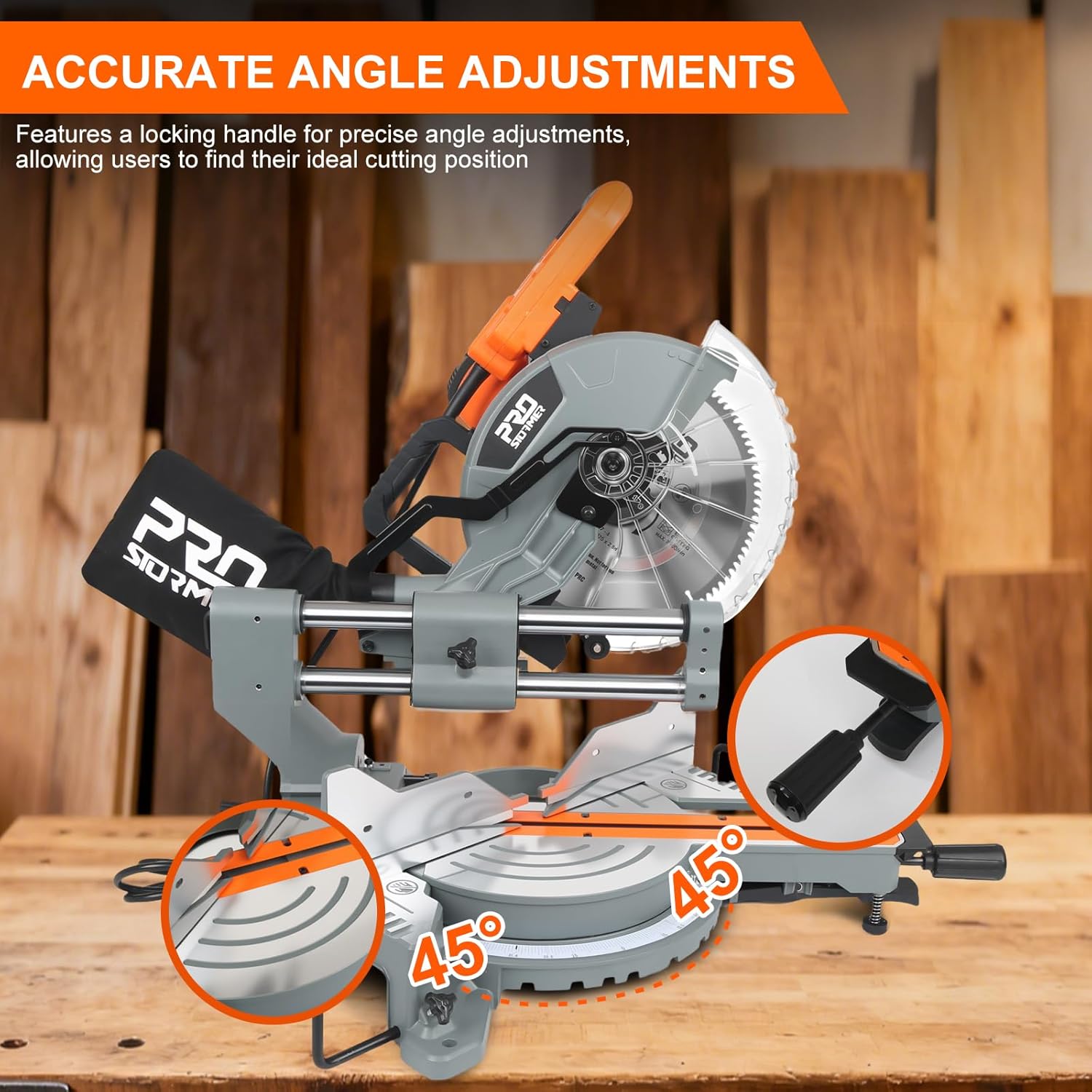
Image Description: The miter saw's turntable is shown with angle indicators, demonstrating the range of miter adjustments from 0 to 45 degrees left and right.
- Loosen the turntable locking handle (12).
- Press the mitre angle adjustment lever (13) and rotate the turntable (16) to the desired miter angle indicated on the mitre scale (17).
- Release the lever and tighten the turntable locking handle (12) to secure the angle.
- Place the workpiece against the fence and secure it with the workpiece clamp (19).
- Lower the blade slowly and steadily through the material.
Making Bevel Cuts (Tilt Cuts)
The saw head can be tilted for bevel cuts from 0° to 45° left or right.

Image Description: The miter saw head is depicted tilting left and right, illustrating its dual-bevel cutting capability up to 45 degrees in either direction.
- Loosen the bevel locking handle (29) located at the rear of the saw.
- Tilt the saw head to the desired bevel angle, referencing the bevel scale (22).
- Tighten the bevel locking handle (29) firmly.
- Secure the workpiece and proceed with the cut as described for miter cuts.
Utilizing the Sliding Action for Wider Cuts
The axial sliding system allows for cutting wider workpieces.

Image Description: The miter saw is shown with its cutting head extended forward on the sliding bars, indicating its capability to make wider crosscuts.
- Ensure the sliding locking knob (24) is loosened.
- Pull the saw head forward towards you before starting the cut.
- Engage the blade and push the saw head smoothly and steadily through the workpiece.
- For precise alignment, ensure the saw is bolted down when utilizing the full sliding capacity.
Cutting Depth Adjustment
The cutting depth gauge (23) allows for controlled depth cuts, useful for dadoes or partial cuts.
- Adjust the cutting depth gauge to the desired depth.
- Perform a test cut on scrap material to verify the setting.
Material Compatibility
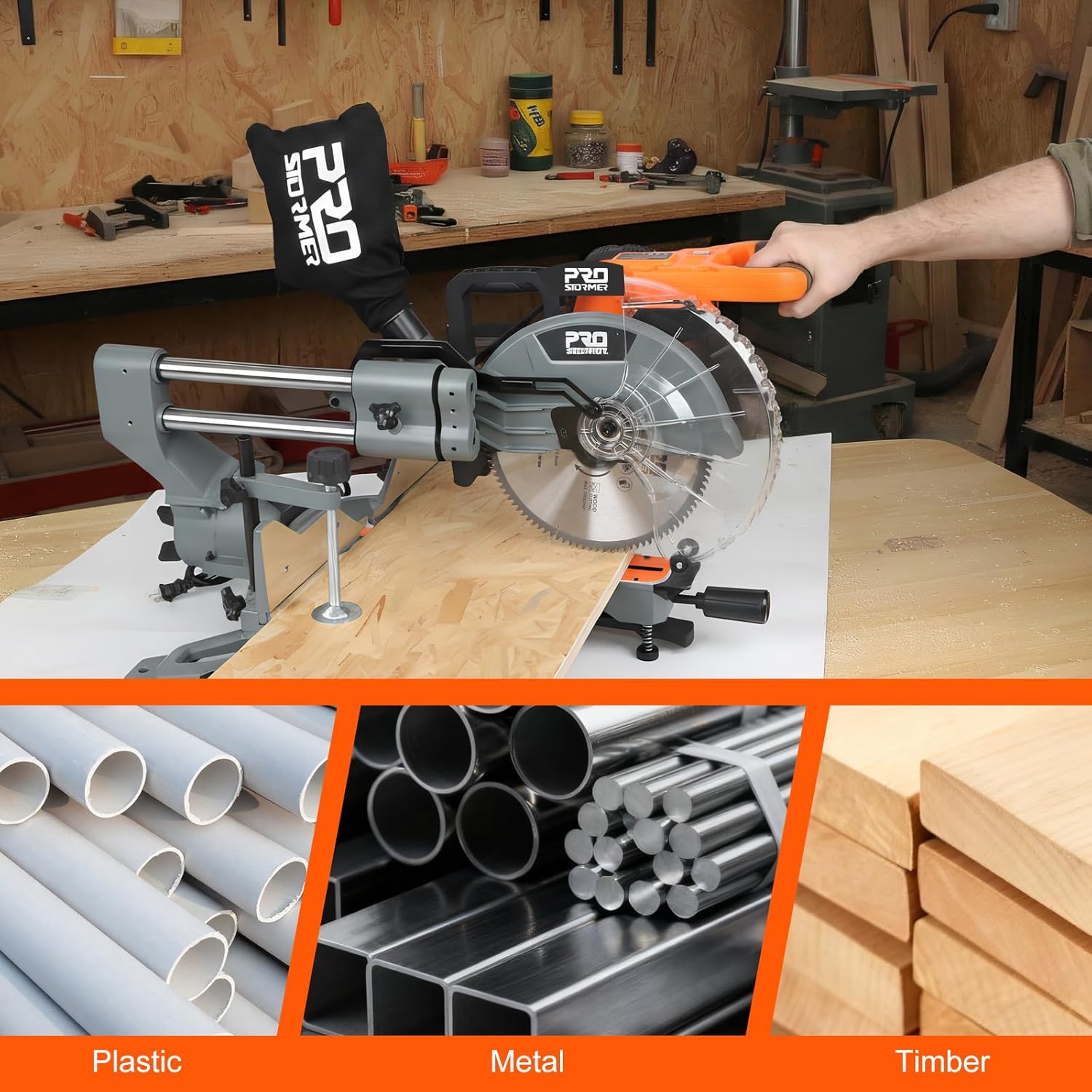
Image Description: A collage of images displaying different materials such as plastic pipes, metal bars, and timber, indicating the miter saw's versatility for various cutting tasks.
This miter saw is designed for cutting wood, composite materials, and certain non-ferrous metals (with appropriate blade). Always use the correct blade type for the material being cut.
5. Maintenance
Regular maintenance ensures the longevity and safe operation of your miter saw. Always disconnect the power supply before performing any maintenance.
Blade Replacement
- Disconnect Power: Unplug the saw from the power outlet.
- Raise Blade Guard: Lift the lower retractable blade guard (6) and secure it if possible.
- Lock Spindle: Press and hold the spindle locking button (4) to prevent the blade from rotating.
- Loosen Blade Bolt: Use the multi-tool (20) to loosen the blade bolt. Note that it may be a left-hand thread (turn clockwise to loosen).
- Remove Blade: Carefully remove the outer flange and the old saw blade (7).
- Install New Blade: Place the new 10-inch blade onto the spindle, ensuring the teeth are pointing in the correct direction (towards the front of the saw).
- Secure Blade: Reinstall the outer flange and tighten the blade bolt firmly while holding the spindle locking button.
- Check Guards: Ensure all blade guards move freely and return to their protective positions.
Cleaning
- After each use, clean sawdust and debris from the saw, especially around the blade, guards, and sliding mechanism.
- Use a brush or compressed air. Avoid using solvents that may damage plastic parts.
- Empty the dust collection bag (27) regularly.
Lubrication
- Periodically apply a light coat of machine oil to the sliding bars (28) to ensure smooth operation.
- Do not lubricate the motor or electrical components.
6. Troubleshooting
| Problem | Possible Cause | Solution |
|---|---|---|
| Saw does not start |
|
|
| Inaccurate cuts |
|
|
| Excessive vibration or noise |
|
|
| Saw binds or stalls during cut |
|
|
7. Specifications
Technical specifications for the Prostormer 10-Inch Sliding Compound Miter Saw.

Image Description: A visual representation of the miter saw's key dimensions and a table listing its electrical and performance specifications.
| Feature | Detail |
|---|---|
| Brand | Prostormer |
| Model Number | ARM042PSMS002D |
| Power Source | Corded Electric |
| Voltage | 120 Volts (AC) |
| Current | 15 Amp |
| Wattage | 1800 watts |
| No-load Speed | 5000 RPM |
| Blade Diameter | 10 Inches (255mm) |
| Number of Teeth | 100 |
| Blade Material | Alloy Steel |
| Miter Angle Range | 0-45 Degrees Left/Right |
| Bevel Angle Range | 0-45 Degrees Left/Right |
| Special Features | High-Speed Motor, LED Light, Sliding Action |
| Item Dimensions (L x W x H) | 32" x 29" x 28" |
| Item Weight | 47 lbs |
| Included Components | Multi-tool, Dust Bag, Workpiece Clamp, Side Support Bars |
8. Warranty and Support
Warranty Information
Prostormer products are manufactured to high-quality standards. For specific warranty details, including coverage period and terms, please refer to the warranty card included with your product or visit the official Prostormer website. Keep your purchase receipt as proof of purchase for any warranty claims.
Customer Support
Should you encounter any issues or have questions regarding the operation, maintenance, or parts of your Prostormer 10-Inch Sliding Compound Miter Saw, please contact Prostormer customer support.
- Online Support: Visit the official Prostormer website for FAQs, product registration, and contact forms.
- Email Support: Refer to your product packaging or the Prostormer website for the customer service email address.
- Telephone Support: Contact numbers may be available on the Prostormer website or in your product documentation.
When contacting support, please have your model number (ARM042PSMS002D) and purchase date available.