1. Introduction
Welcome to the Fire-Boltt Aero Fit TWS Earbuds. This manual provides essential information for setting up, operating, and maintaining your new wireless earbuds. Please read it carefully to ensure optimal performance and longevity of your device.
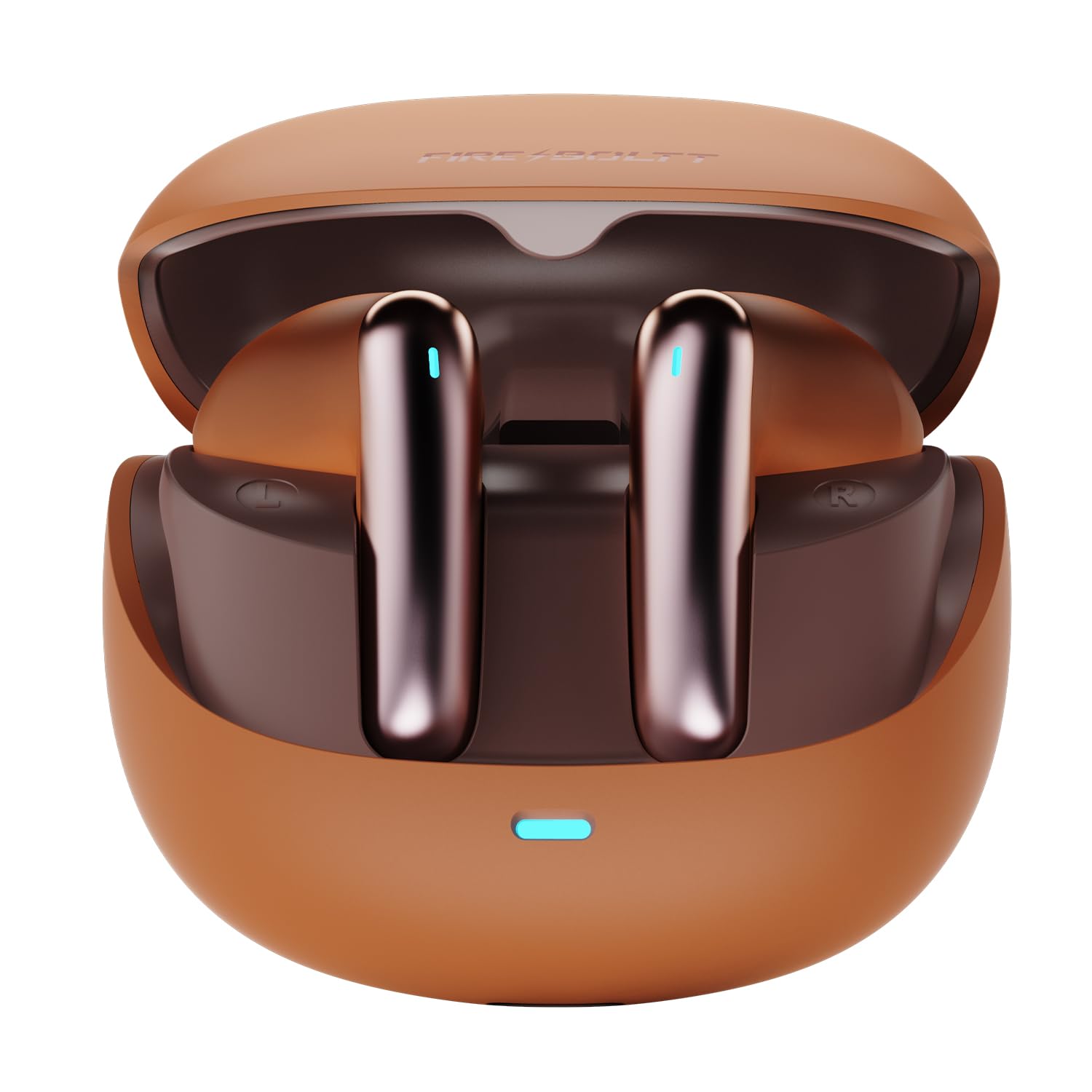
Figure 1: Fire-Boltt Aero Fit TWS Earbuds and Charging Case.
2. What's in the Box
- Fire-Boltt Aero Fit TWS Earbuds
- Charging Case
- USB Charging Cable
- User Manual
3. Product Overview
The Fire-Boltt Aero Fit TWS Earbuds are designed for a comfortable fit and high-quality audio experience. Key features include Environmental Noise Cancellation (ENC) for clear calls, custom EQ settings via the FirePods App, and a long-lasting battery.

Figure 2: Key features of the Aero Fit Earbuds.
Components:
- Earbuds: Left and Right earbuds with touch control areas and charging contacts.
- Charging Case: Houses and charges the earbuds, with a USB-C charging port and LED indicator.

Figure 3: Earbuds and Charging Case components.
4. Charging
Before first use, fully charge the earbuds and the charging case.
4.1 Charging the Earbuds
- Place the earbuds into the charging case. Ensure they are correctly seated in their respective slots (L for left, R for right).
- The LED indicators on the earbuds will light up to show they are charging.
4.2 Charging the Case
- Connect the provided USB charging cable to the charging port on the case and to a USB power source.
- The LED indicator on the charging case will show the charging status.
- A full charge for the case takes approximately 3 hours.
The earbuds offer up to 50 hours of total playback with the charging case. FireCharge fast charging provides up to 300 minutes of playback from just 5 minutes of charging.

Figure 4: Earbuds and case charging indicators.
5. Setup & Pairing
5.1 Initial Pairing
- Open the charging case. The earbuds will automatically enter pairing mode.
- On your device (smartphone, tablet, etc.), enable Bluetooth.
- Search for available Bluetooth devices and select "Fire-Boltt Aero Fit" from the list.
- Once connected, you will hear a confirmation tone, and the earbuds' LED indicators will change.
5.2 Reconnecting
The earbuds will automatically reconnect to the last paired device when taken out of the charging case, provided Bluetooth is enabled on the device and it is within range.
6. Operating Instructions
6.1 Touch Controls
The earbuds feature intuitive touch controls. The specific functions can be customized via the FirePods App.
- Play/Pause: Single tap on either earbud.
- Next Track: Double tap on the right earbud.
- Previous Track: Double tap on the left earbud.
- Answer/End Call: Single tap on either earbud.
- Reject Call: Press and hold either earbud for 2 seconds.
- Activate Voice Assistant: Triple tap on either earbud.
- Toggle Gaming Mode (Low Latency): Specific gesture, customizable via app.
6.2 FirePods App for Customization
Download the FirePods App to unlock full customization options for your earbuds:
- Custom EQ Settings: Adjust audio profiles to your preference (e.g., Default, Popular, Dance, Classical, Jazz, Slow Song).
- Personalize Touch Controls: Reassign touch functions.
- Switch Themes: Customize the app interface.
- Check Battery Status: Monitor earbud and case battery levels.

Figure 5: Customizing EQ profiles via the FirePods App.
6.3 Calling with Quad Mic ENC
The earbuds feature Quad Mic Environmental Noise Cancellation (ENC) technology to ensure clear voice transmission during calls by reducing ambient noise.

Figure 6: Quad Mic ENC technology for clear calls.
6.4 Low Latency Gaming Mode
Activate the 50ms ultra-low latency mode for synchronized audio during gaming, video streaming, and movies. This minimizes audio delay for a more immersive experience.
7. Maintenance
7.1 Cleaning
- Regularly clean the earbuds and charging case with a soft, dry, lint-free cloth.
- Do not use harsh chemicals or abrasive materials.
- Ensure charging contacts on both earbuds and case are clean and dry.
7.2 Water Resistance
The earbuds are IPX4 water resistant, meaning they are protected against splashing water from any direction. They are not designed for submersion in water or exposure to heavy rain.

Figure 7: IPX4 Water Resistance.
7.3 Storage
Store the earbuds in their charging case when not in use to protect them and keep them charged.
8. Troubleshooting
| Problem | Possible Cause | Solution |
|---|---|---|
| Earbuds not pairing | Bluetooth off on device, earbuds not in pairing mode, out of range. | Ensure Bluetooth is on. Place earbuds in case, close, then open to re-enter pairing mode. Move closer to device. |
| Only one earbud working | Low battery, pairing issue, earbud not properly seated. | Charge both earbuds. Reset pairing by forgetting device on phone and re-pairing. Ensure earbuds are correctly placed in case. |
| No sound | Volume too low, not connected, media paused. | Increase volume on device. Check Bluetooth connection. Ensure media is playing. |
| Charging issues | Dirty contacts, faulty cable/charger. | Clean charging contacts. Try a different USB cable or power adapter. |
9. Specifications
| Feature | Detail |
|---|---|
| Model Name | FirePods Aero Fit |
| Model Number | BE1700 |
| Bluetooth Version | 5.4 |
| Connectivity Technology | Wireless |
| Noise Control | Environmental Noise Cancellation (ENC) |
| Low Latency | 50ms (Gaming Mode) |
| Battery Life | Up to 50 hours (with charging case) |
| Charging Time | Approx. 3 hours (case) |
| Water Resistance Level | IPX4 |
| Control Method | Touch, App Control |
| Audio Driver Type | Dynamic Driver |
| Item Weight | 30 Grams |
| Product Dimensions | 10.1 x 10 x 3.8 cm |
| Battery Cell Composition | Lithium Ion |
10. Safety Information
- Do not expose the earbuds or charging case to extreme temperatures.
- Avoid dropping or applying excessive force to the device.
- Keep out of reach of children and pets.
- Do not attempt to disassemble or repair the device yourself. Contact customer support for assistance.
- Dispose of batteries according to local regulations.
11. Warranty and Support
Your Fire-Boltt Aero Fit TWS Earbuds come with a standard manufacturer's warranty. For detailed warranty information, product support, or service inquiries, please visit the official Fire-Boltt website or contact their customer service.
Manufacturer: Fire-Boltt (Boltt Games Pvt Ltd)
Country of Origin: China
Date First Available: 3 March 2026
For additional support, you may visit the Fire-Boltt Store on Amazon.