
Introduction
This manual provides detailed instructions for the assembly, operation, and maintenance of your Bellemave Twin Corner Bed Frame. Please read all instructions carefully before assembly and use to ensure safe and proper operation. Keep this manual for future reference.
Safety Warning:
- Do not load more than 1000 pounds on the bed frame.
- Exercise caution around sharp edges during assembly to prevent injury.
- Ensure all connections are securely fastened before use.
Product Overview
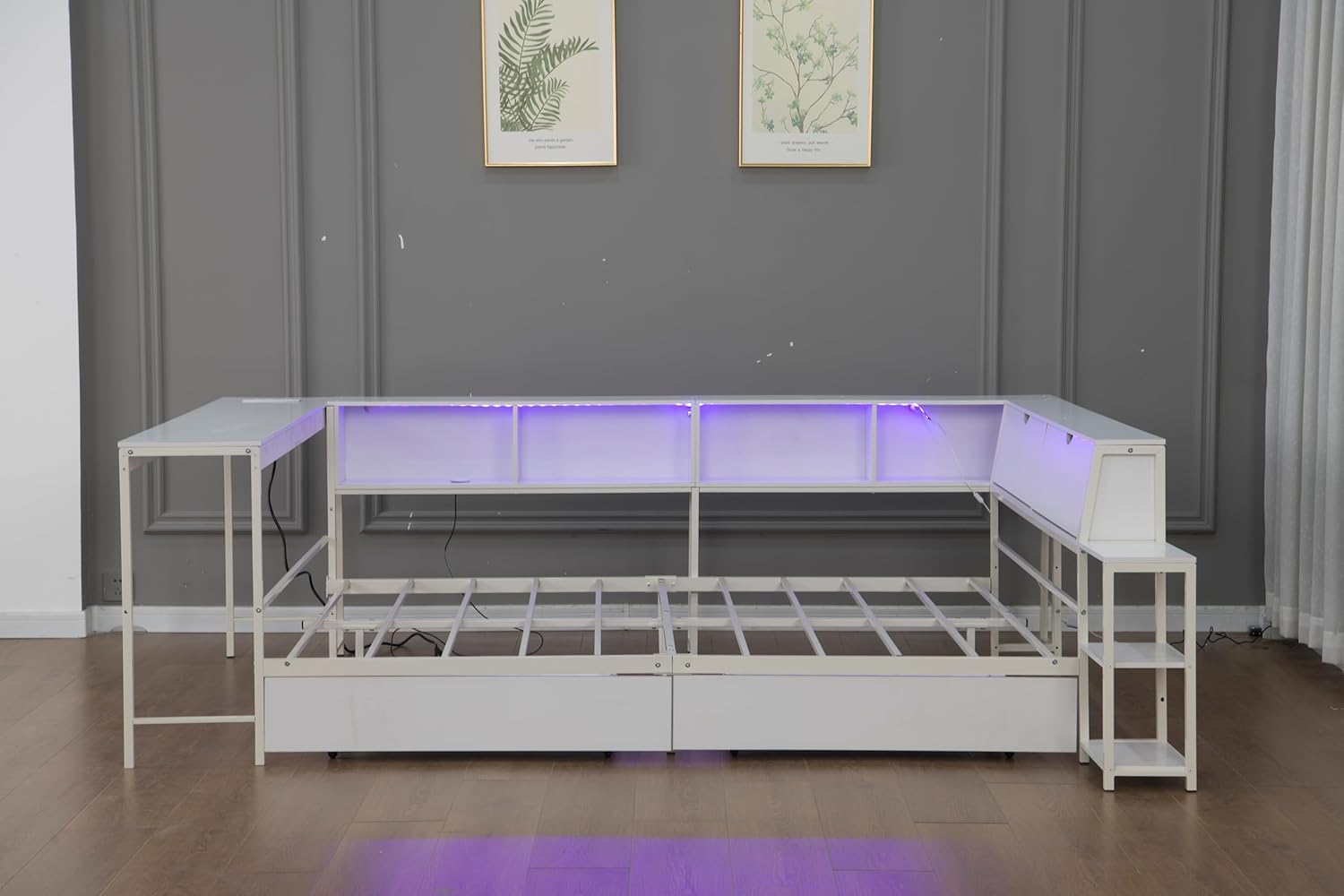
The Bellemave Twin Corner Bed Frame is designed to maximize space with integrated features. It includes a twin-size bed frame, an L-shaped desk, a storage headboard with shelving, two under-bed drawers, smart LED lighting, and a built-in charging station.
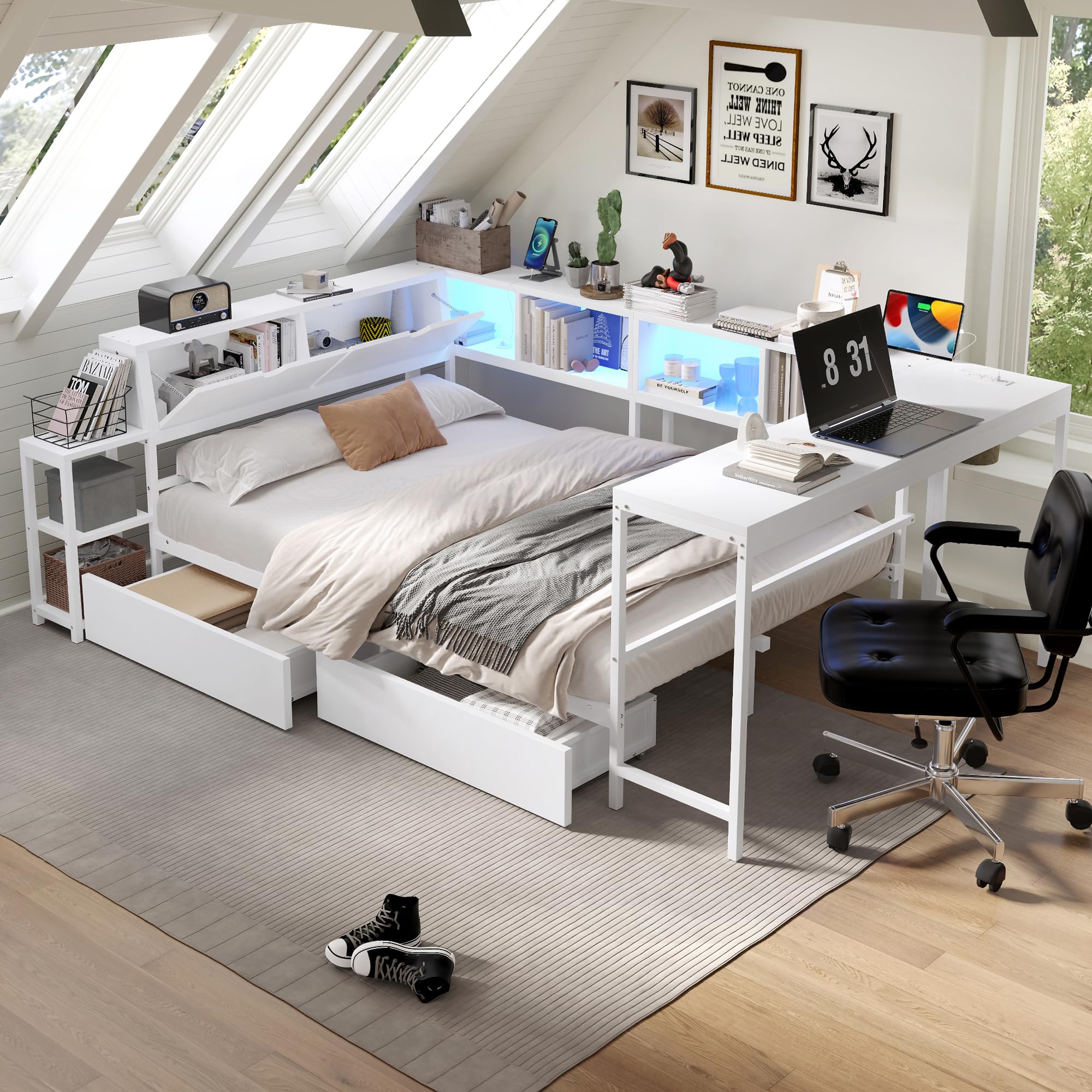
Overall view of the Bellemave Twin Corner Bed Frame with integrated desk and storage in white finish.

Detailed dimensions of the bed frame, desk, and storage components.
Assembly Instructions
Basic assembly is required. Please follow the steps outlined in the video and accompanying text carefully. It is recommended to have two people for assembly.
Assembly Video Guide
Official assembly video for the Bellemave Twin Corner Bed Frame. This video demonstrates the step-by-step process for constructing the bed frame, desk, and storage units.
Key Assembly Steps:
- Prepare Components: Unpack all parts and verify against the parts list (refer to the video for visual identification of numbered parts). Ensure all hardware is present.
- Assemble Storage Headboard: Begin by connecting the main panels of the storage headboard. Pay attention to groove lines and ensure proper alignment. Secure with screws as indicated.
- Attach Side Shelving Units: Connect the metal frames for the side shelving units to the main headboard structure. Ensure holes face upwards for proper shelf placement.
-
Install LED Lights: Carefully route and secure the LED light strips within the designated channels of the headboard. Connect the power supply.

The storage headboard with integrated LED lighting, providing ambient illumination.
- Assemble Bed Frame Base: Construct the metal bed frame base, ensuring all support beams and legs are securely attached.
-
Integrate Desk Components: Attach the L-shaped desk panels to the bed frame structure. Ensure the charging station cutout is correctly positioned.
Close-up view of the integrated charging station with two AC outlets and two USB ports on the desk surface.
-
Install Under-Bed Drawers: Assemble the two large-capacity drawers and install them under the bed frame. Ensure the smooth wheels and closing buckles are functional.

The two large-capacity storage drawers located beneath the bed frame, designed for easy access and secure closure.
- Final Checks: Double-check all screws and connections to ensure stability and safety.
Operating Instructions
Smart LED Lights
The integrated LED lights offer various colors and patterns. Control is available via a dedicated mobile application. Features include:
- Color and Pattern Adjustment: Select from a wide range of colors and dynamic lighting patterns.
- Music Mode: Lights can synchronize with music played through the app.
- Voice Control: Adjust settings using voice commands through the app.
- Timing Modes: Schedule lights to turn on or off at specific times.
Refer to the LED light controller's specific instructions for app download and pairing procedures.
Charging Station
The bedside charging station includes two standard AC outlets and two USB ports. It is designed for convenient charging of electronic devices such as phones, tablets, and headphones while in bed.
- AC Outlets: Use for devices requiring standard wall power.
- USB Ports: Use for devices that charge via USB cable.
Caution: Do not overload the charging station. Ensure devices are compatible with the provided power output.
Storage Drawers
The two under-bed drawers are equipped with smooth wheels for easy opening and closing. Each drawer features a closing buckle to prevent accidental opening.
- Usage: Ideal for storing bedding, clothing, books, or other personal items.
- Security: The closing buckle helps keep contents secure and drawers neatly closed.
Maintenance
- Cleaning: Wipe surfaces with a soft, damp cloth. Avoid harsh chemicals or abrasive cleaners that may damage the finish.
- Hardware: Periodically check all screws and connections to ensure they remain tight. Tighten as necessary to maintain stability.
- Weight Capacity: Adhere to the maximum weight recommendation of 1000 pounds to prevent structural damage.
- LED Lights: If LED lights malfunction, check connections. If issues persist, contact customer support.
Troubleshooting
| Problem | Possible Cause | Solution |
|---|---|---|
| Bed frame feels unstable or wobbly. | Loose screws or connections. | Inspect all assembly points and tighten any loose screws. Ensure all parts are correctly aligned. |
| LED lights are not working. | Power connection issue, app not connected, or faulty strip. | Check if the power adapter is securely plugged in. Verify app connection and settings. If still not working, contact support. |
| Charging station not providing power. | Power cable disconnected or outlet issue. | Ensure the charging station's power cable is fully plugged into a working wall outlet. Test with another device. |
| Drawers are difficult to open/close. | Obstruction, misaligned wheels, or overloaded. | Check for items blocking the drawer path. Ensure wheels are properly seated in their tracks. Reduce load if overloaded. |
Specifications
- Model: FST00241-TD-AK1
- Size: Twin
- Material: Metal, Wood
- Product Dimensions (L x W x H): 96.54" x 58.78" x 30"
- Item Weight: 50 Pounds
- Maximum Weight Recommendation: 1000 Pounds
- Color: White and Desk
- Included Components: Bed Frame, L-shaped Desk, Storage Headboard, 2 Drawers, LED Lights, Charging Station (2 AC outlets + 2 USB ports)
- Assembly: Required
Warranty and Support
For warranty information or technical support, please refer to the product packaging or contact Bellemave customer service directly. Keep your purchase receipt for warranty claims.
You can visit the Bellemave Store for more information: Bellemave Store