
Introduction
This manual provides comprehensive instructions for the operation and maintenance of your BAOFENG UV-5R Mini-B Ham Radio. Please read this manual thoroughly before using the device to ensure proper function and safety. The UV-5R Mini-B is a compact and versatile two-way radio designed for various communication needs, featuring APP programming, USB-C charging, and NOAA weather alerts.
Video: An overview of the BAOFENG UV-5R Mini-B Ham Radio, highlighting its compact design and key features.
What's in the Box
Upon unpacking, please verify that all items listed below are present:
- 2 x BAOFENG UV-5R Mini-B Two-Way Radios
- 2 x 2200mAh Lithium-Ion Batteries
- 2 x Type-C USB Charging Cables
- 2 x Headsets
- 2 x Belt Clips
- 2 x Hand Straps
- 1 x User Manual
- 1 x Programming Cable
- 2 x 9CM Antennas (Original)
- 2 x 21CM Gooseneck Antennas
- 2 x 5CM Short Antennas

Image: The BAOFENG UV-5R Mini-B radio shown with its various accessories, including different antenna types, charging cable, and headset.
Product Overview
Key Components and Controls

Image: Detailed diagram labeling the various parts of the BAOFENG UV-5R Mini-B radio, including the antenna, volume/power knob, LED indicator, PTT buttons, menu, V/M, exit buttons, numeric keypad, speaker, accessory port, belt clip, up/down buttons, and Type-C charging port.
- Antenna: For transmitting and receiving signals.
- Volume/Power Knob: Turns the radio on/off and adjusts volume.
- LED Indicator: Shows power and charging status.
- PTT-A Button: Push-to-Talk for the upper frequency display.
- PTT-B Button: Push-to-Talk for the lower frequency display.
- Menu Button: Accesses the radio's menu settings.
- V/M Button: Switches between Frequency (VFO) mode and Channel (Memory) mode.
- Exit Button: Exits menu or cancels operations.
- Numeric Keypad/Speaker: For direct frequency input and audio output.
- Accessory Port: For connecting headsets or programming cables.
- Belt Clip: For attaching the radio to clothing or gear.
- Up/Down Buttons: Navigates through menus and adjusts frequencies/channels.
- Type-C Charging Port: For charging the radio's battery.
- Flashlight/Search Button: Activates the built-in flashlight or initiates frequency search.
Setup
1. Battery Installation
Ensure the radio is powered off. Align the battery pack with the grooves on the back of the radio and slide it upwards until it clicks into place. To remove, press the release latch and slide the battery downwards.
2. Antenna Attachment
Screw the desired antenna clockwise onto the antenna connector at the top of the radio until it is finger-tight. Do not overtighten. The package includes three types of antennas (5CM short, 9CM original, and 21CM gooseneck) to suit various operational needs.

Image: Illustration showing the three different antenna types included with the radio: a 5cm short antenna, a 9cm original antenna, and a 21cm gooseneck antenna.
3. Charging the Battery
The UV-5R Mini-B features a convenient USB-C charging port. Connect the provided Type-C USB cable to the radio's charging port and plug the other end into a compatible USB power source (e.g., wall adapter, power bank, computer USB port). The LED indicator will show charging status. A full charge provides up to 2200mAh capacity for extended use.

Image: Close-up of the BAOFENG UV-5R Mini-B radio showing the USB-C charging port with a cable connected, indicating fast charging capability.
Operating Instructions
1. Power On/Off and Volume Control
To power on the radio, rotate the Volume/Power knob clockwise. Continue rotating to increase the volume. To power off, rotate the knob counter-clockwise until it clicks.
2. Channel Selection and Frequency Mode (VFO/MR)
Press the V/M button to switch between Frequency (VFO) mode and Channel (Memory) mode. In VFO mode, you can directly input frequencies using the numeric keypad. In Channel mode, use the Up/Down arrow buttons to navigate through the 999 programmed channels.
3. Dual PTT Function
The UV-5R Mini-B features dual Push-to-Talk (PTT) buttons, labeled PTT-A and PTT-B. This allows you to transmit on either the upper or lower frequency displayed on the screen without needing to switch the active VFO. Simply press the corresponding PTT button for the desired frequency.

Image: The BAOFENG UV-5R Mini-B radio highlighting the two distinct PTT buttons, PTT A and PTT B, for dual-frequency operation.
4. One Key Frequency Match (Wireless Copy Function)
This feature allows you to quickly clone the frequency of another walkie-talkie without computer programming. To use this function:
- Press and hold the Flashlight/Search key on your UV-5R Mini-B.
- When "SEARCH" appears on the screen, you can press the # key to switch bands (VHF/UHF).
- Once the frequency is detected and displayed, press the MENU button to save the channel.

Image: Visual guide demonstrating the three steps to perform a one-key frequency match, showing the radio display and button presses.
5. APP Programming
The BAOFENG UV-5R Mini-B supports programming via a smartphone application (e.g., OLA Radio) and Chirp software. This allows for flexible customization of channels, frequencies, and other radio parameters.
- Set 1: Turn on the walkie-talkie and activate Wireless CPS (Bluetooth mode). Open the OLA Radio app on your smartphone.
- Set 2: In the app, choose "MINI-5" as your device model and connect.
- Read: Read the current configuration from the walkie-talkie to the app.
- Modify: Adjust channel settings, frequency mode, and function settings as needed within the app.
- Write: Write the modified configuration from the app back to the walkie-talkie. Ensure you agree to the legal and safety risk notice before proceeding.
Video: A demonstration of how to program the BAOFENG UV-5R Mini-B radio using the OLA Radio smartphone application, showing the connection process, reading, and writing frequencies.

Image: Visual representation of the APP programming interface and the Chirp software logo, indicating compatibility for advanced radio configuration.
6. NOAA Weather Radio
The radio includes 12 pre-programmed NOAA weather channels, providing real-time weather information and alerts. This feature is crucial for outdoor activities and emergency preparedness. Access these channels to stay informed about local weather conditions.

Image: The BAOFENG UV-5R Mini-B radio screen showing weather receiving channels and the NOAA Weather Radio logo, emphasizing its weather alert capabilities.
7. Flashlight Function
The integrated high-intensity flashlight can be activated for illumination in low-light conditions. It can also be used to send out a conspicuous distress signal in emergency situations, enhancing safety during outdoor scenarios.
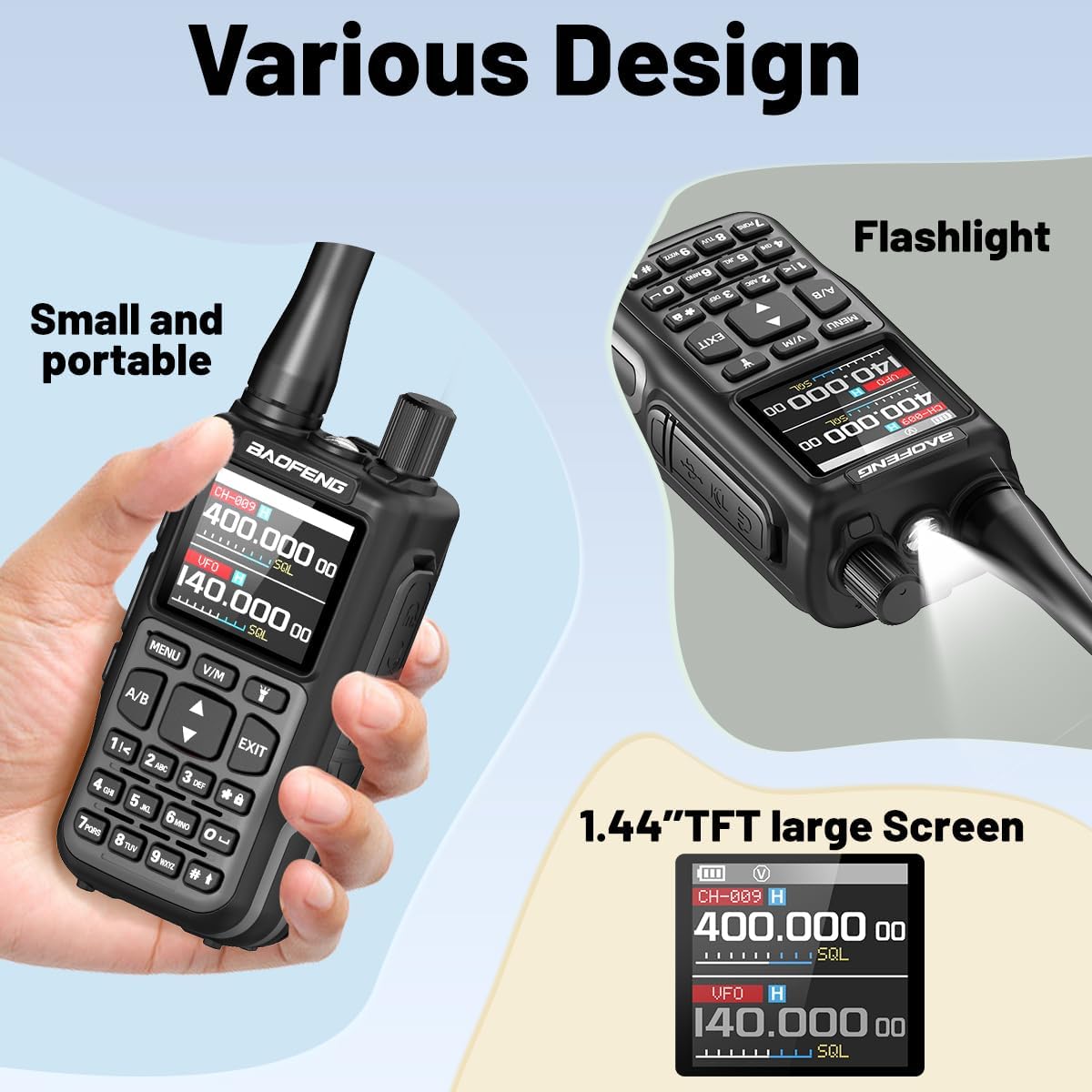
Image: The BAOFENG UV-5R Mini-B radio with its built-in flashlight illuminated, demonstrating its utility in dark environments.
8. VOX (Voice Operated Exchange)
The VOX function allows for hands-free operation. When activated, the radio will automatically transmit when it detects your voice, eliminating the need to press the PTT button. Adjust the VOX sensitivity in the menu settings to suit your environment.
Maintenance
- Cleaning: Use a soft, damp cloth to clean the radio's exterior. Do not use harsh chemicals or solvents.
- Battery Care: Charge the battery regularly, even if not in use, to maintain its lifespan. Avoid extreme temperatures.
- Storage: Store the radio in a cool, dry place away from direct sunlight and moisture when not in use for extended periods.
- Antenna Inspection: Periodically check the antenna for damage and ensure it is securely attached.
Troubleshooting
| Problem | Possible Cause | Solution |
|---|---|---|
| Radio does not power on. | Battery is low or not installed correctly. | Charge the battery or re-install it securely. |
| Cannot transmit or receive. | Incorrect frequency/channel, antenna not attached, or low battery. | Verify frequency/channel, ensure antenna is attached, charge battery. Check squelch level. |
| Poor audio quality. | Weak signal, incorrect squelch setting, or damaged accessory. | Move to an area with better signal, adjust squelch, test with a different headset if applicable. |
| APP programming fails. | Bluetooth not enabled, incorrect model selected, or radio not in Wireless CPS mode. | Ensure Bluetooth is on, select "MINI-5" in the app, and activate Wireless CPS on the radio. |
Specifications
- Model Number: UV-5R Mini-B
- FCC ID: 2AJGM-5RMINI
- Brand: BAOFENG
- Number of Channels: 999
- Frequency Range: UHF/VHF
- Talking Range Maximum: 5 Miles (under optimal conditions)
- Battery Capacity: 2200mAh Lithium Ion (included)
- Charging: Type-C USB
- Special Features: APP Programming, Chirp compatibility, Long Range, NOAA Weather, Dual PTT, VOX, Flashlight, One Key Frequency Match.
- Water Resistance Level: Not Water Resistant
Warranty and Support
The product specifications indicate "NO" warranty. For technical support or further inquiries, please refer to the contact information provided by your retailer or the official BAOFENG website.


