
Introduction
This manual provides detailed instructions for the safe and efficient operation of your BougeRV 12V Refrigerator CRD2 V2.0 52QT. This portable dual-zone refrigerator is designed for various applications, including car travel, camping, RV use, and other outdoor activities, offering flexible temperature control for both refrigeration and freezing.
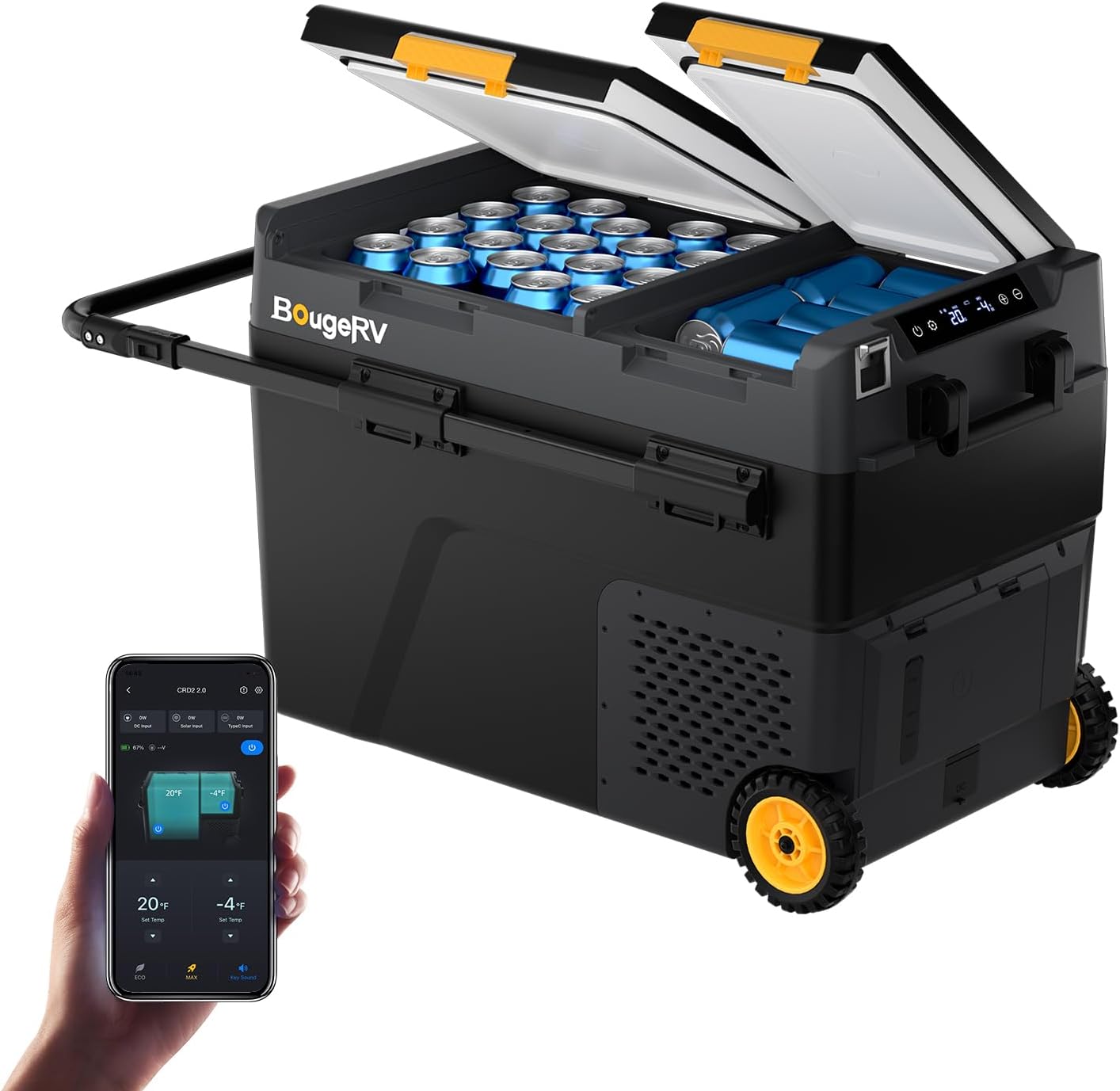
Image: The BougeRV 12V Refrigerator CRD2 V2.0 52QT, a portable dual-zone unit with wheels and a telescopic handle.
Setup
1. Unboxing and Initial Inspection
Carefully remove all components from the packaging. Verify that all items listed below are present and undamaged:
- 1 x 52QT Portable Refrigerator
- 1 x DC Cord (12V/24V)
- 1 x AC Adapter (100-240V)
- 1 x User Manual
- 2 x Removable Baskets

Image: Diagram showing the contents included in the product box, such as the refrigerator, power cords, and baskets.
2. Power Connection
The refrigerator supports multiple power sources:
- AC Power (100-240V): Connect the AC adapter to the refrigerator and then to a standard wall outlet.
- DC Power (12V/24V): Connect the DC cord to the refrigerator and then to your vehicle's 12V or 24V power outlet.
- Optional 240Wh LiFePO4 Battery: For extended runtime without external power, insert the optional 240Wh LiFePO4 battery (sold separately) into the designated compartment. The pogo pin connection ensures quick installation.
- Solar Power: The unit can be powered via an optional solar panel (sold separately) when connected to the optional 240Wh battery. Direct connection to the refrigerator without the battery is not supported.

Image: The refrigerator connected to AC power, DC power in a vehicle, and solar power with an optional battery.
3. App Control Setup
Download the BougeRV app to control your refrigerator remotely. The app allows for temperature adjustments, mode switching, and power control from up to 32 feet away.

Image: A smartphone displaying the BougeRV app interface, showing temperature and control options for the refrigerator.
Operating Instructions
1. Powering On/Off
Press and hold the power button on the control panel to turn the unit on or off. The LCD display will illuminate when powered on.

Image: Close-up of the refrigerator's LCD control panel with power, settings, and temperature adjustment buttons.
2. Temperature Adjustment (Dual Zone)
The CRD2 V2.0 features two independent compartments, each with adjustable temperatures from -4°F to 68°F. Use the '+' and '-' buttons on the control panel or the BougeRV app to set the desired temperature for each zone. Each zone can function as either a refrigerator or a freezer.
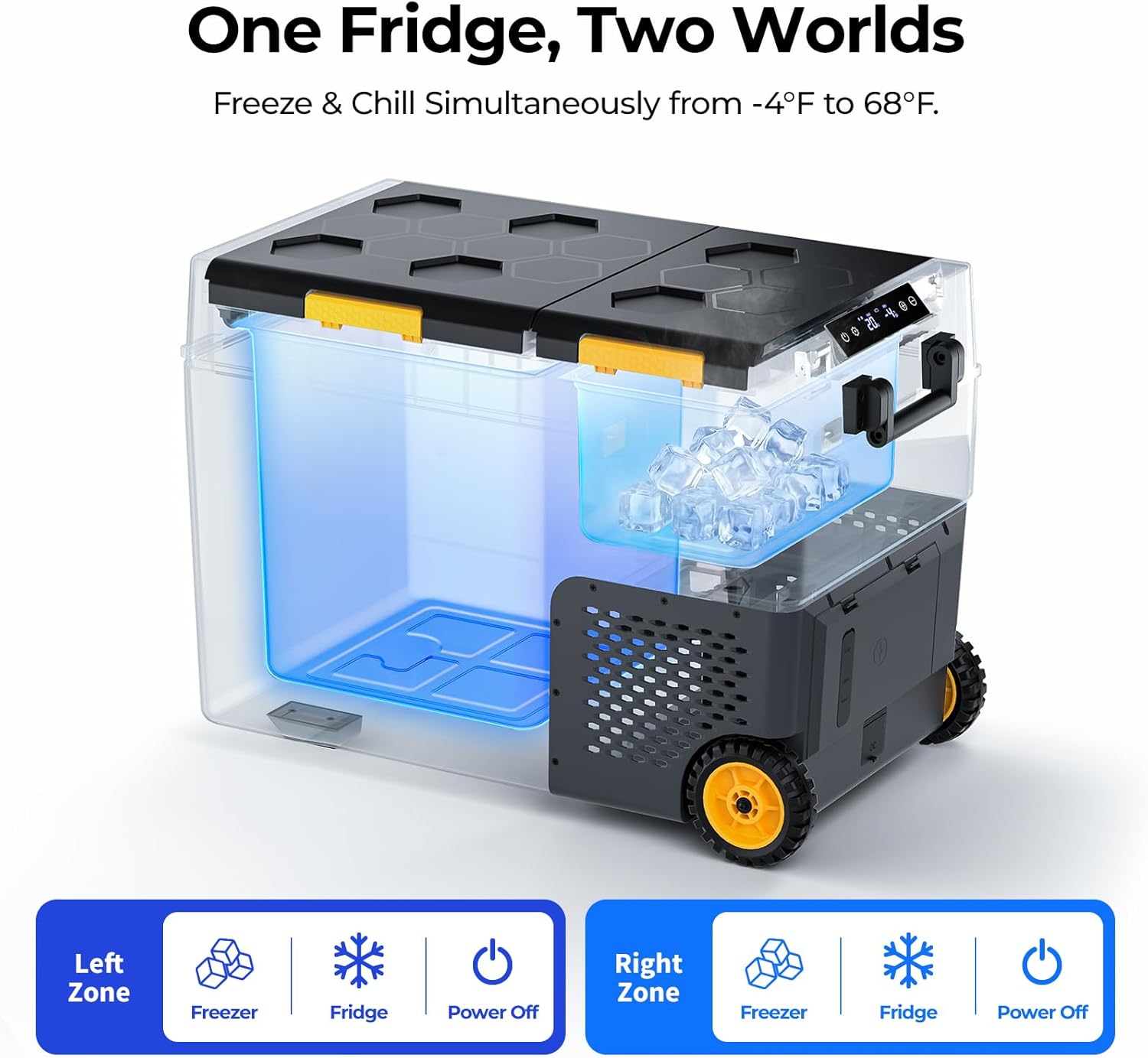
Image: An illustration demonstrating the dual-zone cooling capability, showing one side set to freeze and the other to chill.
3. Operating Modes
The refrigerator offers two operating modes:
- MAX Mode: Provides maximum cooling power (60W) for rapid temperature reduction.
- ECO Mode: Optimizes energy consumption (35W) for extended battery life, ideal for maintaining temperatures.
Switch between modes using the settings button on the control panel or through the BougeRV app.

Image: Visual representation of MAX mode (60W) and ECO mode (35W) for energy efficiency.
4. Lid Reversal
The refrigerator features a reversible door design, allowing you to change the lid's opening direction for flexible placement and convenient access. Refer to the detailed instructions in the included user manual for the reversal procedure.

Image: A person accessing the refrigerator with its lids open, demonstrating the reversible design for easy access from either side.
5. Internal Organization and Features
- Removable Baskets: Two removable baskets are provided for easy organization and retrieval of items.
- Built-in LED Lights: Each zone includes a built-in LED light for visibility, especially in low-light conditions.
- Built-in Bottle Opener: A convenient bottle opener is integrated into the unit.
- Tie-Down Holes: Eight tie-down holes are available for securing the refrigerator during transport (ropes not included).

Image: The interior of the refrigerator showing wire baskets filled with bottles, highlighting the organization feature.

Image: A close-up of the refrigerator's interior showing the built-in LED light for nighttime access.
Maintenance
1. Cleaning
To clean the interior, disconnect the power and use a soft cloth with mild detergent. The unit features an easy drainage system with a handy drain plug for simple clean-up. Ensure the interior is dry before reconnecting power or storing.
Image: A close-up view of the refrigerator's interior showing the drain plug for easy water removal.
2. Storage
When not in use for extended periods, ensure the refrigerator is clean and dry. Store it in a cool, dry place with the lids slightly ajar to prevent odors and mildew.
Troubleshooting
If you encounter issues with your BougeRV 12V Refrigerator, refer to the following common problems and solutions:
| Problem | Possible Cause | Solution |
|---|---|---|
| Refrigerator not cooling | No power, incorrect temperature setting, poor ventilation, compressor issue. | Check power connection. Verify temperature settings. Ensure adequate ventilation around the unit. If the compressor is not running after checking power, contact customer support. |
| Temperature inconsistent | Lid not sealed properly, frequent opening, ambient temperature too high. | Ensure lids are closed securely. Minimize opening times. Operate in a shaded or cooler area if possible. |
| Unit is noisy | Normal compressor operation, unit not level, fan obstruction. | Some noise is normal. Ensure the unit is on a flat, stable surface. Check for any obstructions around the fan vents. |
| App connection issues | Bluetooth range exceeded, app not updated, device Bluetooth off. | Ensure your device is within 32 feet of the refrigerator. Update the BougeRV app to the latest version. Verify Bluetooth is enabled on your device. |
Specifications
| Feature | Detail |
|---|---|
| Product Dimensions (D x W x H) | 28.7" x 18.1" x 19.6" |
| Brand | BougeRV |
| Capacity | 52 Quarts |
| Configuration | Compact Internal Freezer |
| Color | Black |
| Special Feature | Portable |
| Installation Type | Freestanding |
| Number of Doors | 2 |
| Defrost System | Manual Defrost |
| Form Factor | Portable |
| Cooling Method | Compressor |
| Power Source | Corded Electric, Battery Powered |
| Model Number | CRD2 V2.0 |
| Item Weight | 45.2 pounds |
| Temperature Range | -4°F to 68°F |
Warranty and Support
Your BougeRV 12V Refrigerator CRD2 V2.0 52QT comes with 2-year Tech Support. If you have any questions, require assistance, or need to report an issue, please contact BougeRV customer service. Refer to the contact information provided in your product packaging or on the official BougeRV website for support.


