

Introduction
Welcome to the Rinsmola BX29 Wireless Bluetooth Sport Earbuds user manual. This guide provides detailed instructions for setting up, operating, maintaining, and troubleshooting your new earbuds. Please read this manual carefully to ensure optimal performance and longevity of your device. The Rinsmola BX29 earbuds feature advanced Bluetooth 5.4 technology, up to 75 hours of total playtime, HiFi stereo sound, ENC noise reduction for clear calls, and an IPX8 waterproof rating, making them ideal for active lifestyles.
Setup
What's in the Box
Before you begin, please check the package contents:
- Rinsmola BX29 Earbuds
- Charging Case
- USB-C Charging Cable
- User Manual
- S/M/L Ear Tips (M size pre-installed)

Contents of the Rinsmola BX29 package, including the charging case, earbuds, USB-C cable, user manual, and various ear tip sizes.
Charging the Earbuds and Case
For optimal performance, fully charge the earbuds and charging case before first use.
- Connect the USB-C charging cable to the charging port on the case and a compatible power source.
- The LED digital display on the charging case will show the current battery level.
- A full charge for the case takes approximately 1.5 hours.
- The earbuds provide up to 10 hours of playback on a single charge. The fully charged case can provide an additional 6-8 charges, extending total playtime up to 75 hours.
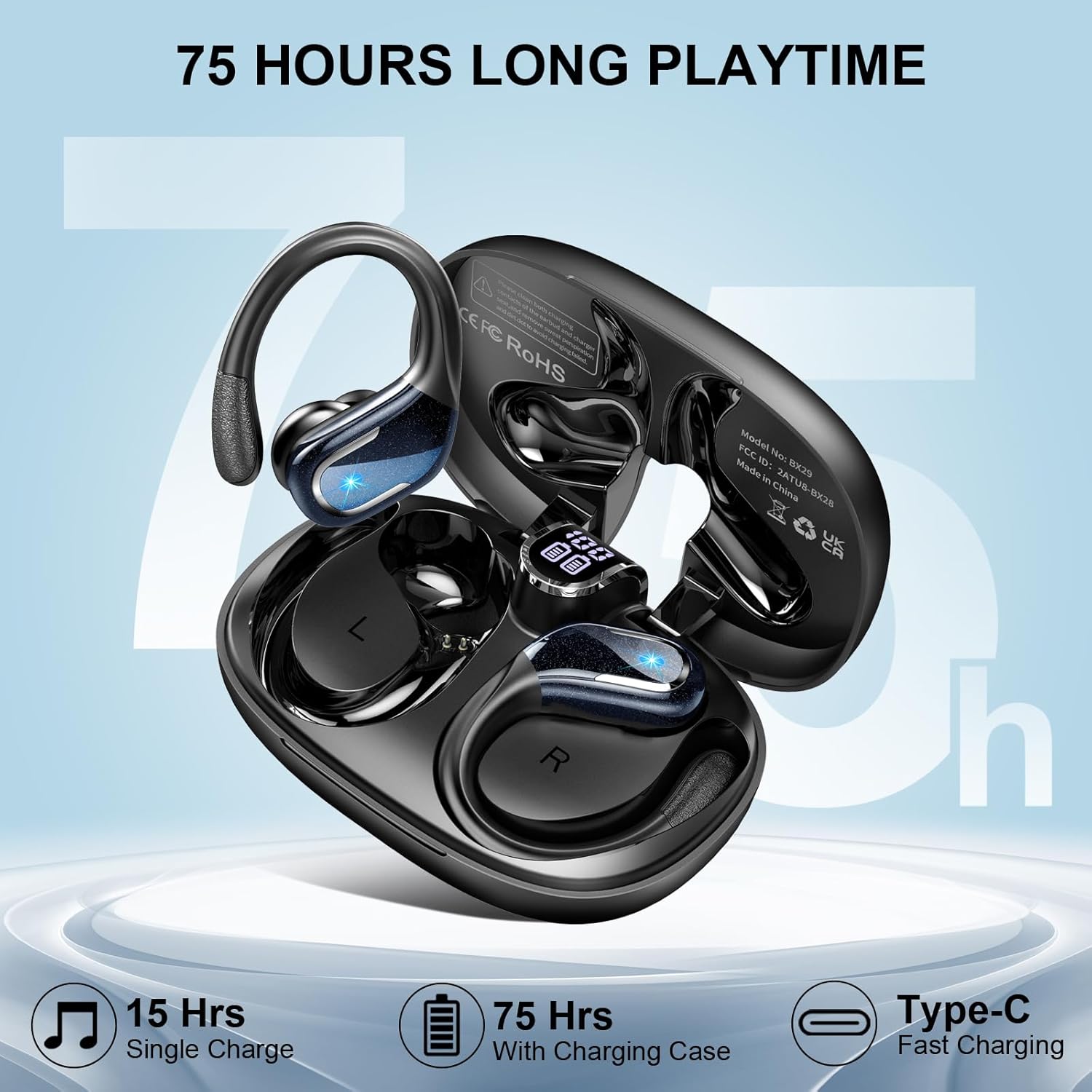
The Rinsmola BX29 charging case with earbuds, illustrating the digital battery display and USB-C charging port, highlighting 75 hours of total playtime.
Wearing the Earbuds
Proper fit ensures both comfort and optimal sound quality.
- Choose the ear tips (S/M/L) that provide the most comfortable and secure seal in your ear canal.
- Insert the earbud into your ear.
- Adjust the flexible ear hook over your ear to ensure a stable and secure fit, especially during physical activities.

Diagram showing three steps for correctly wearing the Rinsmola BX29 earbuds: selecting ear tips, inserting the earbud, and adjusting the ear hook for a secure fit.

Image demonstrating the flexible earhooks and the three sizes of comfort ear tips (S, M, L) included with the Rinsmola BX29 earbuds, designed for secure movement.
Bluetooth Pairing
The Rinsmola BX29 earbuds utilize advanced Bluetooth 5.4 technology for a stable and quick connection.
- Open the charging case. The earbuds will automatically power on and enter pairing mode.
- On your device (smartphone, tablet, laptop, etc.), enable Bluetooth and search for available devices.
- Select 'BX29' from the list to connect. A voice prompt will confirm successful pairing.
- After the initial pairing, the earbuds will automatically connect to the last paired device when removed from the case.

Illustration of the one-step auto-pairing process for the Rinsmola BX29 earbuds, showing the earbuds connecting to a smartphone via Bluetooth.

Technical diagram highlighting the advanced Bluetooth 5.4 chip within the Rinsmola BX29 earbud, illustrating improved stability, lower power consumption, reduced latency, and longer transmission range compared to older Bluetooth versions.
Operating Instructions
Touch Controls
The Rinsmola BX29 earbuds feature sensitive touch controls for easy management of music and calls. The controls are located on the outer surface of each earbud.
| Action | Function |
|---|---|
| Single tap Right earbud | Volume Up |
| Single tap Left earbud | Volume Down |
| Double tap Right/Left earbud | Play/Pause Music, Answer/End Call |
| Long press 2s Right earbud | Next Track |
| Long press 2s Left earbud | Previous Track |
| Long press 2s Right/Left earbud (during call) | Reject Call |
| Triple tap Right/Left earbud | Activate Voice Assistant (Siri, Google Assistant) |

Diagram illustrating the touch control functions of the Rinsmola BX29 earbuds, showing various tap and press combinations for music playback, call management, and volume adjustment.
Sound Quality and Noise Reduction
Experience immersive audio with the Rinsmola BX29 earbuds:
- HiFi Stereo Sound: Equipped with 14.2mm dual-layer diaphragm drivers, these earbuds deliver powerful bass, clear mids, and bright highs for a rich audio experience.
- ENC Noise Reduction: Integrated ENC (Environmental Noise Cancellation) microphones effectively reduce ambient noise during calls, ensuring your voice is heard clearly, whether you are indoors or outdoors.

Technical diagram showing an exploded view of audio device components, including speakers and internal structure on a blue background, with text 'Superior Sound Quality' and 'Boosted Bass 60-85%'.

Exploded view of the Rinsmola BX29 earbud's internal structure, emphasizing the 14.2mm speaker for HiFi stereo sound and the ENC noise-canceling microphone, which reduces noise by up to 40dB.
Maintenance
Water Resistance (IPX8)
The Rinsmola BX29 earbuds are rated IPX8 waterproof, providing protection against sweat, light rain, and accidental splashes. This makes them suitable for workouts, running, cycling, and other outdoor activities.
Important:
- Do not submerge the earbuds in water for extended periods.
- Avoid using the earbuds for swimming or showering.
- Ensure the earbuds are dry before placing them back into the charging case to prevent damage.

Image showing black wireless earbuds with water droplets, highlighting the IP8 waterproof feature, with text 'IP8 WATERPROOF'.

Two Rinsmola BX29 earbuds shown with water droplets, emphasizing their IPX8 waterproof and sweatproof capabilities for use in various conditions.
Cleaning and Storage
- Regularly clean the earbuds and charging case with a soft, dry, lint-free cloth.
- Avoid using abrasive materials, harsh chemicals, or solvents.
- If ear tips become dirty, remove them and clean with water. Ensure they are completely dry before reattaching.
- Store the earbuds in their charging case when not in use to protect them from dust and damage, and to keep them charged.
Troubleshooting
If you encounter any issues with your Rinsmola BX29 earbuds, please refer to the following common solutions:
Earbuds Not Pairing
- Ensure both earbuds are sufficiently charged.
- Place both earbuds back into the charging case, close the lid, wait a few seconds, then reopen the lid to reset pairing mode.
- On your device, delete 'BX29' from the Bluetooth device list and attempt to pair again.
Only One Earbud Working
- Check if both earbuds are charged.
- Place both earbuds into the charging case, close the lid, and then take them out simultaneously.
- If the issue persists, try resetting and re-pairing the earbuds with your device.
Charging Issues
- Verify that the USB-C charging cable and power adapter are not damaged and are working correctly.
- Ensure the charging port on the case is clean and free of any debris.
- Confirm that the earbuds are correctly seated in their respective charging slots within the case.
Low Volume or Poor Sound Quality
- Adjust the volume levels on both your connected device and the earbuds.
- Ensure the ear tips are correctly sized and form a good seal in your ear canal.
- Clean any wax or debris from the earbud speakers and ear tips.
Specifications
| Feature | Detail |
|---|---|
| Brand | Rinsmola |
| Model Name | BX29 |
| Connectivity Technology | Wireless (Bluetooth 5.4) |
| Bluetooth Range | 15 meters |
| Earbud Battery Life | Up to 10 hours |
| Total Playtime (with Case) | Up to 75 hours |
| Charging Time (Case) | Approx. 1.5 hours (USB-C) |
| Driver Size | 14.2mm Dual-layer diaphragm |
| Noise Control | Environmental Noise Cancellation (ENC) |
| Water Resistance Rating | IPX8 |
| Control Type | Touch Control |
| Frequency Range | 20Hz - 20,000Hz |
| Compatible Devices | Smartphones, tablets, laptops, TVs, gaming consoles, etc. |

Diagram illustrating the wide compatibility of the Rinsmola BX29 earbuds with various electronic devices such as smartphones, tablets, and laptops, along with their one-step pairing feature.
Warranty and Support
Warranty Information
The Rinsmola BX29 earbuds come with a 2-year warranty from the date of purchase, covering manufacturing defects. Please retain your proof of purchase for warranty claims.
Customer Support
For any questions, technical assistance, or warranty claims, please contact Rinsmola customer support through your retailer or the official Rinsmola website. Our support team is available to assist you with any issues you may encounter.
