
Introduction
This manual provides detailed instructions for the TensaOne ESSENTIAL Daily 64 Voice Activated Recorder. Please read this guide thoroughly to ensure proper use and to maximize the device's functionality. The ESSENTIAL Daily 64 is a compact, magnetic audio recorder designed for everyday notes, meetings, and classes, featuring standard noise reduction and convenient USB-C plug-in playback.
What's in the Box
- TensaOne ESSENTIAL Daily 64 Voice Recorder
- User Instructions (this manual)
- USB Adaptor (USB-A to USB-C)
Setup
1. Initial Charge
Before first use, fully charge the device. Connect the recorder to a USB-C power source (e.g., computer, wall adapter) using the integrated USB-C connector or the provided USB adaptor. The indicator light will show charging status.
2. Setting the Time
For accurate timestamping of recordings, it is recommended to set the device's internal clock. Connect the recorder to a computer via USB-C. A removable drive will appear. Locate and open the configuration file (often a .txt file). Follow the instructions within the file to synchronize the device's time with your computer's time. Disconnect safely after setting.
3. Powering On/Off
To power on the device, slide the power switch (usually marked with 'O' or 'I') to the 'On' position. To power off, slide it to the 'Off' position.

Image: The TensaOne ESSENTIAL Daily 64 recorder features an integrated USB-C connector for direct plug-and-play access to compatible devices like smartphones or computers.
Operating Instructions
1. Auto Recording (Voice Activated)
The device can automatically start recording when sound is detected and pause when it's quiet. This mode is ideal for capturing conversations or lectures without continuous recording of silence.
- Locate the 'AUTO' switch on the side of the device.
- Slide the switch to the 'AUTO' position.
- The device will now enter voice-activated recording mode. It will begin recording when sound levels exceed a certain threshold and pause when silence is detected.

Image: The recorder's auto voice detection feature ensures it captures only relevant audio, conserving storage and battery life.
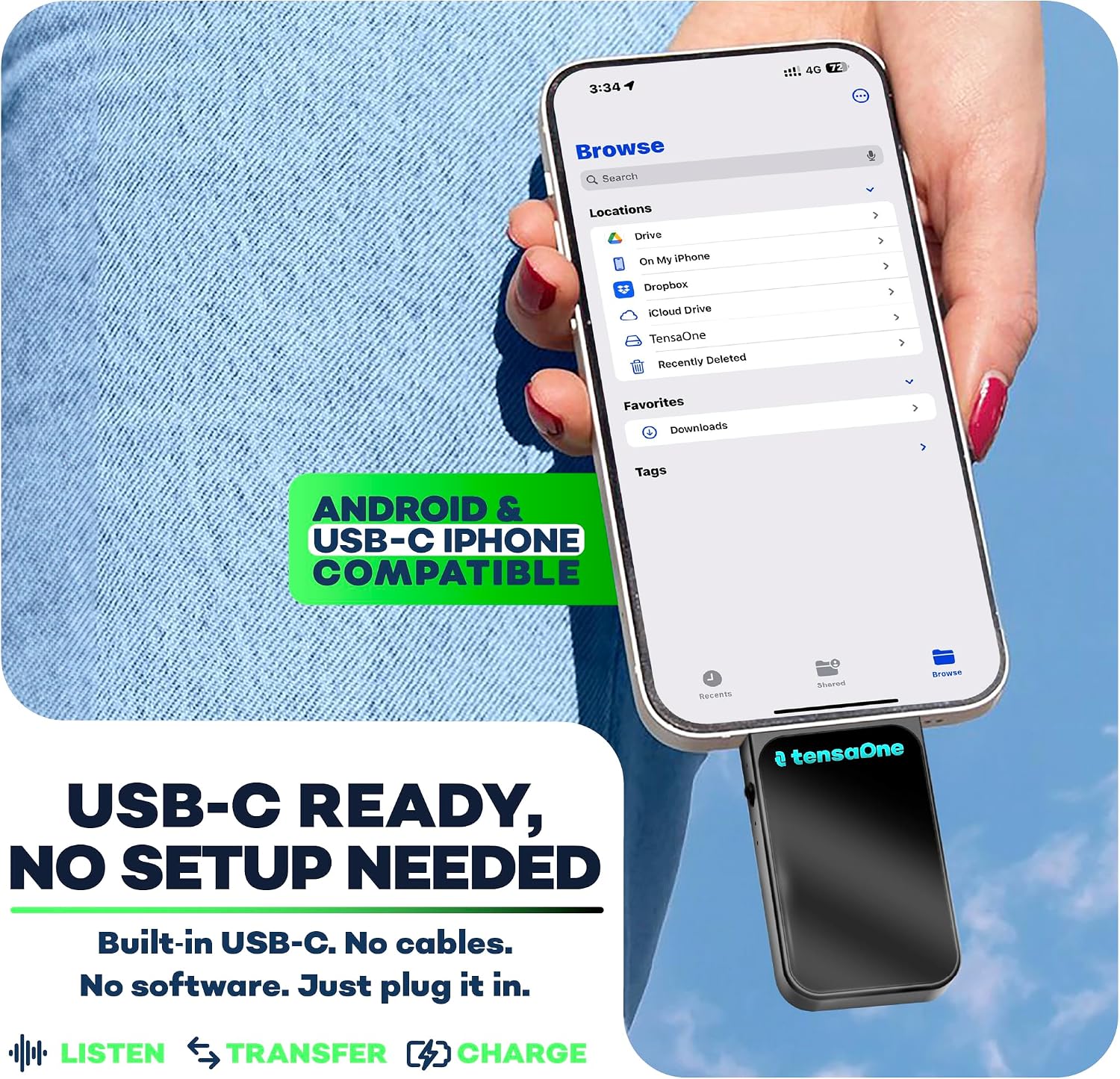
Image: The device is designed for discreet operation, recording only when sound is present, without lights or beeps.
2. Manual Continuous Recording
For continuous recording regardless of sound levels, use the manual recording mode.
- Ensure the device is powered on.
- Slide the recording switch (often marked with a simple 'On/Off' or 'Record' icon) to the 'On' or 'Record' position.
- The device will begin recording continuously until the switch is moved to the 'Off' position.
3. Noise Reduction
The ESSENTIAL Daily 64 features standard noise reduction to enhance audio clarity in typical environments. This helps to filter out common background noises, making recorded voices easier to understand during playback.

Image: The device employs noise reduction technology to deliver clear voice capture by minimizing background interference.
4. Magnetic Mounting
The recorder is equipped with a magnetic back, allowing it to be securely attached to ferrous metal surfaces. This provides flexible placement options for discreet or hands-free recording.

Image: The magnetic feature allows for hands-free placement on metal surfaces, making it convenient for various recording scenarios.
5. Accessing and Managing Recordings
Recordings are stored on the device's internal 64GB memory. To access or manage these files:
- Connect the recorder to a computer or compatible USB-C smartphone/tablet.
- The device will appear as a removable storage drive (similar to a USB flash drive).
- Navigate to the folder containing your recordings (typically named 'RECORD' or similar).
- You can play, copy, move, or delete files as you would with any other storage device. No special software is required.

Video: This video demonstrates the TensaOne ESSENTIAL Daily 64's effectiveness in documenting noise, highlighting its clear audio capture capabilities.
Maintenance
1. Charging the Battery
To maintain optimal battery life, charge the device regularly. A full charge provides approximately 700 hours of recording time in auto mode. Connect the device to a USB-C power source until the indicator light shows a full charge.

Image: The recorder offers extensive storage and battery life, making it suitable for prolonged use. It also functions as a flash drive.
2. Storage Management
The 64GB internal storage can hold approximately 4,500 hours of recordings. Regularly transfer important files to a computer or cloud storage to prevent data loss and free up space for new recordings. Delete unnecessary files directly from the device when connected to a computer.
3. Cleaning
Wipe the device with a soft, dry cloth. Avoid using liquid cleaners or abrasive materials, as these can damage the device or its internal components.
Troubleshooting
- Device not turning on: Ensure the battery is charged. Connect to a power source and allow it to charge for at least 30 minutes before attempting to power on again.
- Not recording: Check that the recording switch is in the correct position (either 'AUTO' or manual 'On'). Ensure there is sufficient storage space available.
- Poor audio quality: Ensure the microphone is not obstructed. Avoid placing the device in pockets or areas where friction noise can occur. For best results, place the recorder in an open area.
- Device not recognized by computer: Try a different USB-C port or a different computer. Ensure the USB adaptor is securely connected. Restart your computer.
- Incorrect recording timestamps: Reconnect the device to a computer and follow the instructions in the 'Setting the Time' section to synchronize the internal clock.
Specifications
| Feature | Detail |
|---|---|
| Model Number | ESSENTIAL Daily 64 |
| Storage Capacity | 64 GB (approx. 4,500 hours of recording) |
| Battery Life (Auto Mode) | Up to 700 hours |
| Dimensions | 2.76"D x 1.57"W x 0.39"H (70 x 40 x 10 mm) |
| Item Weight | 1.87 ounces (53 grams) |
| Hardware Interface | USB Type C |
| Microphone Form Factor | Built-In |
| Recording Format | Digital Sound, WAV |
| Compatible Devices | Laptop, Personal Computer, Smartphone, Tablet |
| Special Features | Voice Activated Recording, Magnetic Mount, Standard Noise Reduction |
Warranty Information
TensaOne products are manufactured to high quality standards. For specific warranty details, please refer to the warranty card included with your purchase or visit the official TensaOne website. Keep your proof of purchase for any warranty claims.
Support
If you encounter any issues or have questions not covered in this manual, please contact TensaOne customer support:
- Email: hello@tensaone.com
- Online: Visit the TensaOne store on Amazon for FAQs and additional resources.