
1. Introduction
The realme Watch 5 is a feature-rich smartwatch designed to enhance your daily life with advanced health monitoring, communication, and navigation capabilities. This manual provides essential information for setting up, operating, and maintaining your device.
2. What's in the Box
Please check the package contents upon unboxing:
- 1N realme Watch 5 Smartwatch
- 1N Charging Cable
- 1N User Manual
3. Setup
3.1 Charging the Smartwatch
Before initial use, fully charge your realme Watch 5. Connect the provided charging cable to the charging port on the back of the watch and to a standard USB power adapter (not included). The watch display will indicate charging status.
3.2 Pairing with Your Smartphone
To unlock all features, pair your realme Watch 5 with the realme Link app on your smartphone.
- Download and install the realme Link app from your smartphone's app store.
- Ensure Bluetooth is enabled on your smartphone.
- Open the realme Link app, create an account or log in.
- Follow the in-app instructions to add a new device and select realme Watch 5.
- Confirm the pairing request on both your watch and smartphone.
3.3 Initial Configuration
After successful pairing, the app will guide you through initial settings such as personal profile, notification preferences, and watch face selection.
4. Operating the Smartwatch
4.1 Display and Navigation
The realme Watch 5 features a 1.97-inch AMOLED touchscreen display. Navigate by swiping across the screen and tapping icons. The physical button on the side typically serves as a home/back button or to access the app list.
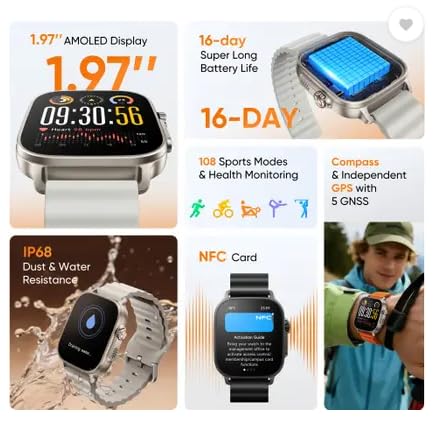
Image: The 1.97-inch AMOLED display provides a clear and vibrant interface for viewing information and interacting with the watch.
4.2 Key Features
- Bluetooth Calling: Once paired, you can make and receive calls directly from your watch. Access the dialer or call history from the watch interface.

Image: The watch supports high-definition Bluetooth calling and independent Bluetooth intercom for clear communication.
- GPS and Compass: The watch includes independent GPS with 5 GNSS support and a built-in compass for accurate outdoor activity tracking and navigation.
- Health Monitoring: Monitor various health metrics including heart rate, sleep patterns, and more. Access these features through the health section of the watch or the realme Link app.
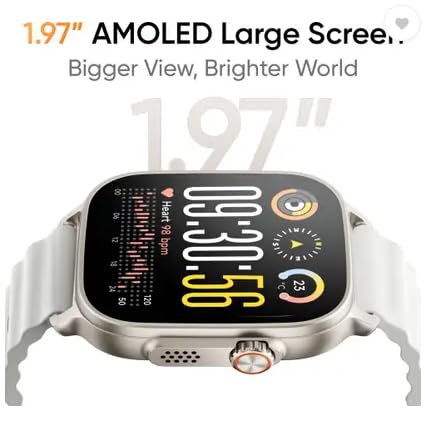
Image: The watch offers sleep monitoring to help users understand and improve their sleep quality.
- Sports Modes: The watch supports numerous sports modes for tracking different physical activities. Select your desired activity to record data such as steps, distance, calories burned, and heart rate during workouts.
- NFC: Utilize NFC for convenient payments or other compatible functions where supported. Refer to the NFC section in the realme Link app for setup.
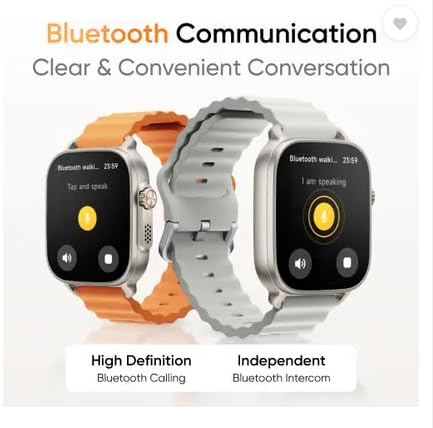
Image: The watch supports NFC card functionality, allowing for various contactless interactions.
- Music Playback: Enjoy 200 Mbits of offline music storage or control music playback on your connected smartphone via Bluetooth.
- Game Guardian Mode: This mode is designed to enhance your gaming experience by providing specific functionalities or notifications during gameplay.
5. Maintenance
5.1 Cleaning Your Smartwatch
Wipe the watch and strap regularly with a soft, damp cloth. Avoid using harsh chemicals or abrasive materials, which can damage the device.
5.2 Water and Dust Resistance
The realme Watch 5 is IP68 rated for dust and water resistance. This means it can withstand immersion in water up to 1.5 meters for 30 minutes. It is suitable for daily use and light water activities, but not recommended for diving or high-pressure water activities.
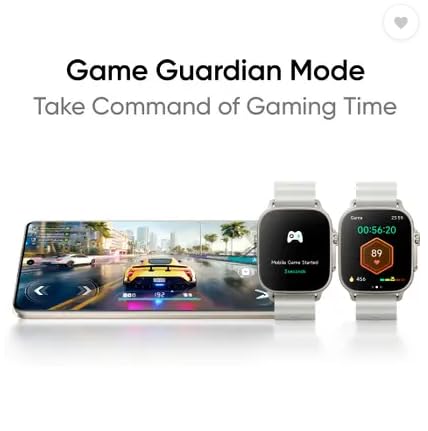
Image: The watch is designed with IP68 dust and water resistance, making it suitable for various environments.
5.3 Battery Life Optimization
To maximize battery life (up to 16 days, 20 days in Light Mode, 6 days with AOD), consider adjusting screen brightness, limiting continuous heart rate monitoring, and disabling unnecessary notifications.
6. Troubleshooting
- Watch not turning on: Ensure the watch is fully charged. Connect it to the charger for at least 30 minutes.
- Cannot pair with smartphone: Make sure Bluetooth is enabled on your phone and the watch is within range. Restart both devices and try pairing again through the realme Link app.
- Inaccurate health data: Ensure the watch is worn snugly on your wrist, not too tight or too loose. Clean the sensor on the back of the watch.
- Notifications not appearing: Check notification settings in the realme Link app and your phone's system settings to ensure permissions are granted.
- Short battery life: Review battery optimization tips in Section 5.3. Close background apps on the watch if possible.
7. Specifications
| Model Number | RMW2501 |
| Display | 1.97" AMOLED |
| Battery Life | Up to 20 days (Light Mode), 16 days (Typical Use), 6 days (AOD) |
| Connectivity | Bluetooth |
| GPS | Independent GPS with 5 GNSS |
| Water Resistance | IP68 |
| Battery Cell Composition | Lithium Ion |
| Item Weight | 90 Grams |
| Manufacturer | OPTIEMUS ELECTRONICS LIMITED |
| Country of Origin | India |
8. Warranty and Support
8.1 Warranty Information
The realme Watch 5 comes with a 1 Year Warranty on the product from the date of purchase. Please retain your proof of purchase for warranty claims.
8.2 Customer Support
For technical assistance, warranty claims, or further inquiries, please contact realme customer support or visit the official realme website.


