
Introduction
Thank you for choosing the NOBIS 90W 20000mAh Fast Charging Power Bank. This portable charger is designed to provide high-speed power to a wide range of devices, including laptops, tablets, and smartphones. Please read this manual carefully to ensure proper use and to maximize the lifespan of your device.
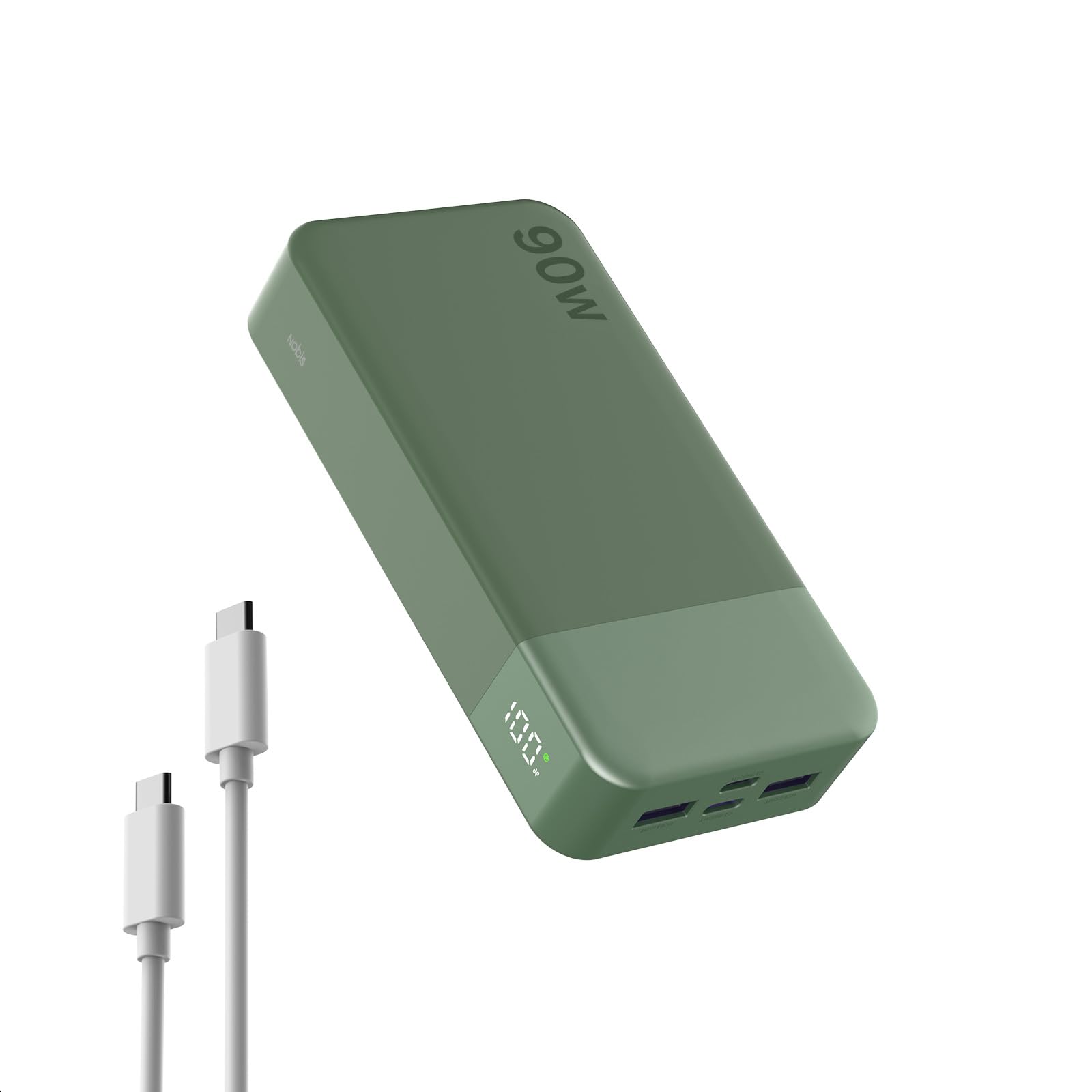
Image: The NOBIS 90W 20000mAh Fast Charging Power Bank, showcasing its compact design.
Package Contents
- 1 x NOBIS 90W 20000mAh Portable Charger
- 1 x USB-C to USB-C Cable
- 1 x User Manual

Image: The NOBIS 90W Power Bank package contents, including the power bank, a USB-C cable, and the user manual.
Setup
1. Initial Charging of the Power Bank
Before first use, fully charge your NOBIS power bank. Connect the included USB-C to USB-C cable to one of the power bank's USB-C ports and the other end to a compatible USB-C wall charger (not included) with at least 65W output for fastest charging. The LED display will show the charging progress.

Image: The NOBIS power bank connected to a wall adapter for recharging, illustrating its two-way fast charging capability.
2. Understanding the LED Power Display
The built-in LED screen displays the real-time battery level as a percentage. It also indicates the charging status. When charging the power bank or a device, a lightning bolt icon may appear.
- General Mode: Shows battery percentage (e.g., "100%").
- Trickle Charging Mode: Double-press the power button to enter this mode. The indicator will cycle, signifying low-current charging for small devices.

Image: A close-up view of the NOBIS power bank's LED display, showing battery percentage in both general and trickle charging modes.
Operating Instructions
1. Charging Devices
Connect your device to the power bank using a compatible charging cable. The power bank features 2 USB-C ports and 2 USB-A ports. Intelligent power distribution ensures stable charging for all connected devices.
- USB-C Ports: Deliver up to 90W output for fast charging laptops, tablets, and smartphones.
- USB-A Ports: Deliver up to 27W output for charging various USB-A compatible devices.

Image: The NOBIS power bank simultaneously charging a laptop, a smartphone, and wireless earbuds, demonstrating its multi-device charging capability.
2. Low-Current Mode
For safely charging low-current devices such as wireless earbuds, smartwatches, or fitness trackers, double-press the power button to activate trickle charging mode. This prevents overcharging or damage to sensitive devices.
3. Universal Compatibility
The power bank is compatible with a wide range of devices, including:
- Laptops: MacBook Air/Pro, Dell, Lenovo, and more.
- Phones: iPhone series, Samsung Galaxy, Google Pixel, LG, and more.
- Other Devices: iPad Pro, Steam Deck, Nintendo Switch, wireless earbuds, smartwatches, drones, and more.

Image: A visual representation of the NOBIS power bank's universal compatibility with laptops, smartphones, and other electronic devices.
Maintenance
- Keep the power bank away from extreme temperatures, direct sunlight, and liquids.
- Store in a cool, dry place when not in use.
- Avoid dropping or subjecting the power bank to strong impacts.
- Clean the exterior with a soft, dry cloth. Do not use harsh chemicals.
- For optimal battery health, fully charge and discharge the power bank at least once every three months if stored for extended periods.
Safety Features
The NOBIS power bank incorporates multiple built-in protections for safe and worry-free operation:
- Over-heat Protection: Prevents the device from reaching unsafe temperatures.
- Over-current Protection: Safeguards against excessive current flow.
- Over-discharge Protection: Protects the battery from being fully depleted.
- Over-voltage Protection: Shields against voltage spikes.
- Short-circuit Protection: Automatically shuts off in case of a short circuit.
- Over-charge Protection: Prevents the battery from being overcharged.
- Auto Shut-Off: The power bank will automatically turn off when connected devices are fully charged or when idle for a period.

Image: An illustration detailing the comprehensive safety features integrated into the NOBIS power bank, such as over-heat, over-current, and short-circuit protection.
Troubleshooting
- Q: The power bank is not charging.
- A: Ensure the charging cable is securely connected to both the power bank and the wall charger. Verify that the wall charger is functioning and provides sufficient power (at least 65W for optimal speed). Try a different cable or wall charger.
- Q: Devices are charging slowly.
- A: Check if your device supports fast charging and if you are using a compatible cable. If multiple devices are connected, the power output is distributed, which may reduce individual charging speeds. For maximum speed, charge one device at a time using a USB-C port.
- Q: The LED display is not turning on.
- A: Press the power button once to activate the display. If it still doesn't light up, the power bank might be fully discharged. Connect it to a power source for recharging.
- Q: The power bank gets warm during use.
- A: It is normal for the power bank to generate some heat during charging or discharging, especially during high-speed operations. If it becomes excessively hot, disconnect all devices and allow it to cool down. Ensure it is used in a well-ventilated area.
Specifications
| Feature | Detail |
|---|---|
| Model Number | N2901 |
| Battery Capacity | 20000mAh |
| Maximum Output Power | 90W |
| Input (USB-C) | Up to 65W Max |
| Output Ports | 2 x USB-C, 2 x USB-A |
| Product Dimensions | 13.7 x 7 x 2.86 cm |
| Item Weight | 400 g |
| Battery Cell Type | Lithium Polymer |
| Special Features | Auto Shut-Off, Digital Display, Fast Charging, Over Charging Protection, Short Circuit Protection |
Warranty and Support
Warranty Information
The NOBIS 90W 20000mAh Fast Charging Power Bank comes with an 18-month manufacturer's warranty from the date of purchase. This warranty covers manufacturing defects and ensures the product meets its specified performance standards under normal use. Please retain your proof of purchase for warranty claims.
Customer Support
For any questions, technical assistance, or warranty claims, please contact NOBIS customer support. Our team is available to assist you.
- Customer Support: 24-hour assistance.
- Care Plan: 18 months.

Image: NOBIS customer service details, emphasizing 24-hour support and an 18-month care plan.