
1. Introduction
This manual provides essential instructions for the safe and effective use of your RXUJYC 5.5 Cuft Biometric Safe Box. Please read this manual thoroughly before installation and operation, and retain it for future reference. This safe is designed to secure valuables using advanced biometric and digital security features, offering protection against unauthorized access.
2. Package Contents
Verify that all components are present in the package:
- 1 x Biometric Home Safe
- 2 x Emergency Keys
- 1 x External Battery Box
- 1 x Fireproof Document Bag
- 1 x User Manual (this document)
- 4 x Expansion Screws
- 4 x Foot Mats

Image: Contents included with the RXUJYC Biometric Safe Box.
Important: Do not store the emergency keys or external battery box inside the safe.
3. Safety Information
- Ensure the safe is placed on a stable, level surface.
- Keep emergency keys in a secure location outside the safe.
- Do not expose the safe to extreme temperatures or humidity.
- Regularly check battery levels to ensure proper function.
- Keep children away from the safe to prevent accidental lockout or injury.
4. Setup
4.1 Battery Installation
The safe requires batteries for its electronic lock system. Locate the battery compartment, typically on the inside of the door or behind the keypad. Insert the required batteries, ensuring correct polarity. If the batteries are depleted, use the external battery box for temporary power access.
4.2 Initial Access and Keypad Activation
Upon first use, open the safe using the emergency key. Insert the key into the keyhole, turn it, and rotate the handle to open the door. This allows access to the interior for battery installation and initial programming.
4.3 Mounting the Safe
The safe can be mounted to a wall or floor for enhanced security. Locate the pre-drilled holes on the back and bottom of the safe. Use the provided expansion screws to secure the safe to a solid surface. Ensure the mounting location is structurally sound to support the safe's weight (approximately 45 pounds).
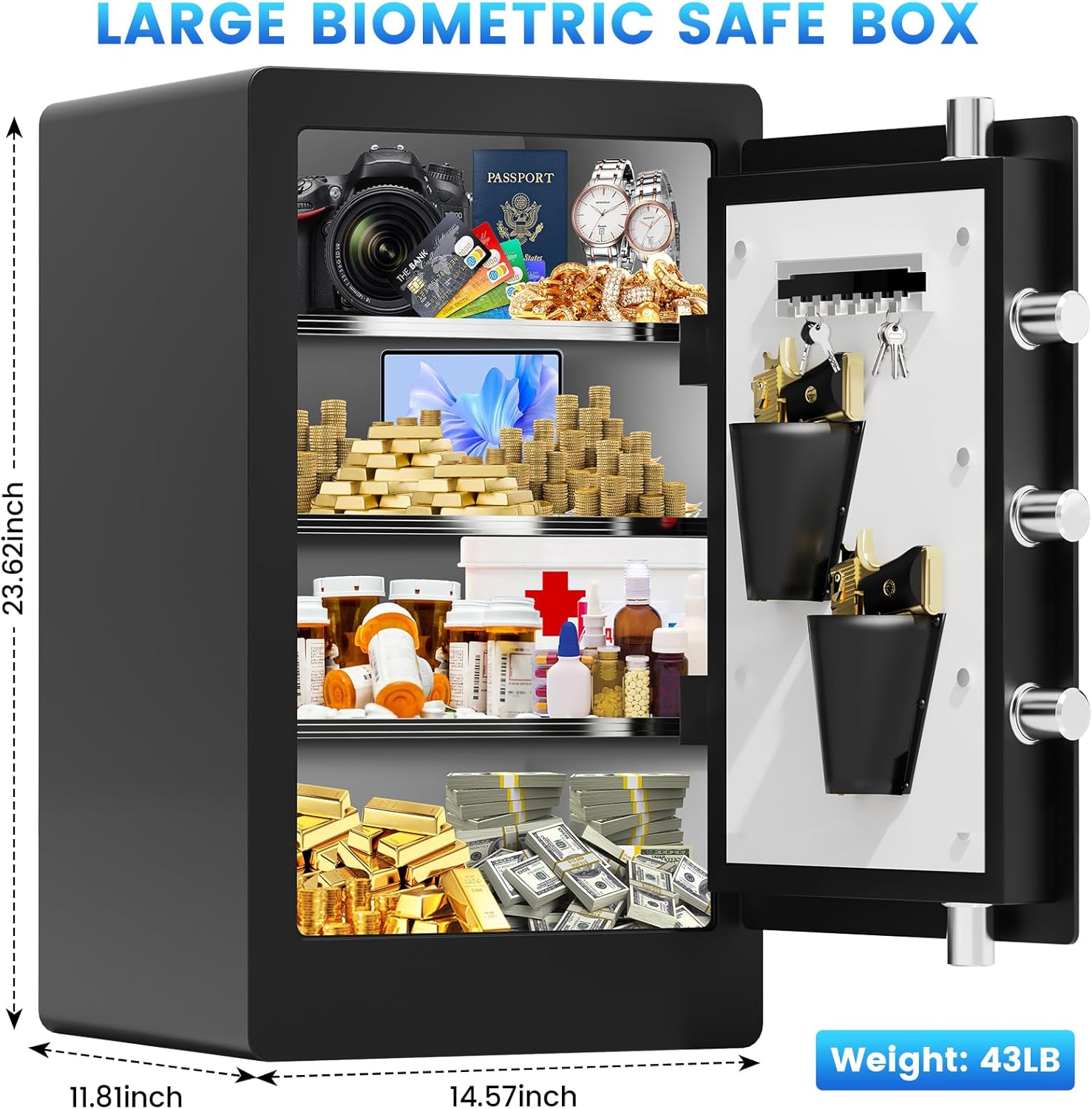
Image: Exterior dimensions of the safe.
5. Operating Instructions
5.1 Fingerprint Setup
The safe features an advanced semiconductor fingerprint reader. It can store up to 29 unique fingerprints. To register a fingerprint:
- With the safe door open, press the internal reset button (location may vary, refer to specific diagrams if available).
- Place your finger on the fingerprint scanner. The system will prompt you to lift and place your finger multiple times to capture a complete scan.
- A confirmation light or sound will indicate successful registration.
- Repeat for additional fingerprints as needed.
5.2 PIN Code Setup
To set a custom PIN code:
- With the safe door open, press the internal reset button.
- Enter your desired PIN code (typically 4-8 digits) on the keypad.
- Press the '#' or 'OK' button to confirm.
- Re-enter the PIN code and press '#' or 'OK' again for verification.
- A confirmation light or sound will indicate successful registration.

Image: Biometric fingerprint and digital keypad.
5.3 Opening the Safe
The safe can be opened using three methods:
- Fingerprint: Place a registered finger on the scanner. The safe will unlock in under 0.1 seconds upon successful authentication.
- PIN Code: Enter your registered PIN code on the keypad, then press '#' or 'OK'.
- Emergency Key: In case of battery failure or forgotten codes, use one of the emergency keys to manually open the safe.
5.4 Mute Mode
To activate or deactivate mute mode (silent operation):
- Press the '3' button on the keypad.
- Immediately press the '#' button.
- The safe will toggle between audible and silent modes.
5.5 Alarm System
The safe is equipped with an anti-theft alarm system. The alarm will activate under the following conditions:
- Six consecutive incorrect entries of the PIN code or fingerprint.
- Detection of violent vibrations or collision with the safe.
When triggered, the alarm buzzer will sound at over 70 decibels. To disarm the alarm, use a valid fingerprint, PIN code, or emergency key.
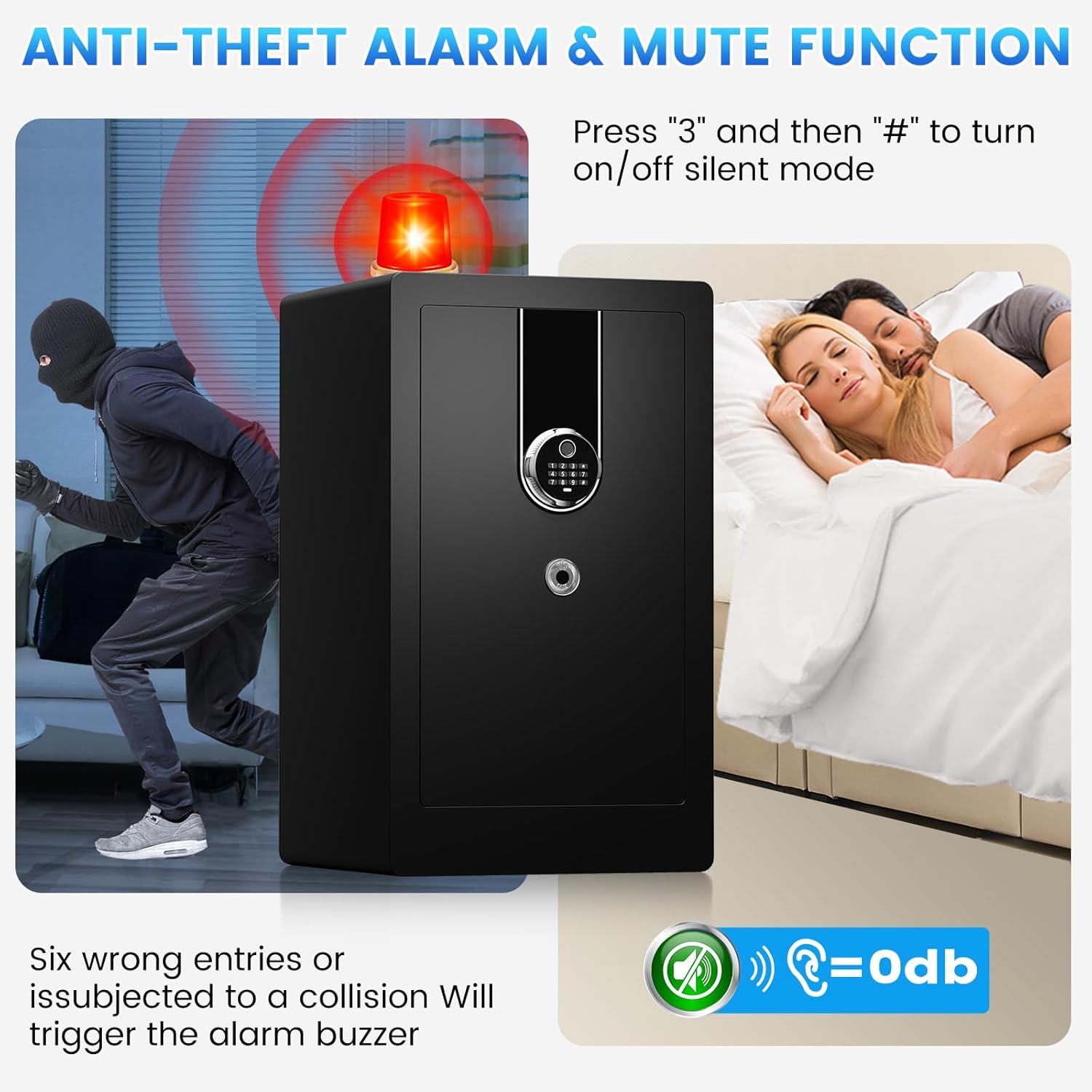
Image: Anti-theft alarm and mute function illustration.
5.6 USB-C Emergency Power
If the internal batteries are completely depleted, preventing access, you can use a USB-C cable and an external power source (e.g., power bank) to temporarily power the safe. Connect the USB-C cable to the port on the keypad. This will provide enough power to enter your PIN or use your fingerprint to open the safe, allowing you to replace the internal batteries.
5.7 Internal Organization
The safe features two adjustable shelves for flexible storage. Inside the cabinet door, there are key hooks and pistol pockets for organized storage of smaller items.

Image: Interior organization with removable shelves.

Image: Removable steel shelf for customizable storage.
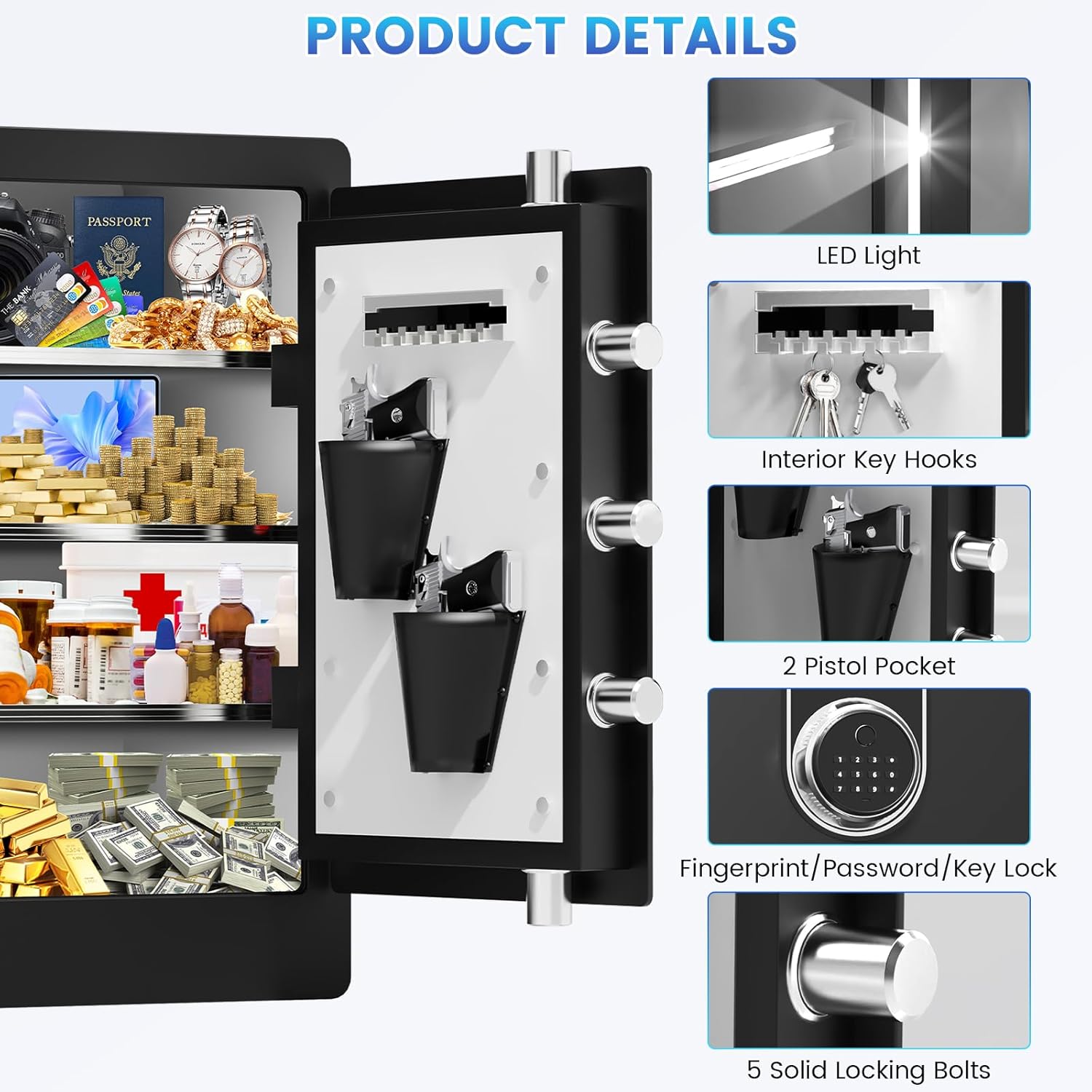
Image: Product details highlighting interior features and locking mechanism.
6. Maintenance
6.1 Battery Replacement
When the low battery indicator appears or the keypad becomes unresponsive, replace all batteries with new ones of the specified type. Always replace all batteries at once to ensure consistent power.
6.2 Cleaning
Clean the exterior of the safe with a soft, damp cloth. Avoid using abrasive cleaners or solvents that could damage the finish or electronic components. Keep the fingerprint scanner clean and free of debris for optimal performance.
7. Troubleshooting
- Safe will not open with fingerprint/PIN: Ensure batteries are not depleted. Re-enter PIN carefully. Re-scan fingerprint, ensuring proper placement. Try using the emergency key.
- Keypad is unresponsive: Replace batteries. If still unresponsive, use the external battery box or emergency key.
- Alarm sounds unexpectedly: Check for impacts or vibrations near the safe. Ensure no one is attempting to open it with incorrect codes.
- Lost emergency keys: Contact customer support for assistance.
8. Specifications
| Feature | Detail |
|---|---|
| Brand | RXUJYC |
| Model Number | ZQ safe box |
| Product Dimensions (D x W x H) | 11.8"D x 14.6"W x 23.6"H |
| Capacity | 5.6 Cubic Feet |
| Item Weight | 45 Pounds |
| Material | Alloy Steel |
| Lock Type | Biometric, Electronic Combination Lock |
| Special Features | Alarm System, Anti-Theft, Biometric Fingerprint, Mute Mode |
| Mounting Type | Wall Floor Mount |
| Fingerprint Storage | Up to 29 fingerprints |
| Fingerprint Response Time | Less than 0.1 seconds |
9. Warranty and Support
Your RXUJYC Biometric Safe Box comes with a 5-year warranty that includes parts replacement. We also provide lifetime technical support. For any concerns or assistance, please contact our customer support team. We are committed to addressing your inquiries within 24 hours.
For support, please refer to the contact information provided on the product packaging or the official RXUJYC website.
10. Product Video
Watch this video for a visual guide on the features and operation of your RXUJYC Biometric Safe Box.
Video: Overview of the RXUJYC Biometric Safe Box features and operation.