
1. Introduction
The EZVIZ CB8 Lite 4MP Outdoor WiFi Camera Kit provides comprehensive outdoor surveillance with advanced features and sustainable power. This manual will guide you through the installation, operation, and maintenance of your camera system to ensure optimal performance and security.
Key features include:
- AOV (Always on Video) Mode: Enables 24/7 recording and time-lapse video creation.
- Extra-Large Battery & 5W Solar Panel: Ensures long-lasting operation with continuous solar charging.
- IP65 Weather Resistance: Designed to withstand various outdoor conditions.
- 4MP Resolution & 360° Pan/Tilt: Provides clear images and extensive coverage.
- AI-Powered Human/Vehicle Detection: Reduces false alarms by accurately identifying relevant motion.
- Active Defense: Features sound alarms and flashing spotlights to deter intruders.
- Color Night Vision & Two-Way Audio: Offers clear night surveillance and interactive communication.
- Smart Auto-Tracking: Automatically follows detected movement.
- Customizable Voice Alerts: Allows for personalized warning or greeting messages.
2. Package Contents
Ensure all components are present before beginning installation:
- 2 x EZVIZ CB8 Lite 4MP Cameras
- 2 x 5W Solar Panels
- 2 x Screw Bases
- 2 x Power Cables
- 2 x Drill Templates
- Mounting Screws and Plugs
- Quick Start Guide
3. Setup and Installation
The EZVIZ CB8 Lite camera kit is designed for straightforward installation. Follow these steps for optimal setup:
3.1 Initial Camera Setup
- Charge the Camera: Before installation, fully charge the camera using the provided power cable.
- Download the EZVIZ App: Search for "EZVIZ" in your smartphone's app store (iOS or Android) and download the application.
- Create an Account: Open the EZVIZ app and follow the on-screen instructions to create a new user account or log in to an existing one.
- Add the Camera: In the EZVIZ app, tap the '+' icon to add a new device. Scan the QR code located on the camera or its packaging. Follow the app's prompts to connect the camera to your Wi-Fi network.
3.2 Mounting the Camera and Solar Panel
Choose a mounting location that provides the desired viewing angle and receives adequate direct sunlight for the solar panel.
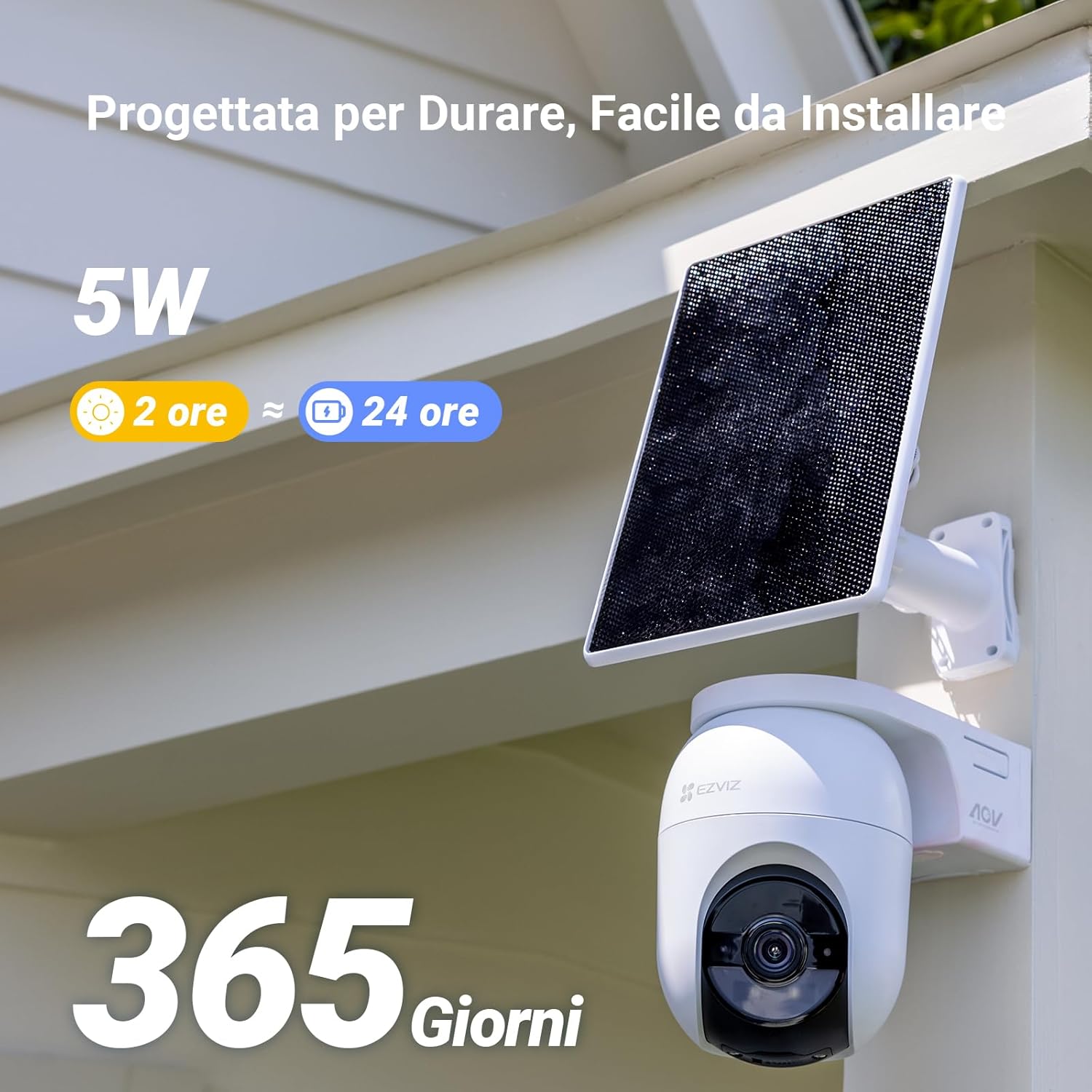
Image: The EZVIZ CB8 Lite camera and its 5W solar panel are shown mounted on an exterior wall, highlighting the ease of installation and the benefit of continuous power from the solar panel.
- Select Location: Identify a sturdy surface (wall, eaves) for mounting. Ensure the camera has a clear field of view and the solar panel receives at least 2 hours of direct sunlight daily.
- Use Drill Template: Place the drill template at the chosen location and mark the screw holes.
- Drill Holes: Drill holes according to the marks and insert wall plugs if necessary.
- Mount Base: Secure the screw base to the wall using the provided screws.
- Attach Camera: Mount the CB8 Lite camera onto the screw base.
- Mount Solar Panel: Install the solar panel in a location with maximum sun exposure and connect its cable to the camera.

Image: The camera and solar panel are shown with Wi-Fi 6 connectivity, indicating optimal data transmission. A smartphone displays the live camera feed, demonstrating remote access.
4. Operating Instructions
Your EZVIZ CB8 Lite camera offers a range of features accessible through the EZVIZ app.
4.1 Live View and Pan/Tilt Control
Access the live feed from your camera via the EZVIZ app. Use the on-screen controls to remotely pan (340° horizontal) and tilt (80° vertical) the camera, providing a 360° panoramic view of your monitored area.

Image: A visual representation of the camera's 360-degree pan and tilt capabilities, highlighting its wide coverage and various smart features.
4.2 AOV (Always on Video) Mode
The AOV mode allows for continuous recording and the creation of time-lapse videos, even when no activity is detected. When motion is detected, the camera switches to normal speed video. This feature requires a Micro SD card for local storage.
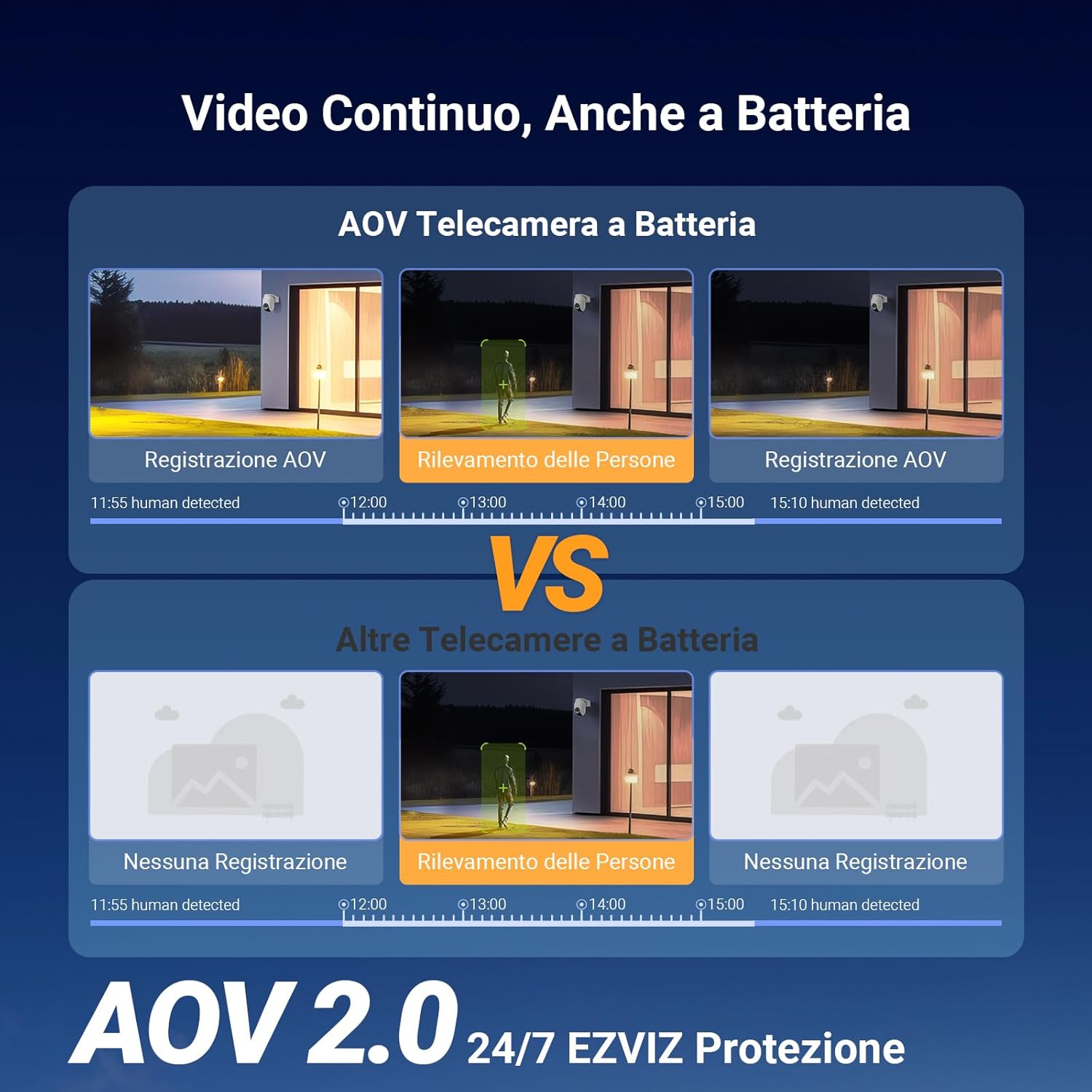
Image: A diagram illustrating the continuous recording capability of the EZVIZ AOV camera compared to standard battery cameras that only record when motion is detected.
4.3 Smart Detection and Auto-Tracking
The camera utilizes AI algorithms to distinguish between human and vehicle shapes, reducing irrelevant notifications. When a person or vehicle is detected, the camera can automatically track their movement across the monitored area.
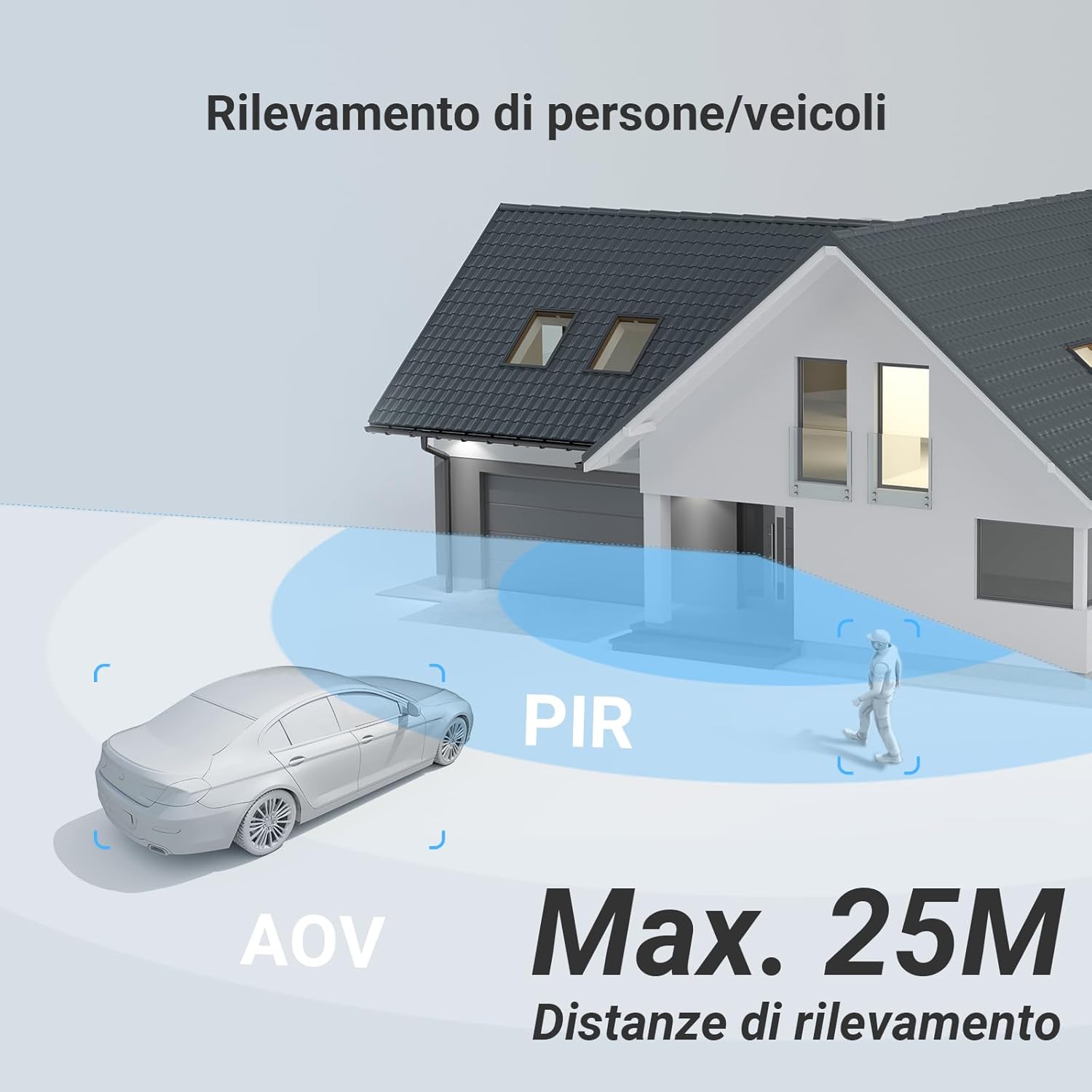
Image: A visual representation of the camera's human and vehicle detection capabilities, showing detection zones and a maximum range of 25 meters.

Image: An illustration of the camera's active defense in action, with a spotlight illuminating an intruder and an alarm message displayed, alongside automatic tracking.
4.4 Night Vision
The CB8 Lite features color night vision, providing vivid and clear images even in complete darkness up to 15 meters. It also supports traditional IR night vision.

Image: A side-by-side comparison demonstrating the clarity and color fidelity of the camera's color night vision versus standard infrared night vision.
4.5 Two-Way Audio and Custom Voice Alerts
Communicate with visitors or deter unwanted guests using the built-in microphone and speaker. You can also record custom voice messages for personalized alerts or greetings.
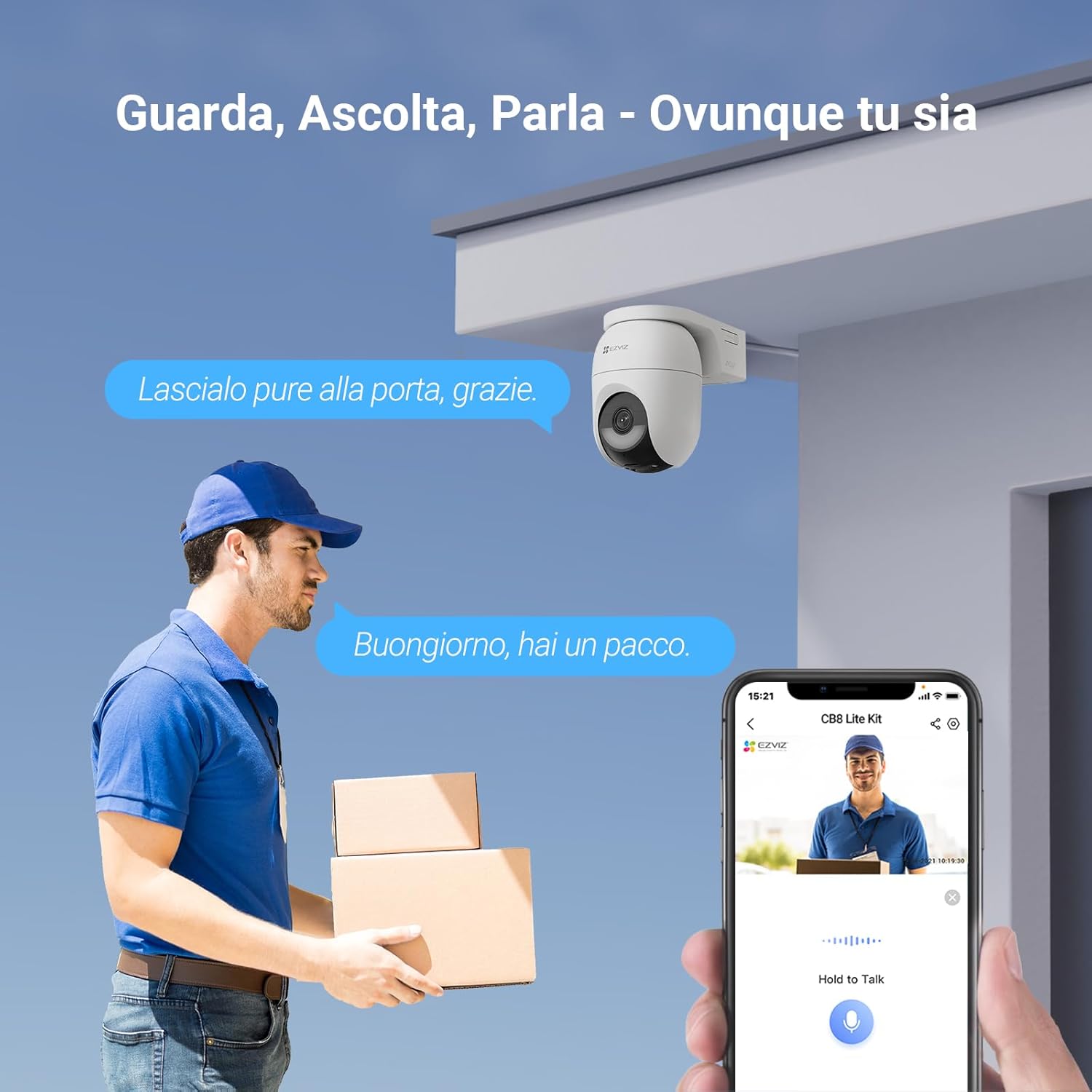
Image: An illustration of the two-way audio feature, showing a user communicating with a delivery person through the camera via the EZVIZ app.
5. Maintenance
Proper maintenance ensures the longevity and optimal performance of your EZVIZ CB8 Lite camera kit.
5.1 Battery and Solar Panel
The camera features a 5200 mAh rechargeable battery, providing up to 3 months of daily use on a full charge. The included 5W solar panel can keep the battery continuously charged with just two hours of direct sunlight per day.
- Regularly clean the solar panel surface to ensure maximum sunlight absorption.
- Ensure the solar panel is positioned to receive unobstructed direct sunlight.
5.2 Weather Resistance
The camera is rated IP65, making it resistant to dust and water. It operates reliably in temperatures ranging from -20°C to 50°C.
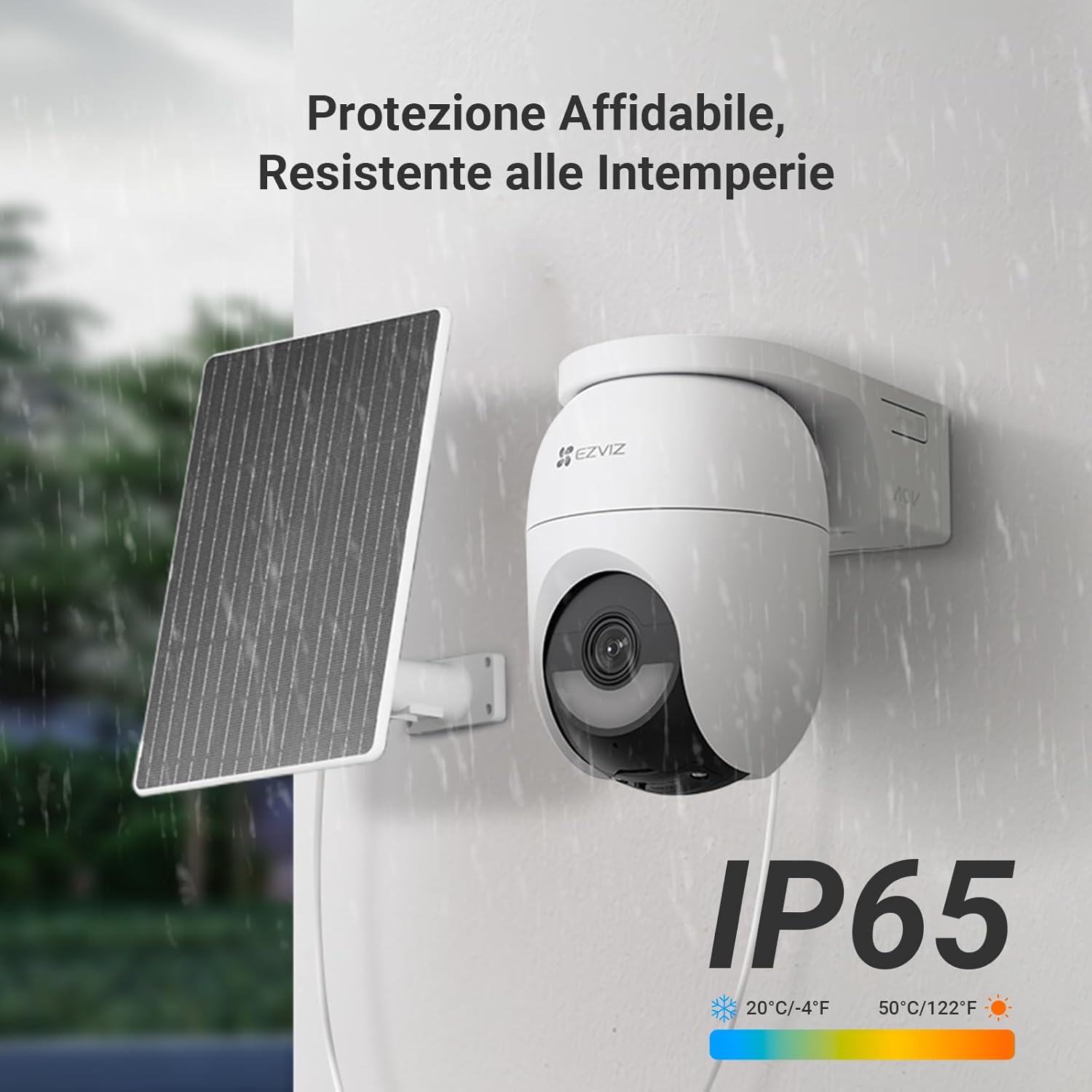
Image: The camera and solar panel are depicted enduring rainfall, emphasizing their IP65 rating and robust weather resistance.
- Periodically check the camera lens for dirt or obstructions and clean gently with a soft cloth.
- Ensure all cable connections are secure and sealed to maintain water resistance.
5.3 Storage
The camera supports a Micro SD card up to 512GB for local video storage (Micro SD card not included).
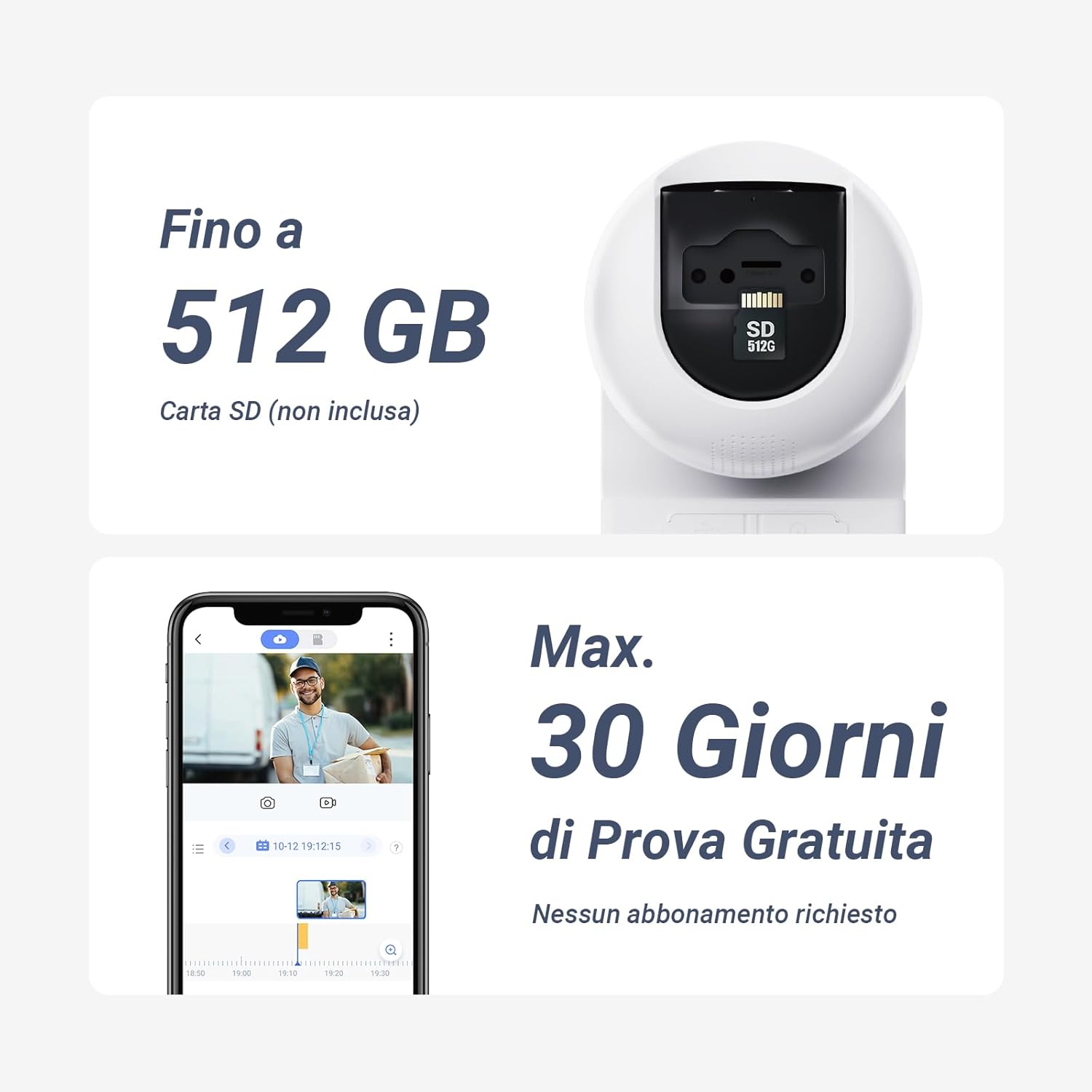
Image: A detailed view of the camera's Micro SD card slot, illustrating its capacity for up to 512GB of local storage.
- Insert a compatible Micro SD card for local recording.
- Format the SD card through the EZVIZ app if it's new or causing issues.
- Consider EZVIZ CloudPlay subscription for cloud storage options.
6. Troubleshooting
If you encounter issues with your EZVIZ CB8 Lite camera, refer to the following common solutions:
| Problem | Possible Cause | Solution |
|---|---|---|
| Camera not connecting to Wi-Fi | Incorrect Wi-Fi password, weak signal, camera too far from router. | Verify Wi-Fi password. Move camera closer to router or use a Wi-Fi extender. Ensure router is 2.4GHz compatible. |
| No recording or AOV not working | No Micro SD card, faulty SD card, AOV mode not enabled. | Insert a compatible Micro SD card. Format the SD card via the app. Enable AOV mode in camera settings. |
| Poor image quality | Dirty lens, low light conditions, network bandwidth issues. | Clean the camera lens. Ensure sufficient lighting for color night vision. Check network speed. |
| False alarms | Motion detection sensitivity too high, environmental factors (e.g., swaying trees). | Adjust motion detection sensitivity in the app. Define specific detection zones to exclude irrelevant areas. |
| Battery not charging via solar panel | Insufficient sunlight, dirty solar panel, loose connection. | Relocate solar panel for more direct sunlight. Clean the solar panel surface. Ensure the cable is securely connected. |
For further assistance, consult the EZVIZ app's help section or visit the official EZVIZ support website.
7. Specifications
| Feature | Detail |
|---|---|
| Brand | EZVIZ |
| Model Name | CB8 Lite 4MP 2PK |
| Recommended Use | Outdoor Security |
| Connectivity Technology | Wireless (Wi-Fi 6) |
| Special Features | Two-way audio, Weather-resistant design, AI human/vehicle detection, Color night vision, 360° panoramic view, Auto-tracking |
| Indoor/Outdoor Use | Outdoor |
| Compatible Devices | Smartphone, Tablet, Amazon Alexa |
| Color | White |
| Form Factor | Dome |
| Water Resistance Level | IP65 (Waterproof) |
| Image Resolution | 4 MP (2K Video Capture) |
| Power Source | Battery powered (5200 mAh) with 5W Solar Panel |
| Voltage | 5 Volts |
| Wattage | 10 watts |
| Viewing Angle | 360 Degrees (340° Horizontal, 80° Vertical) |
| Night Vision Range | 15 Meters |
| Max. Storage Capacity | 512 GB (Micro SD card) |
| Item Dimensions | 10 x 10 x 10 cm |
| Item Weight | 803 Grams |
8. Warranty and Support
For warranty information, please refer to the documentation included with your product or visit the official EZVIZ website. If you require technical support or have questions regarding your EZVIZ CB8 Lite camera kit, please contact EZVIZ customer service through their official channels.


