
1. Introduction
Thank you for choosing the Hoorola SW-RF12 Golf Rangefinder. This device is designed to provide precise distance measurements for golf, hunting, archery, and other outdoor activities. It features advanced functions such as slope compensation, flag lock with vibration, 7X magnification, and a durable, water-resistant design. Please read this manual thoroughly before using your rangefinder to ensure optimal performance and longevity.
2. Product Overview
The Hoorola SW-RF12 Golf Rangefinder is a versatile and accurate tool for measuring distances. Key features include:
- 1200 Yard Range: Provides precise distance measurements from 3 to 1200 yards with ±0.5 yard accuracy.
- Slope Compensation: Calculates adjusted distances based on elevation changes, aiding in club selection.
- Magnetic Stripe: Allows for easy attachment to metal surfaces like golf carts or clubs.
- 7X Magnification: Offers a clear and detailed view of targets.
- IP54 Water Resistant: Designed to withstand various weather conditions.
- Rechargeable Battery: Supports up to 20,000 measurements on a single charge.
- Flag Pole Locking with Vibration: Confirms target acquisition with a short vibration.
- Multiple Modes: Includes slope compensation, flag lock, speed measurement, and continuous scan.

Image: Hoorola SW-RF12 Golf Rangefinder showcasing its main features: 1200 Yard Range, Slope Switch, Magnetic Stripe, IP54 Water Resistance, Flagpole Lock, Vibration Confirm, Rechargeable, and 7x Magnification.
3. Package Contents
Ensure all items are present in the package:
- Hoorola SW-RF12 Golf Rangefinder
- Hard Protective Case
- USB Type-C Charging Cable
- Cleaning Cloth
- Hand Strap
- User Manual (this document)
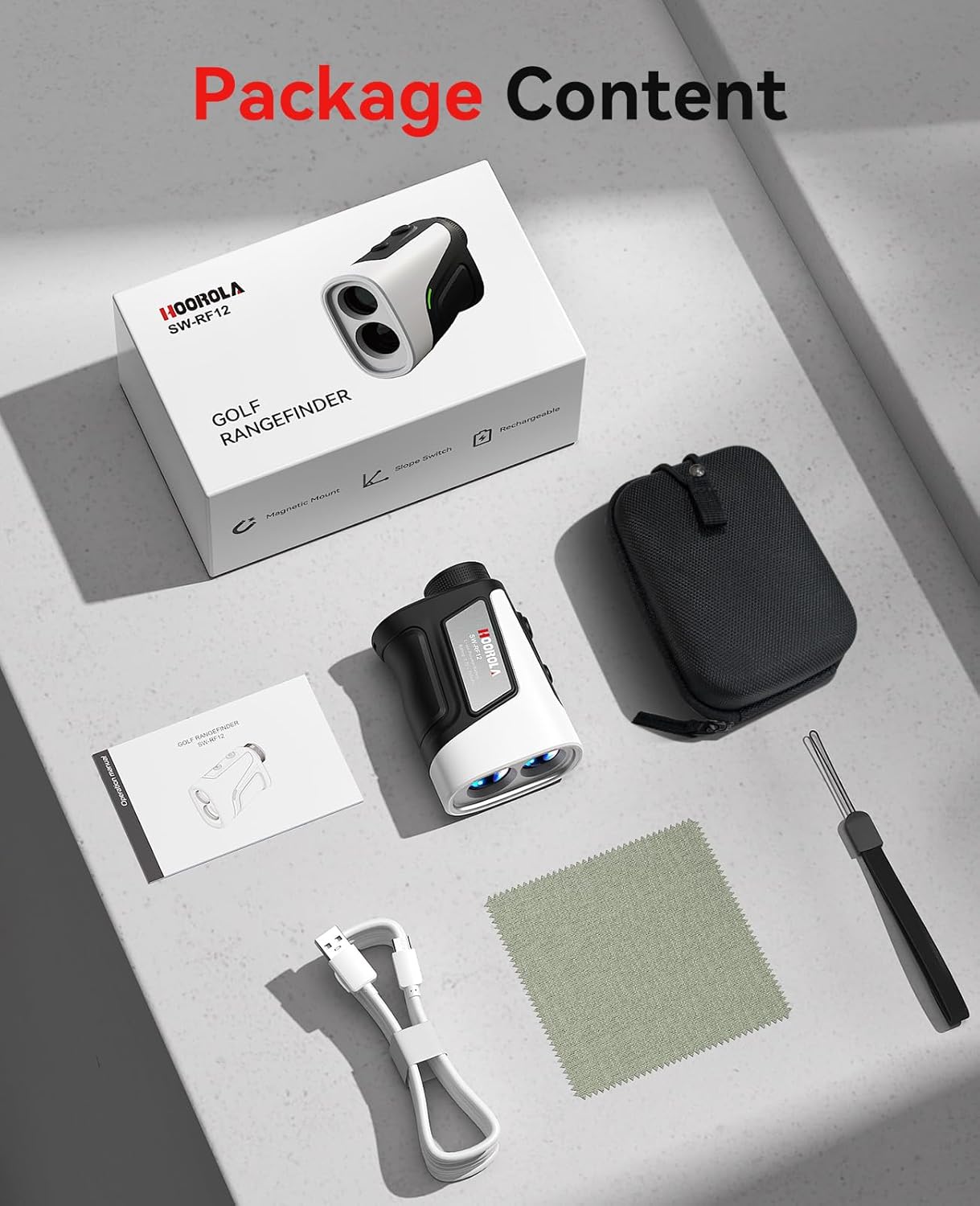
Image: The complete package contents including the rangefinder, hard case, USB-C cable, cleaning cloth, hand strap, and user manual.
4. Setup
4.1 Charging the Battery
The rangefinder is equipped with a rechargeable Li-ion Polymer battery (3.7V, 750mAh). Before first use, fully charge the device.
- Locate the USB Type-C charging port on the device.
- Connect the provided USB Type-C cable to the rangefinder and a compatible USB power source (e.g., computer, wall adapter).
- The charging indicator light will illuminate during charging and turn off when fully charged.
- A full charge typically takes 1.5-2 hours and supports up to 20,000 measurements.

Image: The rangefinder being charged via its USB-C port, highlighting its rechargeable battery feature.
4.2 Adjusting the Eyepiece Focus
To ensure a clear view through the eyepiece:
- Look through the eyepiece.
- Rotate the eyepiece adjustment ring until the display and target appear sharp and clear.
5. Operating Instructions
5.1 Power On/Off
Press the Power button (⏻) once to turn on the device. The device will automatically power off after 15 seconds of inactivity to conserve battery.
5.2 Mode Selection
Press the Mode button (M) to cycle through the available measurement modes:
- Standard Measurement: Measures straight-line distance.
- Golf Slope Compensation: Provides slope-adjusted distance.
- Flag Lock with Vibration: Locks onto the flagpole and vibrates.
- Speed Measurement: Measures the speed of a moving target.
- Continuous Scan: Allows for continuous measurement as you pan across targets.
5.3 Taking a Measurement
- Aim the crosshairs at your desired target.
- Press the Power button (⏻) once to activate the laser and display the distance.
- For continuous scan, press and hold the Power button (⏻) while panning across targets.
5.4 Slope Compensation Mode
This mode is crucial for golf, providing an adjusted distance that accounts for uphill or downhill slopes. The device features a visible green light indicator to show when slope mode is active, which can be toggled on/off for tournament play.

Image: Visual explanation of slope compensation, showing how the rangefinder calculates actual distance versus straight-line distance on sloped terrain. A green light indicates slope mode is active.
5.5 Flag Lock with Vibration
When targeting a flagpole, sweep the rangefinder left and right across the flag. The device will vibrate and display the distance to the closest object (the flag), ensuring accurate measurement even with background objects.
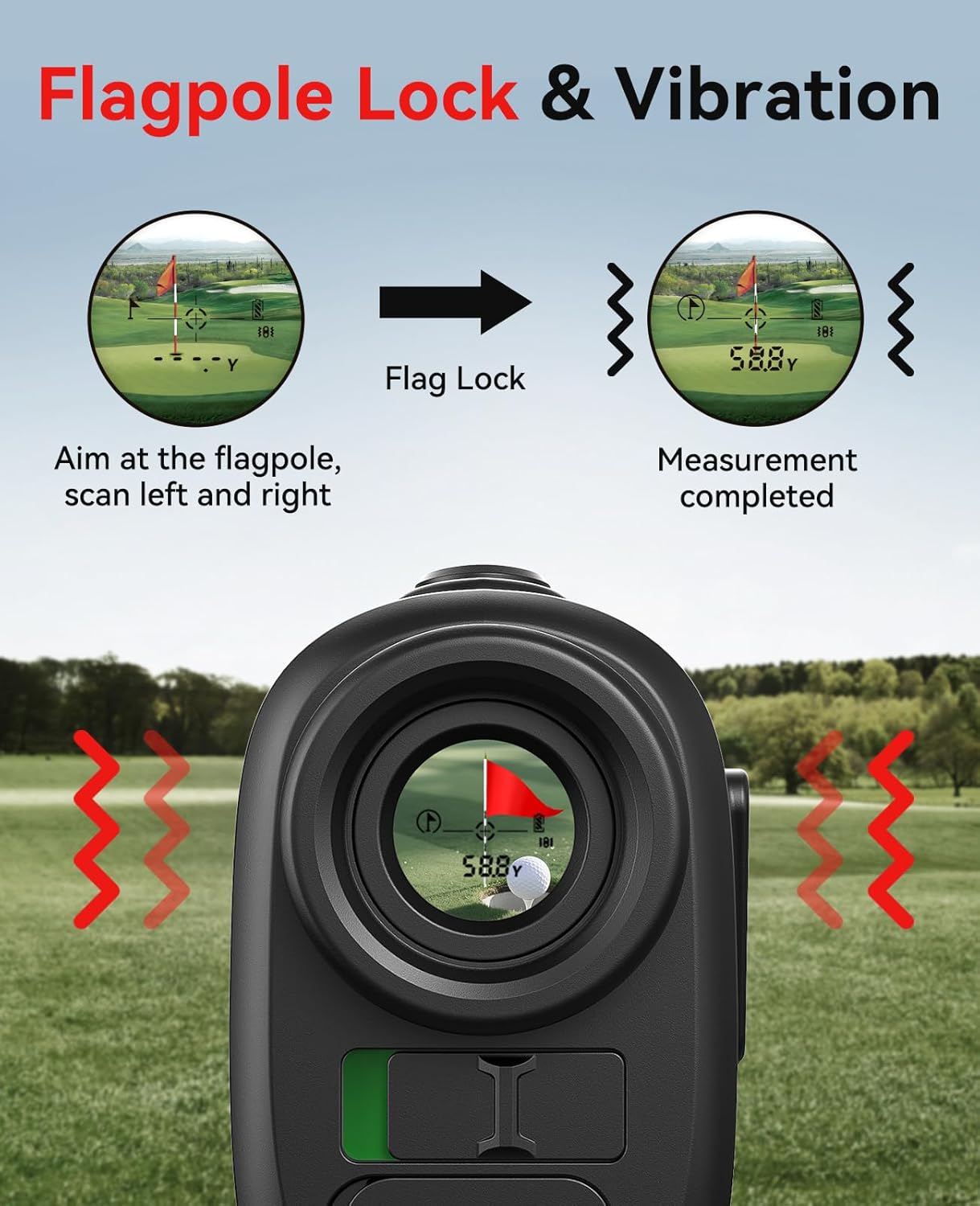
Image: Illustration of the flagpole lock feature, where the device vibrates to confirm the target (flagpole) has been acquired, displaying the distance.
5.6 Magnetic Stripe Functionality
The built-in magnetic stripe allows you to conveniently attach the rangefinder to metal surfaces, such as a golf cart frame or clubs, for easy access during play.

Image: The rangefinder magnetically attached to a golf cart, demonstrating the convenience of its magnetic stripe.
5.7 Use Cases
Beyond golf, the rangefinder is suitable for:
- Hunting & Outdoor Adventure: Measure distance to prey or targets, aiding in shot planning.
- Engineering & Surveying: Useful for measuring straight-line distances and planning layouts.
- Scenic Areas & Camping: Check distances for hiking, orienteering, or campsite planning.
6. Maintenance
- Cleaning: Use the provided cleaning cloth to gently wipe the lenses and body of the device. Avoid abrasive materials or harsh chemicals.
- Storage: Store the rangefinder in its protective hard case when not in use to prevent damage. Keep it in a cool, dry place away from direct sunlight.
- Battery Care: Recharge the battery regularly, even if not frequently used, to maintain battery health. Avoid fully discharging the battery for extended periods.
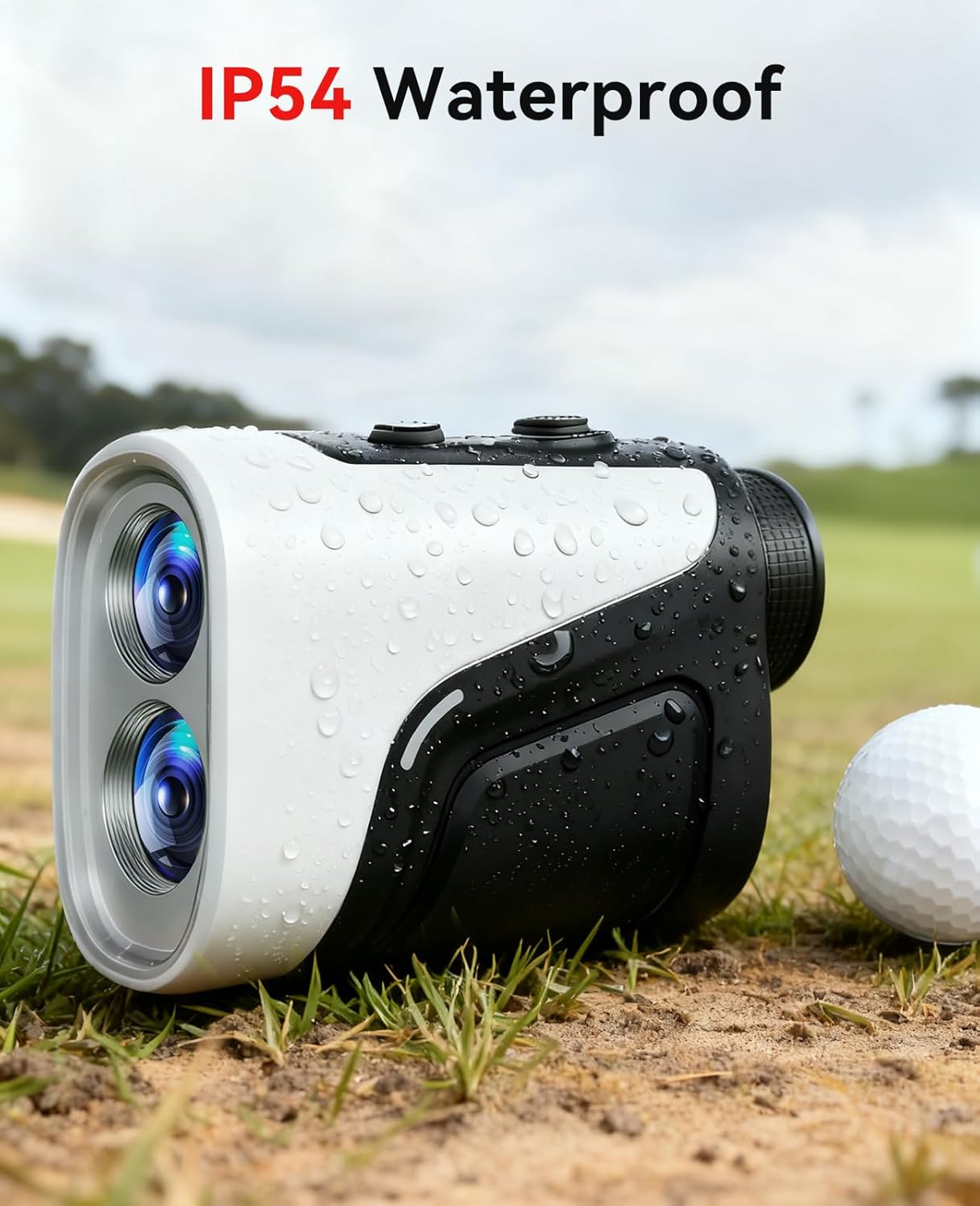
Image: The rangefinder is shown with water droplets, illustrating its IP54 water-resistant rating, suitable for use in light rain.
7. Troubleshooting
| Problem | Possible Cause | Solution |
|---|---|---|
| Device does not power on | Low battery; Device malfunction | Charge the battery fully; Contact customer support if issue persists. |
| Inaccurate measurements | Unstable aiming; Dirty lenses; Environmental interference | Ensure stable aiming; Clean lenses with provided cloth; Avoid measuring through glass or heavy fog. |
| Display is blurry | Eyepiece not focused | Adjust the eyepiece focus ring until clear. |
| No vibration feedback | Vibration feature disabled; Target not properly locked | Check device settings to ensure vibration is enabled; Re-aim and sweep across the target to ensure proper lock. |
8. Specifications
| Feature | Specification |
|---|---|
| Brand | Hoorola |
| Model Name | SW-RF12 |
| Measuring Range | 3-1200 yards |
| Accuracy | ±0.5 yard |
| Magnification | 7X |
| Battery Type | Li-ion Polymer Battery (3.7V, 750mAh) |
| Water Resistance | IP54 |
| Item Weight | 0.43 Kilograms |
| Material | Metal |
| Color | Black |
| UPC | 762247051558 |
9. Warranty and Support
The Hoorola SW-RF12 Golf Rangefinder comes with a 2-Year Warranty. For any product inquiries, technical support, or warranty claims, please refer to the contact information provided in your product packaging or visit the official Hoorola website.
10. Official Product Videos
Hoorola Golf Rangefinder with Slope 1200 Yards (Preview)
Video: A short preview from the seller showcasing the Hoorola Golf Rangefinder with its 1200-yard range and slope functionality. This video is a brief overview of the product's capabilities.


