
1. Introduction
The HOTPEAK 4K Night Vision Goggles NVG are designed for enhanced observation in various lighting conditions, from low light to complete darkness. This device features 4K Ultra HD video recording, 48MP photo capture, 10X digital zoom, and 7-level adjustable infrared illumination. It is equipped with a 5000mAh rechargeable battery and includes a pre-installed 32GB memory card.
This manual provides instructions for the proper setup, operation, maintenance, and troubleshooting of your night vision goggles to ensure optimal performance and longevity.

Image: Overview of the HOTPEAK Night Vision Goggles' key features, including 4K video, 48MP images, and battery life.
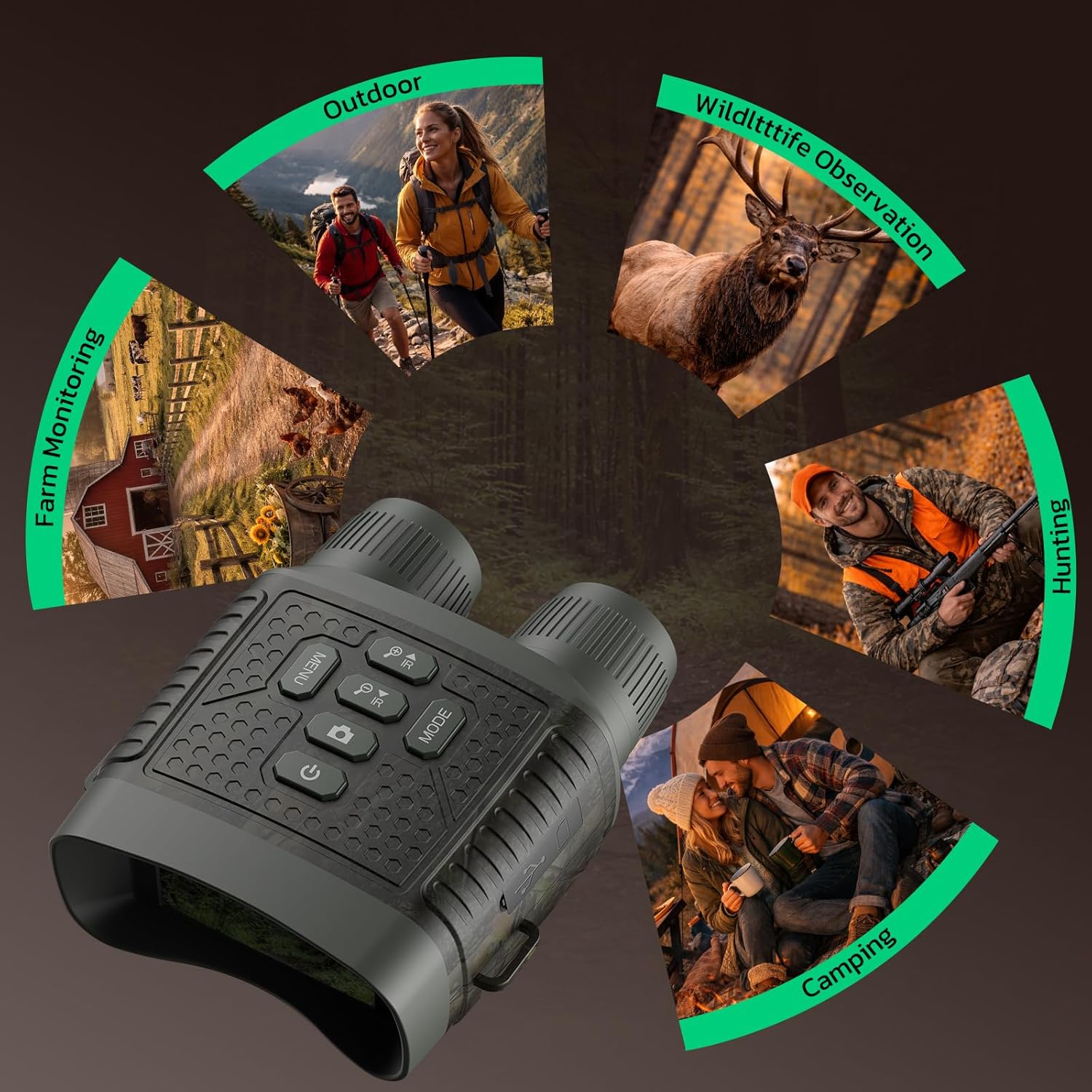
Image: Depiction of the night vision goggles' wide range of applications, from monitoring to outdoor adventures.
2. Safety Information
- Do not look directly at strong light sources through the device, especially sunlight, as this can cause permanent eye damage and damage to the device's sensor.
- Keep the device away from extreme temperatures, humidity, and dust.
- Avoid dropping or subjecting the device to severe impacts.
- Do not attempt to disassemble or repair the device yourself. Refer to qualified service personnel.
- Use only the specified charging cable and power adapter to prevent damage to the battery and device.
- Ensure the device is turned off when not in use and stored in a safe place.
3. What's in the Box
Verify that all items are present in the package:
- 1 × HOTPEAK 4K Night Vision Goggles (Model NVG)
- 1 × 32GB TF Card (pre-installed)
- 1 × Adjustable Neck Strap
- 1 × Type-C Data Cable
- 1 × User Manual
4. Setup
4.1 Charging the Battery
The device is powered by a 5000mAh rechargeable battery. For first-time use, fully charge the device.
- Connect the provided Type-C data cable to the charging port on the device.
- Connect the other end of the cable to a compatible USB power adapter (not included) or a computer's USB port.
- The charging indicator will illuminate. Allow several hours for a full charge. The device can operate while charging.

Image: Illustration of the 5000mAh battery's extended endurance, showing 15 hours daytime and 10 hours night use.
4.2 Inserting/Checking the Memory Card
A 32GB TF (Micro SD) card is pre-installed. Ensure it is properly seated before use. The device supports up to 128GB memory cards.
- Locate the memory card slot on the side of the device.
- If removing, gently press the card until it clicks and ejects.
- If inserting, align the card correctly and push it into the slot until it clicks into place.
4.3 Attaching the Neck Strap
Attach the adjustable neck strap to the designated loops on the device for secure carrying and to prevent accidental drops.
5. Operating Instructions
5.1 Power On/Off
- To power on: Press and hold the Power button until the screen illuminates.
- To power off: Press and hold the Power button again until the screen turns off.
5.2 Adjusting Focus
The device features a manual focus wheel for clear imaging at various distances.
- Rotate the Manual Focus Wheel (located on the front of the device) until the image on the screen appears sharp and clear.

Image: Illustration of the manual focus wheel and 10X digital zoom capability, showing a deer at 1300ft.
5.3 Digital Zoom
The device offers up to 10X digital zoom.
- Press the Zoom In button to increase magnification.
- Press the Zoom Out button to decrease magnification.
5.4 IR Illumination Adjustment
Adjust the infrared (IR) illumination level for optimal visibility in varying darkness conditions (7 levels available).
- Press the IR Up button to increase IR brightness.
- Press the IR Down button to decrease IR brightness.

Image: Visual representation of 7-level IR adjustment, demonstrating adaptive brightness for detailed vision.
5.5 Switching Modes (Photo/Video/Playback)
- Press the MODE button to cycle between Photo mode, Video recording mode, and Playback mode.
5.6 Capturing Photos and Videos
- In Photo mode: Press the Shutter/Record button to take a 48MP photo.
- In Video mode: Press the Shutter/Record button to start recording 4K video. Press again to stop recording.
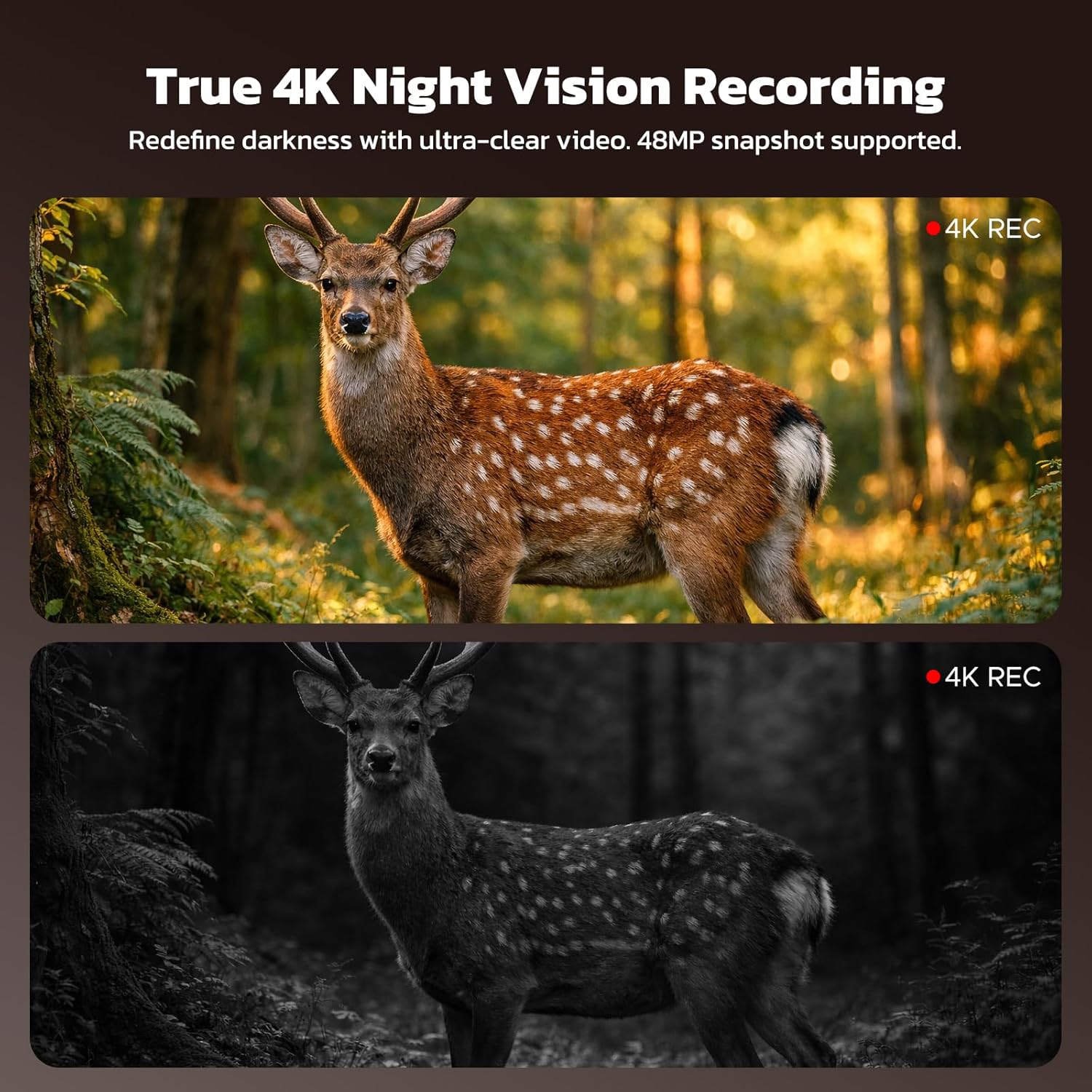
Image: A comparison showing a deer in full color during the day and in monochrome 4K night vision recording.
5.7 Playback
- In Playback mode: Use the navigation buttons to browse through captured photos and videos.
- Press the Shutter/Record button to view a selected item or play a video.
5.8 Menu Settings
- Press the MENU button to access device settings such as resolution, date/time, language, and formatting the memory card.
- Use the navigation buttons to select options and the Shutter/Record button to confirm.
5.9 Data Transfer
To transfer files to a computer or mobile device:
- Connect the device to your computer or mobile device using the provided Type-C data cable.
- The device should appear as a removable storage drive.
- Alternatively, remove the TF card and insert it into a card reader connected to your computer.

Image: The night vision goggles connected to a laptop and smartphone, illustrating data transfer capabilities.
5.10 Tripod Mounting
For extended observation or stable recording, the device features a standard 1/4" tripod mount.
- Attach the night vision goggles to a compatible tripod using the mounting screw.

Image: The night vision goggles shown mounted on a tripod, indicating compatibility for stable use.
6. Maintenance
6.1 Cleaning
- Use a soft, lint-free cloth to clean the exterior of the device.
- For lenses, use a lens cleaning cloth and specialized lens cleaning solution. Avoid abrasive materials.
- Do not use harsh chemicals or solvents.
6.2 Storage
- Store the device in a cool, dry place, away from direct sunlight and extreme temperatures.
- If storing for an extended period, ensure the battery is partially charged (around 50%) and recharge it every few months to maintain battery health.
7. Troubleshooting
| Problem | Possible Cause | Solution |
|---|---|---|
| Device does not power on. | Battery is depleted. | Charge the battery fully using the provided Type-C cable. |
| Image is blurry. | Focus is not adjusted correctly. | Rotate the manual focus wheel until the image is clear. |
| Cannot record photos/videos. | Memory card is full or not inserted correctly. | Check memory card insertion. Delete unnecessary files or replace the card. Ensure the card is not locked. |
| Poor night vision performance. | IR illumination level is too low or too high. | Adjust the 7-level IR illumination to suit ambient light conditions. |
| Device freezes or becomes unresponsive. | Temporary software glitch. | Press and hold the Power button for 10 seconds to force a restart. If the issue persists, contact support. |
8. Specifications
| Feature | Detail |
|---|---|
| Brand | HOTPEAK |
| Model Number | NVG |
| Video Resolution | 4K Ultra HD |
| Photo Resolution | 48 Megapixels |
| Digital Zoom | 10X |
| IR Illumination | 7 Levels Adjustable |
| Objective Lens Diameter | 25 mm |
| Battery | 5000mAh Rechargeable |
| Daytime Use | Up to 16 hours |
| Nighttime Use (IR On) | Up to 10 hours |
| Memory Card | 32GB TF Card (pre-installed), expandable up to 128GB |
| Screen Size | 3 inches |
| Mount Type | 1/4" Thread (Tripod Compatible) |
| Material | Acrylonitrile Butadiene Styrene (ABS) |
| Color | CAMO |
9. Warranty & Support
The HOTPEAK 4K Night Vision Goggles NVG are backed by a 1-year warranty and lifetime technical support.
For any questions, concerns, or technical assistance, please contact HOTPEAK customer service. Refer to the contact information provided with your purchase or visit the official HOTPEAK website for support details.
10. Product Videos
Adventure doesn't stop when the sun goes down
Video: A short demonstration highlighting the night vision capabilities of the goggles, showing clear imagery in low light conditions.
HOTPEAK Night Vision Goggles, Perfect for outdoor adventures
Video: This video showcases the night vision goggles in various outdoor settings, emphasizing their utility for different adventures.