
Introduction
This manual provides essential information for setting up, operating, maintaining, and troubleshooting your realme 16 Pro+ 5G Smartphone. Please read this guide thoroughly to ensure optimal performance and longevity of your device.
Initial Setup
Package Contents
Before you begin, ensure all items are present in the box:
- realme 16 Pro+ 5G Smartphone
- USB Cable
- Power Adapter (80W Ultra Charge)
- Protective Film (pre-applied or included)
- Phone Case

Image: Layout of the realme 16 Pro+ 5G Smartphone package contents, showing the phone, charger, cable, and accessories neatly arranged.
Inserting SIM Cards
- Locate the SIM card tray on the side of your device.
- Insert the SIM ejector tool into the small hole next to the tray and press firmly until the tray pops out.
- Place your Nano-SIM cards into the tray with the gold contacts facing down. Ensure they are correctly seated.
- Carefully reinsert the tray into the phone.
Initial Power On and Configuration
- Press and hold the Power button until the realme logo appears.
- Follow the on-screen prompts to select your language, region, and connect to a Wi-Fi network.
- Sign in with your Google account or create a new one.
- Set up biometric identification (fingerprint recognition) for enhanced security.
Operating Your realme 16 Pro+ 5G
Display and Navigation
The realme 16 Pro+ 5G features a 6.8-inch 1.5K curved OLED display with a 144Hz refresh rate for smooth visuals and responsive touch interaction.
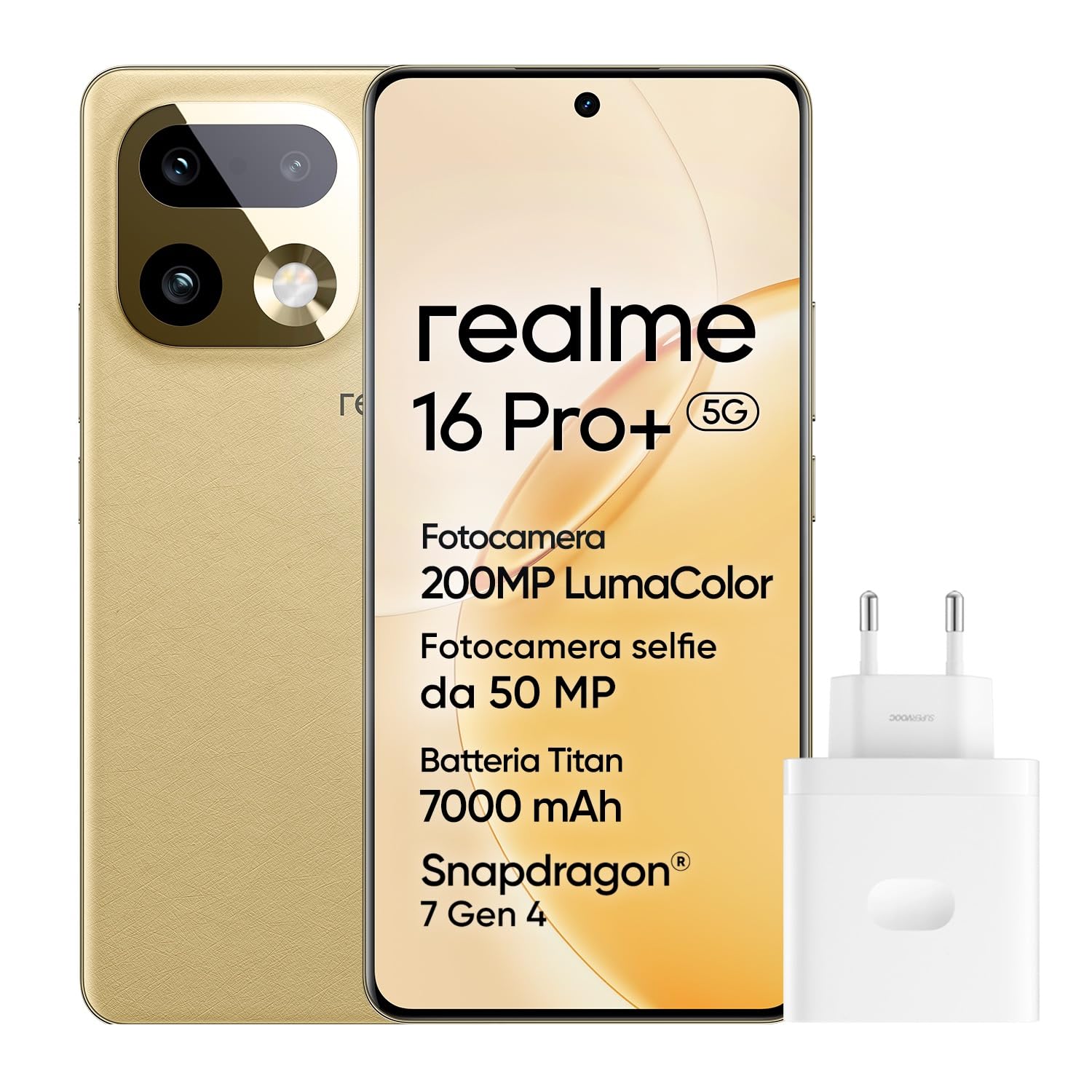
Image: Front view of the realme 16 Pro+ 5G Smartphone, showcasing its curved display.
- Touchscreen Interaction: Navigate the interface using taps, swipes, and pinch-to-zoom gestures.
- Brightness Adjustment: Adjust screen brightness manually or enable adaptive brightness in Settings > Display & Brightness.
- Refresh Rate: The 144Hz refresh rate provides a fluid visual experience, especially during scrolling and gaming. This can be adjusted in display settings.
Camera Features
Your device is equipped with an advanced camera system for high-quality photography and videography.
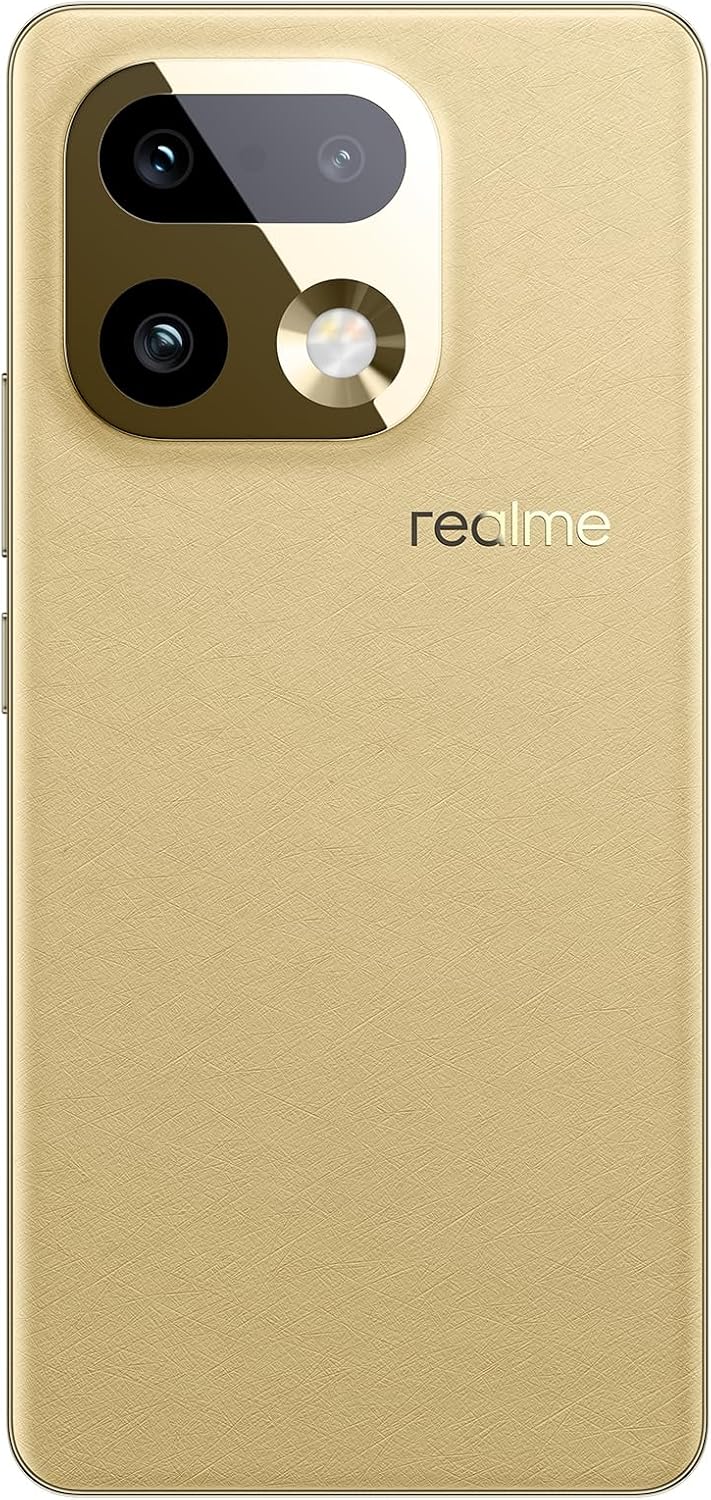
Image: Rear view of the realme 16 Pro+ 5G Smartphone, highlighting the camera module.
- 200MP Ultra-Clear Main Camera: Capture highly detailed photos with the primary sensor.
- 50MP 3.5X Portrait Lens: Achieve professional-grade portraits with optical image stabilization (OIS).
- 4K HDR Video: Record high-dynamic-range videos at 4K resolution.
- AI LightMe: Enhance video quality in various lighting conditions using AI.
- Front Camera: A 50MP front camera for high-resolution selfies.

Image: Technical diagram illustrating the camera specifications and optical details of the realme 16 Pro+ 5G.
Battery and Charging
The realme 16 Pro+ 5G is equipped with a 7000mAh Titanium battery and supports 80W Ultra Charge.
- Charging: Use the provided 80W adapter and USB cable for fast charging. Connect the USB-C end to your phone and the adapter to a power outlet.
- Battery Optimization: Access battery settings to manage power consumption and extend battery life.

Image: Details about the 7000mAh battery and 80W Ultra Charge capabilities of the realme 16 Pro+ 5G.
AI Features
Leverage the power of AI for enhanced productivity and creativity.
- Smart Loop: Intelligent content recognition and sharing.
- AI Writer: Assist in generating text and content.
- Recording Summary: Automatically summarize recorded audio.
- AI Instant Clip: Create polished short video clips instantly with smart templates.
- AI Framing Master: Intelligent framing and automatic zoom for professional-looking shots.

Image: Demonstration of the AI Instant Clip feature on the realme 16 Pro+ 5G, showing people in an outdoor setting.

Image: Screenshot of the AI Framing Master interface on the realme 16 Pro+ 5G, showing intelligent photo editing and framing tools.
Maintenance and Care
To ensure the longevity of your realme 16 Pro+ 5G, follow these maintenance guidelines:
- Cleaning: Use a soft, lint-free cloth to clean the screen and body. Avoid abrasive materials or harsh chemicals.
- Software Updates: Regularly check for and install system updates to ensure optimal performance and security.
- Water Resistance: The device has a water resistance level (e.g., IP66/68/69K). While resistant, avoid intentional submersion or exposure to high-pressure water.

Image: Technical diagram demonstrating the water resistance tests for the realme 16 Pro+ 5G, indicating IP66/68/69K ratings.
Troubleshooting
If you encounter issues with your device, try the following solutions:
| Problem | Solution |
|---|---|
| Device not turning on | Ensure the battery is charged. Connect to the charger for at least 10 minutes, then try powering on again. If it still doesn't turn on, perform a forced restart by holding the Power button and Volume Down button simultaneously for about 10-15 seconds. |
| Apps crashing or freezing | Close the problematic app and reopen it. Clear the app's cache (Settings > Apps > [App Name] > Storage > Clear Cache). If the issue persists, uninstall and reinstall the app. Ensure your device's software is up to date. |
| Poor battery life | Check battery usage in Settings > Battery to identify power-hungry apps. Reduce screen brightness, disable unnecessary features like GPS or Bluetooth when not in use, and enable power-saving modes. |
| Network connectivity issues (Wi-Fi/5G) | Toggle Wi-Fi or mobile data off and on. Restart your phone. For Wi-Fi, restart your router. For mobile data, ensure your SIM card is properly inserted and your plan is active. Reset network settings (Settings > System > Reset options > Reset Wi-Fi, mobile & Bluetooth). |
Specifications
| Feature | Detail |
|---|---|
| Brand | realme |
| Model Name | realme 16 Pro+ 5G |
| Operating System | Android, realme UI |
| CPU Model | Mediatek Dimensity 9000 |
| CPU Speed | 2.8 GHz |
| RAM Size | 12 GB |
| Storage Capacity | 512 GB |
| Screen Size | 6.8 Inches |
| Resolution | 1.5K (2160 Pixels Max Screen Resolution) |
| Refresh Rate | 144 Hz |
| Screen Type | OLED |
| Display Pixel Density | 318 PPI |
| Color | Gold |
| SIM Card Slots | Dual SIM |
| SIM Card Format | Nano |
| Connectivity Port | USB-C |
| Biometric Identification | Fingerprint Recognition |
| Water Resistance Level | Water Resistant (IP66/68/69K) |
| Front Camera Resolution | 50 MP |
| Rear Camera Resolution | 200 MP |
| Number of Rear Cameras | 2 |
| Number of Front Cameras | 1 |
| Battery Capacity | 7000 mAh |
| Video Capture Resolution | 4K (2160 Pixels Effective Video Resolution) |
| Frame Rate | 60 fps, 120 fps, 240 fps |
| Cellular Technology | 5G |
| Connectivity Technology | Bluetooth, NFC, USB, Wi-Fi |
| Item Dimensions | 8 x 76 x 162 mm |
| Model Year | 2026 |
| Country of Origin | China |
| Manufacturer | realme |

Image: Technical diagram highlighting the Snapdragon 7 Gen 4 chipset within the realme 16 Pro+ 5G.
Warranty Information
Your realme 16 Pro+ 5G Smartphone comes with a 2-year manufacturer warranty. Please retain your proof of purchase for warranty claims. For detailed terms and conditions, refer to the warranty card included in your package or visit the official realme support website.
Customer Support
For further assistance, technical support, or service inquiries, please visit the official realme support website or contact their customer service. You can find contact details on the realme website or in the documentation provided with your device.
Official realme Store: realme Store on Amazon


