
1. Safety Information
Before operating the SIMATE Electric Scooter S2 pro, please read and understand all safety instructions. Failure to follow these instructions may result in serious injury or damage to the scooter.
- Always wear a helmet and appropriate safety gear (knee pads, elbow pads) when riding.
- Ensure all fasteners are tight and the scooter is in good working condition before each ride.
- Do not ride in wet conditions, on uneven surfaces, or at night without proper lighting.
- Observe all local traffic laws and regulations.
- This scooter is designed for children aged 6-14. Adult supervision is recommended.
- Do not exceed the maximum weight limit of 176 pounds (80 kg).
2. Product Overview
The SIMATE Electric Scooter S2 pro is designed for children and teens, featuring adjustable heights, colorful LED lights, and a dual braking system for a safe and enjoyable riding experience.

The SIMATE S2 pro features three adjustable handlebar heights (34, 37, and 39 inches) to accommodate growing children.

The scooter is equipped with a bright light system, including a headlight, standpipe lamp, and pedal lights, enhancing visibility and style.
3. Setup
3.1 Unfolding the Scooter
- Place the scooter on a flat surface.
- Locate the folding mechanism near the base of the handlebar stem.
- Release the locking lever and carefully lift the handlebar stem until it clicks into the upright position.
- Ensure the locking mechanism is securely engaged before use.
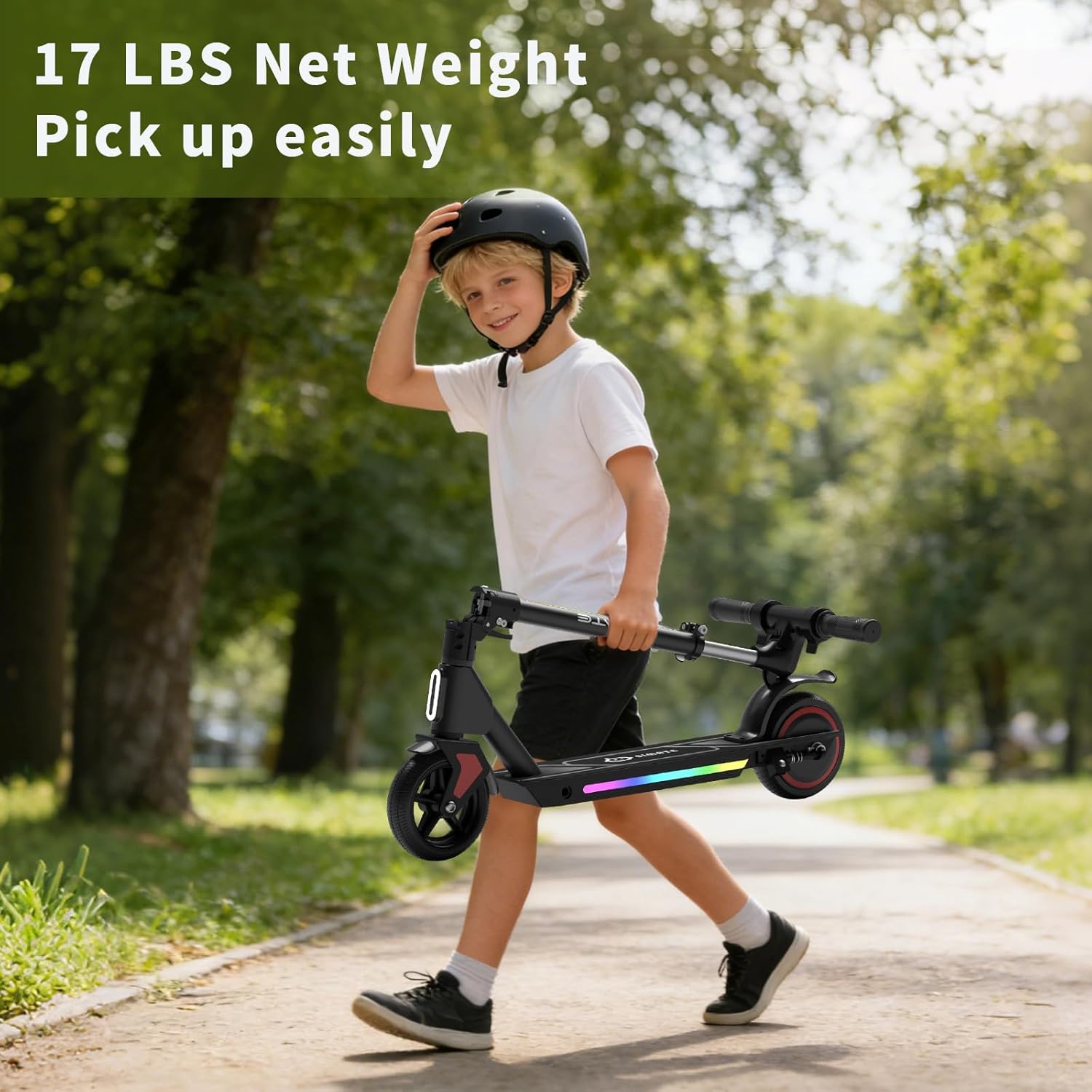
The scooter's one-step folding design makes it lightweight and easy to carry or store.
3.2 Adjusting Handlebar Height
- Locate the quick-release clamp on the handlebar stem.
- Open the clamp and adjust the handlebar to one of the three available heights (34", 37", or 39").
- Ensure the handlebar is securely locked in place by closing the quick-release clamp.
3.3 Initial Charging
Before first use, fully charge the scooter's battery.
- Connect the charger to the charging port on the scooter.
- Plug the charger into a standard wall outlet.
- The charging indicator light on the charger will change (e.g., from red to green) when charging is complete.
- Charging typically takes approximately 3 hours.

The scooter features an innovative and safe charging system, with a full charge taking about 2-3 hours.
4. Operation
4.1 Powering On/Off
- To power on: Press and hold the power button on the LED display until the display illuminates.
- To power off: Press and hold the power button until the display turns off.
4.2 Using the Throttle
The scooter is equipped with an electronic throttle. To accelerate, gently press the throttle lever located on the handlebar. Release the throttle to reduce speed.
4.3 Braking System
The SIMATE S2 pro features a dual braking system for enhanced safety.
- Electronic Brake: Located on the handlebar, activate by pressing the brake lever. This provides quick stopping power.
- Foot Brake: Located on the rear fender, apply pressure with your foot to activate. This helps prevent splashing in various weather conditions and offers additional stopping control.
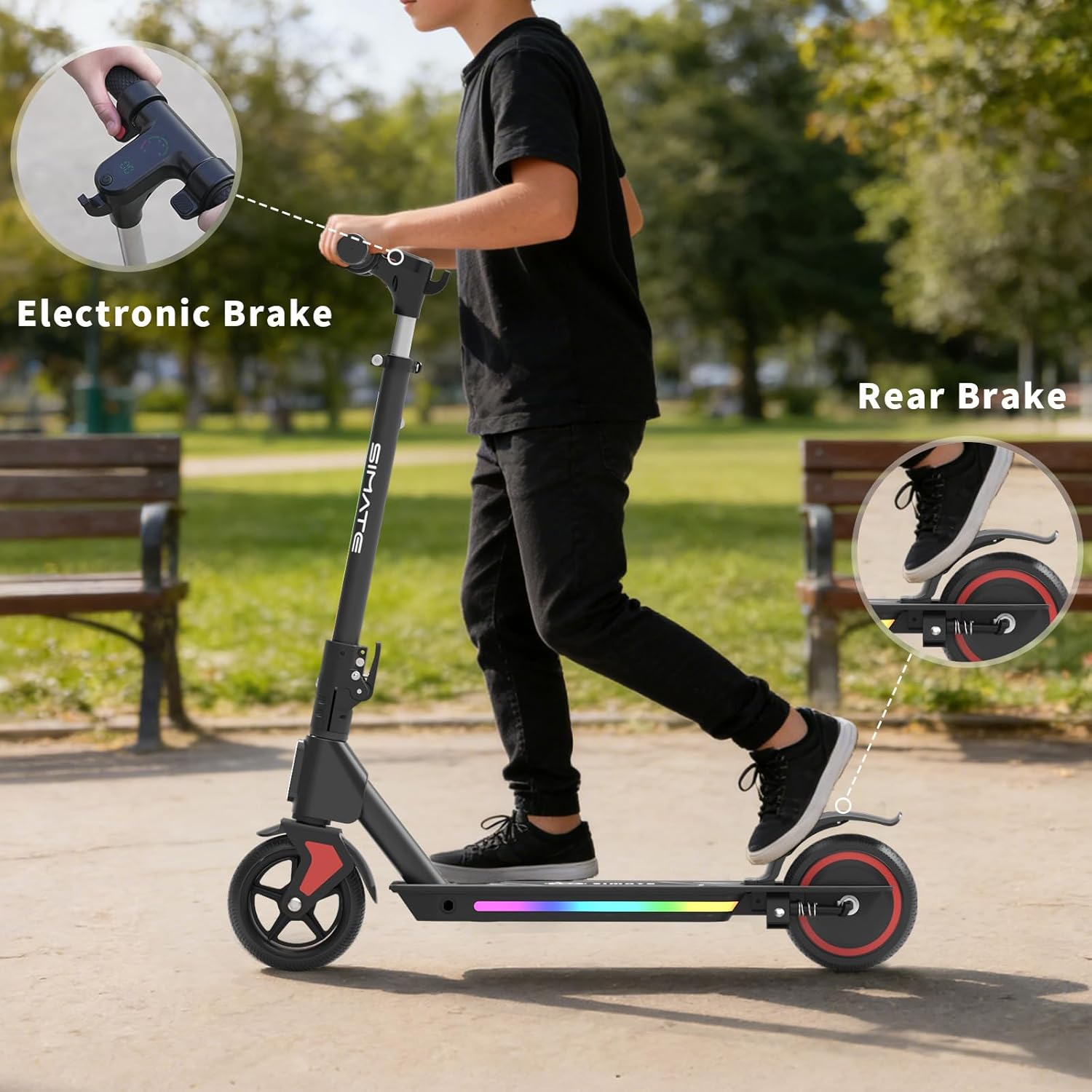
The dual brake system, including an electronic brake and a foot brake, ensures reliable stopping power.
4.4 LED Display
The integrated LED display provides real-time information:
- Riding Speed: Shows current speed.
- Speed Gear: Indicates the selected speed mode.
- Battery Capacity: Displays remaining battery life.
4.5 Riding the Scooter
To begin riding, place one foot on the deck and push off with the other foot to gain some momentum. Once moving, place both feet on the deck and gently engage the electronic throttle. Maintain balance and steer by leaning and turning the handlebars.
Official video demonstrating the SIMATE Electric Scooter for Kids and Teens, showcasing its features and operation.
5. Maintenance
5.1 Battery Care
- Charge the battery regularly, even if the scooter is not in use, to prolong its lifespan.
- Avoid completely draining the battery before recharging.
- Store the scooter in a cool, dry place away from direct sunlight and extreme temperatures.
5.2 Cleaning and Storage
- Wipe the scooter clean with a damp cloth. Do not use harsh chemicals or abrasive cleaners.
- Avoid spraying water directly onto electrical components.
- When storing for extended periods, ensure the battery is partially charged (around 50%) and recharge every few months.
5.3 Tire Inspection
The scooter is equipped with solid, anti-puncture rubber tires. Regularly inspect the tires for any signs of wear or damage to ensure optimal performance and safety.
6. Troubleshooting
If you encounter issues with your SIMATE Electric Scooter S2 pro, refer to the following common troubleshooting tips:
- Scooter not turning on: Ensure the battery is charged. Check all connections.
- Scooter not accelerating: Verify the throttle is functioning correctly. Check for any error codes on the LED display.
- Reduced range or speed: This may indicate a low battery charge or a need for battery recalibration. Ensure the scooter is fully charged.
- Brakes not responding: Inspect the brake levers and cables for any obstructions or damage.
For more complex issues, please contact customer support.
7. Specifications
| Feature | Detail |
|---|---|
| Brand | SIMATE |
| Model Name | S2 pro |
| Color | black |
| Age Range (Description) | Kid (Recommended Maximum Age: 14) |
| Special Features | Adjustable Handlebar Height, Dual Braking System, Foldable, Lights, Long Battery Life |
| Weight Limit | 176 Pounds (80 kg) |
| Product Dimensions (L x W x H) | 24" x 12" x 31" |
| Number of Wheels | 2 |
| Wheel Material | Rubber |
| Frame Material | Aluminum |
| Handlebar Type | Adjustable |
| Wheel Type | Solid |
| Suspension Type | Rigid |
| Brake Style | Front Braking (Electronic), Rear Braking (Foot) |
| Battery Charge Time | 3 Hours |
| Maximum Distance Range | 5 Miles (8 km) |
| Item Weight | 13 Pounds (5.9 kg) |
| Wheel Size | 5 Inches |
| Motor Power | 130W |
| Max Speed | 8.7 mph (14 km/h) |
8. Warranty and Support
8.1 Warranty Information
The SIMATE Electric Scooter S2 pro comes with a 1-year limited warranty from the date of purchase. This warranty covers manufacturing defects under normal use. Please retain your proof of purchase for warranty claims.
8.2 Customer Support
For any questions, technical assistance, or warranty claims, please contact SIMATE customer support through the retailer where the product was purchased or visit the official SIMATE website for contact details.


