
1. Introduction
Thank you for choosing the UMAY Fitness Treadmill L20. This manual provides essential information for the safe and effective use, assembly, operation, and maintenance of your new treadmill. Please read this manual thoroughly before operating the equipment and retain it for future reference.
2. Important Safety Information
Before beginning any exercise program, consult with your physician. It is essential to understand and follow all safety precautions to prevent injury and ensure optimal performance of your treadmill.
- Always attach the safety key clip to your clothing before starting the treadmill. In case of an emergency or if you fall, the safety key will detach, immediately stopping the machine.
- Ensure the treadmill is placed on a flat, stable surface with adequate clearance around it.
- Do not allow children or pets near the treadmill while it is in operation.
- Wear appropriate athletic footwear and clothing. Avoid loose clothing that could get caught in moving parts.
- Do not operate the treadmill if it has a damaged power cord or plug, or if it is not working properly.
- The maximum user weight capacity for this treadmill is 400 lbs. Do not exceed this limit.
- Keep hands clear of all moving parts.
3. Product Features
3.1 2%-20% Manual Incline
The UMAY L20 treadmill offers a 3-level manual incline system, adjustable from 2% to 20%. This feature allows users to simulate uphill walking or running, increasing workout intensity and targeting different muscle groups for enhanced calorie burn.

Image: Visual representation of the 2%-20% manual incline feature, showing different incline levels and their impact on calorie burn.
3.2 3.5HP Powerful & Quiet Brushless Motor
Equipped with a 3.5 horsepower brushless motor, the treadmill operates quietly (under 45dB) while providing robust performance. It supports speeds from 0.6 to 8.7 MPH and has a long lifespan, ensuring smooth and consistent workouts.
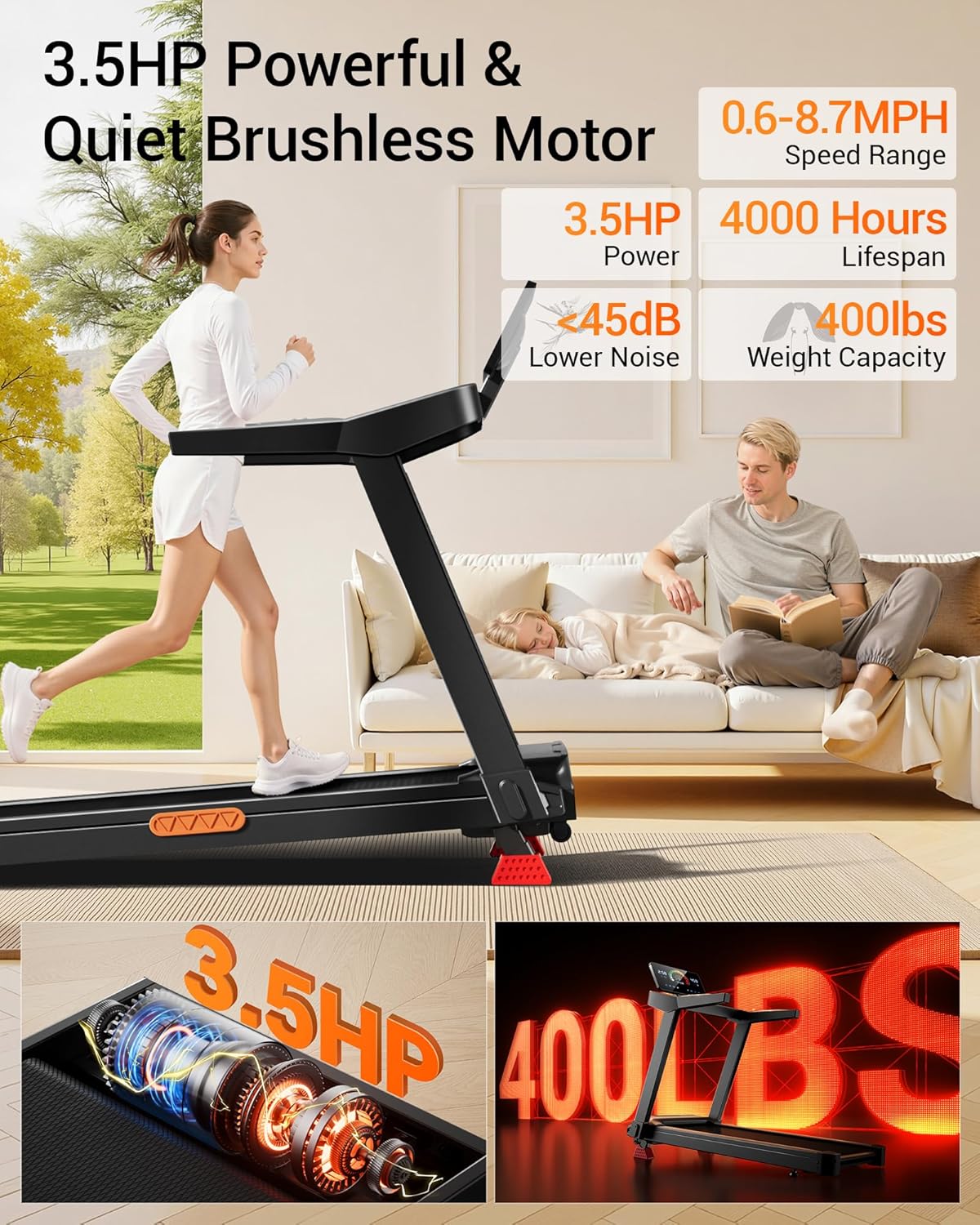
Image: Illustration of the 3.5HP brushless motor and the treadmill's 400lb weight capacity.
3.3 Ultra-Slim Foldable Design
The treadmill features a fully foldable design, allowing it to be stored compactly. It folds down to just 6.5 inches high, making it ideal for small living spaces and easy storage under a sofa, bed, or in a closet. Integrated wheels facilitate easy movement.

Image: Demonstrates the treadmill's folding mechanism and compact storage dimensions.
3.4 Extra-Wide Running Belt with Shock Absorption
The treadmill provides a spacious running surface measuring 42.5" x 16.1". It incorporates a multi-layer running belt and a shock-absorbing system with 6 shock absorbers and 2 silicone pads, designed to reduce impact on joints and provide a comfortable workout experience.
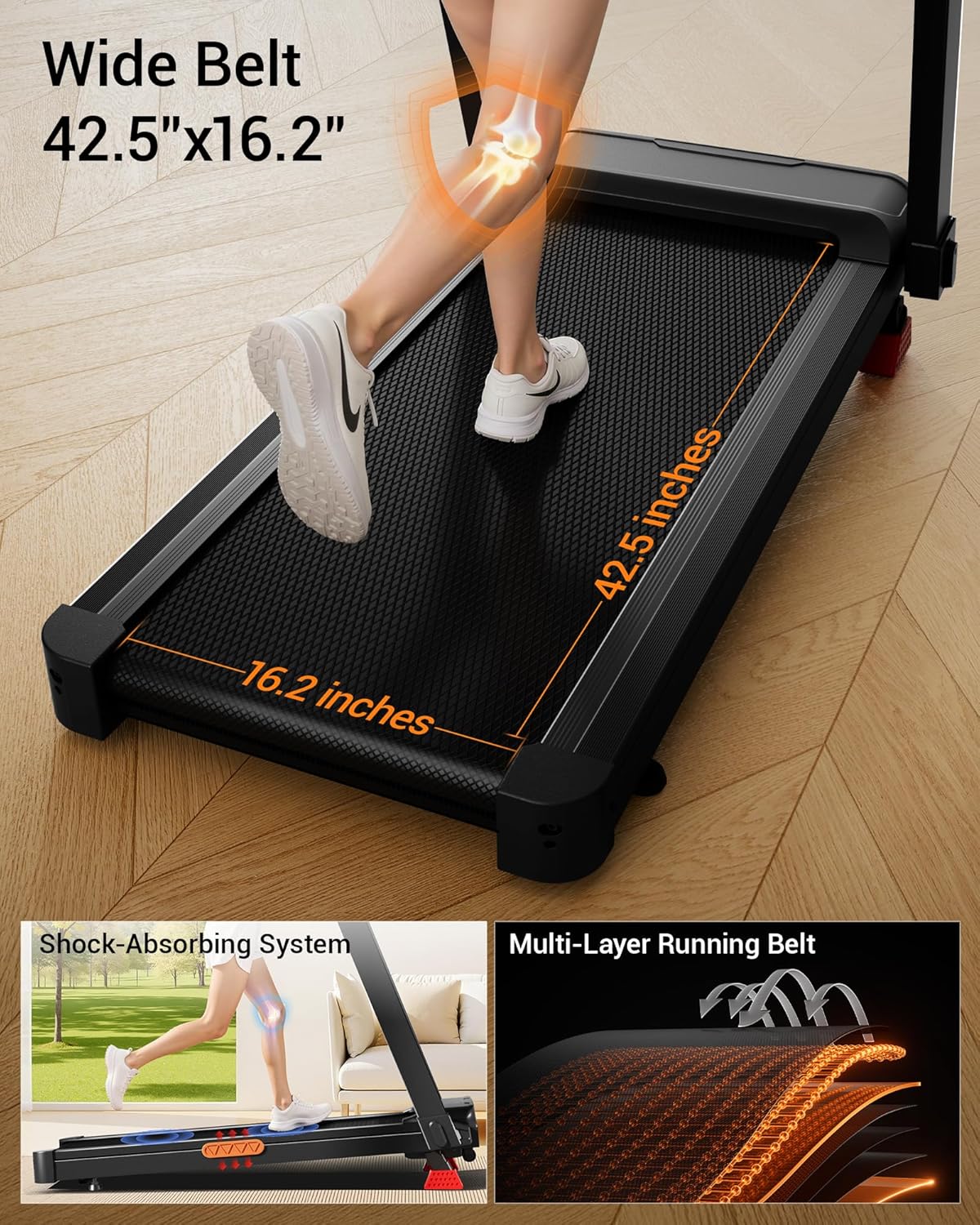
Image: Highlights the dimensions of the running belt and the integrated shock-absorbing system.
3.5 Touchscreen Display & Multi-function Handrail
The intuitive touchscreen display provides real-time feedback on speed, time, distance, and calories burned. The handrails include integrated controls for speed adjustment, start/stop functions, and heart rate monitoring, along with convenient cup holders.

Image: Close-up of the touchscreen interface and the multi-function handrail with controls and cup holders.
4. Setup
The UMAY L20 treadmill arrives 90% pre-assembled, requiring minimal setup before first use.
4.1 Unpacking and Placement
- Carefully remove the treadmill from its packaging.
- Place the treadmill on a level, solid surface. Ensure there is at least 2 feet of clearance on either side and 6 feet behind the treadmill for safe operation.
4.2 Final Assembly Steps
- Lift the console and handrail assembly into the upright position.
- Secure the console and handrails using the provided knobs and screws. Typically, this involves tightening a few pre-installed bolts or knobs.
- Adjust the deck height if necessary using the adjustable legs to ensure stability.
- Plug the power cord into a grounded electrical outlet.

Image: Shows the treadmill partially assembled in its packaging, indicating minimal setup required.
5. Operating Instructions
Familiarize yourself with the control panel and handrail buttons before starting your workout.
5.1 Power On/Off
- To power on, ensure the safety key is in place and press the 'Start' button on the console or handrail.
- To power off, press the 'Stop' button. For emergency stops, pull the safety key.
5.2 Adjusting Speed
- Use the '+' and '-' buttons on the touchscreen or handrail to increase or decrease speed.
- Quick-select speed buttons (e.g., 3MPH, 5MPH, 7MPH) are available on the touchscreen for convenience.
5.3 Adjusting Incline
- The UMAY L20 features manual incline adjustment. To change the incline, you must stop the treadmill and manually adjust the incline supports at the rear of the machine to your desired level (2%, 16%, or 20%).
5.4 Heart Rate Monitoring
- Grip the heart rate sensors on the handrails firmly with both hands. Your heart rate will be displayed on the console.
5.5 Using the Safety Key
- Always attach the safety key clip to your clothing before starting the treadmill. If the safety key is removed, the treadmill will immediately stop.
5.6 Video Demonstration
Video: A demonstration of the UMAY Fitness Treadmill's features, including folding, speed adjustment, incline settings, heart rate monitoring, and safety key operation.
6. Maintenance
Regular maintenance ensures the longevity and safe operation of your treadmill.
- Cleaning: Wipe down the treadmill after each use with a damp cloth to remove sweat and dust. Avoid abrasive cleaners.
- Belt Lubrication: Periodically lubricate the running belt according to the instructions provided with your treadmill or as recommended by the manufacturer. This typically involves applying silicone lubricant under the belt.
- Belt Tension and Alignment: Check the running belt tension and alignment regularly. Adjust if the belt slips or drifts to one side. Refer to the detailed instructions in the full user manual for adjustment procedures.
- Motor Cover: Occasionally vacuum under the motor cover to remove dust and debris, ensuring proper ventilation. Disconnect power before doing so.
7. Troubleshooting
If you encounter issues with your treadmill, refer to the following common troubleshooting tips:
- Treadmill Not Starting: Ensure the power cord is securely plugged in and the safety key is correctly placed on the console. Check the circuit breaker.
- Belt Slipping: The running belt may need tensioning. Refer to the full manual for instructions on how to adjust belt tension.
- Unusual Noises: Check for loose parts or foreign objects under the belt. If the noise persists, contact customer support.
- Inaccurate Readings: Ensure heart rate sensors are gripped firmly. For other inaccuracies, try restarting the machine.
For more complex issues or if troubleshooting steps do not resolve the problem, please contact UMAY customer support.
8. Specifications
| Feature | Specification |
|---|---|
| Brand | UMAY |
| Model Name | L20 |
| Color | Black |
| Product Dimensions | 50"D x 24.5"W x 47"H |
| Item Weight | 67 Pounds |
| Material | Acrylonitrile Butadiene Styrene (ABS) |
| Maximum Speed | 8.7 Miles per Hour |
| Minimum Speed | 0.6 Miles per Hour |
| Special Feature | Foldable |
| Target Audience | Adult |
| Maximum Horsepower | 3.5 Horsepower |
| Maximum Incline Percentage | 20% (Manual) |
| Maximum Weight Recommendation | 400 Pounds |
| Running Belt Dimensions | 42.5" x 16.1" |
9. Warranty and Support
UMAY offers comprehensive customer support and a product warranty to ensure your satisfaction.
- Warranty: The UMAY Fitness Treadmill L20 comes with a 1-year warranty. Please refer to your purchase documentation for specific terms and conditions.
- Customer Service: Our dedicated service team offers 24/7 support with satisfaction solutions. For assistance with replacement parts, maintenance videos, or any product-related inquiries, please contact UMAY customer service.
Contact information for customer support can typically be found on the UMAY official website or your product packaging.


