
1. Introduction
Thank you for choosing the HIRREO Military Smart Watch DM6-D. This rugged smartwatch is designed for outdoor enthusiasts and active individuals, featuring built-in GPS, comprehensive health monitoring, Bluetooth calling, and a durable design. This manual will guide you through the setup, operation, and maintenance of your new device to ensure optimal performance and longevity.
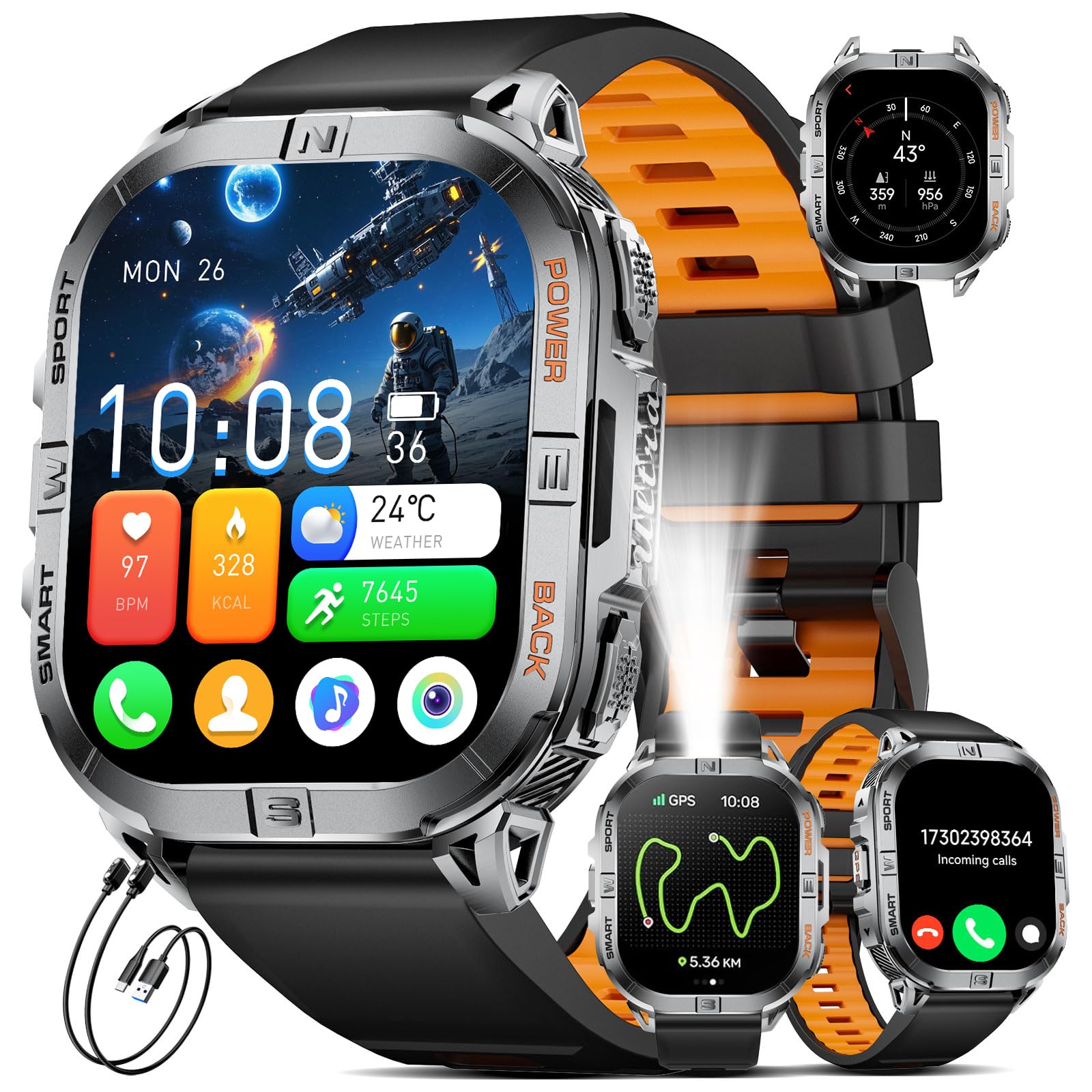
Image 1.1: The HIRREO Military Smart Watch DM6-D, showcasing its robust design.
2. What's in the Box
Please check the package contents upon unboxing:
- HIRREO Military Smart Watch DM6-D
- Charging Cable
- User Manual
3. Initial Setup
3.1 Charging the Device
Before first use, fully charge your smartwatch. Connect the magnetic charging cable to the charging contacts on the back of the watch and plug the USB end into a standard USB power adapter (not included).

Image 3.1: The smartwatch connected to its charging cable, illustrating the 600mAh battery capacity.
3.2 App Installation
To unlock all features and synchronize data, download the companion app on your smartphone. Search for the app name (usually mentioned in the quick start guide or on the watch screen during initial setup) in the Apple App Store (for iOS devices) or Google Play Store (for Android devices).
3.3 Bluetooth Pairing
- Ensure your smartwatch is charged and powered on.
- Enable Bluetooth on your smartphone.
- Open the companion app and follow the on-screen instructions to add your device.
- Select the DM6-D from the list of available devices in the app.
- Confirm the pairing request on both your phone and the watch.
4. Operation
4.1 Basic Navigation
- Touchscreen: Swipe up, down, left, or right to navigate through menus and notifications. Tap to select items.
- Side Buttons: The watch features multiple side buttons for quick access to functions like power, sports modes, and back. Refer to the watch's on-screen prompts for specific button assignments.
4.2 Bluetooth Calling and Notifications
Once paired with your smartphone, the DM6-D allows you to make and receive calls directly from your wrist and view message notifications.

Image 4.1: The smartwatch showing incoming calls and various message reminders.
4.3 GPS and Outdoor Features
The DM6-D is equipped with built-in GPS (L1+L5 dual-frequency) supporting multiple satellite systems (GPS, GLONASS, BeiDou, Galileo, NAVIC, QZSS) for high-precision positioning. It also includes a compass, altimeter, and barometer for outdoor navigation and environmental monitoring.

Image 4.2: The smartwatch interface showing compass, altitude, and barometric pressure for outdoor activities.
4.4 Sports Modes
The watch supports over 110 sports modes. Select your desired activity from the sports menu to track metrics such as distance, calories burned, and steps.

Image 4.3: The smartwatch tracking distance, calories, and steps, with icons representing over 100 sports modes.
4.5 Health Monitoring
Monitor your heart rate, stress levels, blood oxygen (SpO2), and sleep patterns directly from your watch or through the companion app.
- Heart Rate: Provides continuous heart rate monitoring.
- Stress: Tracks stress levels throughout the day.
- Blood Oxygen: Measures blood oxygen saturation.
- Sleep Tracking: Analyzes sleep stages (deep, light, REM) to help improve sleep quality.

Image 4.4: The smartwatch showing real-time heart rate, stress, and sleep tracking data.
4.6 LED Flashlight
The built-in LED flashlight provides convenient illumination. Long press the designated button (refer to your watch's interface for specific button) for 3 seconds to turn the flashlight on or off.

Image 4.5: The smartwatch's powerful LED flashlight in use during camping, a blackout, and a night ride.
4.7 Customizing Watch Faces
Choose from over 200 watch face styles or upload your own photos to create a personalized watch face through the companion app.

Image 4.6: Examples of multiple watch dials and personalized watch face options available on the smartwatch.
4.8 Video Guide
For a visual overview of the DM6-D Smart Watch features, please watch the following video:
Video 4.7: An official video demonstrating the features of the DM6 Smart Watch, including GPS functionality.
5. Maintenance
5.1 Cleaning
Regularly clean your smartwatch and strap with a soft, dry cloth. For stubborn dirt, use a slightly damp cloth and mild soap, then rinse and dry thoroughly. Avoid harsh chemicals or abrasive materials.
5.2 Water Resistance
The DM6-D has an IP68 waterproof rating and is water-resistant up to 5 meters. This means it is suitable for swimming and showering. However, avoid prolonged submersion in hot water, steam, or high-velocity water activities like diving or jet skiing, as these can compromise the seals.

Image 5.1: The smartwatch demonstrating its durability and water resistance through various tests.
6. Troubleshooting
6.1 Watch Not Turning On
- Ensure the watch is fully charged. Connect it to the charger for at least 30 minutes.
- Press and hold the power button for 10-15 seconds to force a restart.
6.2 Unable to Pair with Phone
- Make sure Bluetooth is enabled on your phone and the watch.
- Ensure the watch is within Bluetooth range (typically 10 meters).
- Restart both your phone and the watch.
- Clear the Bluetooth cache on your phone (if applicable) and try pairing again.
- Ensure the companion app is updated to the latest version.
6.3 Inaccurate Health Data
- Ensure the watch is worn snugly on your wrist, not too tight or too loose.
- Clean the sensor on the back of the watch.
- Avoid excessive movement during measurements.
6.4 Short Battery Life
- Reduce screen brightness and screen-on time.
- Disable unnecessary notifications or features like 'Always On Display'.
- Limit continuous GPS tracking when not needed.
- Ensure the watch is fully charged each time.
7. Specifications
| Feature | Detail |
|---|---|
| Model Name | DM6-D |
| Display Type | 2.13-inch AMOLED HD |
| Resolution | 466 x 466 pixels |
| Battery Capacity | 600 mAh Lithium Polymer |
| Typical Usage Time | 5-7 days |
| Standby Time | Up to 50 days |
| Connectivity | Bluetooth 5.0 |
| GPS | Built-in L1+L5 Dual-Frequency (GPS, GLONASS, BeiDou, Galileo, NAVIC, QZSS) |
| Water Resistance | IP68, 5 meters (5ATM) |
| Memory Storage | 256 MB |
| Operating System | AsteroidOS |
| Case Material | Stainless Steel |
| Band Material | Silicon (interchangeable with Stainless Steel options) |
| Weight | 1 g (watch body only, approximate) |
8. Warranty and Support
8.1 Warranty Information
The HIRREO Military Smart Watch DM6-D comes with a 2-year warranty from the date of purchase, covering manufacturing defects. This warranty does not cover damage caused by misuse, accidents, unauthorized modifications, or normal wear and tear.
8.2 Customer Support
If you encounter any issues or have questions regarding your HIRREO Smart Watch, please contact our customer support team. We aim to provide a satisfactory response within 24 hours.
- Email: Refer to your product packaging or the official HIRREO website for contact details.
- Online Support: Visit the HIRREO brand store on Amazon or our official website for FAQs and support resources.