
1. Product Overview
The Mova Rover X10 is an advanced cordless robotic pool cleaner designed for comprehensive and efficient pool maintenance. Featuring 7-in-1 cleaning capabilities, AquaScan LDS mapping, and powerful suction, it ensures thorough coverage of various pool terrains.
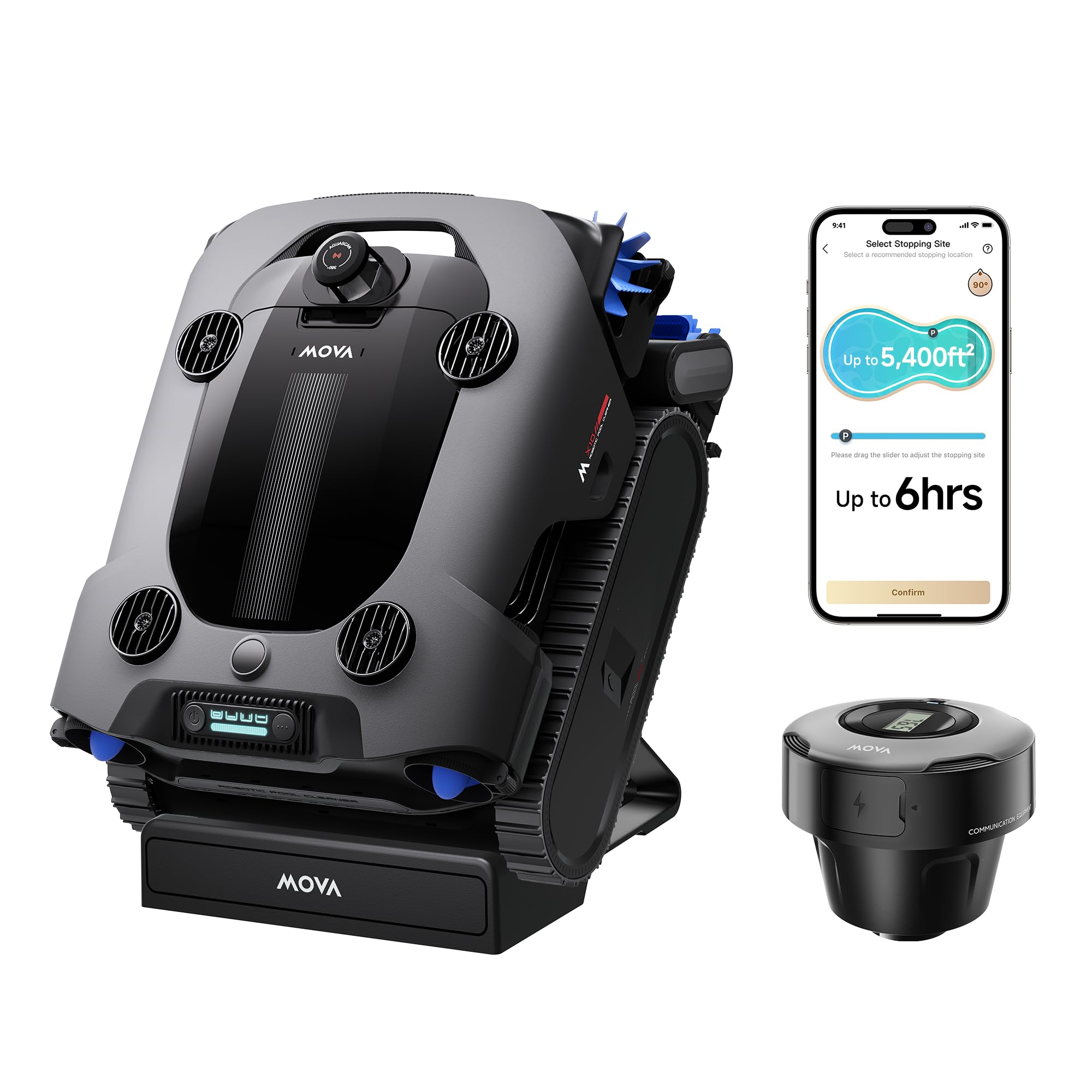
Figure 1: Mova Rover X10 Robotic Pool Cleaner. This image shows the sleek, dark grey and blue robotic pool cleaner with its tracks and brushes, positioned on a pool deck next to a clear blue pool.
2. Setup and Initial Connection
2.1 Unboxing and Components
Before first use, carefully unbox your Mova Rover X10. Ensure all components are present as listed in the Quick Start Guide.

Figure 2: What's in the Box. This image displays the Mova Rover X10 robot, wireless charging dock, adapters, hook, AquaSonar, ultra-fine filter, user manuals, and quick start guide.
2.2 Network Setup
To enable smart control features, connect your Mova Rover X10 to your home Wi-Fi network via the MOVAhome App.
- Download the MOVAhome App from your device's app store.
- Ensure your phone and the robot are within 1 meter and connected to a 2.4 GHz or 5 GHz Wi-Fi network.
- Press and hold the 'Power' button on the robot for 3 seconds to turn it on.
- Open the MOVAhome App and follow the in-app instructions to connect your robot.
- Tap the AquaSonar™ icon in the app to connect your AquaSonar™ device, following the on-screen prompts to connect it to your Wi-Fi.
Video 1: Network Setup Guide. This video demonstrates the step-by-step process of connecting the Mova Rover X10 and its AquaSonar device to the MOVAhome app and Wi-Fi network.
3. Operating Instructions
3.1 Cleaning Modes and Features
The Mova Rover X10 offers a 7-in-1 OMNI Clean system, mastering all-terrain pool coverage with AI-driven precision. It can clean floors, walls, waterlines, corners, steps, and shallow zones.

Figure 3: 7-in-1 OMNI Clean. This image illustrates the robotic cleaner operating in a pool, highlighting its ability to clean various surfaces including waterlines, surface, walls, shallow zones, corners, steps, and floor.
Utilize the MOVAhome App for real-time control and to customize cleaning modes, monitor progress, and set designated parking spots.

Figure 4: Real-Time App Connection with AquaSonar. The image shows the robotic cleaner in a pool next to the AquaSonar device, with a smartphone displaying the MOVAhome app interface for control.
3.2 Advanced Navigation and Suction
The Rover X10 features 360° AquaScan LDS mapping for precise 3D pool mapping and intelligent route planning (PoolNavi™ Technology). Precision FloatDrive Technology with four jet-drive motors delivers 10,000 GPH suction for stable climbing and efficient cleaning.

Figure 5: 360° AquaScan Maps and Cleans Every Corner. This image shows the robotic cleaner underwater with a holographic representation of its LDS mapping system, indicating comprehensive 360-degree scanning.
EdgeDrive brushes ensure a tight fit to every corner and edge for comprehensive deep cleaning.

Figure 6: EdgeDrive Brush Adapts to Edges and Corners. The image highlights the robotic cleaner's EdgeDrive brushes, showing them extending to clean pool edges and corners effectively.
3.3 Charging
The robot is powered by a high-performance 15,000mAh battery, delivering up to 6 hours of continuous cleaning on a single charge. It recharges wirelessly on its dedicated dock.

Figure 7: Wireless Charging. The image shows the Mova Rover X10 robot charging wirelessly on its dock next to a pool, emphasizing its convenient charging method.
4. Maintenance
Regular maintenance ensures optimal performance and longevity of your Mova Rover X10.
4.1 Filter Cleaning
The 5L high-capacity debris basket is equipped with replaceable 3μm ultra-fine and 180μm filters. Empty and rinse the filter basket and filters thoroughly after each use.
Video 2: Filter Cleaning. This video demonstrates how to remove, empty, and rinse the filter basket and ultra-fine filter from the Mova Rover X10.
4.2 Water Outlet Cleaning
Periodically unscrew and remove the water outlet cover to clean any accumulated debris around the outlet. Reinstall the cover and secure the screw.
4.3 Roller Brush and Caterpillar Tread Replacement
Unfasten the silicone buckles on the roller brush to remove and replace it. For caterpillar tread replacement, remove the side panel using a screwdriver, then replace the tread and reinstall the panel.
5. Specifications
| Feature | Detail |
|---|---|
| Brand | Mova |
| Model Name | MOVA Rover X10 |
| Material | Plastic, Nylon |
| Power Source | Battery Powered |
| Control Method | App |
| Lithium Battery Energy Content | 295.65 Watt Hours |
| Number of Batteries | 1 Lithium Ion batteries required. (included) |
| Charging Time | 6 Hours |
| Capacity | 5 Liters |
| Load Capacity | 11 Pounds |
| Installation Type | Suction Side |
| UPC | 850081614036 |
6. Warranty and Support
The Mova Rover X10 comes with a 3-Year Product Warranty. For customer support, please refer to the contact information provided in your Quick Start Guide or User Manual. Mova offers 24/7 rapid responding service and a 30-day money-back service.

Figure 8: Mova Service Policy. This image outlines Mova's customer service commitments, including 24/7 rapid response, 30-day money-back service, and a 3-year product warranty.


