
1. Product Overview
The sunvito Sleep Earbuds S25 are designed for comfort and noise isolation, particularly for side sleepers. These mini, invisible wireless earbuds feature Bluetooth 5.4 connectivity and come with a charging case that includes an LED screen for battery status.

Image: sunvito Sleep Earbuds S25 worn by a person sleeping on their side, demonstrating their low-profile design.
2. Package Contents
- sunvito Sleep Earbuds S25 (Left and Right)
- Charging Case
- USB Charging Cable
- User Manual (this document)
3. Setup and Pairing
3.1 Initial Charging
Before first use, fully charge the earbuds and the charging case. Connect the provided USB charging cable to the charging port on the case and a suitable power source. The LED screen on the case will display the charging status.

Image: The sunvito S25 charging case with its digital battery display, indicating it's ready for charging or use.
3.2 Bluetooth Pairing
- Ensure the earbuds are within 1 meter of your device for initial pairing.
- Remove both earbuds from the charging compartment. They will automatically power on and enter pairing mode.
- On your device (smartphone, tablet, etc.), enable Bluetooth and search for available devices.
- Select "S25" from the list of found devices to connect. You will hear voice prompts confirming successful pairing.
- Important: If your device shows two "S25" names or the earbuds are out of sync, tap the touch area on either earbud three times to pair the two earbuds with each other. After this, repeat steps 1-2 to pair with your device.
3.3 How to Wear
The earbuds are designed for a secure and comfortable fit. Identify the 'L' for Left and 'R' for Right earbud. Gently insert each earbud into the corresponding ear canal and adjust for a snug fit. The low-profile design ensures comfort even when sleeping on your side.

Image: A visual guide demonstrating the correct way to wear the sunvito Sleep Earbuds S25 for optimal comfort and sound.
Video: A demonstration of the sunvito Sleep Earbuds S25, including unboxing, charging, and how to wear them comfortably.
4. Operating Instructions
The sunvito Sleep Earbuds S25 feature touch controls for various functions:
- Play/Pause: Touch either earbud twice.
- Volume Up/Down: Touch either earbud three times.
- Voice Assistant: Touch either earbud four times.
- Answer Incoming Call: Short press either earbud.
- Hang Up Call: Press and hold either earbud for 2 seconds after answering.
- Reject Incoming Call: Press and hold either earbud for 2 seconds.
4.1 Power Management
The earbuds provide approximately 4 hours of use on a single charge. The 400mAh charging case can provide up to 30 additional hours of earbud use, allowing for multiple recharges. The charging time for the case is approximately 1.5 hours.
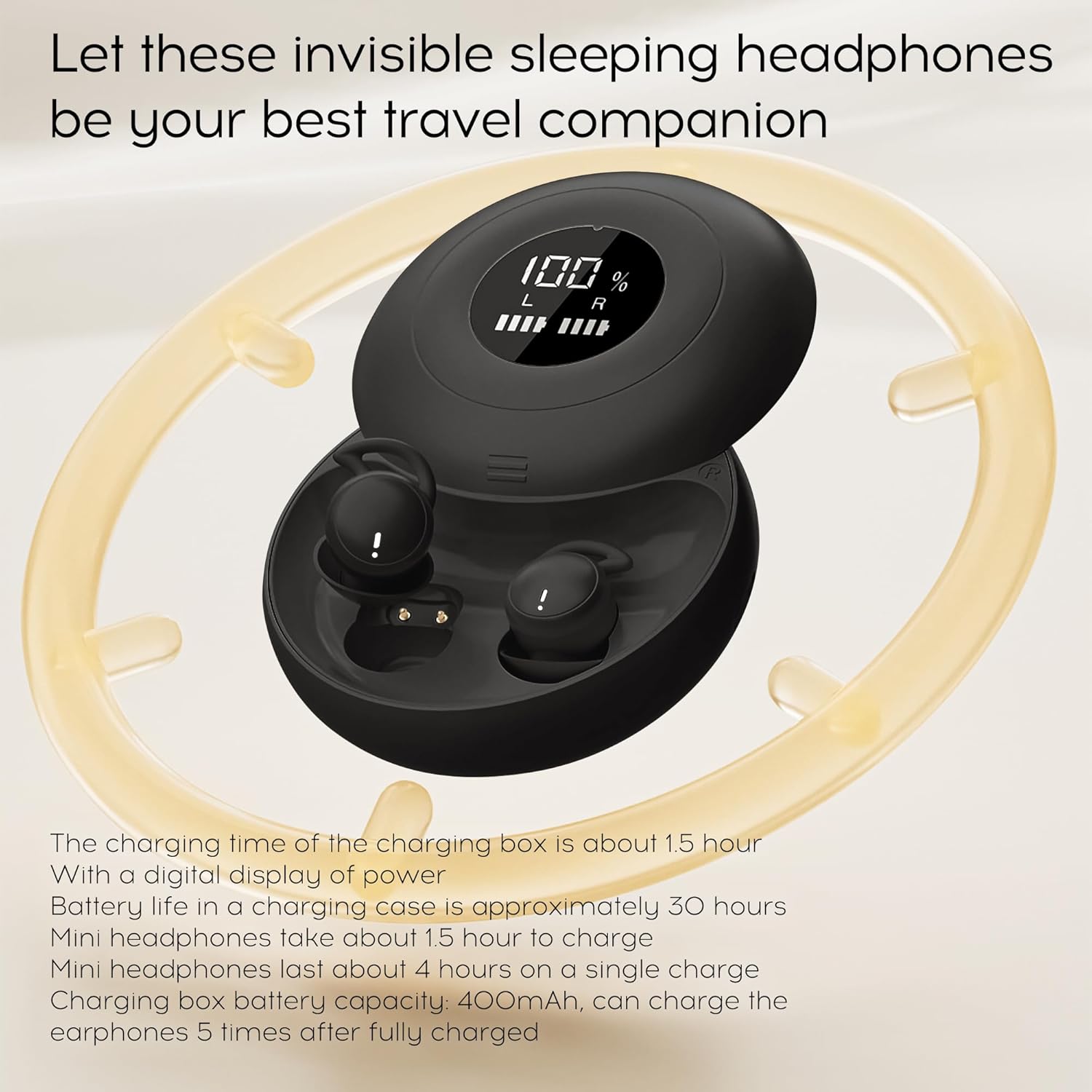
Image: The open charging case of the sunvito S25 earbuds, displaying the individual earbud charging indicators and the case's battery percentage.
5. Maintenance
To ensure the longevity and optimal performance of your sunvito Sleep Earbuds S25, follow these maintenance guidelines:
- Cleaning: Regularly clean the earbuds and charging contacts with a soft, dry, lint-free cloth. Avoid using abrasive materials or harsh chemicals.
- Storage: When not in use, store the earbuds in their charging case to protect them from dust, dirt, and damage.
- Charging: Always use the provided charging cable. Avoid exposing the charging case or earbuds to extreme temperatures.
- Water Exposure: The earbuds are not waterproof. Avoid exposure to water or excessive moisture.
6. Troubleshooting
If you encounter issues with your earbuds, refer to the following common problems and solutions:
- Earbuds not pairing or connecting:
- Ensure both earbuds are removed from the charging case.
- Verify Bluetooth is enabled on your device and "S25" is selected.
- If two "S25" options appear, tap the touch area on either earbud three times to re-sync them, then attempt pairing again.
- Try restarting your device's Bluetooth or the earbuds by placing them back in the case and removing them again.
- One earbud not working or out of sync:
- Place both earbuds back into the charging case, close the lid, and then reopen it.
- Tap the touch area on either earbud three times to force a re-sync between the left and right earbuds.
- Ensure both earbuds are sufficiently charged.
- Charging case display not working:
- Ensure the charging cable is securely connected to the case and a power source.
- Try a different charging cable or power adapter.
- If the issue persists after trying these steps, contact customer support.
- Poor sound quality or disconnections:
- Ensure the earbuds are within the Bluetooth range (up to 10 meters) of your device.
- Check for interference from other wireless devices.
- Ensure the earbuds are fully charged.
7. Specifications
| Feature | Specification |
|---|---|
| Brand | sunvito |
| Model Number | S25 |
| Connectivity Technology | Wireless (Bluetooth) |
| Bluetooth Version | 5.4 |
| Bluetooth Range | 10 Meters |
| Ear Placement | In Ear |
| Form Factor | In Ear |
| Control Type | Touch Control |
| Battery Average Life (Earbuds) | 4 Hours |
| Charging Case Capacity | 400mAh (provides 30 hours additional use) |
| Battery Charge Time (Case) | 1.5 Hours |
| Noise Control | Sound Isolation |
| Item Weight | 100 Grams |
| Enclosure Material | Acrylonitrile Butadiene Styrene (ABS) |
8. Warranty Information
The sunvito Sleep Earbuds S25 come with a 1 Year Manufacturer Warranty. Please retain your proof of purchase for warranty claims.
9. Customer Support
For any questions, concerns, or assistance with your sunvito Sleep Earbuds S25, please contact us through Amazon's messaging system. We are committed to providing prompt and helpful support.