
Product Overview
The CANDY RapidO' CS6C2S3PSA is a 60 cm fully integrated built-in dishwasher designed for seamless integration into your kitchen. It offers a generous capacity of 16 place settings and features Wi-Fi connectivity for smart control. This model is rated Energy Class C, ensuring efficient operation. Key features include the MAXI-TUB for larger items and a range of rapid cycles for everyday convenience.
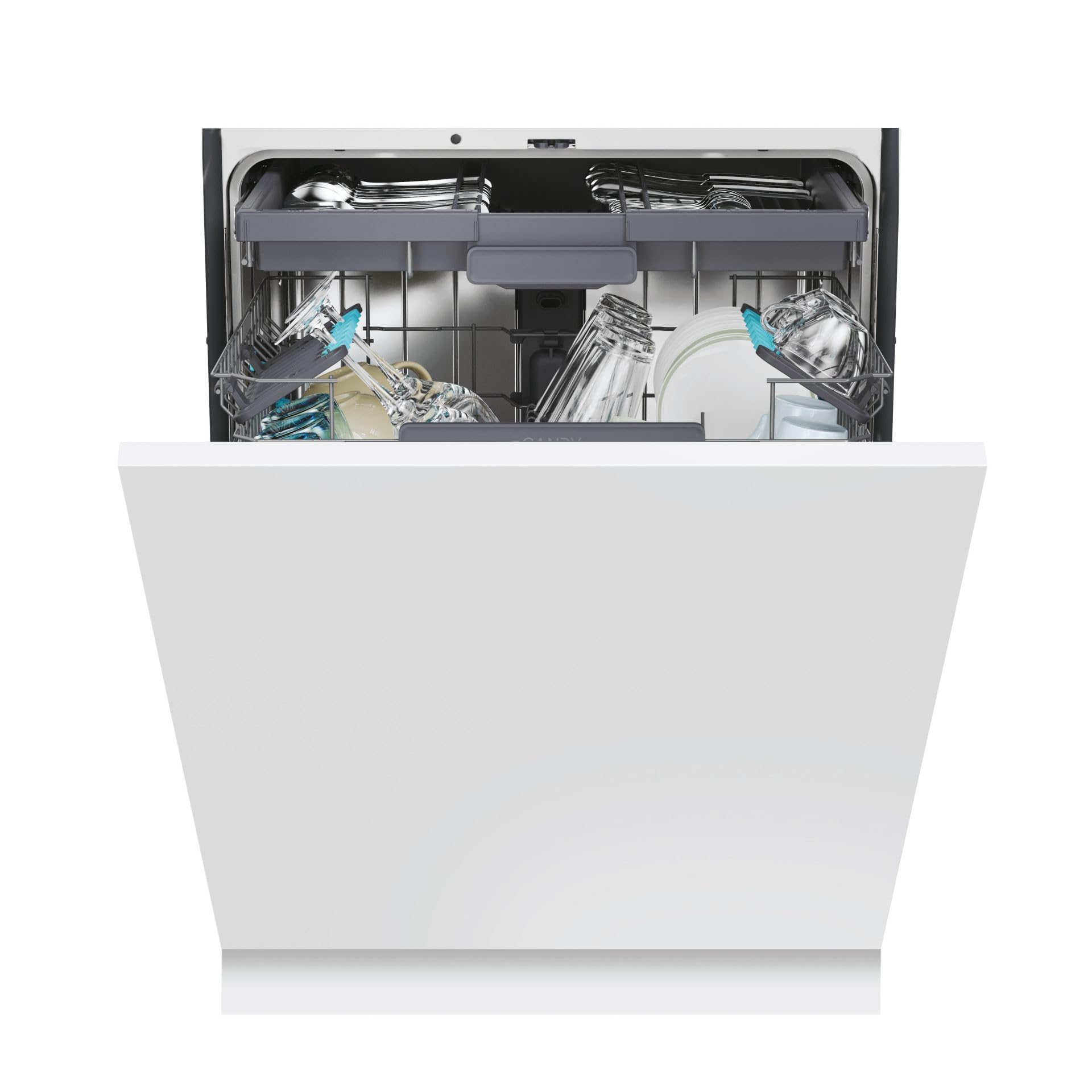
Image: The CANDY RapidO' CS6C2S3PSA dishwasher with its door open, revealing the spacious interior racks. The top rack is filled with glasses and cutlery, while the bottom rack holds plates and pots, demonstrating its 16 place setting capacity.
Setup and Installation
Proper installation is crucial for the optimal performance and longevity of your CANDY RapidO' dishwasher. This section provides general guidance for the setup process. For detailed, model-specific instructions, always refer to the comprehensive installation manual included with your appliance.
Unpacking the Dishwasher
Carefully remove the dishwasher from its packaging. Ensure all protective materials and transport locks are removed before proceeding with installation. Keep the packaging materials for potential future transport or recycling.
Measuring and Leveling
Before placing the dishwasher into its designated cabinet space, measure the dimensions of the opening to ensure a proper fit. Use a spirit level to ensure the appliance is perfectly level. Adjust the feet as necessary to achieve stability and prevent operational issues.
Attaching the Decorative Panel
As a fully integrated model, your dishwasher requires a decorative panel that matches your kitchen cabinetry. Follow the instructions to correctly attach this panel to the dishwasher door. This typically involves using a template and screws to secure the panel to the appliance's door mechanism.
Connecting Water and Drainage Hoses
Connect the water inlet hose to a cold water supply with a stopcock. Ensure the connection is secure to prevent leaks. Attach the drainage hose to the kitchen sink's waste pipe or a dedicated drainage connection, making sure it is properly secured and allows for free flow of water.
Electrical Connection
Connect the dishwasher to a grounded electrical outlet. Ensure the voltage and frequency match the specifications of the appliance. It is recommended to have this step performed by a qualified electrician.
Final Adjustments
Once all connections are made and the decorative panel is attached, carefully slide the dishwasher into its cabinet space. Make any final adjustments to ensure it is flush with the surrounding cabinetry and the door opens and closes smoothly.
Video: This video demonstrates the installation process for a 60 cm sliding door dishwasher, covering unpacking, measuring, leveling, attaching the decorative panel, and connecting hoses. While the video features an Electrolux model, the general installation steps are applicable to similar fully integrated dishwashers like the CANDY RapidO' CS6C2S3PSA.
Operating Instructions
Your CANDY RapidO' CS6C2S3PSA dishwasher is designed for ease of use with a variety of programs and smart features. Refer to the control panel for program selection and status indicators.
Loading the Dishwasher
Load dishes, cutlery, and cookware into the designated racks. Ensure items are placed securely and do not obstruct the spray arms. The MAXI-TUB design allows for larger items to be loaded easily. The dishwasher features 3 baskets, including a cutlery drawer, and adjustable upper basket for flexible loading.

Image: The interior of the CANDY RapidO' CS6C2S3PSA dishwasher, showcasing the flexible loading options with dishes, glasses, and pots arranged in the upper and lower racks.
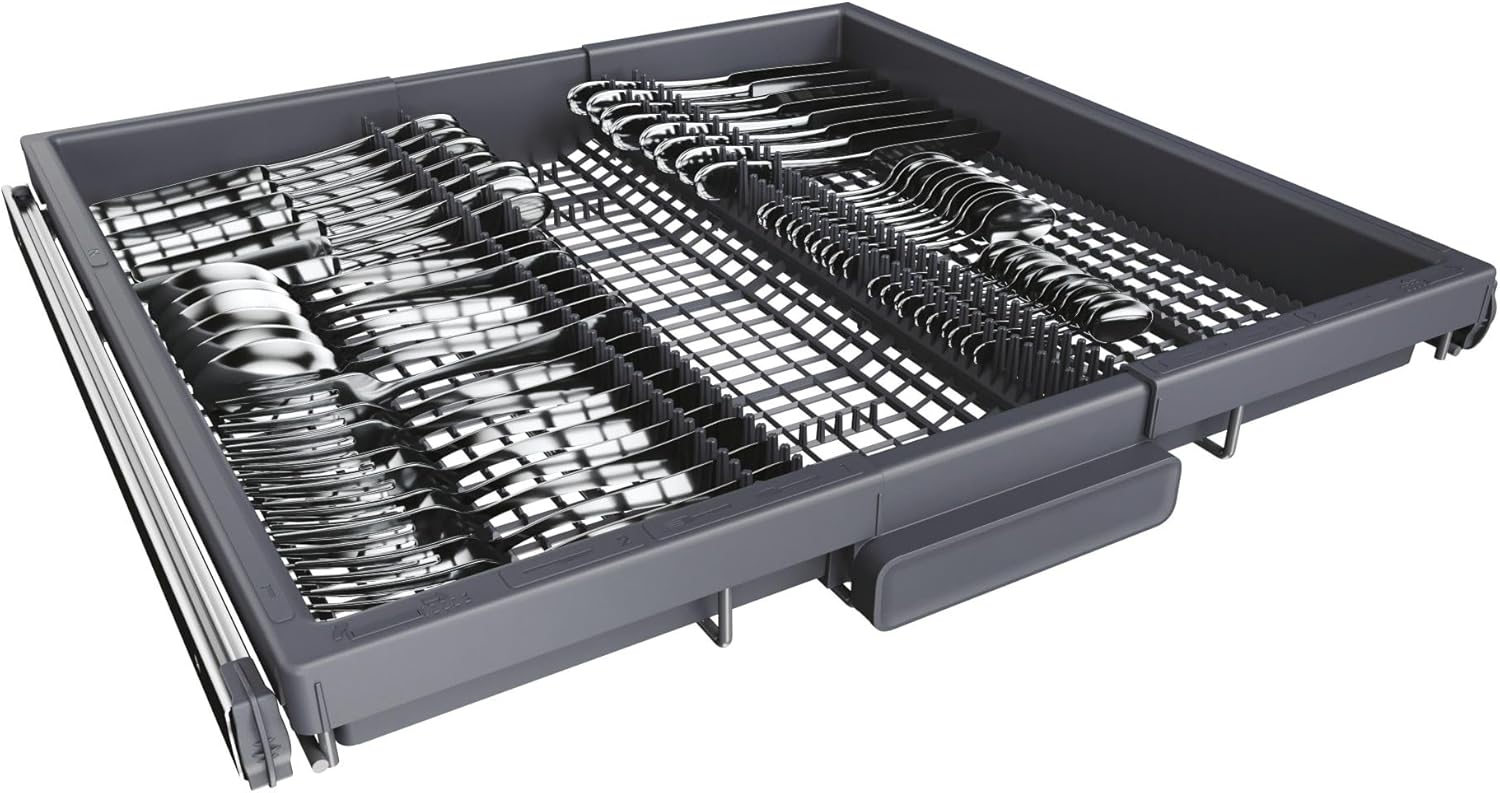
Image: A close-up view of the dedicated cutlery drawer in the CANDY RapidO' CS6C2S3PSA dishwasher, designed for organized and efficient cleaning of utensils.
Adding Detergent and Rinse Aid
Fill the detergent dispenser with the appropriate amount of dishwasher detergent. Check the rinse aid indicator and refill if necessary to ensure optimal drying results and prevent water spots.
Selecting a Wash Program
Choose from 10 available wash programs, including special programs like "Auto". The dishwasher features a LED display for easy program selection and monitoring. You can also use the hOn app via Wi-Fi or Bluetooth for remote control and program customization.
Starting a Cycle
Close the dishwasher door firmly. Select your desired program and press the start button. The dishwasher may offer a delayed start option (up to 24 hours) for convenience. An indicator light on the floor may show the cycle status.
Maintenance
Regular maintenance ensures your CANDY RapidO' dishwasher continues to perform efficiently and extends its lifespan.
Cleaning the Filters
Periodically clean the dishwasher filters to remove food particles and prevent blockages. Twist and remove the filter assembly, rinse it under running water, and brush away any stubborn debris. Reassemble and secure the filters properly.
Refilling Salt and Rinse Aid
Monitor the salt and rinse aid indicators on the display. Refill the salt reservoir with dishwasher salt to soften hard water and prevent limescale buildup. Replenish rinse aid for streak-free drying. The dishwasher includes an indicator for both salt and rinse aid levels.
Cleaning the Interior and Exterior
Wipe down the interior and exterior surfaces of the dishwasher with a soft, damp cloth. For stubborn stains, use a mild detergent. Avoid abrasive cleaners that could damage the finish. The dishwasher features an antibacterial filter for improved hygiene.
Troubleshooting
If you encounter issues with your CANDY RapidO' dishwasher, consult this basic troubleshooting guide. For more complex problems, refer to the full user manual or contact customer support.
- Dishwasher not starting: Check if the power cord is securely plugged in, the door is fully closed, and the water supply is turned on. Ensure a program has been selected and the start button pressed.
- Dishes not clean: Verify that dishes are loaded correctly and not blocking spray arms. Check detergent levels and ensure the correct program is selected for the soil level. Clean the filters if they are clogged.
- Water remaining in the dishwasher: Inspect the drain hose for kinks or blockages. Ensure the drain filter is clean.
- Unusual noises: Check for any foreign objects in the pump area or spray arms. Ensure the dishwasher is level.
- Error codes on display: Refer to the full user manual for specific error code meanings and recommended actions.
Specifications
| Feature | Value |
|---|---|
| Brand | CANDY |
| Model Name | CS6C2S3PSA |
| Installation Type | Built-in (Fully Integrated) |
| Capacity | 16 Place Settings |
| Energy Efficiency Class | C |
| Noise Emission Class | B |
| Acoustic Emission | 42 dB |
| Water Consumption per Cycle | 9.5 L |
| Energy Consumption per 100 Cycles | 76 kWh |
| Number of Wash Programs | 10 |
| Drying System | Condenser |
| Connectivity | Wi-Fi, Bluetooth (hOn app supported) |
| Special Features | Maxi TUB, Snap&Wash, Automatic Door Opening, Antibacterial Filter |
| Dimensions (W x D x H) | 597 mm x 555 mm x 818 mm |
| Weight | 39.4 kg |
Warranty and Support
Your CANDY RapidO' CS6C2S3PSA dishwasher comes with a manufacturer's warranty. Please refer to the warranty card included with your appliance for specific terms and conditions. For technical assistance, spare parts, or service requests, contact CANDY customer support through their official website or the hOn application.
Always use genuine spare parts to ensure the safety and performance of your appliance. Unauthorized repairs may void your warranty.


