
Marsail SEALOON-USAMNSD12-US-0114
Marsail Farmhouse Nightstand with Charging Station
Model: SEALOON-USAMNSD12-US-0114
Brand: Marsail
Introduction
This manual provides detailed instructions for the assembly, operation, and maintenance of your Marsail Farmhouse Nightstand with Charging Station. Please read this manual thoroughly before assembly and use to ensure proper function and safety.
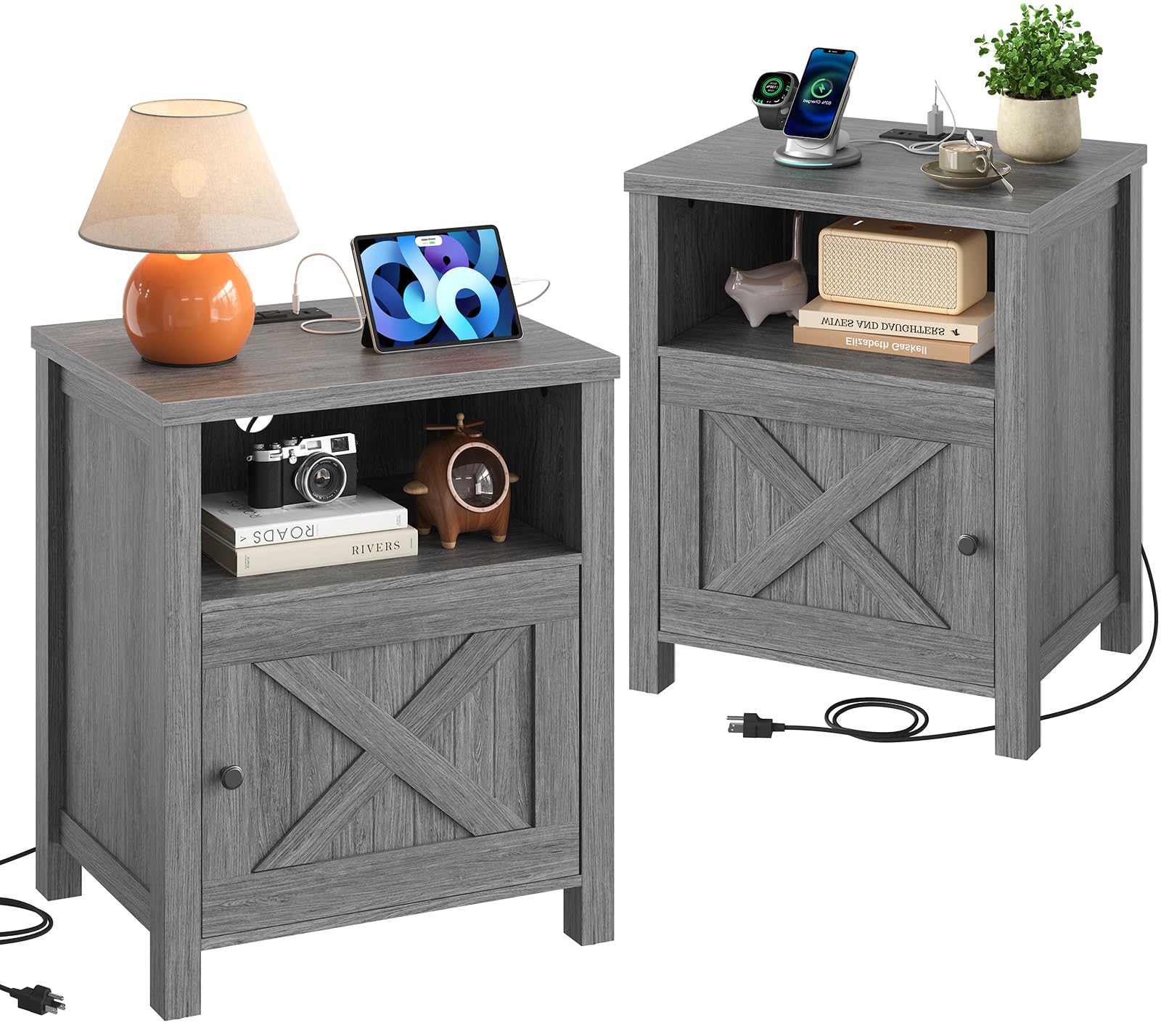
Image: The Marsail Farmhouse Nightstand, grey finish, featuring an open shelf and a cabinet with an X-shaped barn door design. A lamp, alarm clock, and books are displayed on and within the nightstand.
Safety Information
Please observe the following safety precautions to prevent injury or damage to the product:
- Ensure all parts are securely fastened before use.
- Do not exceed the maximum weight capacity of 150 lbs (68 kg) for the desktop.
- Keep electrical components (charging station) away from water or excessive moisture.
- Use only in indoor environments.
- Do not attempt to modify the electrical components or the structure of the nightstand.
- Keep small parts and assembly hardware out of reach of children.
Package Contents
Before assembly, verify that all components listed below are present and undamaged. If any parts are missing or damaged, please contact customer support.
- Nightstand panels (top, bottom, sides, shelves, door)
- Assembly hardware (screws, dowels, cam locks, magnetic catch set)
- Power strip with USB-A, USB-C, and AC outlets
- Allen Key and Screwdriver (recommended tools for assembly)
- Assembly Guide
Setup and Assembly Instructions
The Marsail Farmhouse Nightstand is designed for easy assembly. Follow the included assembly guide step-by-step. Ensure you have sufficient space and the recommended tools (Allen Key, Screwdriver) before beginning.
- Unpack and Identify Parts: Carefully unpack all components and lay them out. Refer to the assembly guide to identify each part by its label.
- Assemble the Frame: Begin by attaching the side panels to the base and top panels using the provided hardware. Ensure all connections are snug.
- Install Shelves: Insert the open shelf and any internal cabinet shelves into their designated slots or attach them with hardware.
- Attach Cabinet Door: Secure the cabinet door using the hinges and install the magnetic catch set to ensure it closes properly.
- Integrate Charging Station: Install the power strip into the designated cutout on the top panel. Route the power cord through the cable management hole.
- Final Checks: Verify that all screws are tightened and the nightstand is stable.

Image: A detailed diagram illustrating the product dimensions: 24.8" (H) x 17.3" (W) x 15.7" (D), with internal measurements for the open shelf and cabinet.
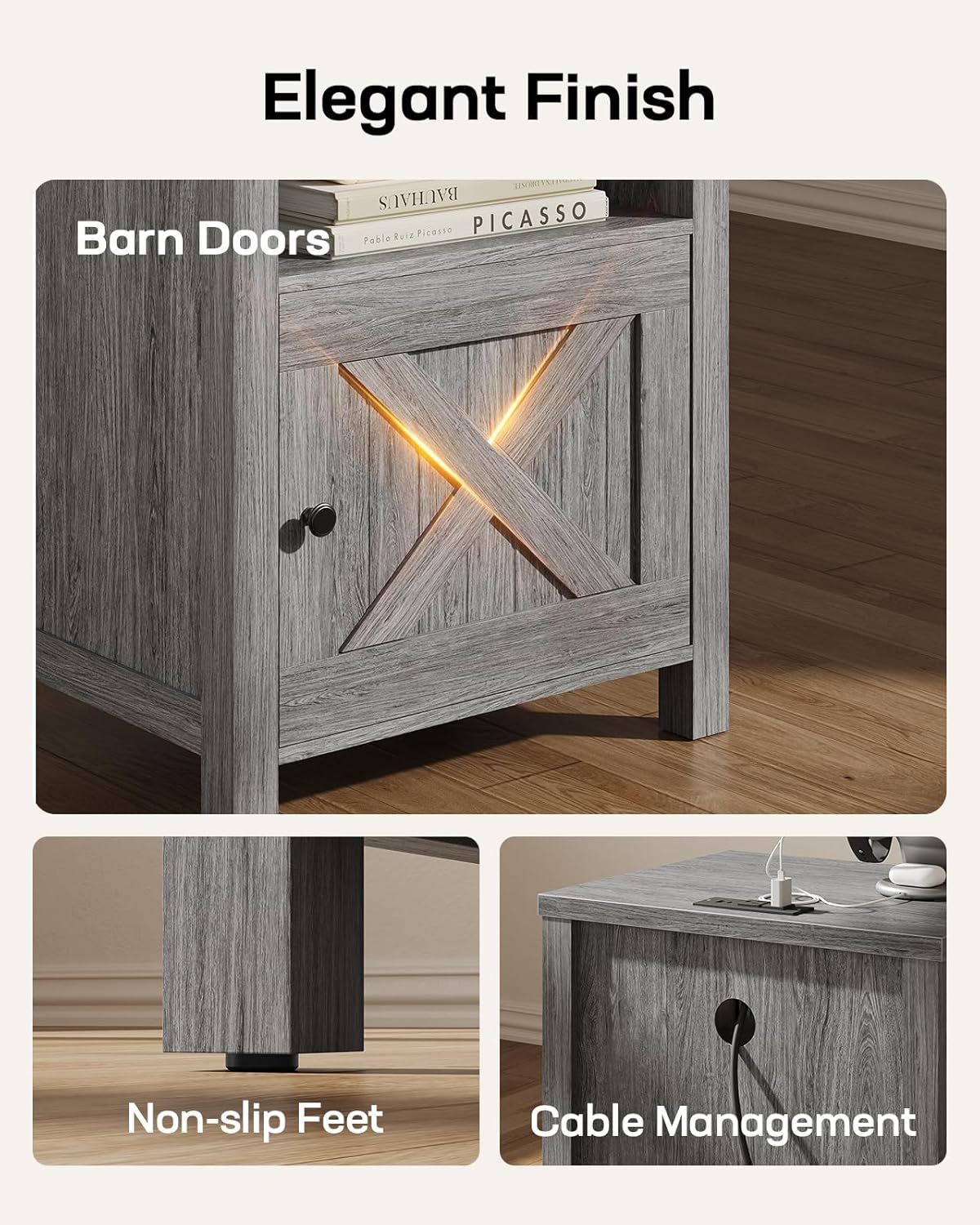
Image: Close-up views of the nightstand's features, including the X-shaped barn door, non-slip feet for stability, and a cable management hole on the top surface.
For a visual guide to assembly, please refer to the official product video:
Video: An official product video demonstrating the features and potentially the assembly process of the Marsail Farmhouse Nightstand with Charging Station. Duration: 0:32.
Operating Instructions
Using the Charging Station
Your Marsail Nightstand includes a built-in power strip for convenient device charging. To use:
- Connect to Power: Plug the nightstand's power cord into a standard 120V AC wall outlet.
- Charge Devices:
- Use the 2 AC outlets (120V / 12A) for larger electronics like lamps or laptops.
- Use the USB-A port (5V / 2A) for standard USB charging cables.
- Use the USB-C port (5V / 2A) for compatible USB-C devices.
- Cable Management: Utilize the integrated cable management hole to keep charging cables organized and out of sight.

Image: A close-up of the nightstand's top surface, demonstrating the integrated power strip with a smartphone, smartwatch, and tablet actively charging via the USB-A, USB-C, and AC outlets.
Maintenance
To maintain the appearance and longevity of your nightstand:
- Cleaning: Wipe surfaces with a soft, damp cloth. Avoid harsh chemicals or abrasive cleaners. The surface is scratch and water-resistant, making it easy to clean.
- Dusting: Regularly dust with a dry, soft cloth.
- Spills: Promptly wipe up any spills to prevent water damage, despite its water-resistant properties.
- Hardware: Periodically check and tighten all assembly hardware to ensure stability.

Image: A graphic highlighting the durable surface coating of the nightstand, emphasizing its water-resistant, scratch-resistant, and easy-to-clean attributes.
Troubleshooting
If you encounter issues with your nightstand, refer to the following common problems and solutions:
| Problem | Possible Cause | Solution |
|---|---|---|
| Nightstand is wobbly/unstable. | Loose assembly hardware. Uneven floor. | Ensure all screws and fasteners are tightened. Adjust furniture levelers if present, or place shims under legs on uneven surfaces. |
| Charging station is not working. | Power cord not plugged in. Wall outlet not active. Device cable faulty. | Check if the nightstand's power cord is securely plugged into a working wall outlet. Test the wall outlet with another device. Try a different charging cable for your device. |
| Cabinet door does not close properly. | Hinges misaligned. Magnetic catch not engaging. | Adjust the hinges as per the assembly guide. Ensure the magnetic catch components are aligned and securely installed. |
Specifications
| Brand | Marsail |
| Model Number | SEALOON-USAMNSD12-US-0114 |
| Product Dimensions | 15.7"D x 17.3"W x 24.8"H |
| Item Weight | 40 Pounds |
| Maximum Weight Recommendation | 150 Pounds |
| Frame Material | Engineered Wood (P2 Grade) |
| Color | Grey |
| Charging Station | 1 USB-A Port (5V/2A), 1 USB-C Port (5V/2A), 2 AC Outlets (120V/12A) |
| Assembly Required | Yes |
| Tools Recommended for Assembly | Allen Key, Screwdriver |

Image: Three samples of engineered wood materials, including grey, brown, and white finishes, representing the P2 grade eco-friendly construction of the nightstand.
Warranty and Support
For warranty information or customer support, please contact Marsail directly through their official website or the retailer where the product was purchased. Please have your model number (SEALOON-USAMNSD12-US-0114) and proof of purchase available.
Visit the Marsail Store: Marsail Official Store
Ask a question about this manual
Ask about setup, troubleshooting, compatibility, parts, safety, or missing instructions. Manuals+ will review the question and use this page’s manual context to help answer it.