
1. Product Overview
The TIQLAB Electric Standing Desk is designed to provide a versatile and ergonomic workspace. It features electric height adjustment, integrated storage drawers, and a monitor stand to enhance comfort and organization.
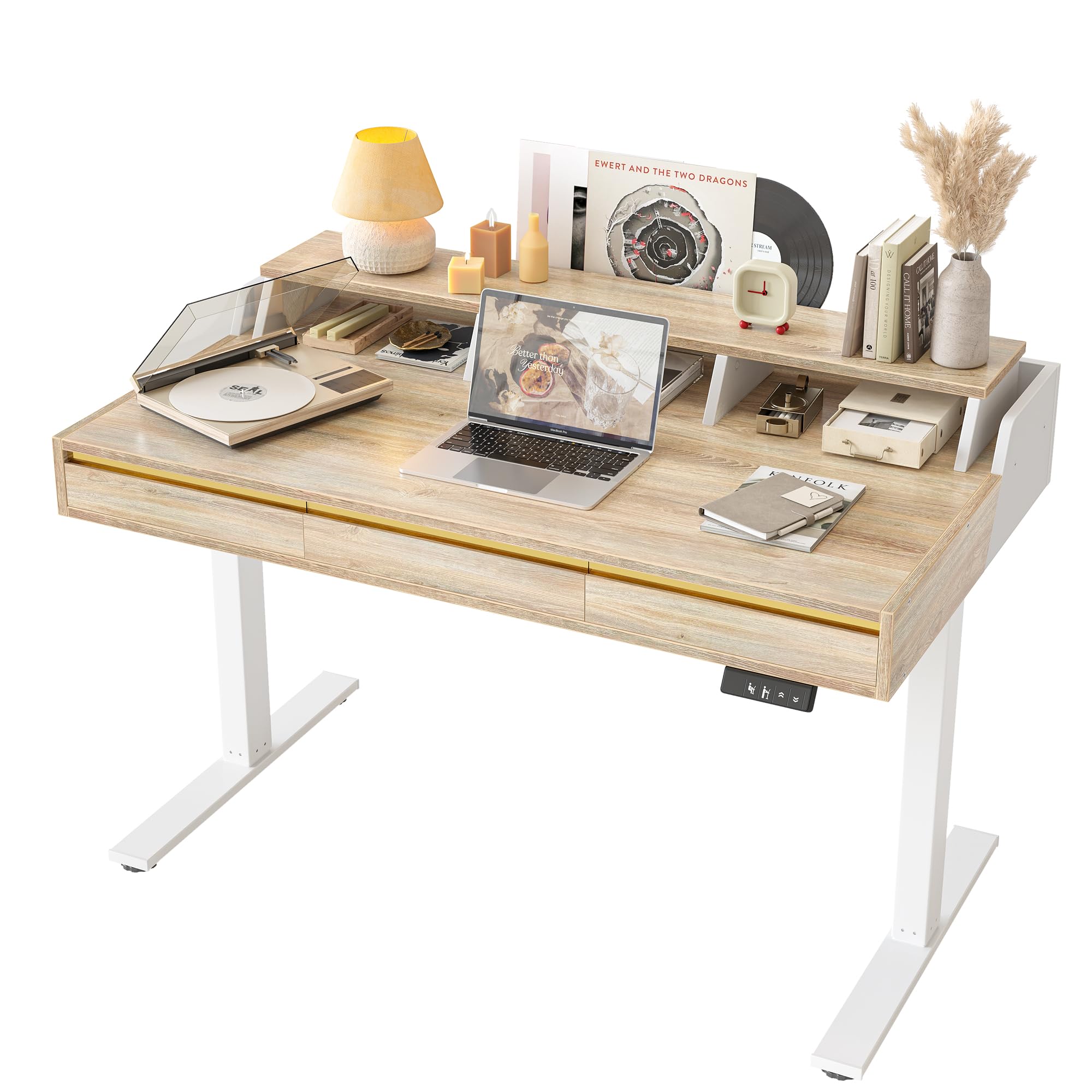
Image: TIQLAB 47-inch Electric Standing Desk with 3 Drawers, showcasing its maple finish and integrated monitor stand.
Key Features:
- Electric Height Adjustment: Seamlessly adjust desk height from 28.3 to 45.6 inches with memory buttons.
- Integrated Monitor Riser: Elevates your screen to an ergonomic viewing height and includes a wooden wrap-around border.
- Three Storage Drawers: Provides ample space for organizing office supplies, cables, and documents.
- Quiet Operation: Motor operates at less than 50 dB.
- Anti-Collision Technology: Automatically stops movement if an obstruction is detected.
- Durable Construction: Features an industrial-grade steel frame and FSC-certified engineered wood tabletop.
2. Setup and Assembly
The TIQLAB Standing Desk is delivered in a single package with all necessary tools and detailed instructions for assembly. Assembly is required.
Before You Begin:
- Unpack all components and verify against the parts list in the included assembly instructions.
- Ensure you have adequate space for assembly.
- A drill is recommended for faster assembly, though all necessary tools are provided.
Assembly Steps:
- Follow the step-by-step instructions provided in the assembly manual included in your package.
- Attach the desk legs and frame to the tabletop.
- Install the monitor riser and drawers as indicated.
- Connect the control panel and power cable.
- Once assembled, place the desk on a level surface.

Image: A fully assembled TIQLAB Standing Desk in a modern home office environment, ready for use.
3. Operating Instructions
The electric standing desk allows for easy height adjustments to switch between sitting and standing positions.
Height Adjustment:
- Up/Down Buttons: Use the ▲ (Up) and ▼ (Down) buttons on the control panel to manually adjust the desk height.
- Memory Presets: The desk features 2 memory buttons. To save a preferred height, adjust the desk to the desired level, then press and hold one of the memory buttons (e.g., '1' or '2') until you hear a beep or see the display flash. The height is now saved.
- Recalling Presets: Press the corresponding memory button ('1' or '2') to automatically move the desk to your saved height.

Image: Close-up view of the desk's smart control panel, showing the up/down buttons, height settings, and digital display.
Anti-Collision Feature:
The desk is equipped with an anti-collision system. If the desk encounters an obstacle during height adjustment, it will automatically stop and reverse slightly to prevent damage.

Image: Diagram showing the anti-collision technology, which automatically senses and reacts to obstacles during desk movement.
Storage Drawers:
The three integrated drawers provide convenient storage. To open, gently pull the sleek handleless front. Use them to store documents, office supplies, and personal items to maintain a clutter-free workspace.

Image: Overhead view of the TIQLAB Standing Desk with its three drawers open, illustrating the ample storage capacity for various items.
4. Maintenance and Safety
General Maintenance:
- Clean the desk surface with a soft, damp cloth. Avoid harsh chemicals or abrasive cleaners.
- Regularly check all screws and fasteners to ensure they are tight. Retighten if necessary.
- Keep the motor and electrical components free from dust and moisture.
Safety Precautions:
- Always ensure the desk is properly anchored to the floor, especially when using it at its maximum height, to prevent tipping.
- Keep hands and objects clear of the moving parts during height adjustment.
- Do not overload the desk. Adhere to the maximum weight capacity of 176 pounds.
- Do not allow children to operate the desk without adult supervision.
- If the power cord is damaged, it must be replaced by the manufacturer or a qualified service agent to avoid hazards.
5. Troubleshooting
If you encounter issues with your TIQLAB Standing Desk, refer to the following common troubleshooting steps:
- Desk Not Moving:
- Check if the power cord is securely plugged into both the desk and a working power outlet.
- Ensure there are no obstructions preventing movement. The anti-collision system may have activated.
- Try resetting the desk by unplugging it for 30 seconds and then plugging it back in.
- Control Panel Unresponsive:
- Verify all cables connecting the control panel to the motor are firmly attached.
- Perform a power cycle (unplug and replug) to reset the system.
- Uneven Movement:
- Ensure the desk is placed on a level surface.
- Check that the weight on the desk is evenly distributed and does not exceed the maximum capacity.
If these steps do not resolve the issue, please contact customer support.
6. Specifications

Image: Detailed diagram showing the dimensions of the TIQLAB Standing Desk, including height, width, and depth.
| Feature | Detail |
|---|---|
| Brand | TIQLAB |
| Model | 47-inch with 3 drawers |
| Product Dimensions (D x W x H) | 25.6" x 47.2" x 28.3" (Minimum Height) |
| Adjustable Height Range | 28.3" to 45.6" |
| Color | Maple |
| Top Material Type | Engineered Wood (FSC-certified) |
| Frame Material Type | Alloy Steel |
| Lifting Mechanism | Electric |
| Operating Noise Level | < 50 dB |
| Maximum Weight Capacity | 176 Pounds |
| Number of Drawers | 3 |
| Included Components | Monitor Riser, 3 Drawers, Wooden Wrap-Around Border |
| Assembly Required | Yes |
7. Warranty Information
The TIQLAB Standing Desk comes with a limited warranty. For specific details regarding coverage and duration, please refer to the warranty documentation included with your product or contact TIQLAB customer support.
8. Customer Support
For any questions, technical assistance, or warranty claims, please contact TIQLAB customer support through the following channels:
- Online: Visit the official TIQLAB store on Amazon: TIQLAB Store
- Refer to the contact information provided in your product packaging.