
OMIZN GT5
Contents
OMIZN GT5 4G LTE Watch Walkie Talkie User Manual
Model: GT5
1. Introduction
The OMIZN GT5 is a 4G LTE watch walkie talkie designed for reliable and convenient communication across extended ranges. This device combines the functionality of a two-way radio with the wearability of a watch, utilizing cellular networks for push-to-talk communication. It is suitable for various applications including professional coordination, outdoor activities, and group communication.
2. Package Contents
Please check the box for the following items:
- OMIZN GT5 Watch Walkie Talkie
- Earphone (G-shape)
- USB-C Charging Cable
- Power Adapter
- Finger PTT Switch Cable
- Wrist Bracelet (pre-attached or separate)
- Back Clip
- Screwdriver (for strap/clip attachment)
- User Manual (this document)

Figure 2.1: All items included in the OMIZN GT5 package. This image displays the GT5 watch, an earphone, a finger PTT switch cable, a data line (USB-C cable), a power adapter, an additional bracelet, a screwdriver, and a back clip.
3. Product Overview
Familiarize yourself with the main components of your OMIZN GT5 device.
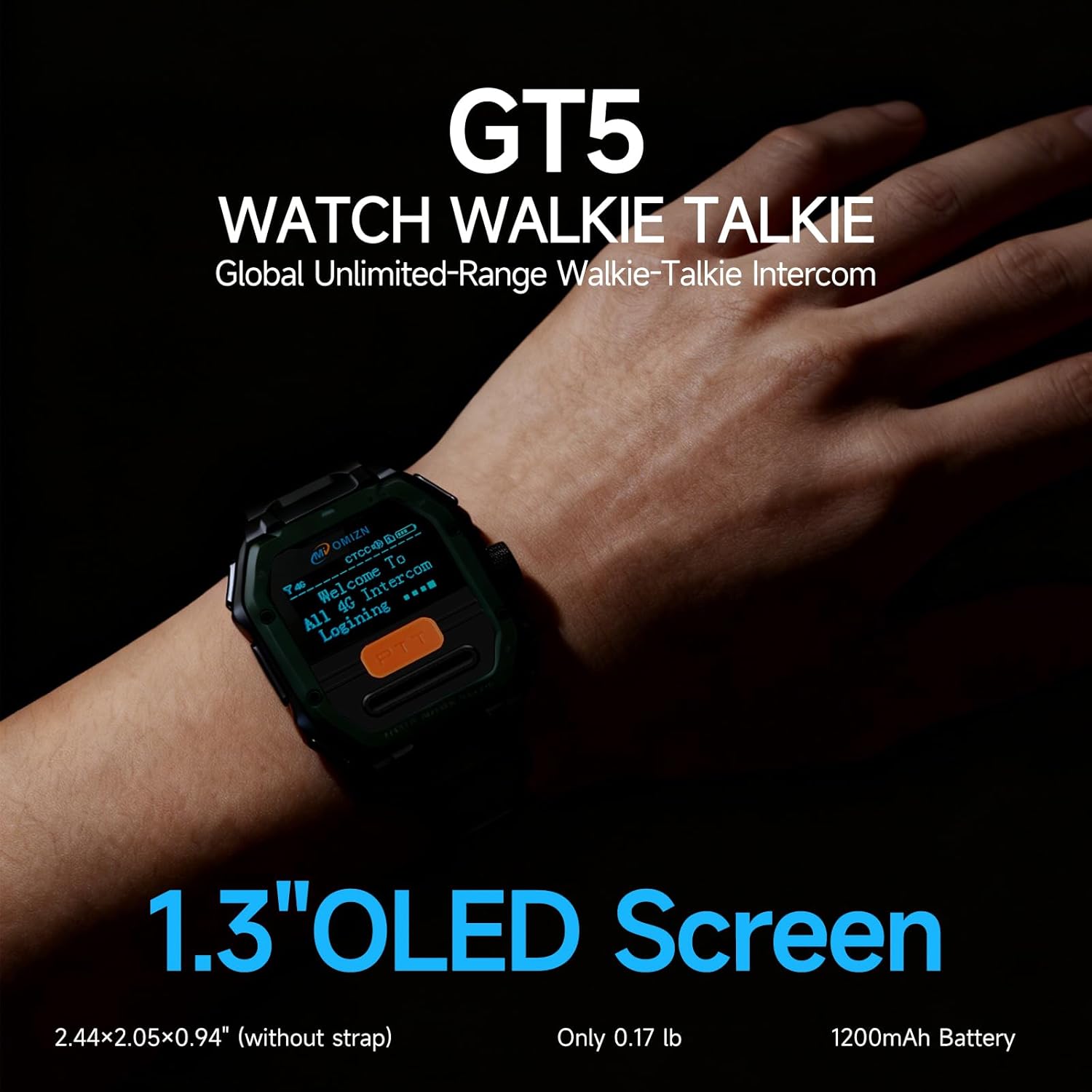
Figure 3.1: Front view of the OMIZN GT5 Watch Walkie Talkie. The image highlights the 1.3" OLED screen displaying connection status and login information, and the prominent Push-To-Talk (PTT) button.
- 1.3" OLED Screen: Displays status, channels, battery level, and messages.
- PTT Button: Large orange button for initiating push-to-talk communication.
- Power/Menu Button: Typically located on the side, used for powering on/off and accessing menus.
- Volume Buttons: Adjust audio output level.
- Microphone: For voice input during communication.
- Speaker: For audio output.
- USB-C Port: For charging the device.
- SIM Card Slot: (Location may vary, often under a protective cover or integrated) For the pre-installed 4G LTE SIM card.
4. Setup
4.1 Charging the Device
- Connect the USB-C cable to the charging port on the GT5 device.
- Connect the other end of the USB-C cable to the provided power adapter.
- Plug the power adapter into a standard electrical outlet.
- The screen will indicate charging status. Allow approximately 2-3 hours for a full charge.
Note: The GT5 supports USB-C charging and can be charged with compatible wall chargers, car chargers, or power banks.
4.2 Powering On/Off
- To Power On: Press and hold the Power button (usually on the side) for a few seconds until the screen illuminates and the device boots up.
- To Power Off: Press and hold the Power button until a power-off option appears on the screen. Select "Power Off" or confirm to shut down the device.
4.3 SIM Card and Network Connection
The OMIZN GT5 comes with a pre-installed SIM card for 4G LTE connectivity. Upon powering on, the device will automatically attempt to connect to the available cellular network. Ensure you are in an area with 4G LTE coverage for optimal performance.
- Check the screen for network signal strength indicators.
- If experiencing connectivity issues, ensure the device is in an open area or contact support.
4.4 Initial Group Configuration
For group communication, your device may require initial setup or assignment to a specific group by an administrator. Contact your system administrator or refer to the seller's instructions for managing groups and members. The GT5 supports self-managed groups via a seller sub-account.
5. Operating Instructions
5.1 Push-to-Talk (PTT) Communication
- Ensure the device is powered on and connected to the network.
- Select the desired channel or group (if applicable, via menu navigation).
- Press and hold the large orange PTT button.
- Speak clearly into the microphone.
- Release the PTT button to listen for a response.

Figure 5.1: The OMIZN GT5 screen displaying a welcome message, indicating ease of operation for one-to-one and group communication. The PTT button is clearly visible below the screen.
5.2 VOX Hands-Free Operation
The GT5 supports Voice Operated eXchange (VOX) for hands-free communication. When VOX is enabled, the device will automatically transmit when it detects your voice, eliminating the need to press the PTT button.
- To Enable/Disable VOX: Navigate through the device menu to find the VOX setting. Adjust the sensitivity level as needed.
- When VOX is active, speak normally to transmit.

Figure 5.2: A user wearing the OMIZN GT5 on their wrist, demonstrating VOX voice control for hands-free intercom operation. Sound waves emanate from the watch, indicating active voice transmission.
5.3 Using Accessories (Earphone, Finger PTT)
- Earphone: Plug the G-shape earphone into the designated audio jack (if available, or USB-C port with adapter). This allows for private listening and clearer communication in noisy environments.
- Finger PTT Switch Cable: Connect the finger PTT switch cable to the appropriate port. This accessory allows you to activate PTT communication with a button worn on your finger, providing convenience when your hands are occupied.
6. Features
- Global 4G LTE Communication: Utilizes cellular networks for unlimited range communication across cities and regions, subject to local network coverage.
- Wrist-Worn & Hands-Free: Designed for convenient wear on the wrist, with VOX support for hands-free operation.
- Multiple Wearing Options: Can be worn as a watch, clipped to clothing, or used with a lanyard.
- Clear & Encrypted Calls: Features integrated noise reduction for clear voice capture and AES256 digital encryption for enhanced communication privacy and security.
- Long Battery Life: Supports all-day use with up to approximately 2 days of standby time. Rechargeable via USB-C.
- Self-Managed Groups: Allows administrators to create, manage, and adjust communication groups and members.
- Durable Design: Built to resist dust and splashes (IP64 rated) for daily use.
- 1.3" OLED Screen: Provides clear display of operational information.
6.1 AES256 Digital Encryption
The OMIZN GT5 incorporates AES256 encryption to secure your communications, ensuring privacy and preventing unauthorized listening. This feature is crucial for sensitive discussions or maintaining confidentiality within your team.

Figure 6.1: A close-up of the OMIZN GT5 on a wrist, highlighting the AES256 Digital Encryption feature. The text emphasizes end-to-end communication encryption for user privacy and security.
6.2 IP64 Dustproof & Water-Repellent
The GT5 is designed with an IP64 rating, meaning it is protected against dust ingress and splashing water from any direction. This makes it suitable for daily use and various outdoor conditions, resisting sweat, rain, and hand washing. It is not intended for submersion, swimming, or diving.
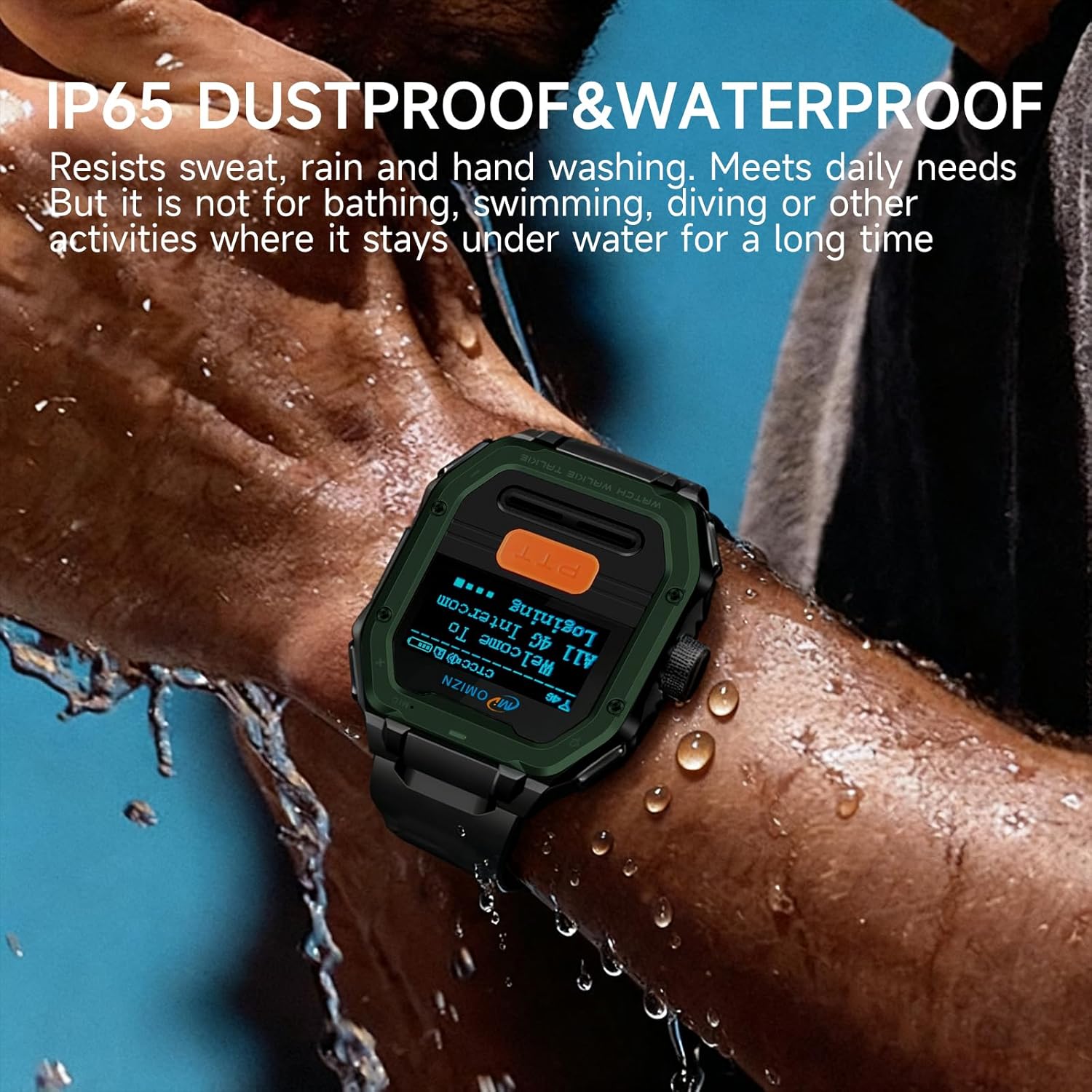
Figure 6.2: The OMIZN GT5 watch being splashed with water, illustrating its IP64 dustproof and water-repellent capabilities. The image text mentions resistance to sweat, rain, and hand washing for daily needs.
6.3 High-Fidelity Clear Sound with AI Noise Reduction
Experience superior audio quality with the GT5's integrated AI noise reduction technology. This feature effectively filters out background noise, ensuring your voice is captured clearly and communication remains intelligible even in noisy environments.

Figure 6.3: An exploded view diagram of the OMIZN GT5's internal speaker and microphone components, illustrating the high-fidelity sound quality and AI noise reduction technology. The text highlights clear human voice capture and 99% background noise filtering.
7. Maintenance
- Cleaning: Wipe the device with a soft, damp cloth. Do not use harsh chemicals or abrasive cleaners. Ensure the USB-C port is dry before charging.
- Battery Care: To prolong battery life, avoid fully discharging the battery regularly. Store the device in a cool, dry place when not in use for extended periods.
- Storage: Store the device and accessories in a safe place, away from extreme temperatures, direct sunlight, and moisture.
8. Troubleshooting
If you encounter issues with your OMIZN GT5, try the following solutions:
| Problem | Possible Solution |
|---|---|
| Device does not power on. | Ensure the battery is charged. Connect to the charger and wait a few minutes before attempting to power on again. |
| No network connection. | Check if you are in an area with 4G LTE coverage. Restart the device. If issues persist, contact the seller for SIM or network support. |
| Cannot transmit or receive. | Verify network connection. Ensure you are on the correct channel/group. Check volume settings. If using accessories, ensure they are properly connected. |
| Poor audio quality. | Ensure microphone is not obstructed. Move to a quieter environment. Check earphone connection if used. |
| Battery drains quickly. | Reduce screen brightness. Disable unnecessary features. Ensure the device is fully charged before use. |
9. Specifications
| Feature | Detail |
|---|---|
| Brand | OMIZN |
| Model | GT5 |
| Color | Black |
| Channels | 200 |
| Frequency Range | 4G LTE |
| Max Talk Range | Unlimited (via 4G LTE network) |
| Connectivity Protocol | LTE |
| Special Features | Long Range, Lightweight, Digital Display, Rechargeable, Noise Reduction, VOX, AES256 Encryption |
| Water Resistance Level | IP64 (Repellent to water splashes) |
| Voltage | 3.4 Volts (DC) |
| Product Dimensions (D x W x H) | 2.4 x 5.2 x 6.2 cm |
| Item Weight | Approximately 0.17 lb |
| Battery Capacity | 1200mAh |
| Screen Type | 1.3" OLED |
10. Warranty and Support
OMIZN provides post-sales support for the GT5 device. If you require technical assistance, have questions regarding setup, daily use, connectivity issues (SIM or network), group configuration, member management, or operational concerns, please contact the seller directly.
Prompt troubleshooting assistance is available to minimize interruptions and ensure optimal performance of your device.
Documents and downloads
Ask a question about this manual
Ask about setup, troubleshooting, compatibility, parts, safety, or missing instructions. Manuals+ will review the question and use this page’s manual context to help answer it.