
Introduction
The Science Can 3-in-1 Weather Station is an interactive educational toy designed to introduce children to meteorology. This versatile device features 8 distinct weather experiment modes, a cool mist humidifier function, and a white noise machine. It encourages hands-on learning and exploration of weather phenomena in an engaging way.
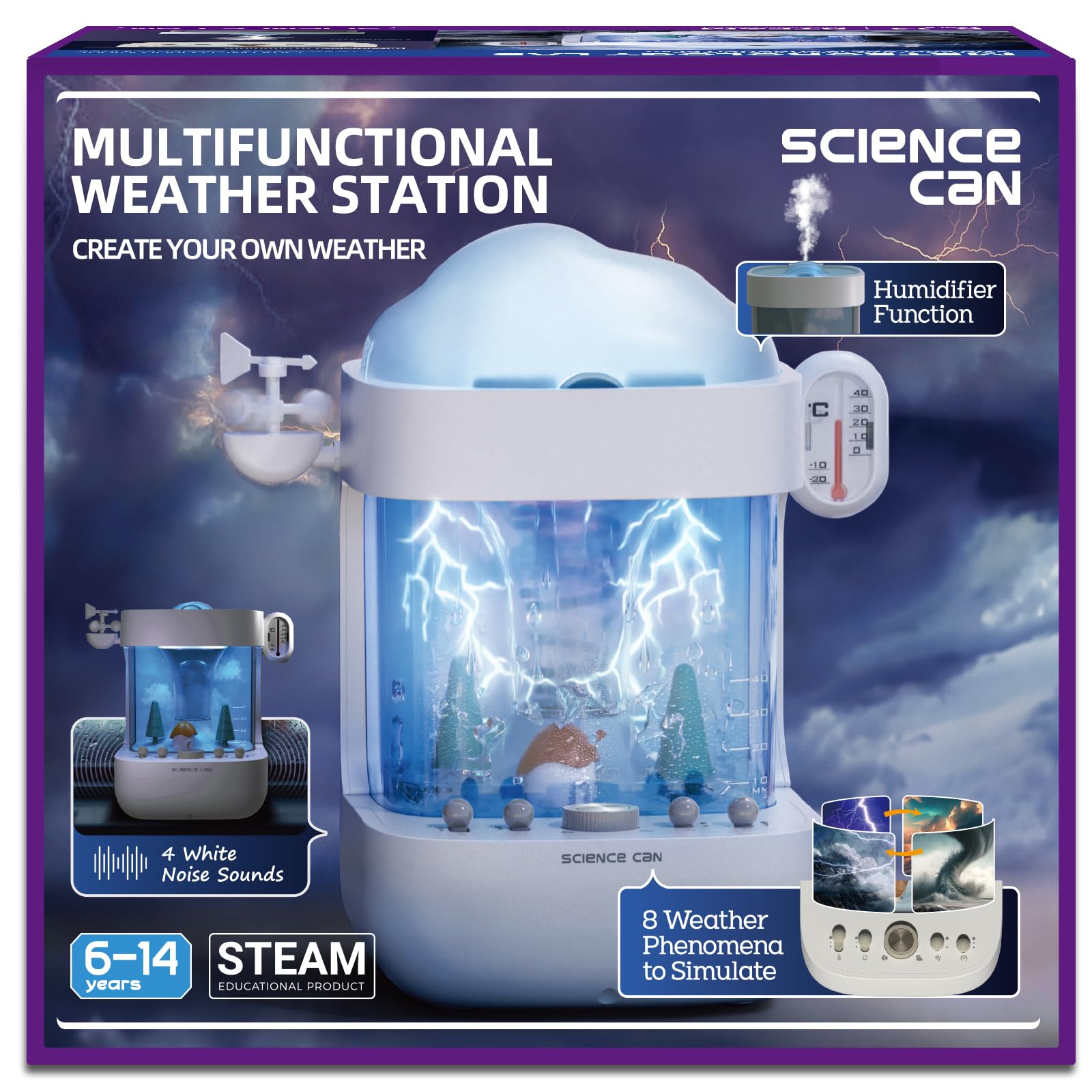
Image: Child interacting with the Science Can 3-in-1 Weather Station.
Safety Information
WARNING: CHOKING HAZARD - Small Parts. Not for children under 3 years.
Always supervise children during use. Ensure all components are securely assembled before operation. Do not ingest any parts or liquids. Keep the device away from direct heat sources and open flames.
What's in the Box
- Weather Station Unit
- Cloud Lid
- User Manual
- USB-C Cable
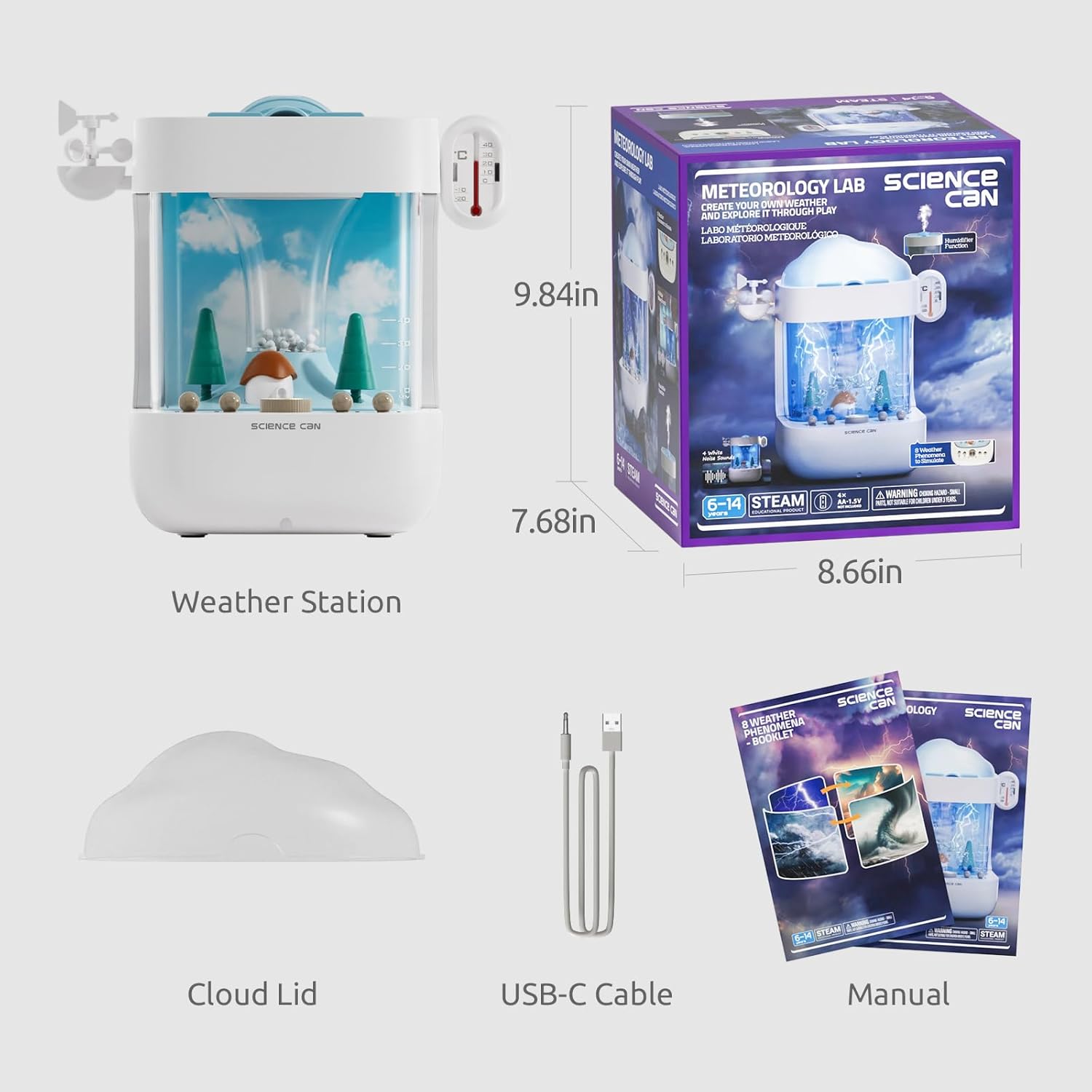
Image: Included components and product dimensions.
Setup
- Unpack Components: Carefully remove all items from the packaging. Ensure all listed components are present.
- Placement: Place the weather station on a flat, stable, and dry surface.
- Power Connection: Connect the provided USB-C cable to the weather station and a suitable power adapter (not included). Alternatively, insert 4xAA batteries (not included) into the battery compartment located at the bottom of the unit.
- Fill Water Tank: For humidifier and rain effects, carefully fill the water tank with clean water up to the indicated maximum fill line. Use distilled water to minimize mineral buildup.
- Attach Cloud Lid: Place the cloud lid securely on top of the weather station unit.

Image: Visual guide for setting up the weather mode, including filling the water tank.
Operating Instructions
Weather Mode
The weather station offers 8 different weather conditions for exploration. To activate a weather effect:
- Ensure the water tank is filled if rain effects are desired.
- Turn the main central dial to the 'Weather' icon.
- Use the smaller switches/buttons on the control panel to select the desired weather effect (e.g., Tornado, Thunder & Lightning, White Clouds, Dark Clouds, Wind, Light Rain, Heavy Rain, or a Combination).
- Observe the visual and auditory effects within the station.

Image: Examples of various weather effects that can be created.
Humidifier Mode
The weather station can also function as a cool mist humidifier.
- Ensure the water tank is filled with clean water.
- Turn the main central dial to the 'Humidifier' icon.
- The device will begin to emit a cool mist.

Image: Visual guide for setting up the humidifier mode.
White Noise Mode
For a calming environment, the weather station includes a white noise function.
- Turn the main central dial to the 'White Noise' icon.
- Adjust the volume using the dedicated control knob, if available.

Image: The weather station functioning as a humidifier and white noise machine.
Official Product Video
Video: An official product video from Science Can US demonstrating the features and operation of the weather station.
Maintenance
- Cleaning: Regularly clean the water tank and internal components with a soft, damp cloth. Do not use abrasive cleaners.
- Water Replacement: For optimal performance and hygiene, replace the water in the tank daily, especially when using the humidifier function.
- Storage: If the device will not be used for an extended period, empty the water tank completely and allow it to air dry before storing in a cool, dry place.
- Power Source: Disconnect the power cable or remove batteries when cleaning or not in use.
Troubleshooting
| Problem | Possible Cause | Solution |
|---|---|---|
| Device does not turn on | No power supply; Batteries depleted or incorrectly inserted | Check USB-C cable connection; Replace batteries or ensure correct polarity. |
| No mist in Humidifier Mode | Water tank empty; Mist outlet blocked | Refill water tank; Clean mist outlet gently. |
| Weather effects not visible/audible | Incorrect mode selected; Low water level for rain effects | Ensure main dial is on 'Weather' mode and specific effect is selected; Refill water tank. |
| Unusual noise during operation | Obstruction in fan or water pump; Loose components | Turn off and inspect for obstructions; Ensure all parts are securely assembled. |
Specifications
- Brand: Science Can
- Model Number: 1600212024ig0002
- Item Dimensions: 8.66 x 7.68 x 9.84 inches
- Material Type: Plastic
- Power Source: USB-C Cable (included) or 4xAA Batteries (not included)
- Educational Objective: Hand-Eye Coordination, Matching Skill, STEM
- Manufacturer Minimum Age: 72 months (6 years)
- Theme: Environmental Science
Warranty and Support
Science Can is committed to ensuring your satisfaction. If you encounter any problems with your 3-in-1 Weather Station Toy, please do not hesitate to contact our customer service team. We are ready to assist you to ensure a smooth and successful learning experience.
For support, please refer to the contact information provided on the product packaging or visit the official Science Can website.
