
abxylute abxylute one
Contents
abxylute OnePro Cloud Handheld Gaming Console User Manual
Model: abxylute one | Brand: abxylute
Introduction
The abxylute OnePro is a versatile handheld gaming console designed for cloud gaming, remote play, retro emulation, and native Android titles. This manual provides essential information for setting up, operating, maintaining, and troubleshooting your device to ensure an optimal gaming experience.
Setup
Before first use, ensure your abxylute OnePro is fully charged using the provided USB-C cable. A full charge typically takes several hours.
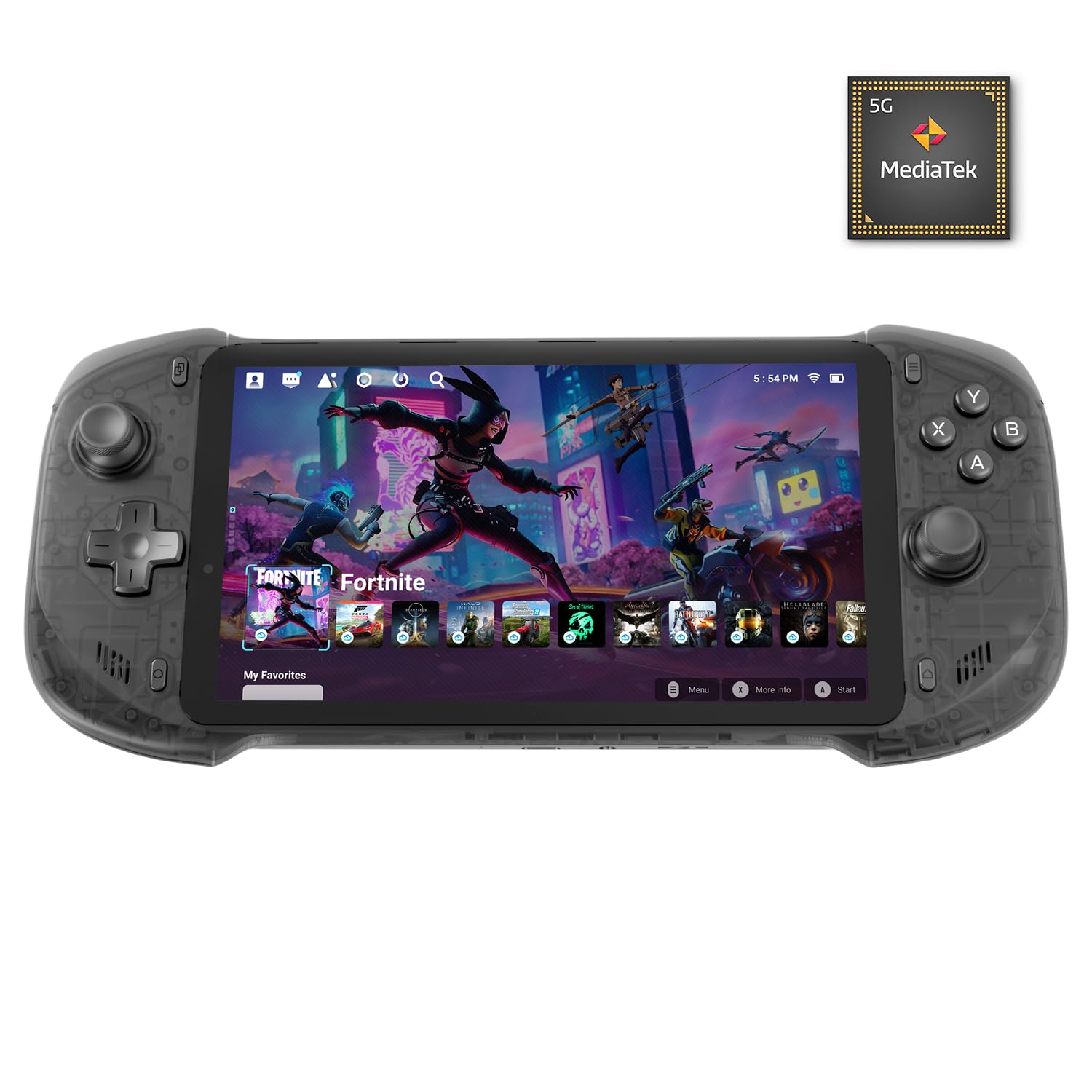
The abxylute OnePro Cloud Handheld Gaming Console, ready for setup.
Package Contents
- abxylute OnePro Handheld Console
- USB-C Cable
- User Manual
- Eco-Friendly Rigid Box
Included items: the console, USB-C cable, and user manual within the eco-friendly packaging.
Operating Instructions
Cloud Gaming & Remote Play
The abxylute OnePro supports various cloud gaming services and remote play options, allowing you to stream games from your PC or console.
- Cloud Gaming: Access titles from services like Xbox Cloud Gaming (Beta), NVIDIA GeForce NOW, Amazon Luna, PlayStation Plus Premium, and Boosteroid. A stable Wi-Fi connection and respective service subscriptions are required.
- Remote Play: Stream games locally from your own devices using applications such as Moonlight, PlayStation Remote Play, Steam Link, or PSPlay. Ensure your host device (PC/console) is powered on and connected to the same network.

The abxylute OnePro demonstrating game streaming and remote play capabilities from various platforms.
Video demonstrating how to connect the abxylute OnePro to PlayStation for remote play using PSPlay, including setup steps and login process.

The abxylute OnePro functions as an all-in-one handheld for various gaming experiences.
Emulator & Android Games
The console supports emulation for retro games and runs most local Android games.
- Emulation: Enjoy classic games from systems like PS2, GameCube, and others with enhanced compatibility.
- Android Games: Download and play Android games directly from Google Play Store, utilizing the console's controls and large screen.

The abxylute OnePro displaying various Android games available for play.
Video showcasing the abxylute OnePro's performance with older gaming systems like NES, Super Nintendo, and PS1 through emulation.
Controls & Display
The abxylute OnePro features advanced controls and a high-quality display for an immersive experience.
- Capacitor Digital Joysticks: Experience precise control with taller, larger, and more advanced joysticks. Switch between Circle Mode for ultra-precise tracking (0.2% error) and Square Mode for broader input, adapting to different play styles.
- Pro-level Ergonomics: Enjoy comfortable gameplay with haptics, gyroscope, and responsive buttons.
- 7-inch 1080P Touchscreen: The vibrant display delivers crisp, immersive visuals for all game types.

Close-up of the abxylute OnePro's digital joysticks, highlighting their advanced design and switchable modes.

The console features immersive audio with loudspeaker and 3.5mm jack, and asymmetric haptics for precise feedback.

The abxylute OnePro's 7-inch HD display offers a 16:9 aspect ratio, 1920x1080 resolution, 500 nits brightness, and sRGB 103.4% for clear visuals.
Maintenance
To ensure the longevity and optimal performance of your abxylute OnePro, follow these maintenance guidelines:
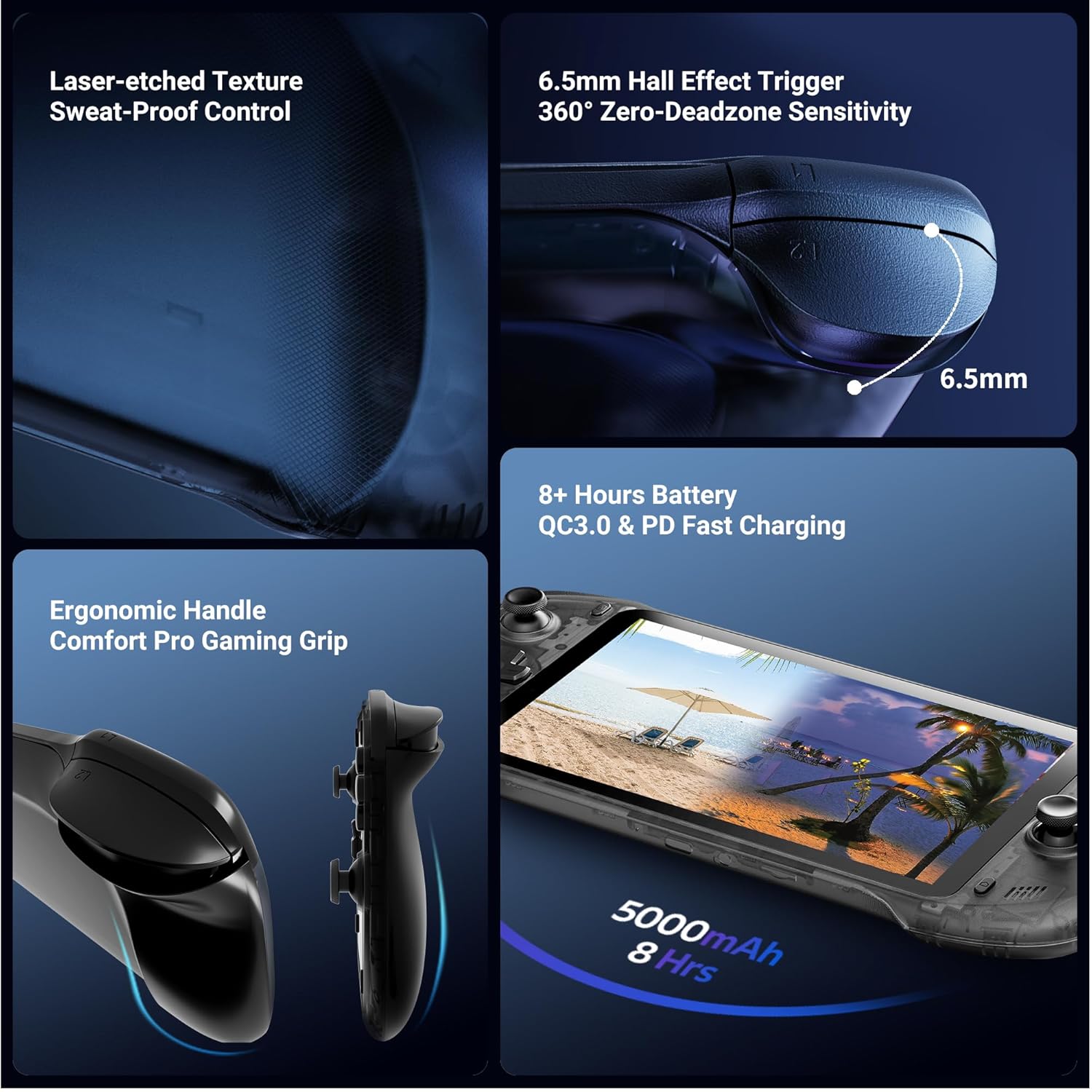
- Battery Life: The device offers 8+ hours of battery life. For best battery health, avoid completely draining the battery frequently.
- Charging: Use the provided USB-C cable for charging. The device supports QC3.0 and PD fast charging.
- Cleaning: Use a soft, dry cloth to clean the screen and exterior. Avoid abrasive materials or harsh chemicals.

The abxylute OnePro features a 5000mAh battery providing over 8 hours of gameplay, with support for fast charging.
Troubleshooting
If you encounter issues with your abxylute OnePro, consider the following:
- Connectivity Issues: Remote play and cloud gaming require a stable broadband internet Wi-Fi connection of at least 5Mbps. Ensure your Wi-Fi signal is strong and stable.
- Performance Lags: For streaming, higher resolutions and bitrates require a stable and fast network connection. Adjust settings in the streaming application if experiencing lag.
- General Malfunctions: Try restarting the device. If the issue persists, refer to the official support channels.
Specifications
| Model Number | abxylute one |
| ASIN | B0GGBP7VFX |
| Display | 7-inch 1080P Touchscreen |
| Processor | MediaTek Genio 510 (8-Core CPU & 6-Core GPU) |
| Connectivity | 2T2R MU-MIMO Wi-Fi module, Bluetooth |
| Storage | 64GB Internal, Up to 2TB Expandable (TF Card Slot) |
| Battery | 1 Lithium Ion battery (included), 8+ hours life, QC3.0 & PD Fast Charging |
| Weight | 1.28 pounds (approx. 430g) |
| Dimensions | 12.37 x 5.55 x 2.12 inches |
Warranty & Support
All abxylute products come with a 1-year service warranty. For any issues or questions regarding product usage, please utilize the following resources:
- Instruction Manual: This manual includes video tutorials for common operations.
- Official Channels: Contact abxylute directly through their official support channels for assistance.
- Discord Forum: Join the official abxylute Discord forum to connect with other users and find community support.
Ask a question about this manual
Ask about setup, troubleshooting, compatibility, parts, safety, or missing instructions. Manuals+ will review the question and use this page’s manual context to help answer it.