
Dekala SAFW004-B
Dekala Bed Shaker Loud Alarm Clock (Model: SAFW004-B) Instruction Manual
Your guide to setting up and operating your Dekala alarm clock.
Introduction
The Dekala Bed Shaker Loud Alarm Clock (Model: SAFW004-B) is designed to provide a reliable and customizable wake-up experience, especially for heavy sleepers or those with hearing impairment. It features a powerful wireless bed shaker, dual programmable alarms, a large display with automatic dimming, and integrated temperature and humidity sensors. This manual will guide you through the setup, operation, and maintenance of your new alarm clock.

Image: The Dekala Bed Shaker Loud Alarm Clock with its wireless bed shaker, illustrating its primary function.
Setup
1. Power Connection
Connect the alarm clock to a power source using the provided power adapter. The clock is corded electric and does not use backup batteries for operation.
2. Wireless Bed Shaker Setup
The wireless bed shaker requires 3 AAA batteries (not included). Insert the batteries into the shaker. Place the shaker under your pillow or mattress for optimal vibration. The shaker has a long-range wireless connection of up to 49 feet.

Image: The wireless bed shaker, highlighting its adjustable vibration levels and wireless range.
3. Initial Time and Date Setting
Upon first power-up, you may need to set the current time and date. Refer to the "Setting Clock Display" video for a visual guide.
Video: Instructions on how to set the clock display on the Dekala WishAlarm Loud Alarm Clock.
Operating Instructions
1. Setting Alarms
The clock supports dual alarms. You can set two separate alarms for different times or days (e.g., weekday and weekend). Each alarm can be customized with a specific time, alarm tone, and vibration level.
- Dual Alarms: Set Alarm 1 for weekdays and Alarm 2 for weekends, or any other combination.
- 7-Day Programmable: Configure alarms for specific days of the week.
- 10 Wake-Up Ringtones: Choose from various sounds like Zen, Yoga, Gentlefan, Night Whispers, Hairdryer, and Shh.
- Adjustable Vibration: The wireless shaker has 3 adjustable vibration levels.
- 10-Level Volume: Adjust the alarm sound volume from 65dB to 100dB.

Image: The alarm clock display indicating dual alarm settings for different days.
Video: Detailed guide on how to set the alarm clock functions.
2. Snooze Function
When an alarm sounds, press the large snooze button on top of the clock to get an additional 9 minutes of sleep. The alarm will sound again after the snooze period.

Image: Demonstrating the easy access to the oversized snooze button.
3. Display Brightness and Auto Dimmer
The large 1.6-inch LED display features adjustable brightness settings: Auto, Day, Night, and Off. The auto-dimmer function uses a light sensor to automatically adjust the display brightness based on ambient light conditions, ensuring optimal visibility without being too bright in dark environments.

Image: The alarm clock's light sensor automatically adjusting display brightness.
4. Temperature and Humidity Detection
The clock continuously displays real-time temperature (in Fahrenheit) and humidity levels. This feature helps you monitor your indoor environment for comfort and air quality.
- Temperature Range: -4°F to 140°F
- Humidity Range: 1% to 99% RH

Image: Close-up of the alarm clock display showing temperature and humidity readings.
5. Sleep Companion Sound Machine
The alarm clock includes 9 sleep sounds to aid relaxation. You can set an auto-off timer for 5 to 120 minutes, or choose to play sounds throughout the night.
- Available Sounds: Rain, Vacuum, Gentlefan, White Noise, Hairdryer, Shh, Birds Song, Deep, Chord.
- Timer Options: 5, 10, 15, 30, 60, 90, 120 minutes, or continuous play.
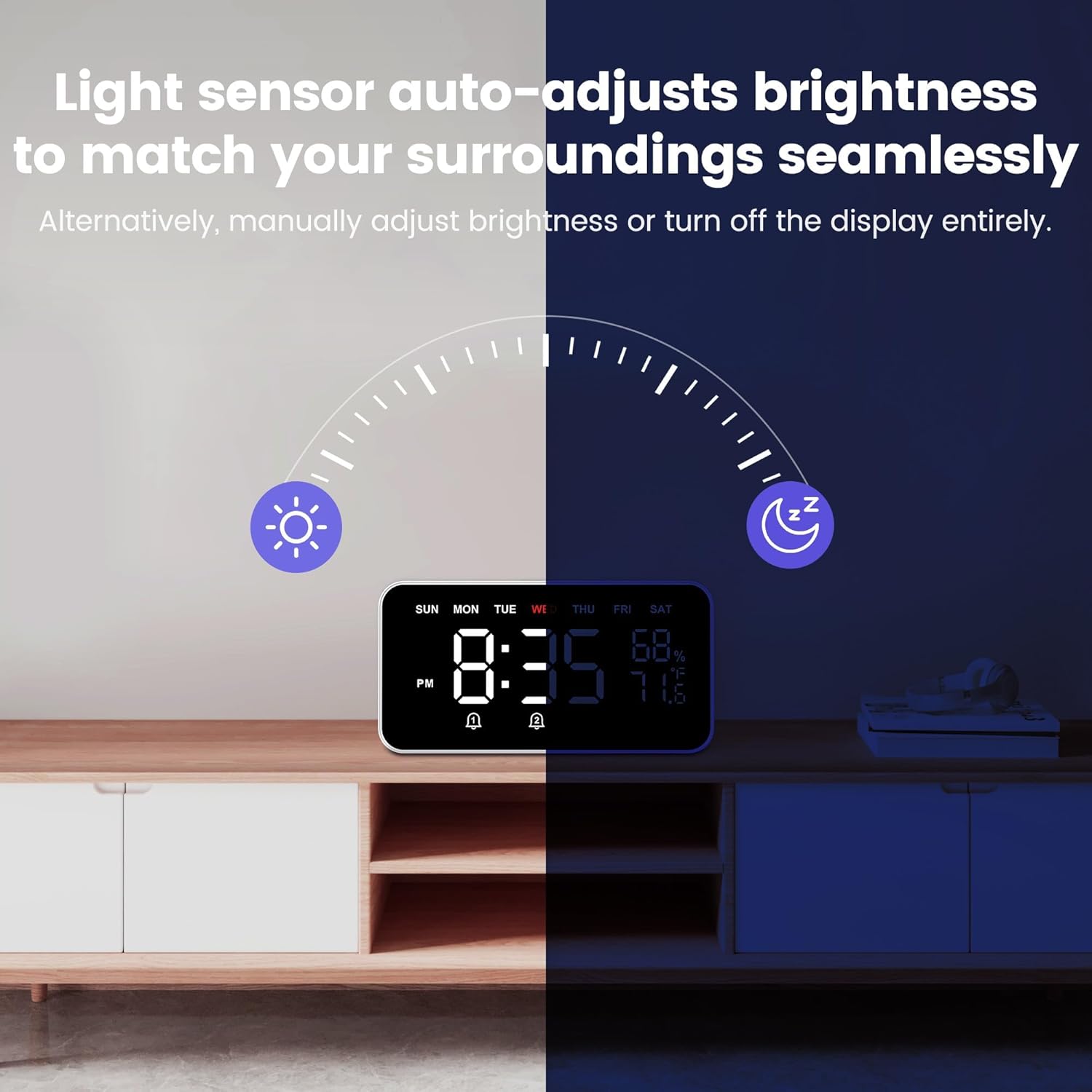
Image: The alarm clock with sleep sound features, promoting a serene sleep environment.
Maintenance
- Cleaning: Wipe the clock and bed shaker with a soft, dry cloth. Do not use liquid cleaners or abrasive materials.
- Battery Replacement (Bed Shaker): Replace AAA batteries in the wireless bed shaker when its performance diminishes.
- Power: Ensure the clock remains connected to a stable power source.
Troubleshooting
| Problem | Solution |
|---|---|
| Clock display is blank. | Ensure the power adapter is securely connected to both the clock and a working power outlet. |
| Bed shaker is not vibrating. | Check if the AAA batteries in the bed shaker are correctly inserted and not depleted. Ensure the shaker is paired with the alarm clock (refer to setup instructions if needed). |
| Alarm is not sounding or vibrating. | Verify that the alarm is enabled and set to the correct time. Check the alarm volume settings and bed shaker vibration level. |
| Display is too bright or too dim. | Adjust the display brightness settings (Auto, Day, Night, Off) manually or ensure the auto-dimmer sensor is not obstructed. |
| Temperature/Humidity readings seem inaccurate. | Ensure the clock is placed in an area with good air circulation, away from direct heat sources, vents, or extreme humidity. Allow some time for readings to stabilize after initial placement. |
Specifications
| Feature | Detail |
|---|---|
| Brand | Dekala |
| Model Number | SAFW004-B |
| Display Type | Digital LED |
| Screen Size | 1.6 inches (digits) |
| Product Dimensions | 8"W x 4.3"H |
| Item Weight | 12.8 ounces |
| Power Source | Corded Electric |
| Bed Shaker | Wireless, 3-level adjustable vibration (requires 3 AAA batteries, not included) |
| Alarm Features | Dual Alarms, 7-Day Programmable, 10 Wake-Up Ringtones, 10-Level Volume (65-100dB), 9-minute Snooze |
| Display Features | Large Display, Auto Dimmer (Auto, Day, Night, Off settings) |
| Environmental Sensors | Temperature (-4°F to 140°F), Humidity (1% to 99% RH) |
| Sleep Aid | 9 Sleep Sounds, Auto-off Timer (5-120 minutes or all night) |
| Material | Plastic |
Warranty and Support
For warranty information and customer support, please refer to the product packaging or contact Dekala customer service directly. Keep your purchase receipt for any warranty claims.
Online Support: Visit the official Dekala website for FAQs and additional support resources.
Related documentsSAFW004-B

Ask a question about this manual
Ask about setup, troubleshooting, compatibility, parts, safety, or missing instructions. Manuals+ will review the question and use this page’s manual context to help answer it.