
Important Safety Information
Always ensure the desk is on a level surface and use the adjustable leg glides if necessary. Be cautious when adjusting the height of the desk to prevent injury. Keep the desk away from heat sources and do not place heavy objects on the edges to prevent tipping.
Product Overview
The CubiCubi 48x24 Electric Standing Desk features a solid one-piece desktop for enhanced stability and durability. It is designed to provide a comfortable and ergonomic workspace with adjustable height settings and smart control features.
- Solid One-Piece Desktop: Crafted with a single, seamless desktop for superior stability, easier cleaning, and long-lasting durability without gaps or weak joints.
- Enhanced Stability: Engineered with 30% longer vertical steel supports, increasing structural rigidity and minimizing wobble across the entire height range.
- High-Strength Frame: Built from aerospace-grade cold-rolled steel, the reinforced metal frame supports up to 176 lb and has been validated through 60,000+ lift cycle tests for long-term durability.
- Advanced Motor System: Powered by a high-output, low-noise motor operating at less than 45 dB, with precision sensing for smooth motion. The motor has passed 100,000+ durability cycles and features overheat protection.
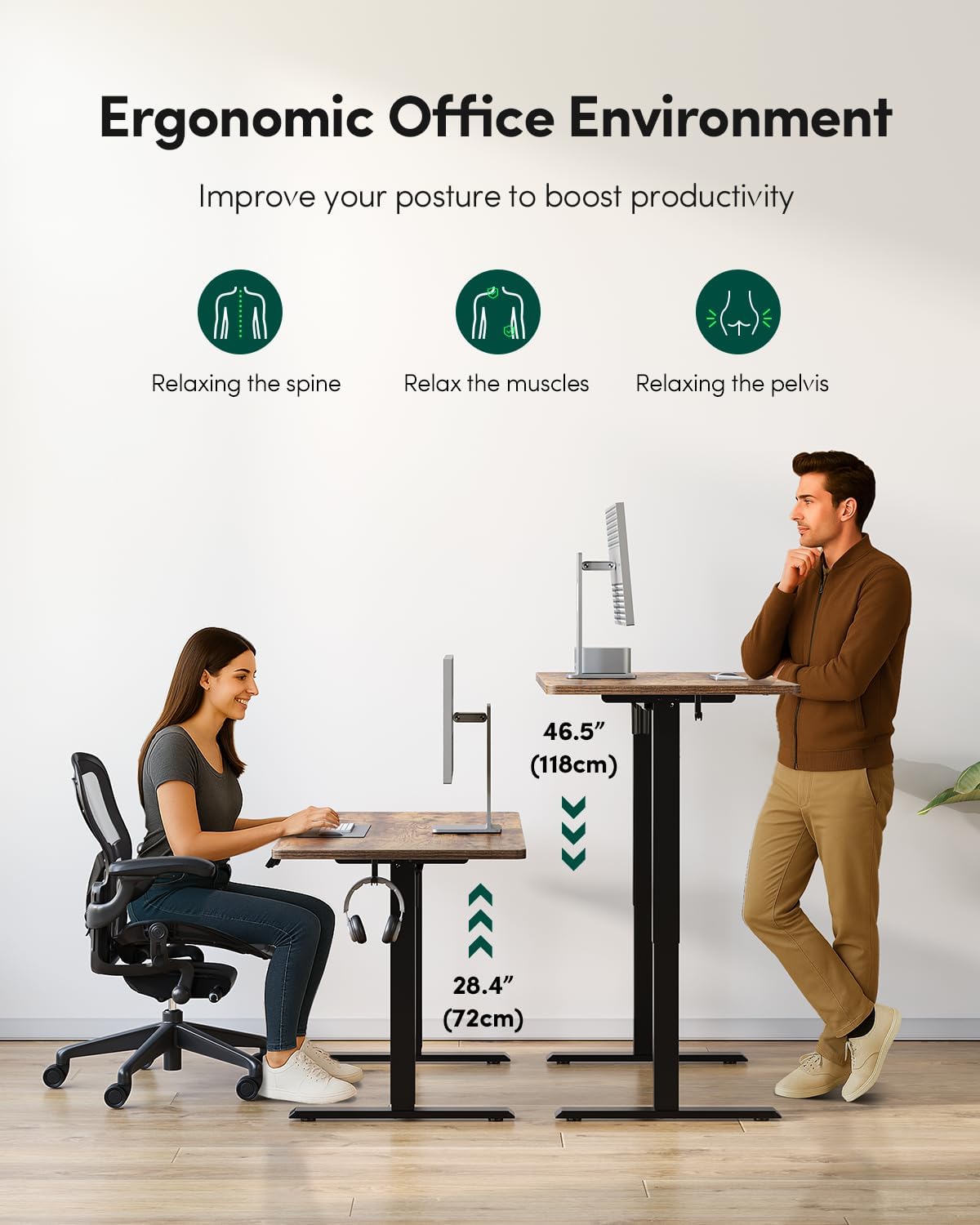
- Intelligent Control & Safety: Height adjustable from 28.3" to 46.5", with 4 memory presets and a child lock. Features an anti-collision system with automatic retraction for safer operation.
Setup and Assembly
Follow these steps to assemble your CubiCubi Electric Standing Desk. All necessary assembly tools are included.
- Assemble the Base: Carefully connect the frame components according to the diagrams. Ensure all connections are secure.
- Attach the Desk Top: Secure the one-piece desktop to the assembled base using the provided screws.
- Ready to Use: Once the desktop is securely attached, connect the power cable and the desk is ready for operation.
Important Note: When tightening bolts into the wood, avoid overtightening to prevent damage to the bolt sleeves.
Operating Instructions
Height Adjustment
The desk's height can be adjusted electrically from a minimum of 28.3 inches to a maximum of 46.5 inches. Use the up and down arrow buttons on the control panel to adjust the desk to your desired height.
Memory Presets
The control panel features 4 memory presets to save your preferred sitting and standing heights.
- Adjust the desk to your desired height using the up/down arrows.
- Press the 'M' button (or similar 'Set' button if present) followed by one of the numbered preset buttons (1, 2, 3, or 4) to save the current height.
- To recall a saved height, simply press the corresponding numbered preset button.
Child Lock Function
To prevent accidental adjustments, the desk includes a child lock feature.
- To activate: Press and hold the "1" and "2" buttons on the control panel simultaneously for 3 seconds. The LED display will show "Loc" to indicate the lock is active.
- To deactivate: Press and hold the "1" and "2" buttons simultaneously for 3 seconds again. The "Loc" indicator will disappear, and the desk will be operational.

Anti-Collision System
The desk is equipped with an anti-collision system. If the desktop encounters an obstruction during adjustment, it will automatically retract slightly to prevent damage or injury.
Maintenance
Regular maintenance ensures the longevity and optimal performance of your standing desk.
- Cleaning the Desktop: The one-piece desktop is easy to clean. Use a soft, damp cloth with a mild cleaner. Avoid abrasive materials or harsh chemicals that could damage the surface.
- Frame and Legs: Periodically check all screws and bolts to ensure they are tight. Wipe down the metal frame with a dry or slightly damp cloth to remove dust.
- Motor System: The advanced motor system is designed for durability and requires minimal maintenance. Keep the area around the motor and lifting columns free from obstructions.

Troubleshooting
If you encounter issues with your CubiCubi Electric Standing Desk, please refer to the following common solutions:
- Desk Not Moving: Check if the power cable is securely plugged into both the desk and the wall outlet. Ensure the child lock is not activated (refer to Child Lock section).
- Uneven Movement: Verify that the desk is on a level surface. Adjust the leg glides if necessary to stabilize the desk.
- Error Codes: If an error code appears on the LED display, try unplugging the desk for 10-15 seconds and then plugging it back in to reset the system. If the error persists, contact customer support.
- Anti-Collision System Triggering Frequently: Ensure there are no obstructions in the desk's path during height adjustment.
Specifications
| Feature | Specification |
|---|---|
| Brand | CubiCubi |
| Model Number | INUC-SD0148-120ANT-01 |
| Product Dimensions (D x W x H) | 24"D x 48"W x 28"H |
| Height Adjustment Range | 28.3" to 46.5" |
| Maximum Weight Capacity | 176 Pounds |
| Desktop Material | Engineered Wood |
| Frame Material | Alloy Steel |
| Motor Noise Level | < 45 dB |
| Memory Presets | 4 |
| Special Features | One-Piece Desktop, Anti-Collision System, Child Lock, Headphone Hook |

Warranty and Support
CubiCubi provides a 2-year support period for this product. If you encounter any shipping issues, product quality concerns, or require assistance with assembly or operation, please reach out to our customer support team immediately.
Our team is dedicated to resolving any problems quickly and professionally.
