
1. Introduction
This manual provides essential information for the safe and effective operation of your elecci YL059 GPS Drone. Please read this manual thoroughly before operating the drone to ensure proper usage and to prevent damage or injury. The YL059 drone is designed for aerial photography and recreational flight, featuring GPS-assisted flight capabilities, obstacle avoidance, and a screen remote controller for an enhanced user experience.
2. Package Contents
Verify that all items listed below are present in your package:
- 1 × elecci YL059 Drone
- 1 × Screen Remote Controller
- 2 × Batteries
- 1 × Charger
- 4 × Propellers (plus spares)
- 1 × User Manual
- 1 × Handbag
- 1 × SD Card
3. Product Overview
The elecci YL059 GPS Drone integrates advanced features for stable and intelligent flight. Key components include a brushless motor system for efficient power, an adjustable lens camera for versatile aerial shots, and a screen remote for direct FPV viewing.
Key Features:
- GPS Auto-Return: Automatically returns to the takeoff point on low battery, signal loss, or user command.
- Advanced Obstacle Avoidance: Real-time detection to navigate complex environments safely.
- Screen Remote & FPV Transmission: Integrated screen on the remote controller for direct first-person view footage.
- Brushless Motors: Provides smooth, quiet, and long-lasting flight performance.
- Adjustable Lens: Electronic lens allows for dynamic angle adjustments during flight.
- Extended Flight Time: Includes two high-capacity batteries for prolonged operation.
- One-Key Airdrop: Functionality for dropping small items.
Visual Overview:

Image: The elecci YL059 GPS Drone in its folded state alongside its screen remote controller, highlighting its compact design and integrated display.

Image: The elecci YL059 GPS Drone and its screen remote controller displayed on a dark surface, showcasing the product's aesthetic.
Product Demonstration Video:
Video: An official demonstration of the elecci YL059 GPS Drone, showcasing its folding design, obstacle avoidance, camera capabilities, screen remote control, GPS positioning, image transmission, airdrop function, and intelligent flight modes.
4. Assembly and Setup
4.1 Battery Charging
- Connect the charger to a power source.
- Insert the drone battery into the charger.
- Allow the battery to charge fully. The indicator light on the charger will change when charging is complete.
4.2 Propeller Installation
- Identify the correct propellers (marked A or B) for each motor arm.
- Attach the propellers firmly to the corresponding motor shafts. Ensure they are securely fastened to prevent detachment during flight.
4.3 Remote Controller Setup
- Ensure the remote controller is charged.
- Power on the remote controller.
- Power on the drone.
- Follow the on-screen prompts on the remote controller to pair it with the drone.
5. Flight Preparation
5.1 Pre-Flight Checklist
- Ensure drone and remote controller batteries are fully charged.
- Verify propellers are correctly installed and free from damage.
- Check that the camera lens is clean.
- Ensure the SD card is inserted if recording is desired.
- Select an open, clear area for flight, away from obstacles, people, and restricted airspace.
- Calibrate the drone's compass and gyroscope as instructed by the remote controller or drone's voice prompts.
6. Basic Operation
6.1 Takeoff and Landing
- Place the drone on a flat, level surface.
- Ensure GPS signal is acquired (indicated on the remote controller screen).
- Press the One-Key Takeoff button on the remote controller, or manually initiate takeoff using the control sticks.
- To land, press the One-Key Landing button, or manually descend the drone to a safe landing spot.
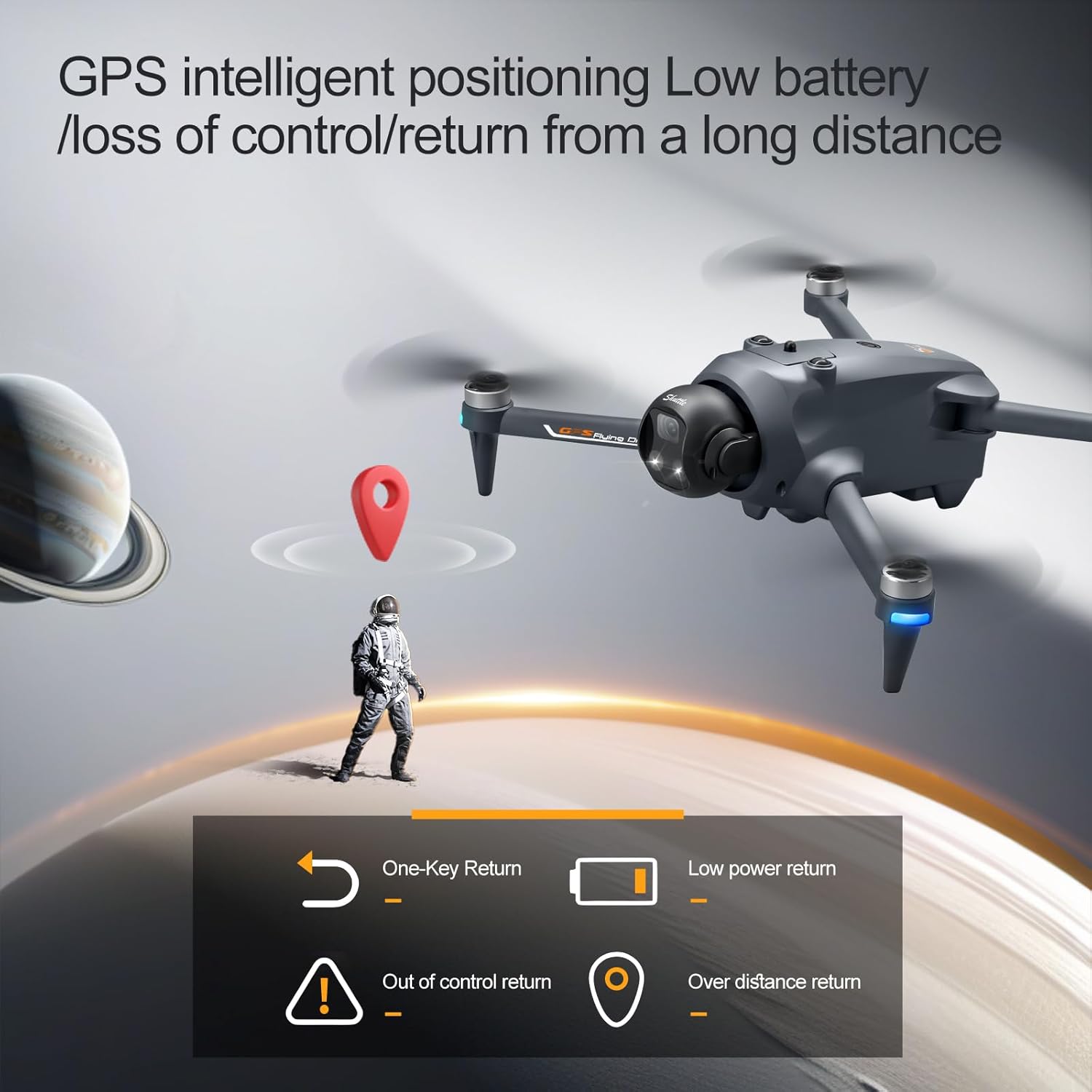
Image: The elecci YL059 GPS Drone in flight, illustrating its GPS intelligent positioning for stable hovering and return functions.
6.2 Controlling Flight
Use the joysticks on the remote controller to control the drone's movement:
- Left Joystick: Controls altitude (up/down) and rotation (yaw left/right).
- Right Joystick: Controls forward/backward and left/right movement.
Refer to the remote controller diagram in the quick start guide for specific button functions.
7. Advanced Features
7.1 GPS Auto-Return
The drone features an automatic return-to-home function. This can be activated manually via the remote controller, or it will engage automatically under conditions such as low battery or loss of signal. Ensure a clear path for the drone's return.
7.2 Obstacle Avoidance
The YL059 drone is equipped with sensors for real-time obstacle detection. When active, the drone will attempt to avoid obstacles in its flight path, enhancing safety, especially in environments like forests or urban areas.

Image: The elecci YL059 GPS Drone showcasing its lift-type obstacle avoidance module, designed for sensitive perception and automatic evasion.
7.3 One-Key Airdrop
This feature allows the drone to carry and release small payloads. To use, attach the item securely to the drone's designated airdrop mechanism. Activate the airdrop function via the remote controller when the drone is in the desired position.

Image: The elecci YL059 GPS Drone demonstrating its one-click airdrop capability, with a small item being released from the drone.
7.4 Camera Operation (Photo/Video)
The drone's camera can capture 4K video and high-resolution photos. Use the dedicated buttons on the remote controller to switch between photo and video modes and to initiate recording or capture images. The electronic lens can be adjusted for optimal framing.
7.5 Intelligent Tracking
When activated, the drone can automatically follow a designated subject, maintaining a set distance and altitude. This feature is ideal for capturing dynamic footage of moving subjects.
7.6 GPS Surround Mode
In this mode, the drone will orbit a specified point of interest, capturing a 360-degree view. Set the center point and radius using the remote controller.
8. Maintenance
- Cleaning: Regularly wipe the drone and remote controller with a soft, dry cloth. Do not use harsh chemicals or solvents.
- Propellers: Inspect propellers for cracks or damage before each flight. Replace damaged propellers immediately.
- Batteries: Store batteries in a cool, dry place. Do not overcharge or over-discharge.
- Storage: When not in use, store the drone and its components in the provided handbag or a protective case, away from direct sunlight and extreme temperatures.
9. Troubleshooting
| Problem | Possible Cause | Solution |
|---|---|---|
| Drone does not power on | Low battery; Battery not properly inserted | Charge battery; Reinsert battery securely |
| Remote controller not connecting | Not paired; Out of range; Interference | Re-pair controller; Move closer to drone; Avoid areas with strong interference |
| Unstable flight/Drifting | Improper calibration; Wind; Damaged propellers | Recalibrate gyroscope/compass; Fly in calm conditions; Replace damaged propellers |
| Poor image/video quality | Dirty lens; SD card issue; Low light | Clean lens; Check/replace SD card; Use camera fill light in low light conditions |
| GPS signal loss | Flying indoors; Obstructions; Magnetic interference | Fly outdoors in open areas; Avoid tall buildings/metal structures |
10. Specifications
| Feature | Detail |
|---|---|
| Brand | elecci |
| Model Name | YL059 |
| Video Capture Resolution | 4K |
| Connectivity Technology | Bluetooth, Wi-Fi |
| Item Weight | 0.4 Pounds |
| Battery Cell Composition | Lithium Ion |
| Optical Sensor Technology | Optical Flow, CMOS |
| Item Dimensions (L x W x H) | 9.05"L x 4.55"W x 7.08"H |
| Special Features | 360 Degree Flip, Auto Follow, One Button Return, One Key Rotation, Obstacle Avoidance |
11. Safety Guidelines
Adhere to the following safety guidelines to ensure a safe flight experience:
- Always operate the drone in open areas, away from people, animals, buildings, and power lines.
- Maintain a visual line of sight with the drone at all times.
- Do not fly the drone in strong winds, rain, or other adverse weather conditions.
- Respect local regulations and airspace restrictions. Check with local authorities for any drone flight restrictions.
- Ensure all propellers are securely attached before flight.
- Keep hands and face clear of rotating propellers.
- Do not operate the drone under the influence of alcohol or drugs.
- Perform pre-flight checks before every flight.
12. Warranty and Support
For warranty information, technical support, or service inquiries, please refer to the contact details provided on the product packaging or the official elecci website. Keep your purchase receipt as proof of purchase for warranty claims.