
1. Product Overview
The Varstrom 52V 20Ah Lithium Ion Ebike Battery is designed for electric bike conversion kits, compatible with mid-motors and hub motors ranging from 50W to 1500W. This battery provides reliable power and features an advanced Battery Management System (BMS) for safety and efficiency.
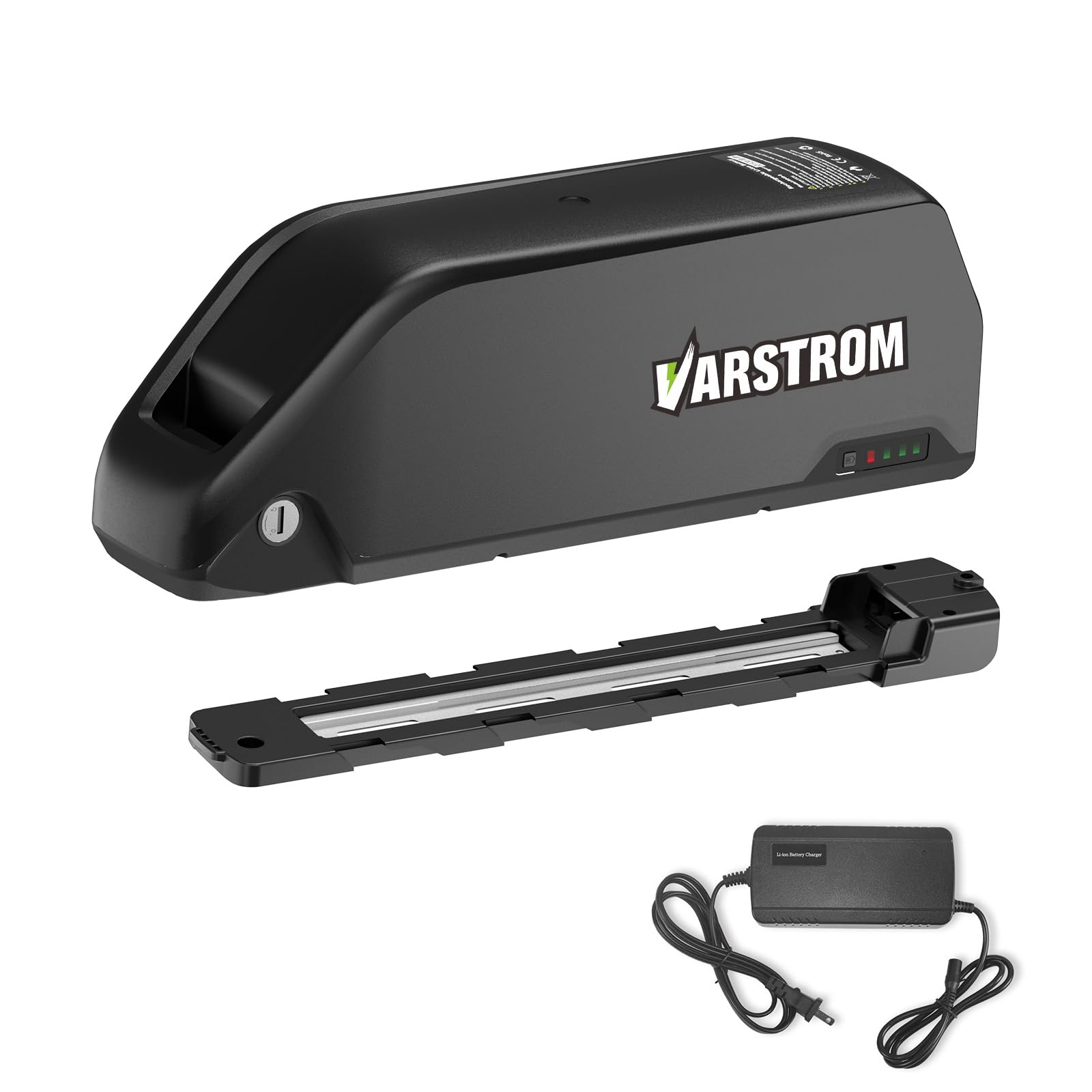
Figure 1: Varstrom 52V 20Ah Ebike Battery showing key dimensions (368mm x 95mm x 125mm) and specifications such as 1040Wh energy, 30A BMS, 5pin header discharge port, and 1000 cycle life.
Key Features:
- Voltage & Capacity: 52V 20Ah (1040Wh)
- Motor Compatibility: 50W to 1500W electric bike motors (including 500W, 750W, 1000W, 1200W, 1500W).
- Maximum Continuous Discharge Current: 30A
- Dimensions: 368mm x 95mm x 125mm
- Discharge Connector: XT60 Female with 5-pin battery base
- Safety: Equipped with an advanced Battery Management System (BMS) for overcurrent, overvoltage, overload, overcharge, overdischarge, temperature, and short circuit protection, along with cell voltage balancing.
- USB Port: 5V 1A USB output for charging mobile devices.

Figure 2: The Yingwu battery highlighting its comprehensive protection features including overcurrent, overvoltage, overload, overcharge, overdischarge, temperature, short circuit protection, and cell voltage balancing.
2. Setup and Installation
2.1 Package Contents
Before proceeding with installation, verify that all components are present in the package:
- 1x 52V 20Ah Down Tube Battery
- 1x Charger
- 1x Battery Fix Plate
- 2x Keys
- 4x Screws
- 1x User Manual

Figure 3: Visual representation of the package contents including the battery, charger, battery fix plate, keys, screws, and user manual. Also shows a diagram of the installation steps on an ebike frame.
Video 1: Unboxing of a similar ebike battery, demonstrating the contents typically included in the package, such as the battery, charger, keys, and mounting accessories.
2.2 Battery Installation on Ebike
Follow these steps to securely install the battery onto your electric bike frame:
- Prepare the Mounting Area: Ensure the mounting area on your bike frame is clean and free from obstructions.
- Attach the Battery Fix Plate: Use the provided screws to securely attach the battery fix plate to the designated mounting points on your bike frame. Ensure it is firmly tightened.
- Slide the Battery onto the Plate: Align the battery with the fix plate and slide it down until it clicks into place.
- Lock the Battery: Insert the key into the lock mechanism on the battery and turn it to secure the battery to the frame. Remove the key.
- Connect Power Cables: Connect the battery's discharge cable to your ebike's motor controller. Ensure a secure connection.
Video 2: Detailed installation guide for an ebike lithium battery pack, showing how to mount the battery cradle and secure the battery to the bike frame.
Video 3: Overview of the Varstrom Ebike Battery Kit, demonstrating the battery's internal structure, installation process, and its use in various ebike types.
3. Operating Instructions
3.1 Powering On/Off and Battery Level Check
To power on the battery, press the power switch located on the battery casing. The battery power indicator lights will illuminate, showing the current charge level. To power off, press the switch again.

Figure 4: Close-up view of the battery's features, including the safe lock mechanism, DC2.1 charging port, 5-pin discharge port, and XT60 female battery connector. The power switch and battery level indicator lights are also visible.
Video 4: Demonstrates the battery's power switch, charge socket, battery power light, and USB output port, providing a visual guide to these functions.
3.2 Charging the Battery
To charge the battery, connect the provided charger to the DC2.1 charging port on the battery. Plug the charger into a standard wall outlet. The indicator light on the charger will typically show red during charging and turn green when fully charged. Ensure the charging current does not exceed 3A.
3.3 Using the USB Output
The battery features a 5V 1A USB output port, allowing you to charge mobile devices directly from the ebike battery. Simply connect your device's USB charging cable to the port.
Video 5: Shows the USB charging feature of the ebike battery, demonstrating how to connect a phone for charging.
4. Maintenance and Care
Proper maintenance ensures the longevity and optimal performance of your Varstrom ebike battery.
- Regular Charging: Charge the battery regularly, even if not in frequent use, to maintain cell health. Avoid completely draining the battery.
- Storage: If storing the battery for an extended period, charge it to approximately 50-60% capacity and store it in a cool, dry place away from direct sunlight and extreme temperatures. Recharge every 2-3 months.
- Cleaning: Use a dry or slightly damp cloth to clean the battery casing. Do not use harsh chemicals or immerse the battery in water.
- Temperature: Avoid operating or charging the battery in extreme hot or cold conditions. Optimal operating temperature is typically between 0°C and 45°C (32°F and 113°F).
- Inspection: Periodically inspect the battery and connectors for any signs of damage, corrosion, or wear.
5. Troubleshooting Common Issues
This section addresses common issues you might encounter with your ebike battery.
| Problem | Possible Cause | Solution |
|---|---|---|
| Battery not powering on | Battery switch is off; low charge; loose connection. | Ensure battery switch is on. Charge the battery. Check all connections. |
| Battery not charging | Charger not connected properly; faulty charger; battery too hot/cold. | Verify charger connection. Try a different outlet. Allow battery to reach room temperature. Contact support if issue persists. |
| Reduced range or power | Battery degradation; improper charging habits; extreme temperatures. | Ensure proper charging. Avoid deep discharges. Operate within recommended temperature range. |
| USB port not charging devices | Battery not powered on; device cable faulty; device not compatible. | Ensure battery is on. Try a different USB cable or device. |
6. Technical Specifications
| Parameter | Value |
|---|---|
| Battery Type | Lithium Ion |
| Nominal Voltage | 52V |
| Nominal Capacity | 20Ah |
| Energy | 1040Wh |
| Max Continuous Discharge Current | 30A |
| Compatible Motor Power | 50W - 1500W |
| Dimensions (L x W x H) | 368mm x 95mm x 125mm |
| Discharge Connector | XT60 Female |
| Battery Base Connector | 5-pin |
| Maximum Charge Current | 3A |
| Cycle Life | Approximately 1000 cycles |
7. Safety Guidelines
Adhere to the following safety guidelines to prevent injury or damage:
- Do not disassemble, puncture, or modify the battery.
- Use only the charger provided by Varstrom or a compatible charger with the correct voltage and current specifications.
- Keep the battery away from heat sources, open flames, and direct sunlight.
- Do not immerse the battery in water or expose it to excessive moisture.
- Store the battery out of reach of children and pets.
- If the battery shows signs of damage, swelling, or leakage, discontinue use immediately and contact customer support.
- Dispose of the battery according to local regulations for lithium-ion batteries.
8. Warranty and Customer Support
Varstrom products are designed for quality and reliability. For warranty information, please refer to the warranty card included in your package or visit the official Varstrom website. For technical assistance, troubleshooting, or any other inquiries, please contact Varstrom customer support through the contact details provided on our website or your purchase platform.
Note: Keep your purchase receipt and product serial number for warranty claims.