Introduction
This manual provides detailed instructions for the setup, operation, maintenance, and troubleshooting of your Skagen Mellem Digital Gunmetal Stainless Steel Watch, Model SKW6947. Please read this manual thoroughly to ensure proper use and care of your timepiece.
Product Overview
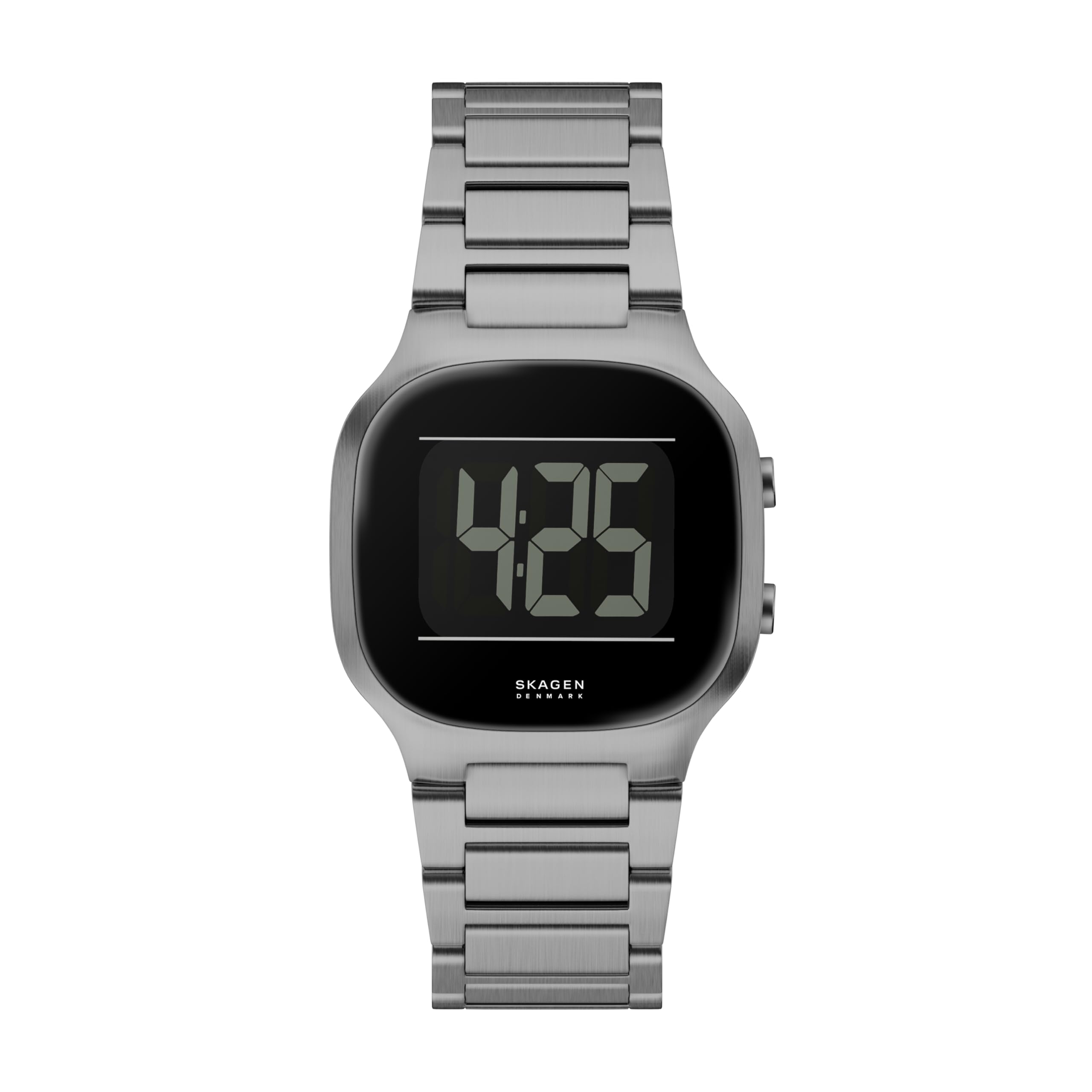
The Skagen Mellem Digital Watch combines modern design with essential digital timekeeping functions. Familiarize yourself with the watch's components:
- Digital Display: Shows time, date, and other functions.
- Case: Gunmetal stainless steel housing.
- Buttons: Typically two buttons on the side for mode selection and adjustment.
- Band: Gunmetal stainless steel bracelet with a deployment clasp.
- Case Back: Engraved with model information and brand details.


Setup
1. Setting Time and Date
- Enter Time Setting Mode: Press the Mode button (usually the bottom right button) repeatedly until the time display begins to flash or indicates a setting mode.
- Adjust Time: Use the Adjust button (usually the top right button) to change the flashing digits (hours, then minutes). Press the Mode button to cycle between hours, minutes, 12/24-hour format, year, month, and day.
- Confirm Settings: Once all settings are correct, press the Mode button until the flashing stops and the watch returns to normal time display.
2. Adjusting the Stainless Steel Band
The stainless steel band features a deployment clasp. For initial fitting, it may require professional adjustment by removing or adding links. For minor adjustments, some deployment clasps offer micro-adjustment holes on the clasp itself.
- Professional Adjustment: For optimal fit, it is recommended to have a jeweler or watch repair specialist adjust the band length by adding or removing links.
- Micro-Adjustment (if available): Open the clasp and look for small spring bars that can be moved to different holes on the clasp mechanism. Use a small tool to depress the spring bar and slide it to the desired position.

Operating the Watch
Your Skagen Mellem Digital Watch typically includes several modes accessible via the control buttons.
Basic Functions:
- Time Display: The default mode shows the current time (hours, minutes, seconds).
- Date Display: Press the Mode button once from the time display to show the date (month, day, year).
- Stopwatch: Press the Mode button repeatedly until 'ST' or 'STOP' appears. Use the Adjust button to start/stop the stopwatch and the Mode button to reset.
- Alarm: Press the Mode button until 'AL' or 'ALARM' appears. Use the Adjust button to set the alarm time. Press the Mode button to toggle the alarm on/off.
- Backlight: Some models feature a backlight. Pressing a specific button (often the top right or a dedicated light button) will illuminate the display for a few seconds.
Note: Specific button functions may vary slightly. Refer to the quick start guide included with your watch for precise button assignments if different from these general instructions.

Maintenance
Cleaning Your Watch
- Wipe the watch case and band regularly with a soft, damp cloth.
- For stainless steel bands, a mild soap solution can be used, but ensure no water enters the watch case. Dry thoroughly.
- Avoid using harsh chemicals, abrasive cleaners, or solvents, as these can damage the finish.
Water Resistance
Your Skagen Mellem Digital Watch has a water resistance depth of 30 meters (3 ATM). This rating means the watch is suitable for everyday use and can withstand splashes or brief immersion in water. It is not suitable for swimming, showering, diving, or any water sports where it will be submerged for extended periods or subjected to high water pressure.
- Do not operate buttons while the watch is wet or submerged.
- Avoid exposing the watch to extreme temperature changes (e.g., hot shower then cold water).
Battery Replacement
The watch is powered by a battery. When the display dims or functions become erratic, the battery may need replacement. Battery replacement should be performed by a qualified watch technician to ensure proper sealing and water resistance integrity.
Troubleshooting
| Problem | Possible Cause | Solution |
|---|---|---|
| Display is blank or dim | Low battery; extreme temperature; internal malfunction. | Replace battery (professional recommended); allow watch to return to normal temperature; contact support. |
| Buttons are unresponsive | Watch is wet; internal debris; malfunction. | Ensure watch is dry; gently press buttons; contact support. |
| Time is inaccurate | Incorrect setting; low battery; internal malfunction. | Re-set time; replace battery; contact support. |
| Condensation inside display | Water ingress; sudden temperature change. | Avoid further water exposure; seek professional inspection immediately to prevent damage. |
Specifications
- Model Number: SKW6947
- Display Type: Digital
- Watch Movement Type: Digital
- Power Source: Battery Powered
- Case Material: Stainless Steel
- Band Material: Stainless Steel
- Band Color: Gray (Gunmetal)
- Dial Color: Black
- Clasp Type: Deployment Clasp
- Water Resistance Depth: 30 Meters (3 ATM)
- Case Diameter: 38 Millimeters
- Case Thickness: 9 Millimeters
- Band Width: 20 Millimeters
- Band Length: 200 Millimeters
- Crystal: Mineral
- Item Weight: Approximately 8.11 ounces
Warranty and Support
Manufacturer's Warranty
Your Skagen Mellem Digital Watch is covered by a manufacturer's warranty. The terms and duration of the warranty are provided with your purchase documentation. Please retain your proof of purchase for warranty claims.
Customer Support
For further assistance, technical support, or warranty service, please visit the official Skagen website or contact their customer service department. You can find contact information on the Skagen website or in the warranty booklet included with your watch.
Skagen Official Website: www.skagen.com


