
1. Introduction
This manual provides essential instructions for the safe and effective operation, maintenance, and troubleshooting of your WOLFBOX 2000A Jump Starter and 150PSI Tire Inflator. Please read this manual thoroughly before using the device and retain it for future reference.
2. Safety Information
WARNING: Read all safety warnings and instructions. Failure to follow the warnings and instructions may result in electric shock, fire, and/or serious injury.
- Always wear eye protection when working with batteries.
- Do not short-circuit the jump starter clamps.
- Do not expose the device to rain or wet conditions.
- Keep out of reach of children.
- Do not attempt to jump start a frozen battery.
- Ensure proper ventilation when charging or operating.
- Refer to your vehicle's owner's manual for specific jump-starting procedures.
3. Package Contents
Verify that all items are present in your package:
- WOLFBOX 2000A Jump Starter & 150PSI Tire Inflator Unit
- Smart Jumper Cables
- USB-C Charging Cable
- DC Power Cord (11 ft)
- Air Nozzle Adapters
- User Manual
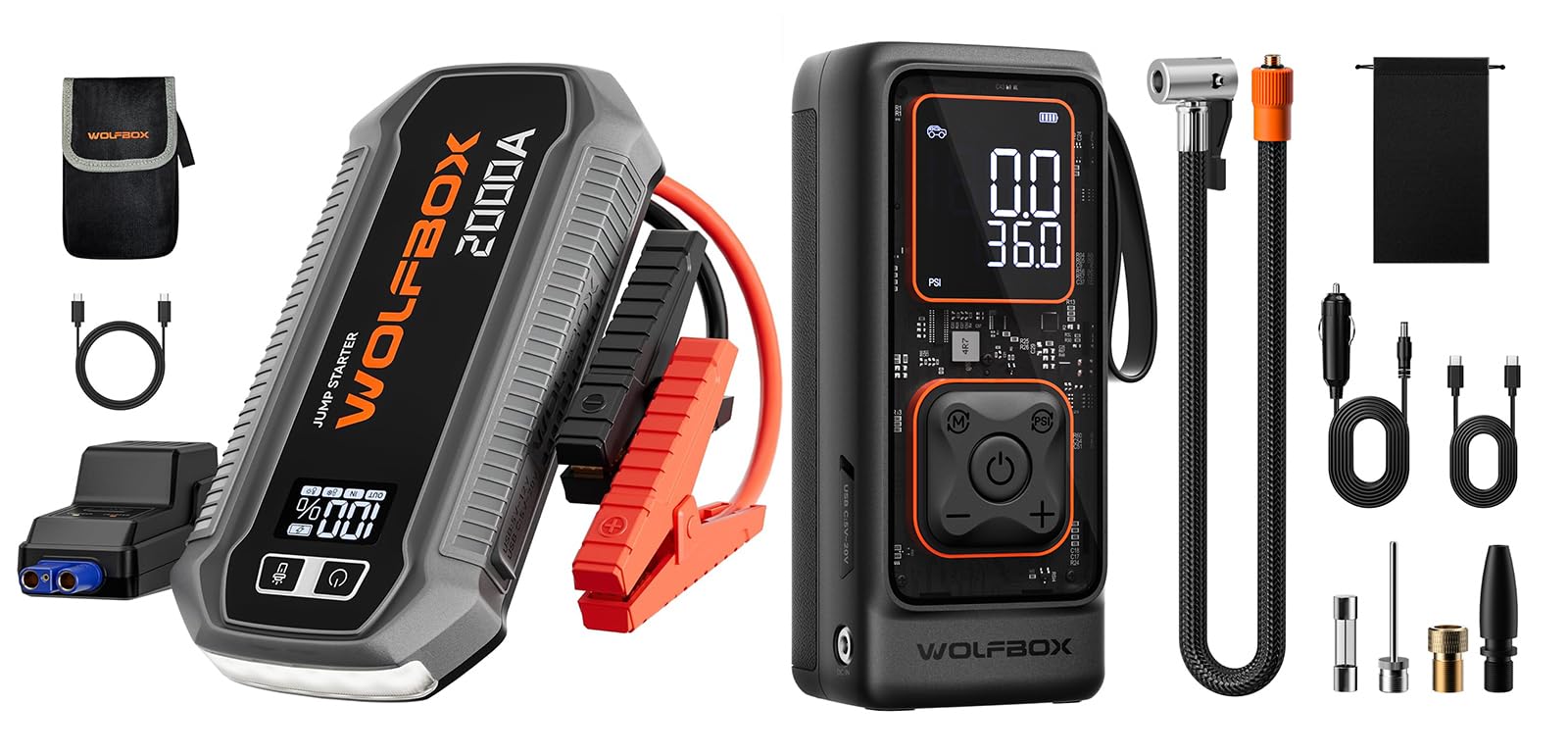
Image 1: WOLFBOX 2000A Jump Starter and its included accessories.
4. Product Overview
The WOLFBOX 2000A is a versatile device combining a powerful jump starter with a 150PSI tire inflator. It features a high-definition LCD display for status monitoring and multiple USB ports for charging electronic devices.
Key Components:
- Main Unit: Houses the battery, jump starter circuitry, and air compressor.
- HD LCD Display: Shows battery level, inflation pressure, and operational status.
- Jump Start Port: Connection point for smart jumper cables.
- Air Hose Port: Connection point for the tire inflator hose.
- USB-C In/Out Port (30W): For charging the unit and external devices.
- QC3.0 USB-A Port: For charging external devices.
- LED Flashlight: Integrated light for emergency situations.
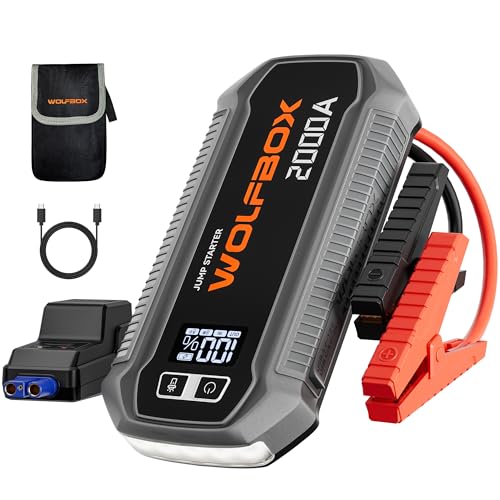
Image 2: Front view of the WOLFBOX 2000A unit, showing the display and ports.
5. Setup
5.1 Charging the Device
Before first use, fully charge the WOLFBOX 2000A unit. Connect the provided USB-C charging cable to the USB-C In/Out port on the device and to a compatible USB wall adapter (not included). The HD LCD display will show the charging progress. A full charge takes approximately 1.5 hours.
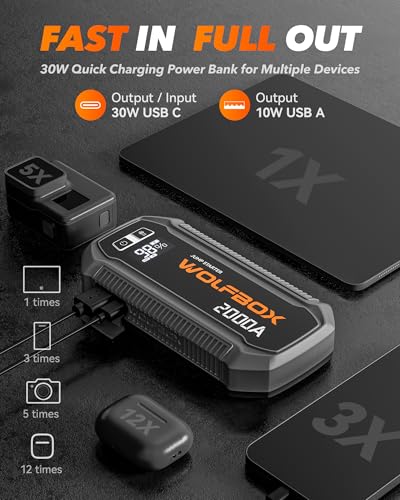
Image 3: Close-up of the WOLFBOX 2000A's charging ports.
6. Operating Instructions
6.1 Jump Starting a Vehicle
The WOLFBOX 2000A is designed for 12V vehicles, including gasoline engines under 7 liters and diesel engines under 6 liters. Ensure the device is at least 50% charged before attempting a jump start.
- Connect Jumper Cables: Insert the smart jumper cable connector into the jump start port on the WOLFBOX unit.
- Attach to Battery: Connect the red (+) clamp to the positive (+) terminal of your vehicle's battery. Connect the black (-) clamp to the negative (-) terminal of your vehicle's battery.
- Check Indicator: The smart jumper cable indicator light will show green when connected correctly and ready to jump start. If it shows red or flashes, check connections or refer to troubleshooting.
- Start Vehicle: Attempt to start your vehicle. If it doesn't start immediately, wait 30 seconds before trying again. Do not crank for more than 3 seconds per attempt.
- Remove Cables: Once the vehicle starts, immediately remove the black (-) clamp, then the red (+) clamp, and finally disconnect the jumper cables from the WOLFBOX unit.
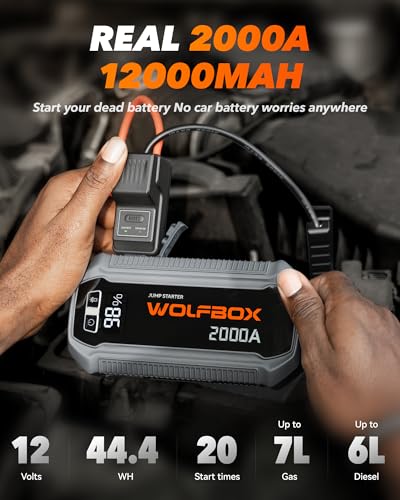
Image 4: WOLFBOX 2000A unit with jumper cables connected to a vehicle battery.
6.2 Using the Tire Inflator
The 150PSI tire inflator can inflate tires for cars, motorcycles, bicycles, and sports balls. It is not suitable for RVs, pickup trucks, or large SUVs.
- Connect Air Hose: Screw the air hose securely into the air hose port on the WOLFBOX unit.
- Attach to Tire Valve: Connect the other end of the air hose to the tire valve stem. Ensure a tight seal.
- Set Pressure: Use the controls on the device to set the desired tire pressure (PSI). The LCD display will show the current and target pressure.
- Start Inflation: Press the start button to begin inflation. The inflator will automatically stop once the preset pressure is reached.
- Disconnect: Disconnect the air hose from the tire valve and then from the WOLFBOX unit.
The inflator can operate on its internal battery or via the 11 ft DC power cord plugged into your car's 12V cigarette lighter for continuous use.
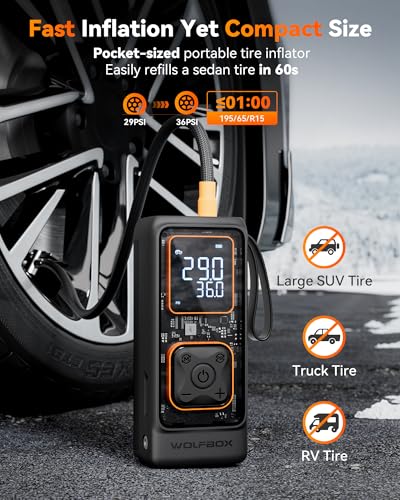
Image 5: WOLFBOX 2000A unit connected to a car tire for inflation.
6.3 Using as a Power Bank
The WOLFBOX 2000A features a 30W USB-C In/Out port and a QC3.0 USB-A port for charging electronic devices.
- Connect your device's charging cable to either the USB-C or USB-A port on the WOLFBOX unit.
- The WOLFBOX will automatically begin charging your device.
7. Maintenance
- Cleaning: Wipe the unit with a dry, soft cloth. Do not use harsh chemicals or abrasive cleaners.
- Storage: Store the device in a cool, dry place away from direct sunlight and extreme temperatures. Ensure the unit is charged to at least 50% every 3-6 months to prolong battery life.
- Battery Care: Avoid fully discharging the battery frequently.
8. Troubleshooting
| Problem | Possible Cause | Solution |
|---|---|---|
| Device does not turn on. | Battery is fully discharged. | Charge the device using the USB-C port. |
| Vehicle does not jump start. | Incorrect cable connection; vehicle battery too low; device battery too low. | Check jumper cable connections (red to +, black to -); ensure device is sufficiently charged; try again after 30 seconds. |
| Tire inflator not working or slow. | Air hose not securely connected; device battery low; target pressure not set. | Ensure air hose is tightly screwed; charge device or use DC power cord; set desired PSI on the display. |
| LCD display not showing information. | Device is off; display malfunction. | Press the power button to turn on the device. If issue persists, contact support. |
9. Specifications
- Model: 2000A
- Peak Current: 2000 Amps
- Battery Capacity: 44.4Wh (3*4,000mAh)
- Vehicle Compatibility: 12V vehicles (up to 7.0L gasoline, 6.0L diesel engines)
- Tire Inflator Pressure: Up to 150 PSI
- Airflow Rate: 35 L/min
- USB-C Output/Input: 30W
- USB-A Output: QC3.0
- Operating Temperature: -4°F to 140°F (-20°C to 60°C)
10. Warranty and Support
WOLFBOX products come with a standard manufacturer's warranty. For detailed warranty information, product support, or service inquiries, please visit the official WOLFBOX website or contact their customer service directly. Please have your product model number (2000A) and ASIN (B0GFWH5PF6) ready when contacting support.
WOLFBOX Official Website: Visit WOLFBOX Store on Amazon


