
1. Safety Information
Please read all safety warnings and instructions carefully before using the AIYAPLAY Land Rover Discovery 12V Electric Ride-On Car. Failure to follow these instructions may result in serious injury.
- Adult Supervision Required: This product must be used under direct adult supervision at all times.
- Not for Public Roads: Do not use this vehicle on public roads, near motor vehicles, on steep inclines or steps, near swimming pools or other bodies of water.
- Protective Gear: Always ensure the child wears appropriate safety gear, such as a helmet and knee pads.
- Weight Limit: Do not exceed the maximum weight capacity of 30 kg (66 lbs).
- Age Range: Suitable for children aged 36 months to 72 months (3-6 years).
- Secure Fasteners: Regularly check that all nuts, bolts, and fasteners are securely tightened before each use.
- Charging: Only use the provided charger. Do not overcharge the battery. Keep the charger away from water.
- Moving Parts: Keep hands, hair, and clothing away from moving parts.
2. Product Overview
2.1. Components Included
The package includes the following items:
- Electric Car
- Remote Control
- Charger
- User Manual
2.2. Key Features
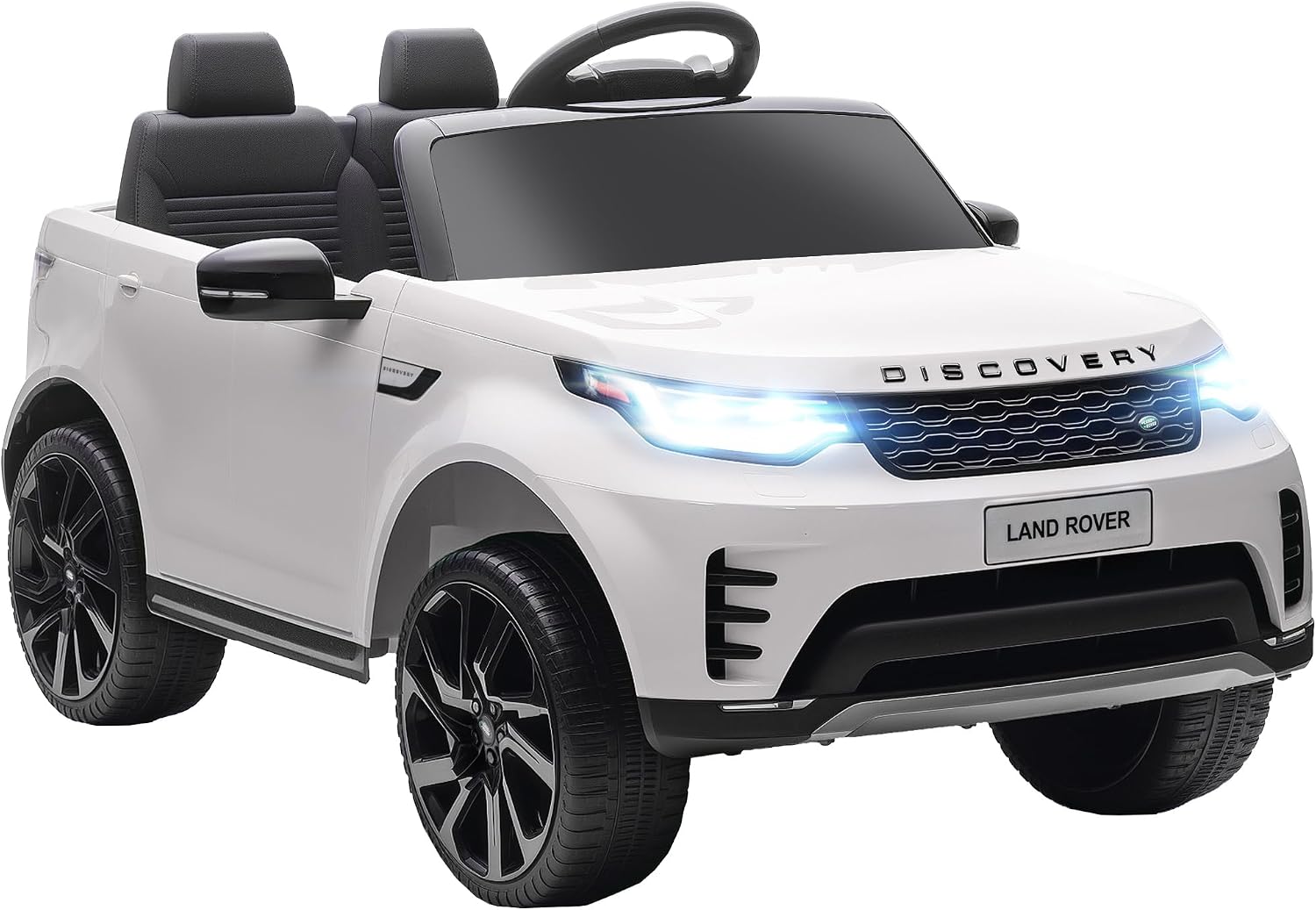
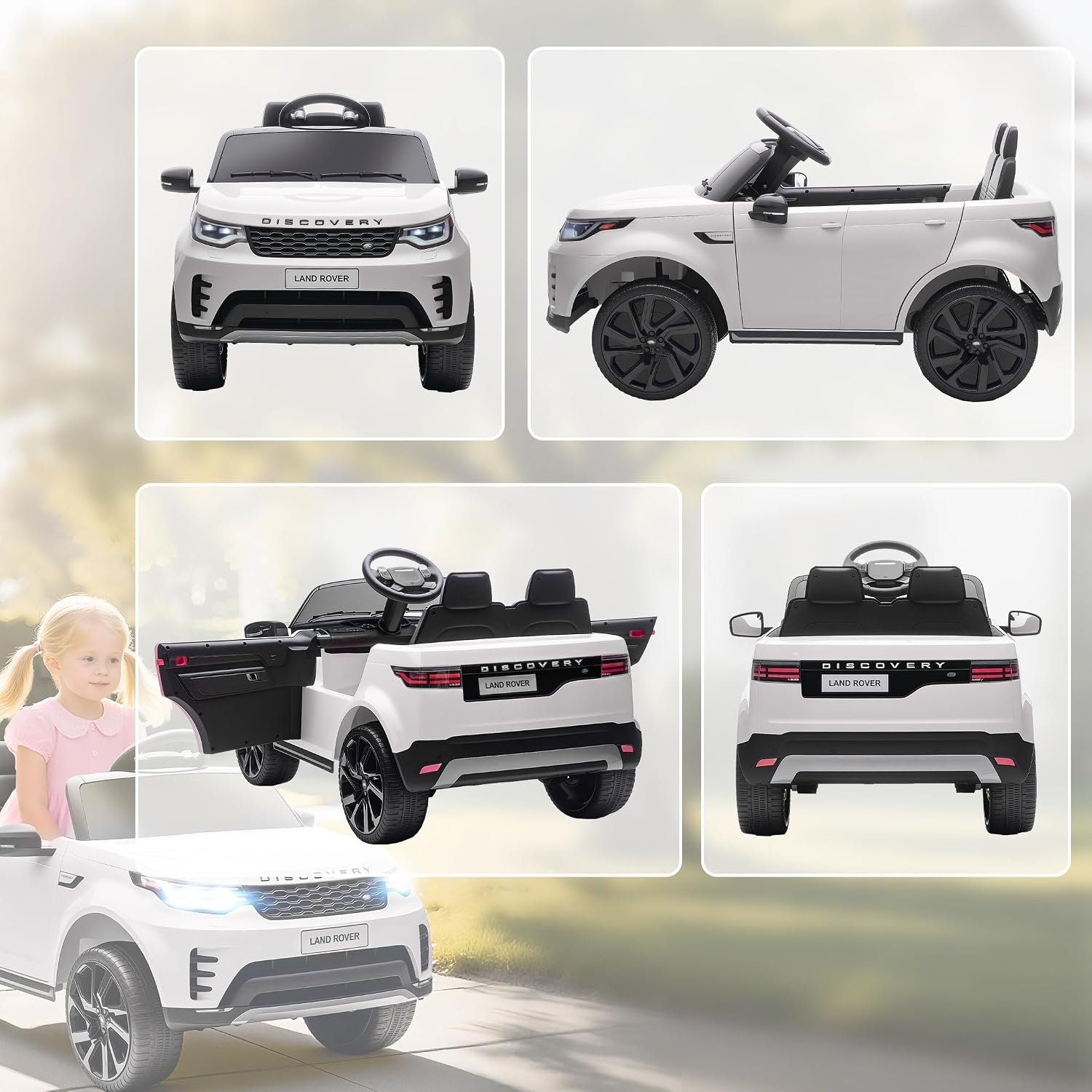
- Official Land Rover License: Realistic design with authentic logos.
- Smooth Start Function: Prevents sudden acceleration for a comfortable ride.
- 4-Wheel Suspension System: Ensures a stable and comfortable ride on various outdoor surfaces.
- Dual Driving Modes: Can be operated by the child or via a 2.4G remote control by parents.
- Adjustable Speeds: 3 speed settings (2.5-4.5 km/h) for safe control.
- Entertainment Features: One-button start, charge indicator, horn, LED headlights, integrated music, and a USB port.
- Comfortable Seating: 43 cm wide seat for optimal comfort.
- Powerful Motors: Powered by 2 x 12V motors for up to 40 minutes of continuous use.
2.3. Product Visuals


3. Setup & Assembly
The AIYAPLAY Land Rover Discovery electric car requires assembly. Please refer to the detailed step-by-step instructions provided in the included user manual for proper assembly. Ensure all parts are present and correctly installed before first use.
3.1. Initial Battery Charge
Before the first use, fully charge the vehicle's battery for approximately 8-12 hours. Do not charge for more than 18 hours to avoid battery damage. The charging port is typically located near the battery compartment or under the seat.
4. Operating Instructions
4.1. Starting the Vehicle
- Press the one-button start switch to power on the vehicle.
- The LED headlights will illuminate, and the charge indicator will show the battery level.
4.2. Driving Modes
The vehicle offers two modes of operation:
- Manual Operation (Child Control): The child can drive the car using the steering wheel and foot pedal.
- Remote Control Operation (Parental Control): Parents can control the vehicle using the 2.4G remote control. This mode allows for safer supervision, especially for younger children. The remote control has a range of up to 30 meters.
4.3. Speed Adjustment
The vehicle features 3 adjustable speed settings, ranging from 2.5 km/h to 4.5 km/h. Speed can typically be adjusted via the remote control or a switch on the dashboard.
4.4. Entertainment Features
- Music: The car has integrated music. Use the controls on the dashboard to play or change tracks.
- USB Port: Connect a USB device to play your own audio files.
- Horn: Press the horn button on the steering wheel for sound effects.
5. Maintenance
5.1. Cleaning
Wipe the vehicle with a soft, damp cloth. Do not use abrasive cleaners or solvents. Avoid spraying water directly onto electrical components.
5.2. Battery Care
- Recharge the battery after each use.
- If storing the vehicle for an extended period, charge the battery at least once a month to prolong its lifespan.
- Store the battery in a cool, dry place.
5.3. General Inspection
Periodically check the following:
- Tire condition and pressure (if applicable).
- Tightness of all screws and bolts.
- Functionality of lights, horn, and sound system.
- Condition of the wiring and charging port.
6. Troubleshooting
If you encounter issues with your AIYAPLAY electric car, please refer to the following common solutions:
| Problem | Possible Cause | Solution |
|---|---|---|
| Vehicle does not start | Low battery charge Loose battery connection Blown fuse | Charge the battery fully Check and secure battery terminals Replace fuse (refer to manual) |
| Vehicle moves slowly | Low battery charge Overload (exceeding weight limit) Driving on rough terrain | Recharge battery Reduce load Drive on smoother surfaces |
| Remote control not working | Remote control batteries low/dead Not paired correctly | Replace remote control batteries Refer to manual for pairing instructions |
| No sound/lights | Loose wiring Component malfunction | Check all connections Contact customer support |
For more detailed troubleshooting steps or issues not listed here, please consult the complete user manual or contact AIYAPLAY customer support.
7. Specifications
| Feature | Detail |
|---|---|
| Brand | AIYAPLAY |
| Model Number | 370-415V90WT |
| Material | Metal, Plastic |
| Product Dimensions (L x W x H) | 105L x 68.5W x 58H cm |
| Item Weight | 14.5 Kilograms |
| Maximum Load Capacity | 30 Kilograms |
| Recommended Age | 36 months - 6 years |
| Speed Range | 2.5 - 4.5 km/h |
| Battery Life (Average) | 40 minutes |
| Motors | 2 x 12V Motors |
| Remote Control | 2.4G (up to 30m range) |
| Special Features | Smooth Start, USB Port, Music, LED Headlights, Horn |
| Assembly Required | Yes |
8. Warranty & Support
8.1. Manufacturer's Warranty
This AIYAPLAY product comes with a 2-year warranty from the date of purchase. This warranty covers manufacturing defects under normal use. Please retain your proof of purchase for warranty claims.
8.2. Customer Support
For any questions, technical assistance, or warranty claims, please contact AIYAPLAY customer support. Refer to the contact information provided in your purchase documentation or on the official AIYAPLAY website.
