
Introduction
This manual provides comprehensive instructions for the LG Gram Book 15U50T laptop. Please read this manual thoroughly before using your device to ensure proper operation and to maximize its lifespan. Keep this manual for future reference.
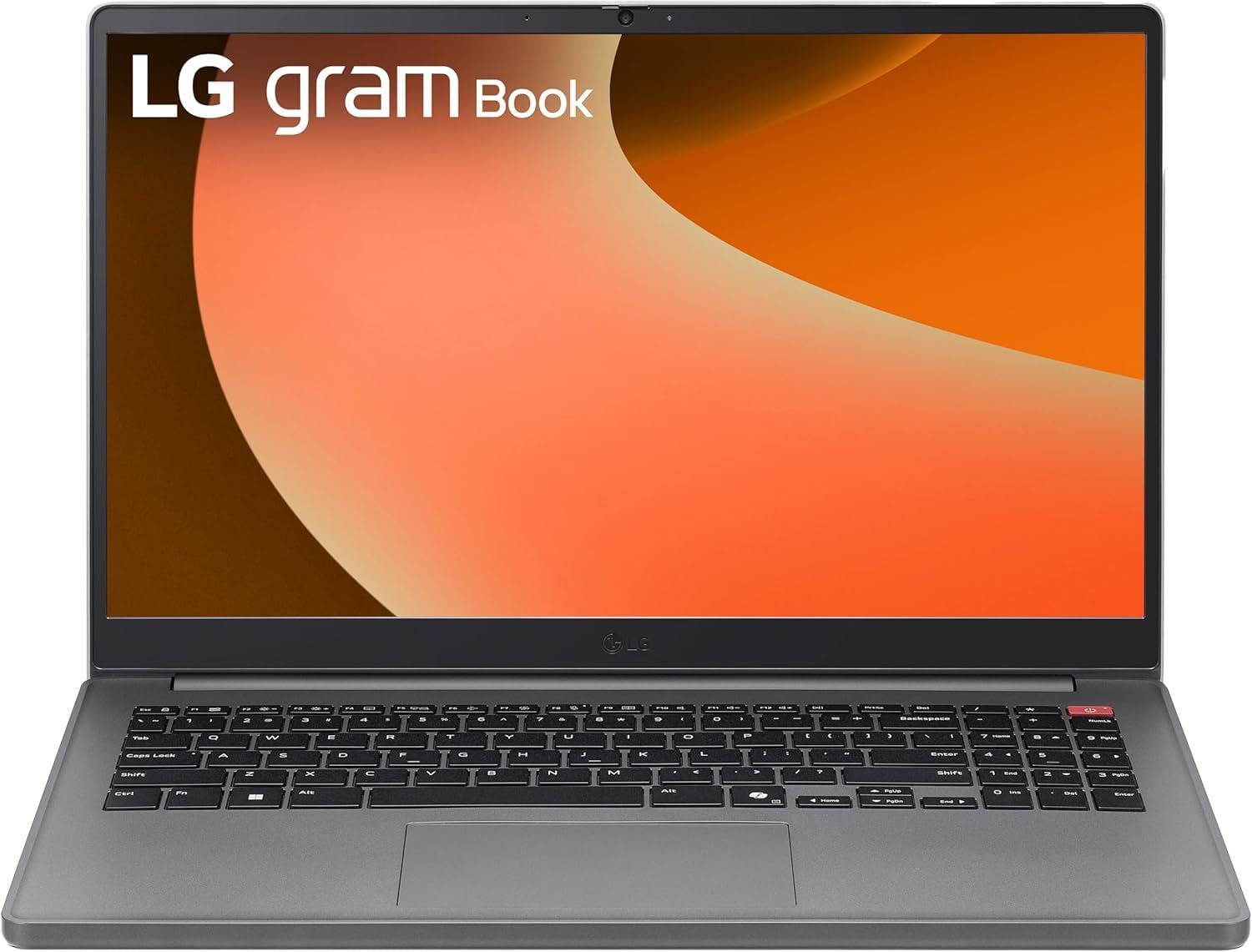
Figure 1: Front view of the LG Gram Book 15U50T Laptop.
Setup
1. Unboxing and Initial Inspection
Carefully remove the laptop and all accessories from the packaging. Verify that all components are present:
- LG Gram Book 15U50T Laptop
- AC Adapter and Power Cord
- Documentation (Quick Start Guide, Warranty Information)
Inspect the laptop for any physical damage. If any damage is found or components are missing, contact your retailer immediately.
2. Connecting the Power Adapter
Before initial use, connect the AC adapter to the laptop and a power outlet to fully charge the battery. The charging port is typically located on the side of the laptop.

Figure 2: Port layout of the LG Gram Book 15U50T. This diagram shows the location of the HDMI port (1), USB Type-A ports (2), USB Type-C ports (3), Headphone jack (4), and Kensington lock slot (5).
3. Initial Power On and Windows Setup
Press the power button, usually located on the top-right of the keyboard, to turn on the laptop. Follow the on-screen instructions to complete the Windows 11 Pro setup process. This includes selecting your region, connecting to a Wi-Fi network, and creating a user account.

Figure 3: Close-up view of the keyboard, highlighting the power button on the top right.
4. Connecting Peripherals
Utilize the available ports to connect external devices:
- USB 3.2 Gen 2 Type-C (x2): Supports Power Delivery and DisplayPort for external monitors or charging compatible devices.
- USB 3.2 Gen 1 Type-A (x1): For standard USB devices like mice, keyboards, or external drives.
- USB 2.0 Type-A (x1): For older USB devices.
- HDMI 2.0 (x1): Connect to an external display or projector.
- Headphone / Microphone Combo Jack (3.5mm): For audio input/output.
Operating Your Laptop
1. Keyboard and Touchpad
The LG Gram Book 15U50T features a full-size keyboard with a numeric keypad for efficient data entry. The integrated touchpad supports multi-touch gestures for navigation.

Figure 4: Top-down view of the full-size keyboard and touchpad.
2. Display
The 15.6-inch Full HD (1920 x 1080) IPS Anti-glare display provides clear visuals. Adjust brightness and display settings through Windows settings (Right-click on desktop > Display settings).
3. Wireless Connectivity
- Wi-Fi 6 (Intel AX203): Connect to wireless networks for internet access. Manage Wi-Fi connections via the network icon in the Windows taskbar.
- Bluetooth 5.2: Pair with Bluetooth-enabled devices such as headphones, speakers, or mice. Access Bluetooth settings via Windows Settings > Devices > Bluetooth & devices.
4. Camera and Audio
The laptop includes a 720p HD Camera with a privacy shutter for video calls and conferences. The 3.5mm combo jack supports both headphones and external microphones.
Maintenance
1. Cleaning the Laptop
- Screen: Use a soft, lint-free cloth lightly dampened with water or a screen cleaner. Do not spray cleaner directly onto the screen.
- Keyboard and Chassis: Use a soft, dry cloth. For stubborn dirt, a slightly damp cloth can be used, ensuring no liquid enters openings. Compressed air can remove dust from between keys.
2. Battery Care
The 51Wh Lithium-Ion battery provides portable power. To prolong battery life:
- Avoid extreme temperatures.
- Do not fully discharge the battery frequently.
- If storing the laptop for an extended period, charge the battery to about 50-60% before turning it off.
3. Software Updates
Regularly update your Windows 11 Pro operating system and device drivers to ensure optimal performance and security. Access updates via Windows Settings > Windows Update.
4. Storage Management
The 2TB NVMe M.2 SSD provides fast storage. Periodically clean up unnecessary files and applications to maintain performance. Use Windows Disk Cleanup or Storage Sense features.
Troubleshooting
This section addresses common issues you might encounter.
No Power / Laptop Not Turning On
- Ensure the AC adapter is securely connected to both the laptop and a working power outlet.
- Verify the power outlet is functional by plugging in another device.
- If the battery is completely drained, it may take a few minutes of charging before the laptop can power on.
Display Issues
- If the screen is blank, try adjusting the brightness using the function keys (Fn + F2/F3, or similar, refer to keyboard icons).
- If an external monitor is not displaying, ensure the cable is connected correctly and try pressing Windows key + P to cycle through display modes.
Wi-Fi or Bluetooth Connectivity Problems
- Ensure Wi-Fi or Bluetooth is enabled in Windows settings.
- Restart your router/modem for Wi-Fi issues.
- For Bluetooth, try unpairing and re-pairing the device.
- Update wireless drivers via Device Manager.
Slow Performance
- Close unnecessary applications running in the background.
- Check for and install any pending Windows updates.
- Run a disk cleanup to free up storage space.
- Scan for malware or viruses.
Specifications
| Feature | Detail |
|---|---|
| Brand | LG |
| Model Name | Gram Book 15U50T |
| Screen Size | 15.6 Inches |
| Display Resolution | 1920 x 1080 pixels (FHD) |
| Display Type | IPS Anti-glare LED |
| Processor | 13th Generation Intel Core i5-1334U (10-Core) |
| Graphics | Intel Iris Xe Graphics (Integrated) |
| RAM Memory | 16GB DDR4 SDRAM 3200 MHz (Up to 64GB Max) |
| Storage | 2TB NVMe M.2 SSD |
| Operating System | Windows 11 Pro |
| Wireless Connectivity | Intel Wi-Fi 6 AX203 (2x2), Bluetooth 5.2 |
| Ports | 2x USB 3.2 Gen 2 Type-C (PD/DP), 1x USB 3.2 Gen 1 Type-A, 1x USB 2.0 Type-A, 1x HDMI 2.0, 1x Headphone/Mic Combo Jack |
| Camera | 720p HD Camera with Privacy Shutter |
| Battery | 51Wh Lithium-Ion (Up to 12 hours battery life) |
| Dimensions (L x W x H) | 14.16" x 9.37" x 0.76" inches |
| Weight | 3.74 lbs |
| Color | Titan Silver |
Warranty and Support
Warranty Information
Your LG Gram Book 15U50T laptop comes with a standard manufacturer's warranty. Please refer to the warranty card included in your product packaging for specific terms, conditions, and duration. Keep your proof of purchase for warranty claims.
Technical Support
For technical assistance, troubleshooting beyond this manual, or warranty service, please contact LG customer support. You can typically find contact information on the official LG website or in your product documentation.
- Visit the official LG website for support resources and contact details.
- Have your laptop's model number (15U50T) and serial number ready when contacting support.