
Introduction
Thank you for choosing the SUNKTA EF24-D Military Smartwatch. This manual provides essential information for setting up, operating, and maintaining your device. Please read it thoroughly to ensure optimal performance and longevity of your smartwatch.
What's in the Box
Upon unboxing your SUNKTA EF24-D smartwatch, you should find the following items:
- 1 x SUNKTA EF24-D Smartwatch
- 3 x Watch Straps (including silicone and metal options)
- 2 x Magnetic Charging Cables (USB and Type-C)
- 1 x User Manual
- 1 x Strap Adjustment Tool (for metal strap)
Video: Unboxing and Strap Installation Guide. This video demonstrates the contents of the package and how to install the different watch straps, including adjusting the metal strap.

Image: An overview of the product dimensions and the accessories included in the box, such as the smartwatch, user manual, three silicone straps, and two magnetic charging cables (USB and Type-C).
Setup
1. App Installation
To unlock the full potential of your SUNKTA EF24-D smartwatch, download the companion application, typically named FitCloudPro, from your smartphone's app store (available for iOS and Android devices). Follow the on-screen instructions to install the app.
2. Device Pairing
- Ensure your smartwatch is charged and powered on.
- Enable Bluetooth on your smartphone.
- Open the FitCloudPro app and follow the prompts to add a new device.
- Select the SUNKTA EF24-D from the list of available devices.
- Confirm the pairing request on both your smartphone and smartwatch.
3. Granting Permissions
For full functionality, grant necessary permissions to the FitCloudPro app on your smartphone. This includes permissions for notifications, location services (for GPS via smartphone), health data access, and call management. Refer to your phone's settings for detailed permission management.
Operating Instructions
Basic Navigation
- Touchscreen: Swipe left/right, up/down to navigate menus and access features.
- Side Buttons: Use the physical buttons on the side for quick access to specific functions or to return to the home screen.
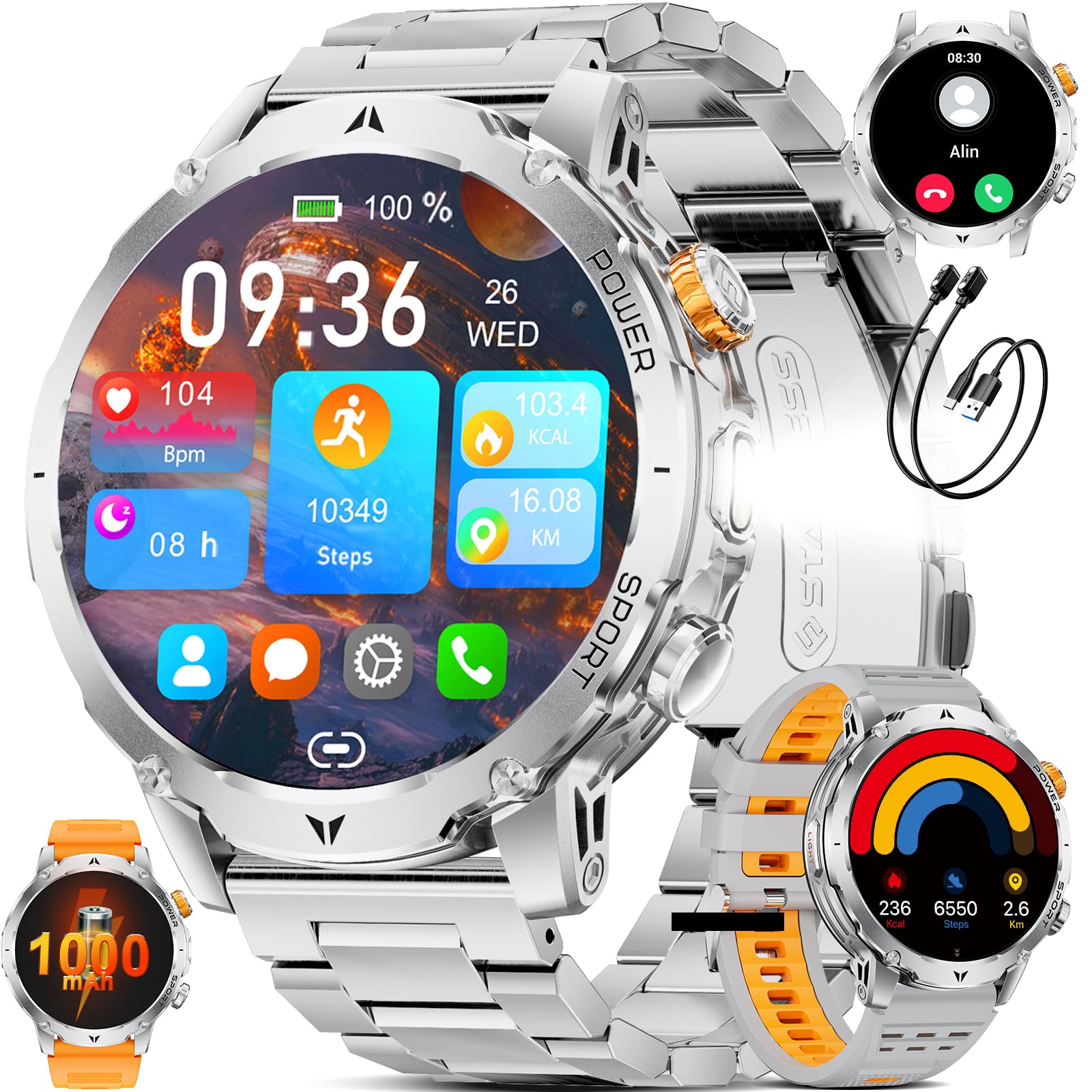
Image: The SUNKTA EF24-D smartwatch showcasing its main digital watch face with various data points like time, date, steps, heart rate, and battery status.
Bluetooth Calling
The smartwatch supports Bluetooth calls, allowing you to answer or make calls directly from your wrist. It features a high-definition speaker and dual noise-reduction microphones for clear communication.
- Answering Calls: When a call comes in, tap the green phone icon on the watch screen.
- Making Calls: Access the call history, contacts, or dial pad directly from the watch interface.

Image: The smartwatch displaying its Bluetooth call interface, including options for call history, contacts, and a dial pad. An adjacent smartphone screen shows an incoming call, illustrating the seamless integration.
Smart Notifications
Receive alerts for incoming calls, SMS, emails, and notifications from various applications (e.g., Facebook, WhatsApp, Instagram). The watch will vibrate to notify you. Ensure notification permissions are enabled in the FitCloudPro app.
Note: The smartwatch cannot directly reply to messages.

Image: The smartwatch screen showing smart notifications from various social media and messaging applications, with a message preview visible.
Health Monitoring (24/7)
The smartwatch is equipped with sensors for continuous health monitoring. Access these features via the watch or the FitCloudPro app.
- Heart Rate: Monitors your heart rate throughout the day and during workouts.
- Blood Oxygen (SpO2): Measures your blood oxygen saturation levels.
- Sleep Monitoring: Tracks your sleep patterns, including deep sleep, light sleep, and awake times.
- Breathing Exercises: Guided breathing exercises to help manage stress and promote relaxation.
Note: Health data is for reference only and should not be considered medical advice.
Video: Health Monitoring Features. This video demonstrates how to access and view heart rate, blood oxygen, sleep tracking, and breathing exercise functions on the smartwatch.

Image: The smartwatch showing real-time heart rate and blood oxygen monitoring, with a man engaged in outdoor activity, highlighting its use for health tracking during exercise.

Image: The smartwatch interface displaying detailed sleep quality analysis, including durations of deep sleep, light sleep, and awake periods, shown alongside a person sleeping.

Image: The smartwatch showing its stress detection feature with a graph and a breathing training interface, illustrating how it helps users manage stress.
Sports Modes
The smartwatch supports over 100 sports modes, including 8 common training modes directly on the watch and more available through the app. It tracks daily steps, exercise duration, distance, and calories burned, with real-time heart rate monitoring during workouts.

Image: The smartwatch interface showing multiple sports mode icons and displaying activity data such as steps, calories, and distance, set against a background of a person cycling.

Image: An illustration of the smartwatch's diverse sports modes, featuring icons for activities like walking, running, and cycling, accompanied by visuals of individuals participating in various outdoor sports.
LED Flashlight
The smartwatch includes a high-brightness LED flashlight, providing reliable illumination for dark environments or nighttime outdoor activities. Activate it via the watch interface or a dedicated button.

Image: The smartwatch demonstrating its powerful LED flashlight feature, with examples of its utility in situations such as camping, during power outages, and for locating items in low light.
Music and Camera Control
- Music Control: Play, pause, or skip songs directly from your wrist.
- Camera Control: Remotely trigger your smartphone's camera for selfies or group photos.

Image: The smartwatch showing its music control interface, allowing users to play, pause, and skip tracks, with a person enjoying music in the background.

Image: The smartwatch displaying the current weather forecast and temperature, illustrating its utility for quick weather checks.
Customizable Watch Faces
Choose from over 200 online watch faces or create your own custom dials to match your style and preferences.

Image: A visual representation of the smartwatch's extensive collection of over 200 online watch faces, alongside options for creating personalized DIY dials with custom photo backgrounds.
Maintenance
Charging the Smartwatch
The smartwatch is equipped with a 1000mAh high-capacity battery. Use the provided magnetic charging cables (USB or Type-C) to charge the device. A full charge typically takes approximately 2 hours.
- Connect the magnetic end of the charging cable to the charging points on the back of the watch.
- Connect the other end of the cable to a compatible USB power adapter or port.
- The watch screen will indicate charging status.

Image: The smartwatch actively charging via its magnetic cable, with a prominent 1000mAh battery icon and charging animation displayed on the screen.
Image: The smartwatch undergoing charging, with a visual representation of its 1000mAh ultra-long battery life, detailing standby time (100 days), normal usage duration (15 days), and charging time (3 hours).
Strap Replacement
The smartwatch comes with three distinct straps. To change a strap:
- Locate the quick-release pins on the underside of the strap where it connects to the watch body.
- Slide the pin inwards to detach the strap.
- Align the new strap with the watch body and slide the pin back into place until it clicks securely.
- For the metal strap, use the provided tool to add or remove links for a comfortable fit.
Troubleshooting
- Watch not turning on: Ensure the watch is fully charged. Connect it to the charger and wait a few minutes before attempting to power it on.
- Cannot pair with smartphone: Make sure Bluetooth is enabled on your phone and the watch is within range. Restart both devices and try pairing again. Check if the FitCloudPro app has all necessary permissions.
- Notifications not received: Verify that notification permissions are granted to the FitCloudPro app in your phone's settings. Also, ensure the app is running in the background and not being closed by battery optimization settings.
- Inaccurate health data: Ensure the watch is worn snugly on your wrist, not too tight or too loose. Clean the sensors regularly. Remember that health data is for reference and not medical diagnosis.
- Short battery life: Reduce screen brightness, disable unnecessary features like always-on display, and limit frequent heart rate monitoring if not needed.
Specifications
| Feature | Specification |
|---|---|
| Model Number | EF24-D |
| Brand | SUNKTA |
| Screen Size | 1.7 inches |
| Connectivity Technology | Bluetooth |
| Wireless Communication Standard | Bluetooth |
| Battery Capacity | 1000 mAh (Lithium-polymer) |
| Memory Storage Capacity | 256 MB |
| Special Features | Phone Call, Voice Control, Music Player, Multisport Tracker, Touchscreen, LED Flashlight |
| GPS Functionality | GPS via smartphone |
| Water Protection Rating | 5ATM |
| Case Material | Stainless Steel |
| Band Material Type | Silicone |
| Band Width | 22 Millimeters |
| Compatible Devices | Smartphones (Android, iOS) |
| Target Audience | Men (Adult) |
Warranty and Support
Your SUNKTA EF24-D Smartwatch comes with a 2-year limited warranty. For any product-related inquiries, technical assistance, or warranty claims, please contact SUNKTA customer support. You can typically find contact information on the brand's official website or through the retailer where you purchased the product.
Online customer service is available 24/7 to assist you with any questions or issues.


