
Introduction
Thank you for choosing the GAOMON Standing Desk with Wheels. This adjustable and portable desk is designed to provide a versatile workstation for various environments, including home offices, studies, and bedrooms. This manual provides essential information for the safe and efficient assembly, operation, and maintenance of your new desk. Please read these instructions carefully before use and retain them for future reference.
Product Features
- Adjustable Height: The desk height can be customized from 23.62 inches (60 cm) to 35.43 inches (90 cm), allowing for comfortable use while sitting or standing.
- Enhanced Mobility: Equipped with four smooth-rolling casters, the desk can be easily moved. Two of the casters are lockable to secure the desk in place.
- Space-Saving Design: The C-shaped frame allows the desk to slide neatly over furniture, optimizing space utilization.
- User-Centric Details: Features safety-rounded corners to prevent accidental bumps.
- Sturdy Construction: Crafted from quality MDF for the desktop and a robust steel frame for stability. The surface is water-resistant and easy to clean.
Package Contents
Please check the package to ensure all components are present and undamaged:
- 1 x Mobile Computer Table (Desktop and Frame components)
- 1 x Pack of Screws
- 1 x Tool Kit (for assembly)
- 1 x Instruction Manual (this document)
Setup and Assembly
The GAOMON Standing Desk is designed for straightforward assembly. While some tools are provided, the process is generally quick and simple.
- Unpack Components: Carefully remove all parts from the packaging and lay them out on a clean, soft surface to prevent scratches. Verify all package contents are present.
- Attach Casters: Secure the four casters to the base of the desk frame. Ensure the lockable casters are positioned as desired for easy access.
- Assemble Frame: Connect the vertical support poles to the base frame using the provided screws and tools.
- Attach Desktop: Place the desktop onto the assembled frame and secure it with the remaining screws. Ensure the desktop is aligned correctly.
- Final Check: Once assembled, gently shake the desk to ensure all connections are secure and stable.
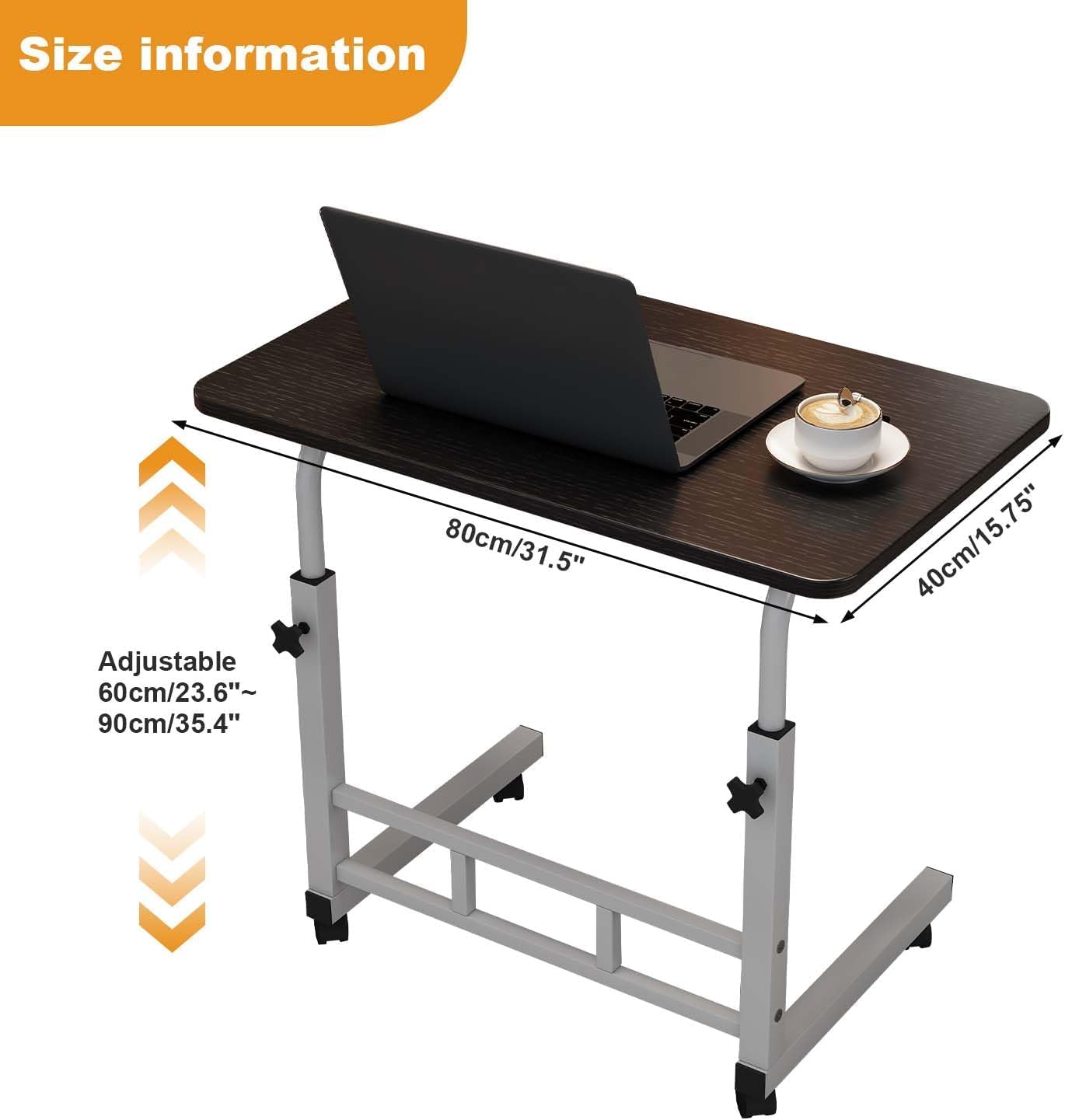
Image: Overview of the GAOMON Standing Desk highlighting its key features and stable design.
Operating Instructions
Adjusting Desk Height
The desk features an adjustable height mechanism to suit your ergonomic needs.
- Unlock Adjustment Knobs: Locate the adjustment knobs on the vertical support poles. Turn them counter-clockwise to loosen.
- Adjust Height: Gently raise or lower the desktop to your desired height between 23.62 inches (60 cm) and 35.43 inches (90 cm).
- Lock Adjustment Knobs: Once the desired height is reached, turn the adjustment knobs clockwise firmly to secure the desktop in place. Ensure both sides are locked evenly for stability.
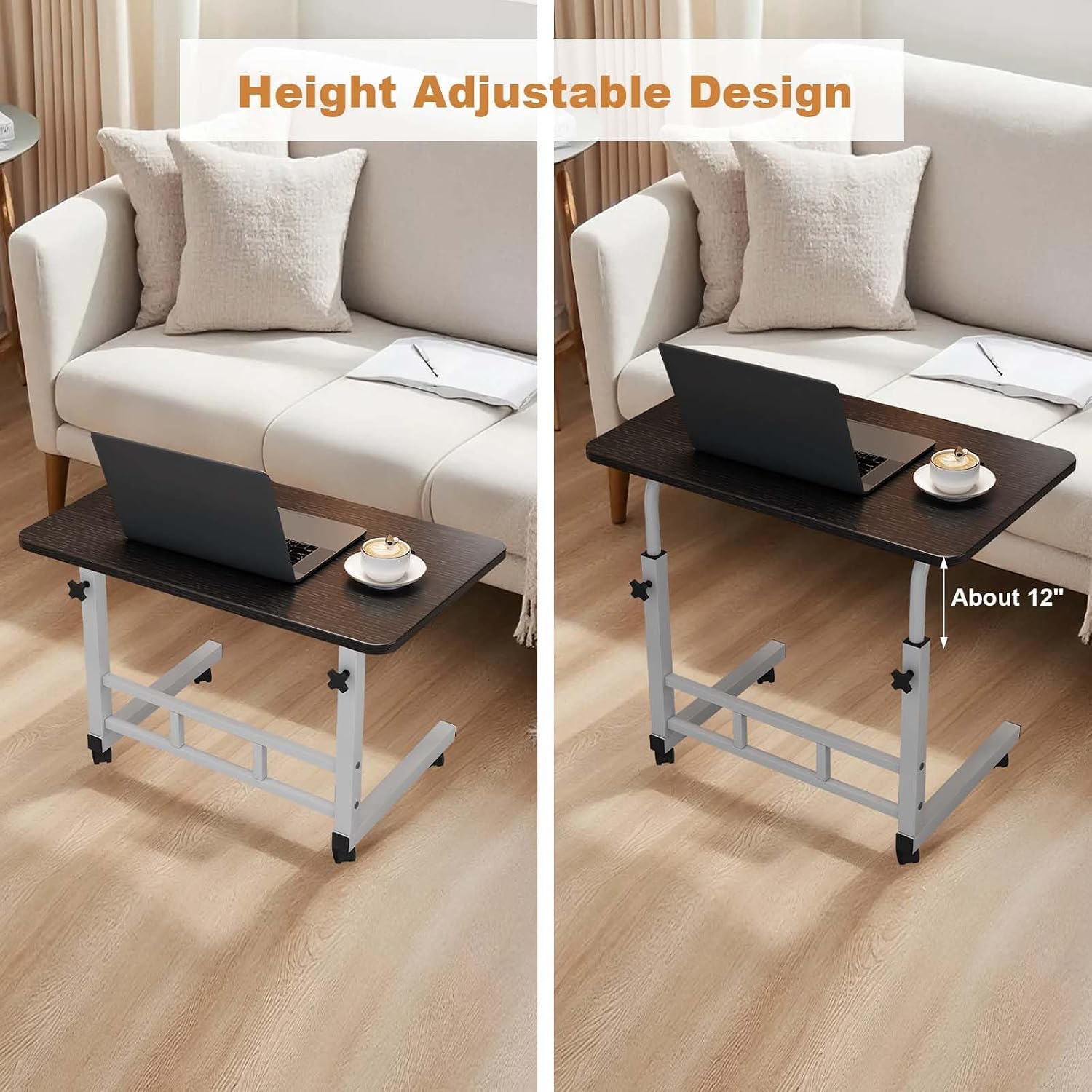
Image: Visual representation of the desk's adjustable height feature and dimensions.
Moving and Locking the Desk
The integrated casters allow for easy repositioning of the desk.
- Unlock Casters: If the desk is stationary, ensure the caster brakes are disengaged. Push the lever on the lockable casters upwards to unlock them.
- Move Desk: Gently push or pull the desk to its new desired location.
- Lock Casters: Once the desk is in position, push the lever on the lockable casters downwards to engage the brakes and prevent unintended movement.

Image: Detail of a lockable caster, demonstrating its mobility and locking function.
Maintenance
Regular maintenance will help prolong the life and appearance of your GAOMON Standing Desk.
- Cleaning: Wipe the desktop and frame with a soft, damp cloth. For stubborn stains, use a mild soap solution and dry immediately. Avoid abrasive cleaners or harsh chemicals.
- Hardware Check: Periodically check all screws and fasteners to ensure they are tight. Retighten if necessary to maintain stability.
- Caster Care: Keep the casters free of dust and debris to ensure smooth movement. If they become stiff, clean them and apply a small amount of silicone-based lubricant if needed.
Troubleshooting
If you encounter any issues with your GAOMON Standing Desk, please refer to the following common solutions:
- Desk is Unstable/Wobbly:
- Ensure all assembly screws are securely tightened.
- Verify that the height adjustment knobs are firmly locked on both sides.
- Check that the casters are fully engaged or disengaged as intended.
- Difficulty Adjusting Height:
- Ensure the adjustment knobs are fully loosened before attempting to change height.
- Avoid placing excessive weight on the desk during adjustment.
- Casters Not Rolling Smoothly:
- Check for any debris (hair, lint) caught in the caster wheels and remove it.
- Ensure the caster brakes are fully disengaged.
Specifications
| Feature | Specification |
|---|---|
| Product Name | Mobile Computer Table |
| Desktop Size (L x W) | 80 cm x 40 cm (31.5 in x 15.75 in) |
| Adjustable Height Range | 60 cm - 90 cm (23.62 in - 35.43 in) |
| Product Dimensions (D x W x H) | 31.5"D x 15.75"W x 23.62"H (minimum height) |
| Item Weight | 9.5 pounds |
| Material | MDF (Desktop), Steel (Frame) |
| Color | Black |
| Special Feature | Adjustable Height, Lockable Casters, C-shaped Frame |
| Model Number | T3-ZML-PEP_333Yzcrea |
| UPC | 820559838578 |
Warranty and Support
GAOMON products are manufactured to high-quality standards. For specific warranty information or if you require technical assistance, please refer to the warranty card included with your purchase or contact GAOMON customer support through their official website or the retailer where the product was purchased. Please have your model number (T3-ZML-PEP_333Yzcrea) and proof of purchase ready when contacting support.