
1. Introduction
Thank you for choosing the ATN BlazeSeeker 6 Thermal Monocular. This device is designed to provide advanced thermal imaging capabilities for various outdoor activities, including hunting, scouting, and wildlife observation. Featuring a 256x192 sensor with 12µm pixel pitch and ≤20 mK NETD sensitivity, the BlazeSeeker 6 offers clear thermal awareness in diverse conditions. This manual provides essential information for the safe and effective operation of your thermal monocular.
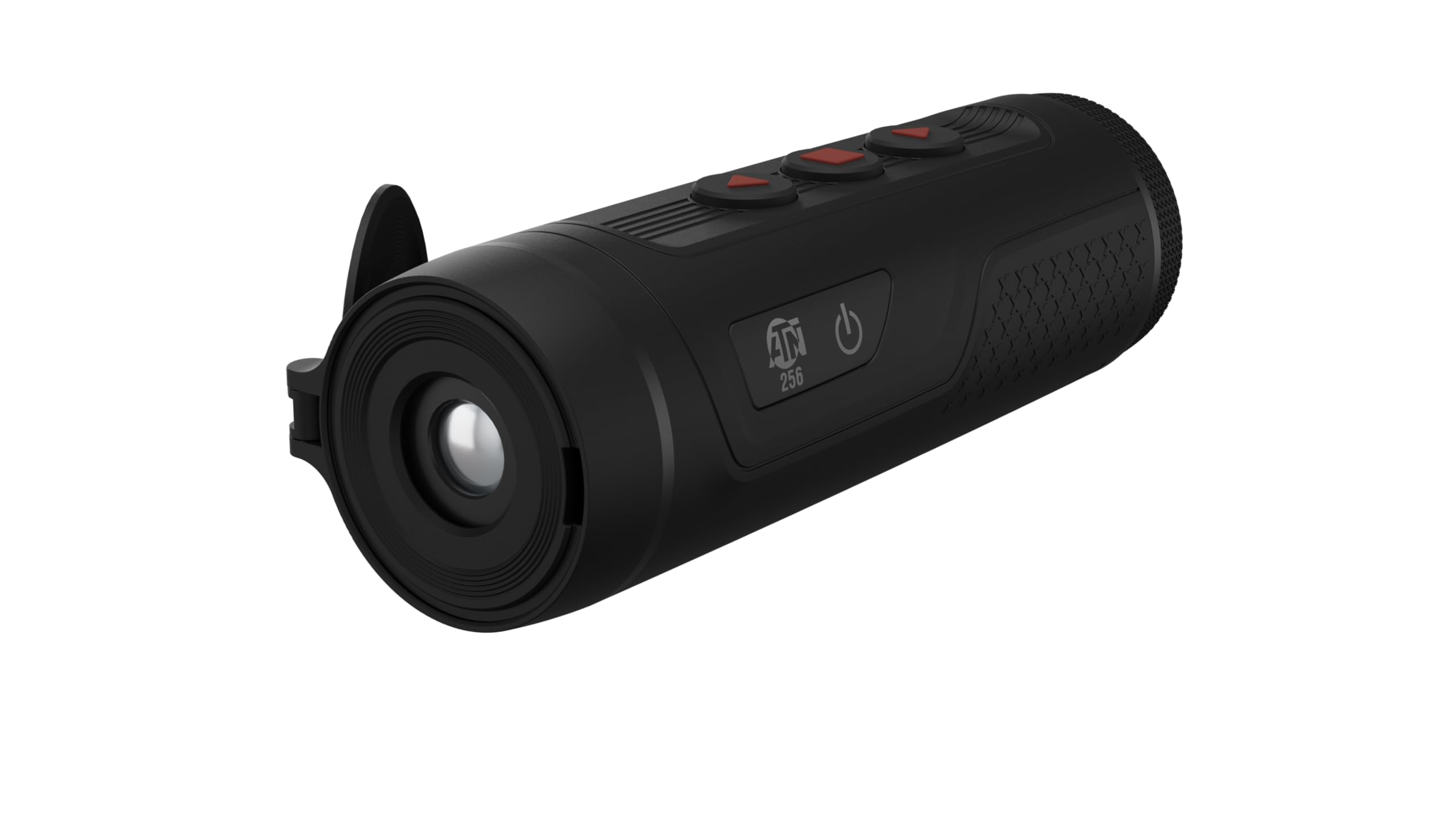
Image 1.1: The ATN BlazeSeeker 6 Thermal Monocular. This image shows the compact, handheld thermal monocular from a slight angle, highlighting its lens and ergonomic design.
2. Safety Information
Please read and understand all safety precautions before using the ATN BlazeSeeker 6. Failure to follow these instructions may result in injury or damage to the device.
- Do not look directly at intense light sources (e.g., the sun, lasers) through the monocular, as this can cause permanent eye damage.
- Keep the device away from extreme temperatures, direct sunlight, and high humidity.
- Do not attempt to disassemble or modify the monocular. This will void the warranty and may cause damage.
- Use only the specified charging cable and power adapter.
- Ensure the device is turned off when not in use and stored properly.
3. Package Contents
Verify that all items are present in your package:
- ATN BlazeSeeker 6 Thermal Monocular
- Lanyard
- USB Type-C Cable
- Wristband
- Carrying Case
4. Device Overview
Familiarize yourself with the components and controls of your BlazeSeeker 6 monocular.

Image 4.1: Top view of the ATN BlazeSeeker 6. This image displays the top of the monocular, showing the power button and navigation buttons clearly labeled.
Key Components:
- Objective Lens: The front lens that collects thermal radiation.
- Eyepiece/Diopter Adjustment: Used to focus the display for individual vision.
- Control Buttons: Power, Menu, Zoom, and Navigation buttons located on the top surface.
- USB Type-C Port: For charging and data transfer.
- Strap Mounts: For attaching the lanyard or wristband.
5. Setup
5.1. Charging the Battery
The BlazeSeeker 6 has a built-in rechargeable battery. Before first use, fully charge the device.
- Connect the supplied USB Type-C cable to the monocular's charging port.
- Connect the other end of the cable to a compatible USB power adapter (not included) or a computer's USB port.
- The charging indicator will show the charging status. Once fully charged, the indicator will change (refer to the device's display for specific icons).
5.2. Powering On/Off
- To Power On: Press and hold the Power button for approximately 3 seconds until the ATN logo appears on the display.
- To Power Off: Press and hold the Power button for approximately 3 seconds. A power-off confirmation prompt may appear; select 'Yes' to shut down.
5.3. Diopter Adjustment
Adjust the diopter to ensure a sharp image for your vision.

Image 5.1: Diopter adjustment. This image illustrates how to adjust the diopter ring on the eyepiece of the monocular to achieve a clear view of the internal display.
- Hold the monocular up to your eye.
- Rotate the diopter adjustment ring (located near the eyepiece) until the on-screen display and image appear sharp and clear.
6. Operating Instructions
6.1. Basic Controls
The monocular features intuitive buttons for easy navigation and function control.
- Power Button: Turns the device on/off, short press for standby/wake.
- Menu Button: Accesses the main menu for settings and options.
- Zoom Buttons (+/-): Adjusts the digital magnification.
- Navigation Buttons: Used to scroll through menus and select options.
6.2. Viewing Modes and Color Palettes
The BlazeSeeker 6 offers multiple viewing modes and color palettes to optimize thermal image display for different environments and preferences.

Image 6.1: Thermal awareness with the BlazeSeeker 6. This image shows the monocular next to a thermal view of a hog in a forest, demonstrating its ability to detect heat signatures.
Access the menu to cycle through available color palettes such as White Hot, Black Hot, Red Hot, and various color modes. Each palette highlights heat signatures differently, allowing for better target identification in varying conditions.

Image 6.2: High contrast OLED display. This diagram illustrates the internal OLED display technology, showing how it renders crisp thermal images for comfortable viewing.
6.3. Zoom Function
Use the dedicated Zoom buttons to digitally magnify the image. The BlazeSeeker 6 offers a 1.7-13.6X magnification range. Press '+' to zoom in and '-' to zoom out.
6.4. Hot Point Tracking
The Hot Point Tracking feature automatically identifies and highlights the hottest object in the field of view, aiding in quick detection and tracking.

Image 6.3: Hot Point Tracking in action. This image shows the monocular's display highlighting a heat signature (e.g., a hog) with a red outline, demonstrating the Hot Point Tracking feature.
6.5. Recording Video and Photos
The monocular can capture still images and record video directly to its internal memory.

Image 6.4: Recording and sharing capabilities. This image shows the monocular connected to a smartphone via Wi-Fi, with a 'REC' icon indicating video recording and internal memory capacity.
- To record video or take a photo, navigate to the recording options in the menu or use a dedicated shortcut button if available.
- Files are saved to the internal 32GB storage.
6.6. Wi-Fi and App Connectivity
The BlazeSeeker 6 features built-in Wi-Fi for connecting to the ATN Connect 6 app on your smartphone. This allows for live streaming, file management, and instant sharing.
- Download the ATN Connect 6 app from your device's app store.
- Enable Wi-Fi on the monocular via the menu.
- Connect your smartphone to the monocular's Wi-Fi network.
- Open the app to access features like live view, remote control, and media transfer.
7. Maintenance
7.1. Cleaning the Lens and Body
- Use a soft, lint-free cloth to gently wipe the objective lens and eyepiece. For stubborn smudges, use a lens cleaning solution designed for optics.
- Clean the monocular body with a soft, damp cloth. Do not use abrasive cleaners or solvents.
7.2. Storage
- Store the monocular in its carrying case in a cool, dry place, away from direct sunlight and extreme temperatures.
- Ensure the battery is partially charged (around 50%) before long-term storage to prolong battery life.
8. Troubleshooting
| Problem | Possible Cause | Solution |
|---|---|---|
| Device does not power on. | Battery is depleted. | Charge the battery using the supplied USB Type-C cable. |
| Image is blurry or out of focus. | Diopter not adjusted correctly. | Adjust the diopter ring until the image is sharp. |
| Wi-Fi connection issues. | Wi-Fi not enabled or incorrect password. | Ensure Wi-Fi is enabled on the monocular and enter the correct password in the app. Restart both devices if necessary. |
| Short battery life. | Frequent use of power-intensive features (Wi-Fi, recording). | Reduce screen brightness, disable Wi-Fi when not needed, and limit continuous recording. Ensure the battery is fully charged before use. |
9. Specifications
| Feature | Detail |
|---|---|
| Brand | ATN |
| Model Name | ATNTIMNBLS210G |
| Model Number | TIMNBLS210G6 |
| Objective Lens Diameter | 10 millimeters |
| Product Dimensions (D x W x H) | 5.87"D x 2.23"W x 1.98"H |
| Item Weight | 9.6 ounces (270 grams) |
| Power Source | Battery Powered (1 Nonstandard Battery included) |
| Focal Length Description | 1.7–13.6X |
| Field Of View | 17.3 degrees |
| Zoom Ratio | 1.7–13.6X |
| Thermal Sensor | 256x192, 12µm |
| NETD Sensitivity | ≤20 mK |
| Display | 800x600 OLED |
| Internal Storage | 32 GB |
| Battery Life | Up to 8 hours |
| Waterproof Rating | IP67 |
| Connectivity | Wi-Fi, USB Type-C |
| Additional Features | Compact and Lightweight, Diopter Adjustment, Multiple Viewing Modes, Powerful Thermal Sensor and Imaging Capabilities, Video Record and Photo |

Image 9.1: Low power consumption. This image highlights the monocular's efficient power usage, indicating up to 8 hours of battery life on a single charge.
10. Warranty Information
The ATN BlazeSeeker 6 Thermal Monocular comes with a 5 Year Manufacturer Warranty. For detailed terms and conditions, please refer to the warranty card included in your package or visit the official ATN website.
11. Customer Support
If you encounter any issues or have questions regarding your ATN BlazeSeeker 6, please refer to the troubleshooting section of this manual. For further assistance, contact ATN customer support through their official website or the contact information provided in your product documentation. Please have your model number (TIMNBLS210G6) and purchase details ready when contacting support.

Image 11.1: User operating the BlazeSeeker 6. This image shows a person holding and looking through the monocular in an outdoor setting, demonstrating its practical use.


