
1. Introduction
This manual provides essential information for the safe and efficient use of your Power Queen 12V 125Ah Bluetooth LiFePO4 Battery. Please read these instructions carefully before installation and operation to ensure optimal performance and longevity of your battery.
Key Features:
- Bluetooth 5.0 Monitoring: Real-time monitoring of State of Charge (SOC), voltage, current, power, temperature, alerts, and protection status via a dedicated app.
- APP Remote Control: Control battery discharge and power cutoff for storage, safety, and system management.
- Low-Temperature Protection: Automatically stops charging below 32°F (0°C) and discharging below -4°F (-20°C) to prevent cold weather damage.
- Self-Developed Smart BMS: Integrated Battery Management System with over 20 protections, including overcharge, over-discharge, over-current, short circuit, and over-temperature.
- BCI Group 27 Size: Designed to fit many standard RV and boat battery boxes and trays.
2. Package Contents
Verify that all items are present and undamaged upon unpacking:
- 2 * Power Queen 12.8V 125Ah Bluetooth LiFePO4 Battery
- M8 - 5/8" (16MM) Terminal Bolts
- Insulating Caps for Bolts
- Product Manual (this document)
3. Setup and Installation
3.1 Physical Installation
The Power Queen 12V 125Ah battery is designed in a BCI Group 27 size, making it suitable for direct replacement in many RV and boat battery compartments. Ensure the installation location is dry, well-ventilated, and protected from direct sunlight or extreme temperatures.

Image: The Power Queen 12V 125Ah battery, illustrating its Group 27 dimensions (12.13"L x 6.69"W x 8.31"H), designed for compatibility with RV and marine applications.
3.2 Electrical Connections
- Ensure all power sources are disconnected before making any connections.
- Connect the positive (+) terminal of the battery to the positive (+) terminal of your system using appropriate cables.
- Connect the negative (-) terminal of the battery to the negative (-) terminal of your system.
- Use the provided M8 terminal bolts and insulating caps to secure connections tightly. Loose connections can cause overheating and damage.
- For multiple batteries in series or parallel, consult a qualified electrician or refer to advanced wiring diagrams.
3.3 Bluetooth App Setup
- Download the Power Queen app from your device's app store.
- Scan the QR code located on the top of the battery to pair it with your device via Bluetooth 5.0.
- Once paired, the app will display real-time battery data.

Image: The Power Queen app interface demonstrating Bluetooth 5.0 real-time monitoring capabilities, including SOC, voltage, current, power, and temperature readings.
4. Operating Instructions
4.1 Real-time Monitoring
The Power Queen app provides comprehensive real-time data:
- SOC (State of Charge): Percentage of remaining battery capacity.
- Voltage: Current battery voltage.
- Current: Real-time charge or discharge current.
- Power: Instantaneous power consumption or generation.
- Temperature: Internal battery temperature.
- Alerts and Protection Status: Notifications for any abnormal conditions or active BMS protections.
4.2 Remote Control Functions
Utilize the app for remote control features:
- Discharge Switch: Turn the battery discharge on or off as needed. This is useful for quick system shutdowns, safety checks, or preparing for storage.
- Power Off: Completely power off the battery. Ensure no charging device is connected before powering off.
4.3 Low-Temperature Protection
The battery features built-in low-temperature protection to prevent damage:
- Charging Cut-off: Charging will automatically stop if the battery temperature drops below 32°F (0°C).
- Discharging Cut-off: Discharging will automatically stop if the battery temperature drops below -4°F (-20°C).
- Charging Recovery: Charging will resume when the temperature rises above 41°F (5°C).
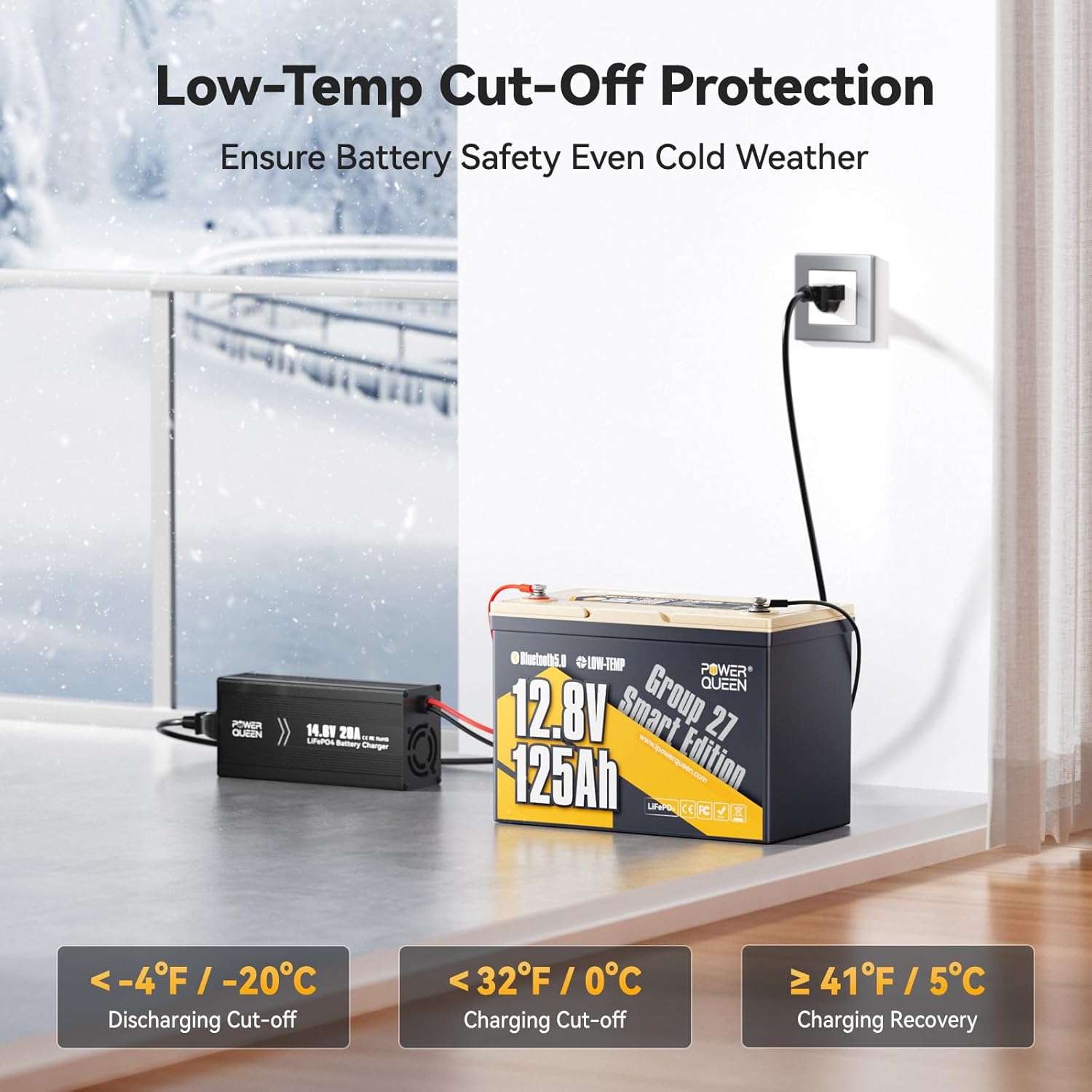
Image: Illustration of the low-temperature cut-off protection, showing the battery in a cold setting with specific temperature thresholds for charging and discharging.
4.4 Applications
The Power Queen 12V 125Ah battery is versatile and suitable for various applications:
- RV/Camping
- Trolling Motors
- Marine Systems
- Off-Grid Power Systems
- Home Energy Storage
- Solar Systems

Image: Visual representation of the battery's multi-application suitability, including RV/camping, trolling motors, marine, off-grid, and home energy storage.
5. Maintenance
Power Queen LiFePO4 batteries are designed for minimal maintenance. However, following these guidelines will help ensure optimal performance and lifespan:
- Regular Monitoring: Periodically check battery status via the Bluetooth app to monitor SOC, voltage, and temperature.
- Temperature Management: Ensure the battery operates within its specified temperature range. The built-in low-temperature protection helps, but avoid prolonged exposure to extreme heat or cold.
- Clean Terminals: Keep battery terminals clean and free of corrosion. Use a dry cloth to wipe them if necessary.
- Secure Connections: Periodically check that all electrical connections are tight to prevent resistance and heat buildup.
- Storage: For long-term storage, ensure the battery is charged to approximately 50% SOC and stored in a cool, dry place. Use the app's discharge switch to cut off power if needed.
5.1 Smart BMS Protections
The integrated Smart BMS provides over 20 protection features, contributing to the battery's safety and longevity:
- Over Voltage Protection
- Under Voltage Protection
- Over Current Protection
- Short Circuit Protection
- Over Temperature Protection
- Moisture-Proof & Salt-Spray Resistance
- Pre-charge Function (compatible with all inverters)
- Auto-recovery after Overload Protection (30 seconds)

Image: A visual representation of the advanced 100A Battery Management System (BMS) with its various protection features.
6. Troubleshooting
If you encounter issues with your Power Queen battery, consider the following common troubleshooting steps:
- Battery Not Charging:
- Check all connections for tightness and proper polarity.
- Verify that the charger is compatible with LiFePO4 batteries and is functioning correctly.
- Check the battery temperature via the app; charging will stop if below 32°F (0°C).
- Ensure the charger's voltage and current settings are appropriate for a 12V LiFePO4 battery.
- Battery Not Discharging/No Power Output:
- Confirm that the discharge switch in the app is turned ON.
- Check all load connections and ensure they are secure.
- Verify that the battery SOC is not too low.
- Check the battery temperature via the app; discharging will stop if below -4°F (-20°C).
- If an overload occurred, the BMS might have activated protection. The battery features auto-recovery after 30 seconds.
- Bluetooth Connection Issues:
- Ensure Bluetooth is enabled on your device.
- Make sure you are within range of the battery.
- Try restarting the app or your device.
- If the issue persists, try re-pairing the battery by scanning the QR code again.
- Unusual Behavior/Alerts:
- Refer to the alerts section in the Power Queen app for specific error codes or messages.
- If the issue cannot be resolved, contact Power Queen customer support.
7. Specifications
| Specification | Value |
|---|---|
| Brand | Power Queen |
| Model Number | P12V125-100-GROUP27-BT-4-A90-PACK2-9 |
| Voltage | 12.8 Volts |
| Capacity | 125Ah |
| Energy | 1600Wh |
| Product Dimensions (L x W x H) | 12.13 x 6.69 x 8.31 inches |
| Weight | Approximately 25.12 lbs |
| Resistance | 40 Milliohms |
| Terminal Type | M8 |
| Cycle Life | 4000-15000 Cycles |
| Lifespan | Up to 10 Years |
| Low-Temp Charge Cut-off | 0°C (32°F) |
| Low-Temp Discharge Cut-off | -20°C (-4°F) |
| Low-Temp Charge Recovery | 5°C (41°F) |
| Automotive Fit Type | Universal Fit |

Image: Comparison of runtime for various electrical equipment, highlighting the increased energy capacity of the 12V 125Ah battery.

Image: Visual comparison illustrating that the 12V 125Ah battery offers 1.25 times more energy than a standard 12V 100Ah LFP battery.
8. Warranty and Support
Power Queen is committed to providing reliable products and excellent customer service.
- Warranty: The product comes with a 5-year service commitment. Specific warranty terms and conditions may apply.
- Customer Support: 24/7 customer support is available for any inquiries or assistance needed. Please refer to the Power Queen website or contact information provided with your purchase for support details.
9. Product Video
Watch this official video for an overview of Power Queen batteries and their applications:
Video: Power Queen - Versatile Power, Warmer Moments. This video highlights the brand's philosophy and the various ways Power Queen batteries enhance daily life and adventures.


