Introduction
The Rpbznr AI Voice Recorder is an advanced digital recording device designed to capture audio with high fidelity and enhance productivity through artificial intelligence. This device offers real-time transcription, summarization, and translation capabilities across multiple languages, making it an indispensable tool for meetings, lectures, interviews, and personal notes. Its full touchscreen interface, robust storage, and dual encryption technology ensure ease of use and data security.

Image: The Rpbznr AI Voice Recorder, a sleek black device with a touchscreen interface.
What's in the Box
Upon unboxing your Rpbznr AI Voice Recorder, please ensure all the following items are present:
- Recording device
- Charging cable (USB Type-C)
- User manual
- Wired headset
- Protective bag

Image: A flat lay of the Rpbznr AI Voice Recorder, charging cable, user manual, wired headset, and protective bag.
Product Features
AI Recording Technology
The Rpbznr AI Voice Recorder leverages advanced artificial intelligence to provide comprehensive audio processing. It supports online real-time voice-to-text transcription for 134 languages, intelligent summarization, and editing. The device can also differentiate between speakers, making meeting notes more organized. Recordings can be shared and uploaded to cloud storage for further processing.

Image: The AI Voice Recorder displaying transcription and summary features on its screen, highlighting its ChatGPT-4o integration.
Dual Encryption Technology
Your data security is paramount. The device features dual encryption:
- Lock Screen Encryption: A six-digit password is required to unlock and operate the device.
- Data Encryption: When connecting to a computer via USB to view device files, a data password must be entered.

Image: The AI Voice Recorder displaying a password-protected lock screen, emphasizing its dual encryption for security.
Lightweight Design & Ample Storage
The recorder features a large 4.1-inch HD full-touch screen and a 5-megapixel rear-facing camera for synchronizing photos with recordings. It comes with 16GB internal storage and a 64GB TF card, providing a total of 80GB, capable of storing up to 1500 hours of audio. A two-hour charge provides up to 6 hours of continuous recording.
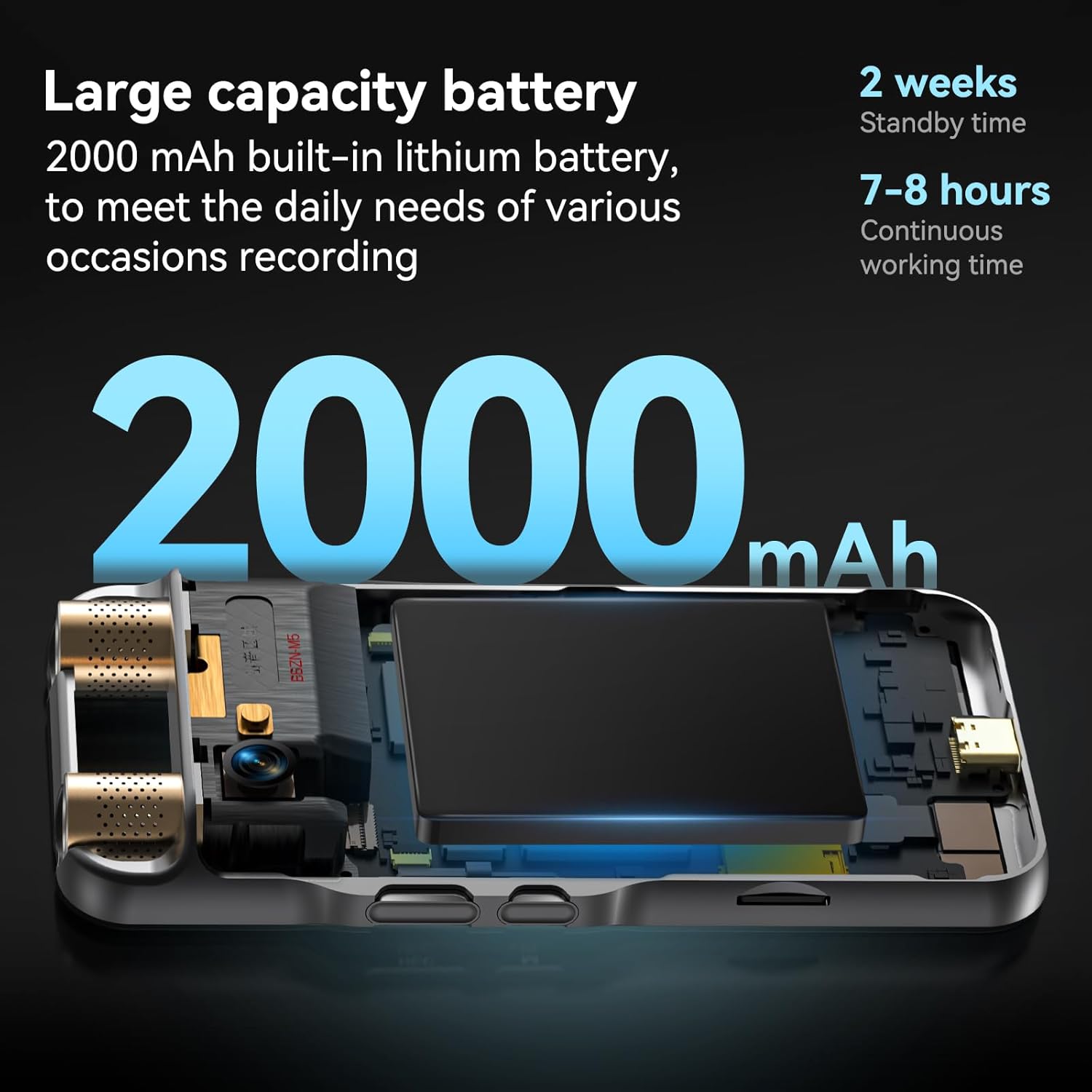
Image: The AI Voice Recorder held in a hand, showcasing its large touchscreen and compact, lightweight design.
AI Translation Function
Beyond transcription, the device includes an AI translation function that supports 134 online languages. It also offers AI shot translation for text in 71 online languages with up to 95% accuracy, utilizing AI image recognition.

Image: The AI Voice Recorder's screen showing a translated text from one language to another, demonstrating its AI translation capability.
Wireless Network Connection & Cloud Storage
The device supports wireless network connections via WiFi or mobile hotspot (2.4 GHz or 5.0 GHz bands). Activating your AI voice recorder grants 5GB of cloud storage for unlimited recording, transcription, summarization, and translation. Premium subscription options are available for expanded cloud storage and additional AI features.
Setup
Charging the Device
Connect the provided USB Type-C charging cable to the device and a compatible power source. The device will indicate when it is charging and when it is fully charged. A full charge takes approximately two hours and provides up to 6 hours of continuous recording.
Powering On/Off
Locate the power button on the side of the device. Press and hold to power on or off. The touchscreen will display the Rpbznr logo upon startup.
Network Connection
To utilize online AI features, connect the device to a Wi-Fi network or mobile hotspot. Navigate to the settings menu on the touchscreen, select 'Wireless Network Connection', and choose your preferred network. Ensure your router or mobile hotspot is configured for 2.4 GHz or 5.0 GHz bands.
Operating Instructions
Recording Audio
To start recording, tap the 'Record' icon on the touchscreen or use the dedicated physical record button. The device supports various recording modes, including PCM recording and DSP noise cancellation for clear audio. You can pause and resume recordings as needed.
Video: A seller demonstrating the Rpbznr AI Voice Recorder's recording and playback functions, highlighting its ease of use and features.
Playback and File Management
Access your recorded files through the 'Files' or 'Recordings' section on the touchscreen. You can play back audio, adjust volume, and manage your recordings. Files can be easily shared or uploaded to your cloud storage account for backup and further use.

Image: The AI Voice Recorder's screen showing a list of recorded audio files, with options for playback and management.
Transcription and Translation
After recording, select a file and choose the 'Transcription' or 'Translation' option. The AI will process the audio to generate text or translate it into your desired language. For optimal accuracy, ensure a clear audio input.
Image: The AI Voice Recorder's screen displaying a translated text, demonstrating its real-time translation capabilities.
Maintenance
General Care
Keep the device clean and free from dust and moisture. Use a soft, dry cloth for cleaning. Avoid exposing the device to extreme temperatures or direct sunlight.
Battery Management
To prolong battery life, avoid fully discharging the device frequently. Charge the device regularly using the provided USB Type-C cable.
Troubleshooting
Improving Transcription Accuracy
- Clear Pronunciation: Speak clearly and enunciate words with minimal accent.
- Microphone Positioning: Keep the microphone 3-6 inches from your mouth and ensure it is not covered.
Improving Noise Reduction Performance
- Do not block the microphone during recording; covering it may prevent audio capture and reduce noise filtering effectiveness.
- Ensure the microphone is unobstructed and positioned close to the sound source for clear input.
Recording Distance
The product can effectively record audio from distances up to 10 meters.
Specifications
| Product Dimensions | 0.43 x 2.4 x 4.84 inches |
| Item Weight | 8.8 ounces |
| Memory Storage Capacity | 80 GB (16GB internal + 64GB TF card) |
| Screen Size | 4.1-inch HD Full-Touch Screen |
| Hardware Interface | USB Type C |
| Microphone Form Factor | Built-In (2 directional, 6 omnidirectional) |
| Headphones Jack | Type-C Wired Headset |
| Continuous Recording Time | 6 hours |
Warranty and Support
For warranty information, technical support, or any inquiries regarding your Rpbznr AI Voice Recorder, please refer to the contact details provided in the packaging or visit the official Rpbznr website. Keep your purchase receipt for warranty claims.


