
1. Product Overview
The Pondee X2 Robotic Pool Vacuum is a cordless pool cleaner designed for efficient and hassle-free maintenance of above-ground and flat-bottom inground pools. It features an extended runtime, powerful cleaning capabilities, and smart self-parking for convenient use.

Figure 1: Pondee X2 Robotic Pool Vacuum.
Key Features:
- Extended Runtime & Fast Charging: Up to 200 minutes of continuous cleaning with a 3.3-hour full charge.
- Lightweight & Effortless Handling: Weighs only 3.7 kg, designed for easy lifting and maneuvering.
- Dual-Brushless Motors: Provides superior performance and a longer lifespan for efficient debris collection.
- One-Click Activation & Self-Parking: Simple operation and automatic return to the pool edge after cleaning.
- Versatile Pool Compatibility: Suitable for above-ground and flat-bottom inground pools up to 1290 sq. ft. (120 m²), including PVC, vinyl, or concrete surfaces.
2. What's in the Box
Verify that all components are present in the package before proceeding with setup.

Figure 2: Package List.
- 1x Pondee WaveRobo Pro X2 Pool Vacuum
- 1x Charger
- 1x User Manual
- 1x Hook (for retrieval)
- 2x Replacement Brushes
3. Important Safety Information
Read all instructions carefully before using the Pondee X2 Robotic Pool Vacuum. Failure to follow these instructions may result in property damage, serious injury, or death.
- Always ensure the charging port is dry before connecting the charger.
- Do not operate the cleaner if the battery or charger is damaged.
- Keep children and pets away from the pool area when the cleaner is in operation.
- Only use the provided charger. Using unauthorized chargers may cause fire or damage.
- Do not attempt to disassemble or repair the unit yourself. Contact customer support for assistance.
- Store the cleaner in a cool, dry place away from direct sunlight when not in use.
4. Setup Guide
4.1 Initial Charging
Before first use, fully charge the Pondee X2 pool vacuum. This typically takes approximately 3.3 hours.
- Ensure the charging port on the vacuum is clean and dry.
- Connect the charger to the vacuum's charging port.
- Plug the charger into a standard electrical outlet.
- The indicator light on the vacuum will show charging status (refer to the LED indicator section for details).
- Once fully charged, disconnect the charger from the outlet and then from the vacuum.

Figure 3: Charging the Pondee X2.
4.2 Wheel Configuration (Optional)
The Pondee X2 allows for two wheel configurations to optimize cleaning paths based on your pool shape.

Figure 4: Wheel configurations for straight (A) or curved (B) cleaning paths.
- A Wheels Roll Ahead (More Straight): Ideal for rectangular or square pools.
- B Wheels Roll Ahead (More Curved): Ideal for round or irregularly shaped pools.
Adjust the wheel direction according to your pool's shape for optimal cleaning coverage. Refer to the user manual for detailed instructions on adjusting wheel configuration.
5. Operation
5.1 Starting the Cleaner
The Pondee X2 features one-click activation for ease of use.
- Ensure the cleaner is fully charged.
- Place the cleaner into the pool. It will sink to the bottom.
- Press the power button once to activate the cleaning cycle. The indicator light will illuminate.
- The cleaner will begin its autonomous cleaning process.

Figure 5: One-Click Activation.
5.2 Auto-Parking Feature
Upon completion of its cleaning cycle or when the battery is low, the Pondee X2 will automatically park itself near the pool edge for easy retrieval.
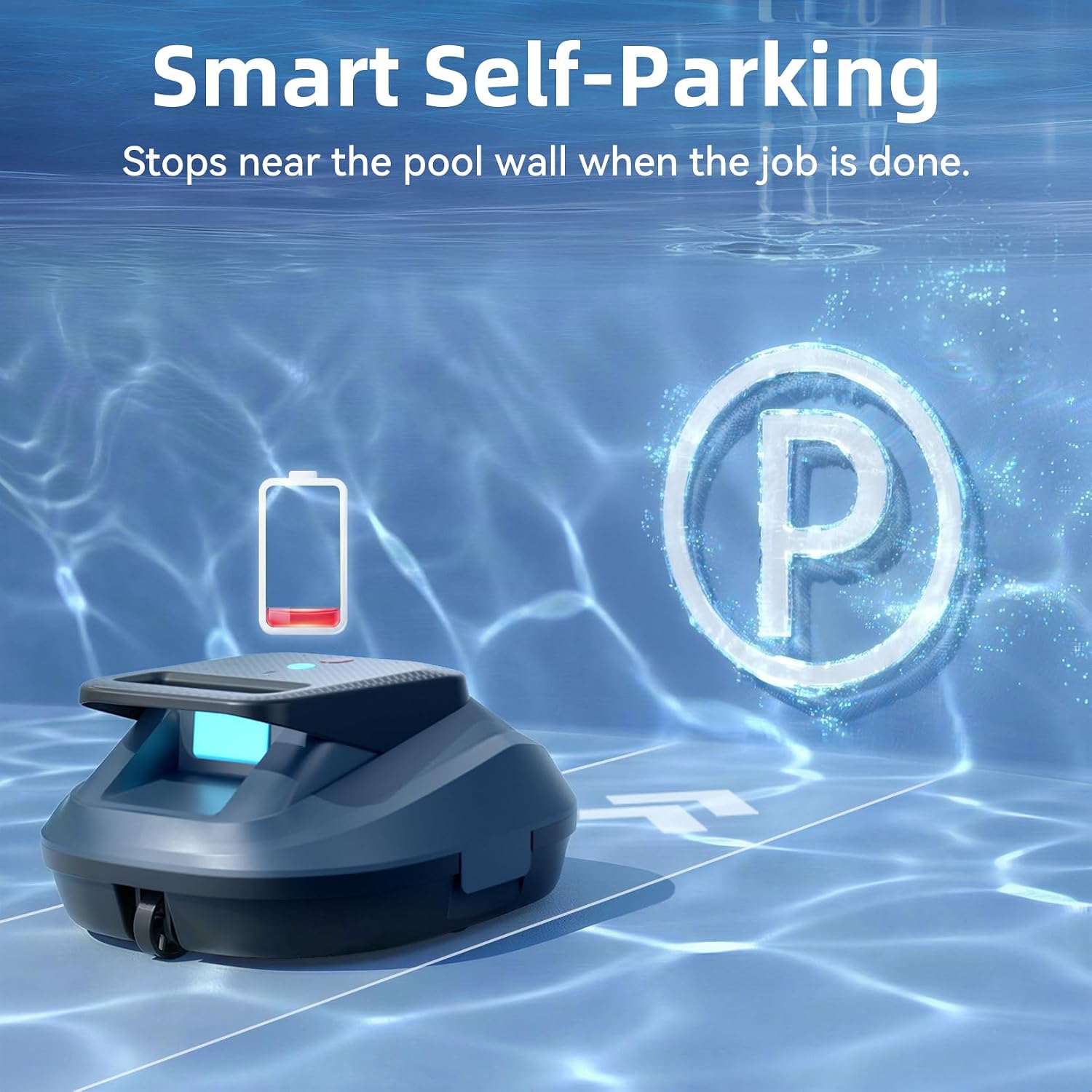
Figure 6: Smart Self-Parking.
5.3 Retrieving the Cleaner
Use the provided hook to retrieve the cleaner from the pool.
- Once the cleaner has parked at the edge, use the hook to gently pull it towards you.
- Lift the cleaner out of the water using its handle. The quick-drain feature will release water, making it lighter to lift.
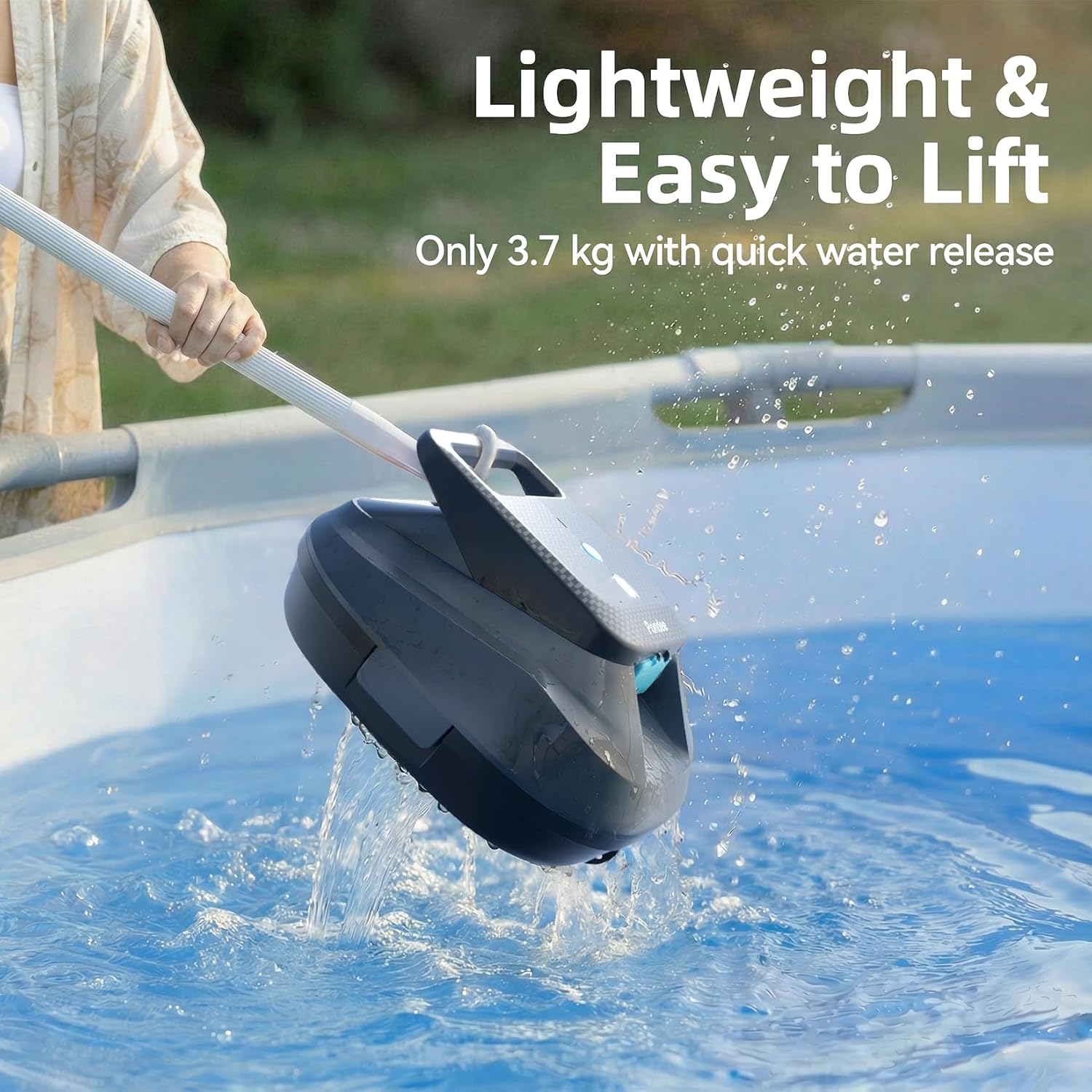
Figure 7: Easy retrieval with quick water release.
5.4 LED Indicator Status
- Green Light: 71%-100% battery (High)
- Blue Light: 31%-70% battery (Medium)
- Red Light: 0%-30% battery (Low)
6. Maintenance
6.1 Cleaning the Filter Basket
Regularly cleaning the filter basket is crucial for maintaining optimal cleaning performance.
- After each cleaning cycle, remove the cleaner from the pool.
- Open the cleaner's cover to access the filter basket.
- Remove the filter basket and empty any collected debris.
- Rinse the filter basket thoroughly with a hose to remove fine particles.
- Ensure the filter basket is clean before reinserting it and closing the cover.

Figure 8: Filter basket for 180µm fine filtration.
Video 1: How to Clean Your Pool with a Cordless Robot Vacuum Cleaner. This video demonstrates the cleaning process and maintenance of a cordless robotic pool cleaner.
6.2 General Care and Storage
- Wipe down the exterior of the cleaner with a soft cloth after use.
- Store the cleaner in a shaded, dry area when not in use, especially during off-season.
- Ensure the battery is charged periodically during long storage to maintain battery health.
7. Troubleshooting
| Problem | Possible Cause | Solution |
|---|---|---|
| Cleaner does not turn on. | Low battery; Power button not pressed correctly. | Charge the cleaner fully. Press the power button firmly. |
| Cleaner stops mid-cycle. | Low battery; Obstruction; Filter basket full. | Recharge the cleaner. Check for and remove obstructions. Clean the filter basket. |
| Poor cleaning performance. | Full filter basket; Worn brushes; Incorrect wheel configuration. | Clean the filter basket. Replace brushes if worn. Adjust wheel configuration for pool type. |
| Cleaner does not charge. | Charger not connected properly; Damaged charger/charging port; Battery issue. | Ensure secure connection. Check charger and port for damage. If issues persist, contact customer support. |
| Cleaner gets stuck. | Obstruction in pool; Uneven pool surface (though designed for flat bottoms). | Remove any large debris from the pool. Ensure pool bottom is as flat as possible. |
8. Product Specifications
| Feature | Detail |
|---|---|
| Brand | Pondee |
| Model Name | X2 |
| Power Source | Battery Powered |
| Item Weight | 3.7 Kilograms |
| Special Features | Cordless, Rechargeable |
| Control Method | Push Button |
| Battery Type | Lithium-Ion |
| Battery Energy Content | 57.72 Watt Hours |
| Number of Batteries | 1 (included) |
| Charging Time | 3.3 Hours (approx.) |
| Runtime | Up to 200 minutes |
| Max Pool Area | 1290 sq. ft. (120 m²) |
| Filtration | 180µm Fine Filtration |
9. Warranty and Customer Support
9.1 Warranty Information
The Pondee X2 Robotic Pool Vacuum comes with a standard manufacturer's warranty. Please refer to the warranty card included in your package for specific terms, conditions, and duration. Keep your proof of purchase for warranty claims.
9.2 Customer Support
For any questions, technical assistance, or warranty claims, please contact Pondee customer support. Contact details can typically be found on the official Pondee website or on the warranty card provided with your product.
When contacting support, please have your product model (X2) and proof of purchase readily available.