
1. Introduction
Thank you for choosing the Luminous Zelio M 1600 Sine Wave Inverter. This inverter is designed to provide reliable and efficient power backup for your home, office, or shop. It features advanced technology to ensure stable power output and protection for your appliances. Please read this manual carefully before installation and operation to ensure safe and optimal performance.
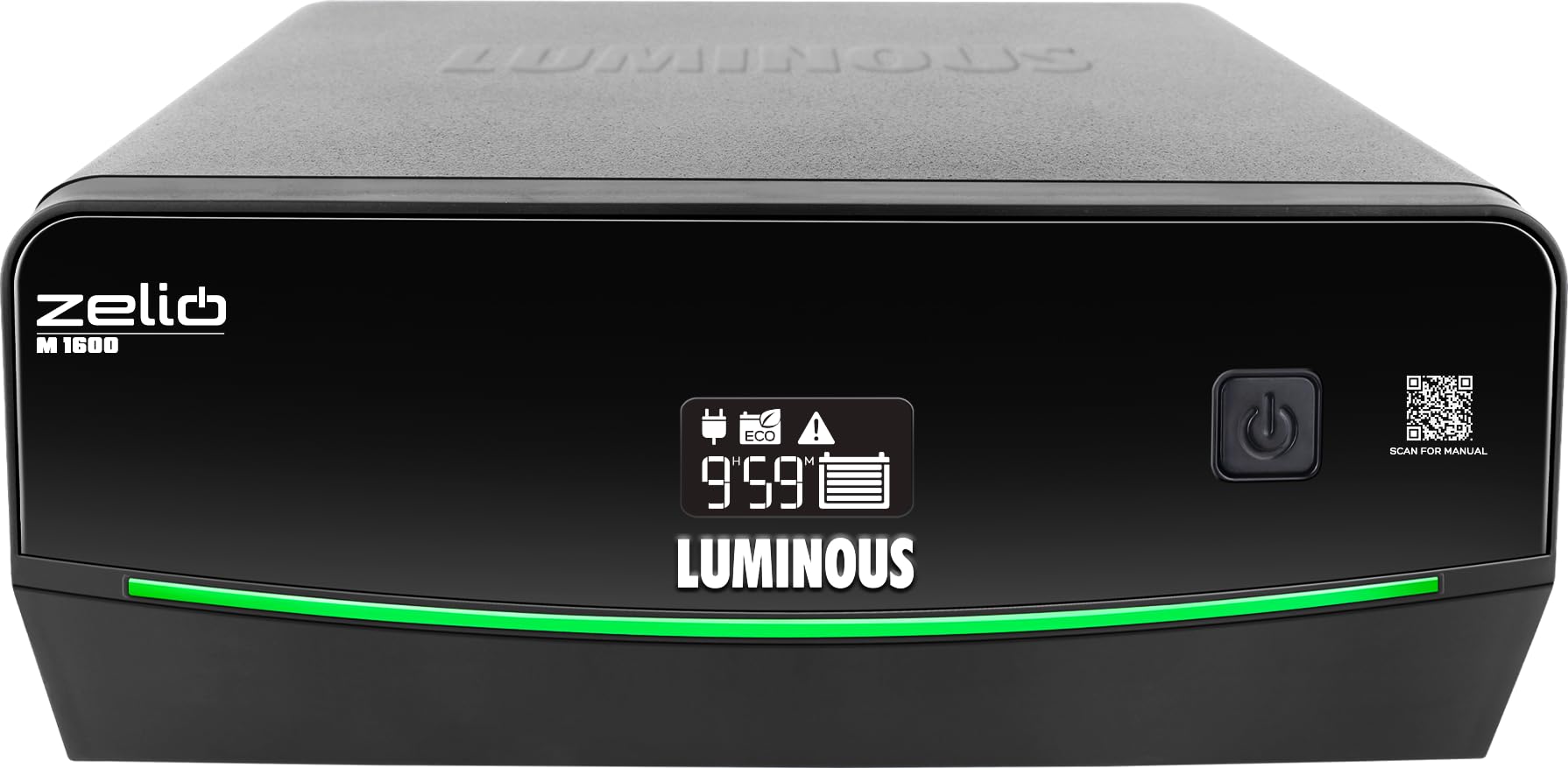
Figure 1: Front view of the Luminous Zelio M 1600 Sine Wave Inverter.
2. Safety Information
Always follow these safety precautions to prevent injury or damage to the inverter and connected equipment:
- Electrical Hazard: Do not open the inverter casing. There are no user-serviceable parts inside. Refer all servicing to qualified personnel.
- Proper Ventilation: Ensure the inverter is installed in a well-ventilated area to prevent overheating.
- Water and Moisture: Keep the inverter away from water, rain, snow, or any liquids.
- Flammable Materials: Do not operate the inverter near flammable liquids or gases.
- Battery Safety: Batteries contain corrosive acid. Wear protective eyewear and gloves when handling batteries. Ensure proper battery connections to avoid short circuits.
- Grounding: The inverter must be properly grounded to prevent electrical shock.
- Children: Keep the inverter and batteries out of reach of children.
3. Product Overview and Key Features
The Zelio M 1600 Inverter combines modern design with advanced functionality for reliable power backup.

Figure 2: Front panel details showing Tri-Color Battery Indicator, LED Backlit Display, and QR Code for manual access.
Key Features:
- High Capacity Output: 1400VA / 1176W, suitable for higher load requirements in homes and small offices.
- Dual Operating Modes: UPS/REG mode for stable output to sensitive electronics and ECO mode for wide voltage operation during fluctuations.
- Quick Changeover: Less than 20 milliseconds changeover time ensures uninterrupted power for computers and sensitive appliances.
- 12V Battery Compatibility: Supports tubular, SMF, and flat plate batteries ranging from 80Ah to 250Ah.
- Advanced Monitoring & Protection: LCD screen with fault indicators and audio alerts for overload, low battery, wrong wiring, short circuit, and over-temperature protection.
- Tri-Color Battery Indicator: Provides instant visual status of the battery.
- LED Backlit Segment Display: For simplified power monitoring and status updates.
- Sine Wave Technology: Ensures peaceful, noise-free operation and is safe for all types of appliances.
- ABCC Technology: For sustained backup and savings.
- Low Voltage Fast Charging: Reliable power anytime, with charging starting at low voltages (e.g., 95V).
- SR Technology: For optimized power and lower electricity bills.
4. Installation and Setup
Proper installation is crucial for the safe and efficient operation of your inverter. It is recommended to have installation performed by a qualified technician.
4.1 Unpacking
- Carefully remove the inverter from its packaging.
- Inspect for any shipping damage. If damaged, contact your dealer immediately.
- Ensure all accessories are present.
4.2 Placement
- Place the inverter on a flat, stable surface.
- Ensure adequate ventilation around the unit. Maintain at least 10 cm clearance from walls or other objects.
- Avoid direct sunlight, heat sources, and areas with high humidity or dust.
4.3 Battery Connection
- Ensure the inverter is switched OFF and disconnected from the mains supply.
- Connect the positive (+) terminal of the battery to the positive (+) terminal of the inverter using the red cable.
- Connect the negative (-) terminal of the battery to the negative (-) terminal of the inverter using the black cable.
- Ensure connections are tight and secure. Incorrect polarity can cause severe damage.
4.4 Mains and Load Connection
- Connect the inverter's input power cord to a grounded wall outlet.
- Connect your appliances (load) to the output sockets of the inverter. Do not overload the inverter beyond its rated capacity (1176W).
5. Operating Instructions
The Zelio M 1600 Inverter offers flexible operating modes to suit your power needs.
5.1 Powering On/Off
- To power on, press and hold the power button until the display illuminates.
- To power off, press and hold the power button until the display turns off.
5.2 Operating Modes
The inverter features two operating modes: UPS/REG and ECO.
- UPS/REG Mode: Provides a narrow input voltage window (e.g., 180V-260V) for sensitive appliances like computers. This mode ensures a stable and precise output voltage.
- ECO Mode: Offers a wider input voltage window (e.g., 100V-280V), allowing the inverter to operate on mains power even during significant voltage fluctuations. This mode is energy-efficient and suitable for less sensitive appliances.
You can switch between modes using the dedicated mode selection button on the inverter's front panel. The current mode will be indicated on the LED display.

Figure 3: Inverter features like Sine Wave Technology for quiet operation and ABCC Technology for sustained backup.
5.3 Load Capacity
The Zelio M 1600 can power various essential appliances. Ensure the total wattage of connected devices does not exceed 1176W.

Figure 4: Example load capacity for common household essentials.
6. Maintenance
Regular maintenance ensures the longevity and optimal performance of your Luminous Zelio M 1600 Inverter and battery.
- Keep Clean: Regularly clean the inverter's exterior with a dry cloth. Ensure ventilation openings are free from dust and obstructions.
- Battery Check: For lead-acid batteries, periodically check the electrolyte level and top up with distilled water if necessary. Keep battery terminals clean and free from corrosion.
- Connection Check: Periodically inspect all cable connections (battery, mains, load) to ensure they are tight and secure. Loose connections can cause power loss or overheating.
- Avoid Overloading: Do not connect appliances that exceed the inverter's rated capacity.
- Ventilation: Always ensure the inverter is in a well-ventilated area.
7. Troubleshooting
This section provides solutions to common issues you might encounter. For problems not listed here, please contact customer support.
| Problem | Possible Cause | Solution |
|---|---|---|
| Inverter not turning on | No mains power, battery discharged, loose battery connections. | Check mains supply. Ensure battery is charged. Verify battery cable connections. |
| No output power | Overload, short circuit, low battery, inverter fault. | Reduce load. Check for short circuits in wiring. Charge battery. Check inverter display for fault codes. |
| Overload alarm | Connected load exceeds inverter capacity. | Disconnect some appliances to reduce the load. |
| Low battery alarm | Battery charge is critically low. | Connect to mains power to recharge the battery. |
| Over-temperature alarm | Inverter is overheating. | Ensure proper ventilation. Clear any obstructions from vents. Allow inverter to cool down. |
| Wrong wiring indicator | Incorrect battery or mains wiring. | Switch off the inverter and mains. Recheck all wiring connections according to the manual or consult a technician. |
8. Specifications
Technical details for the Luminous Zelio M 1600 Sine Wave Inverter.
| Specification | Value |
|---|---|
| Brand | Luminous |
| Model Name | Zelio M 1600 |
| Inverter Capacity (VA) | 1400 VA |
| Wattage | 1176 Watts |
| Voltage | 12 Volts |
| Battery Compatibility | 80Ah to 250Ah (Tubular, SMF, Flat Plate) |
| Recommended Uses | Home, Office |
| Power Source | Battery Powered |
| Item Dimensions (L x W x H) | 27.5L x 28.1W x 14H Centimeters |
| Item Weight | 12.2 Kilograms |
| Colour | Black |
| Country of Origin | India |
9. Warranty and Customer Support
Luminous is committed to providing reliable products and excellent customer service.
9.1 Warranty Information
The Luminous Zelio M 1600 Sine Wave Inverter comes with a 36 Months Warranty from the date of purchase. Please retain your purchase receipt for warranty claims. The warranty covers manufacturing defects under normal use conditions.

Figure 5: Luminous's commitment to reliable power and expert care, including comprehensive installation, trained service engineers, nationwide service network, warranty assurance, and 24/7 customer support.
9.2 Customer Support
For any queries, technical assistance, or warranty claims, please contact Luminous customer support:
- Manufacturer Contact: Luminous Power Technologies Pvt. Ltd., Village-Malpur, Baddi, District-Solan, Himachal Pradesh-173205
- Packer Contact: Luminous Power Technologies Private Limited, Plot No 150, Sector- 44, Gurugram, Haryana -122003
- Email: Care@luminousindia.com


