
SVBONY FW9328A
SVBONY SC571CC Cooled Color Astronomy Camera Instruction Manual
Model: FW9328A
1. Product Overview
The SVBONY SC571CC Cooled Color Astronomy Camera is designed for high-resolution astrophotography. It features an IMX571 CMOS APS-C sensor, dual-stage TEC cooling, and a front-window glass heater to prevent dew and condensation. This camera ensures stable data transfer via USB 3.0 Type C and offers broad compatibility with various telescopes and astronomy software.
- High-resolution APS-C sensor: SC571CC CMOS Telescope Camera features the IMX571 APS-C BSI sensor with a 23.4×15.7mm area and 26MP resolution; Its 3.76 µm pixels and efficient BSI design capture sharp stars and faint nebulae with clean deep-sky data.
- Heat the Glass, Clear imaging: Safeguard your imaging sessions from dew and moisture with SC571CC's front-window heater; the heater is seamlessly integrated for software control; with the option to activate 'Heating/Defog' directly; safeguard image quality and maximize your productive imaging time.
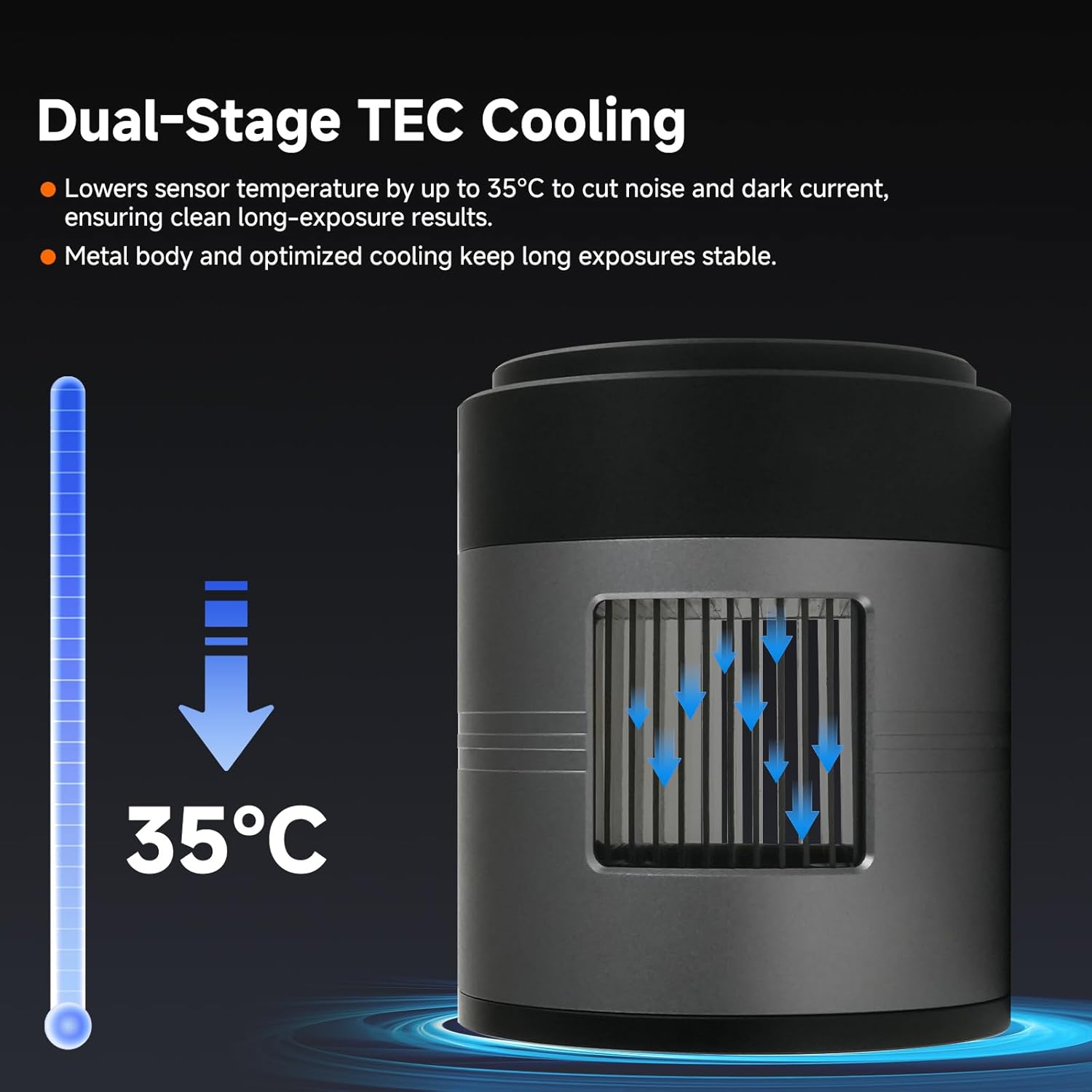
- Dual-stage TEC cooling: APS-C Format Camera lowers the sensor temperature by 35°C below ambient (ΔT = -35°C); reducing dark current and noise. Its all-metal heat-dissipation design ensures stability for long deep-sky exposure.
- Wide telescope compatibility: SVBONY SC571CC Cooled Camera is compatible with APO; Newtonian; RC; and catadioptric scopes; offering image circle and sharp detail at medium-to-long focal lengths.
- 16-bit wide dynamic range: APS-C Camera features a 16-bit ADC; delivering up to 14 stops of dynamic range; It produces smoother tonal transitions; preserves faint details; ensuring ideal deep-sky images.
- Zero Amp-Glow: Astro Camera features a Zero Amp-Glow sensor for clean dark frames during long exposures; Optimized circuits reduce noise stripes; ensuring pure image quality; Ideal for capturing faint nebulae; Ha regions; and molecular clouds.
- Stable USB 3.0 connection: equipped with USB 3.0; SC571CC astronomical camera ensures fast and reliable data transfer without frame drops or interruptions; even when connecting multiple devices or running long deep-sky imaging sessions.
- High QE (>80%) for faint targets: SVBONY SC571CC features a back-illuminated sensor with large pixels to enhance photon efficiency; capturing faint nebulae and Ha regions with clean; detailed deep-sky images—even under light-polluted skies.
- 512MB DDR3 buffer for stable transfer: the IMX571 Camera’s USB 3.0 interface with 512MB DDR3 memory reduces frame drops and interruptions when multiple devices are connected; ensuring smooth all-night imaging sequences.
2. Package Contents
Verify that all items listed below are included in your package:
- 1X SC571CC camera
- 1X User Manual
- 1X M48M-M42F Adapter Ring
- 1X M42M-M48F Adapter Ring
- 1X M42M-M42F Adapter Ring
- 1X 12V 3A Power Adapter
- 1X USB Cable
- 1X M42 Dust Cap
- 1X Lens Cleaning Cloth

3. Setup and Connection
This section details the physical setup and connection of your SVBONY SC571CC camera to your telescope and computer.
3.1 Camera Components Overview

3.2 Connecting to a Computer
Connect the camera to your computer using the provided USB 3.0/USB 2.0 cable. Ensure the 12V 3A power adapter is connected to the camera and a power source for cooling functionality.

3.3 Back Focus Solutions and Adapter Rings
The SC571CC camera offers various back focus solutions for compatibility with different telescopes and accessories. Use the appropriate adapter rings to achieve the correct back focal length.


4. Operating the Camera
4.1 Software Compatibility
The SVBONY SC571CC camera is compatible with various astronomy software platforms, including N.I.N.A., SharpCap, PHD2, and others. This ensures quick setup and seamless integration into your existing astrophotography workflow.
4.2 TEC Cooling and Dew Prevention
The dual-stage TEC cooling system lowers the sensor temperature by up to 35°C below ambient, significantly reducing dark current and noise for long exposures. The integrated front-window heater prevents dew and condensation, which can be controlled directly through supported software.

4.3 Zero Amp-Glow Technology
The SC571CC features a Zero Amp-Glow sensor, ensuring clean dark frames during long exposures. Optimized circuits reduce noise stripes, providing pure image quality ideal for capturing faint nebulae, Ha regions, and molecular clouds.

4.4 Data Transfer and Buffer
Equipped with a USB 3.0 Type-C interface and a 512MB DDR3 buffer, the SC571CC ensures fast and reliable data transfer. This minimizes frame drops and interruptions, even when multiple devices are connected or during long deep-sky imaging sessions.

5. Maintenance
Proper maintenance ensures the longevity and optimal performance of your SVBONY SC571CC camera.
- Cleaning the Sensor: The camera's protective window helps keep the sensor clean. If dust or smudges appear, use the provided lens cleaning cloth or a specialized sensor cleaning kit. Avoid touching the sensor directly.
- Storage: When not in use, store the camera in a dry, dust-free environment, preferably in its original packaging or a protective case.
- Power: Always ensure the correct 12V 3A power adapter is used. Incorrect voltage can damage the camera.
- Software Updates: Regularly check the SVBONY website for firmware and software updates to ensure optimal performance and access to new features.
6. Troubleshooting
This section provides solutions to common issues you might encounter with your SVBONY SC571CC camera.
- Camera Not Detected:
- Ensure the USB cable is securely connected to both the camera and the computer.
- Try a different USB port on your computer.
- Verify that the camera drivers are correctly installed. Refer to the SVBONY support website for the latest drivers.
- Restart your computer and the camera.
- Cooling Not Working:
- Confirm the 12V 3A power adapter is properly connected and receiving power. The TEC LED on the camera should illuminate.
- Check software settings to ensure cooling is enabled and the target temperature is set correctly.
- Dew or Condensation on Sensor:
- Activate the "Heating/Defog" function in your astronomy software.
- Ensure the camera has reached its target cooling temperature, as this can sometimes exacerbate dew formation if not properly managed.
- Poor Image Quality (Noise/Artifacts):
- Ensure proper calibration frames (dark, bias, flat) are being taken and applied during processing.
- Check for light pollution in your imaging environment.
- Verify that the camera is correctly focused and guided.
7. Specifications
| Feature | Detail |
|---|---|
| Product Dimensions | 3.74 x 3.15 x 3.15 inches |
| Item Weight | 1.31 pounds |
| ASIN | B0GFLTVMNB |
| Item Model Number | FW9328A |
| Date First Available | January 8, 2026 |
| Manufacturer | SVBONY |

8. Warranty and Support
SVBONY provides a standard warranty for its products. For detailed warranty information, product support, or technical assistance, please visit the official SVBONY website or contact their customer service. Keep your purchase receipt as proof of purchase for warranty claims.
For additional resources and community support, you may also find helpful information on astronomy forums and communities.
Related Documents - FW9328A
 |
SVBONY SC715C Astronomy Camera User Manual Comprehensive user manual for the SVBONY SC715C astronomy camera, detailing specifications, setup, software integration with SharpCap, maintenance, and safety guidelines. |
 |
SVBONY SV405CC Astronomy Camera User Manual User manual for the SVBONY SV405CC astronomy camera, detailing specifications, software installation, usage, care, and warranty information for astrophotography. |
 |
SVBONY SV205 Astronomy Camera User Manual - Guide and Specifications Comprehensive user manual for the SVBONY SV205 1.25-inch electronic astronomy camera. Includes setup, specifications, cleaning instructions, and warranty information. |
 |
SVBONY SV501 Refractor Telescope Instructions and User Guide Comprehensive instructions and user guide for the SVBONY SV501 Refractor Telescope, covering setup, operation, celestial observation, care, and warranty information. Ideal for beginners and amateur astronomers. |
 |
SVBONY SC001 WiFi Astronomy Camera User Manual | Features, Setup, and Specifications Comprehensive user manual for the SVBONY SC001 WiFi astronomy camera. Learn about its features, how to set it up for WiFi and UVC modes, time-lapse photography, specifications, packing details, warranty, and regulatory information. |
 |
SVBONY SV305 Pro Astronomy Camera User Manual User manual for the SVBONY SV305 Pro astronomy camera, detailing specifications, usage, maintenance, and safety guidelines. Includes package contents, technical details, and warranty information. |