
Introduction
Thank you for choosing Rumoon BT9944 Over-Ear Bluetooth Headphones. This manual provides essential information for the proper setup, operation, and maintenance of your headphones. Please read it thoroughly before use to ensure optimal performance and longevity of your device.
Safety Information
To prevent damage to your headphones or injury to yourself, please observe the following safety precautions:
- Avoid prolonged listening at high volumes to prevent hearing damage.
- Do not expose the headphones to extreme temperatures, humidity, or liquids.
- Keep the headphones away from strong magnetic fields.
- Do not attempt to disassemble or modify the headphones. This will void the warranty.
- Use only the provided charging cable and adapters.
Package Contents
- Rumoon BT9944 Over-Ear Bluetooth Headphones
- Detachable 6.35mm to 3.5mm coiled audio cable (9.8 ft stretched length)
- USB Charging Cable
- User Manual
Product Overview
The Rumoon BT9944 headphones are designed for versatility, offering both wireless Bluetooth 5.4 connectivity and wired options. They feature 50mm neodymium drivers for high-fidelity sound and soft memory foam ear cushions for comfort during extended use. The ear cups can swivel 90° for single-ear monitoring, and the headband is adjustable to fit various head sizes.
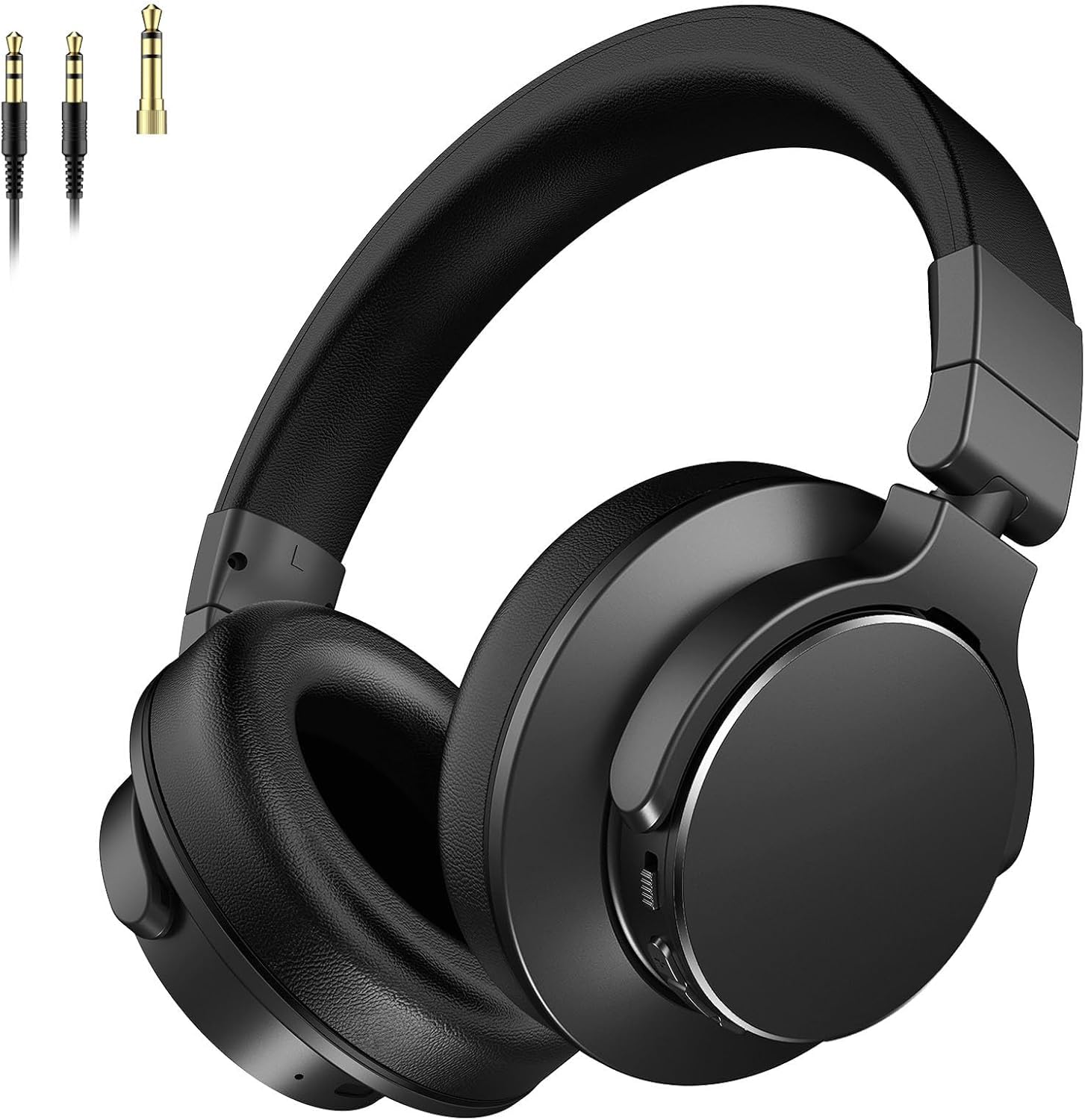
Image: Rumoon BT9944 Over-Ear Bluetooth Headphones, showcasing their sleek design.
Setup
1. Charging the Headphones
- Connect the USB charging cable to the charging port on the headphones.
- Plug the other end of the USB cable into a compatible USB power source (e.g., computer, wall adapter).
- The LED indicator will show charging status (e.g., red for charging, blue for fully charged).
- A full charge takes approximately 2 hours and provides up to 100 hours of playtime.
2. Bluetooth Pairing (Wireless Connection)
- Ensure the headphones are fully charged.
- Press and hold the Power button until the LED indicator flashes blue and red, indicating pairing mode.
- On your device (smartphone, tablet, computer), enable Bluetooth and search for available devices.
- Select "Rumoon BT9944" from the list of devices.
- Once connected, the LED indicator will turn solid blue.
- The headphones feature Bluetooth 5.4 for quick pairing and a stable connection up to 33 feet (10 meters).
3. Wired Connection
The headphones can be used with a wired connection for devices without Bluetooth or when battery is low.
- Insert the 3.5mm end of the coiled audio cable into the headphone's audio jack.
- Connect the other end (either 3.5mm or 6.35mm adapter) to your audio source (e.g., guitar amp, mixer, PC, smartphone).
- The 9.8 ft coiled cord provides flexibility and convenience for various setups.

Image: Diagram illustrating the versatility of 3.5mm and 6.35mm audio jack connections for different equipment.
Operating Instructions
1. Power On/Off
- Power On: Press and hold the Power button until the LED indicator lights up.
- Power Off: Press and hold the Power button until the LED indicator turns off.
2. Volume Control
- Use the volume up (+) and volume down (-) buttons on the headphones to adjust the audio level.
3. Music Playback
- Play/Pause: Press the Multi-function button once.
- Next Track: Press and hold the Volume Up (+) button.
- Previous Track: Press and hold the Volume Down (-) button.
4. Call Management
The built-in microphone allows for hands-free calls.
- Answer/End Call: Press the Multi-function button once.
- Reject Call: Press and hold the Multi-function button.
5. 90° Swivel Ear Cups
The ear cups can swivel 90 degrees, providing flexibility for single-ear monitoring, which is useful for DJs or during recordings.

Image: Close-up of the adjustable headband and 90° rotatable ear cups, highlighting comfort and functionality.
Maintenance
- Cleaning: Use a soft, dry cloth to clean the headphones. Do not use harsh chemicals or abrasive materials.
- Storage: When not in use, store the headphones in a cool, dry place. The foldable design allows for compact storage.
- Battery Care: To preserve battery life, charge the headphones regularly, even if not used frequently.
Troubleshooting
| Problem | Possible Cause | Solution |
|---|---|---|
| Headphones won't turn on | Low battery | Charge the headphones fully. |
| Cannot pair via Bluetooth | Headphones not in pairing mode / Device Bluetooth off | Ensure headphones are in pairing mode (flashing blue/red LED). Turn on Bluetooth on your device. |
| No sound in wired mode | Cable not fully inserted / Incorrect cable | Ensure the audio cable is securely connected to both the headphones and the audio source. Verify correct cable type. |
| Poor sound quality | Low battery / Out of Bluetooth range / Interference | Charge headphones. Move closer to the Bluetooth device. Avoid strong interference sources. |
Specifications
| Feature | Detail |
|---|---|
| Model Number | BT9944 |
| Brand | Rumoon |
| Ear Placement | Over Ear |
| Driver Size | 50mm Neodymium |
| Frequency Range | 20Hz - 20kHz |
| Bluetooth Version | 5.4 |
| Wireless Range | Up to 33 feet (10 meters) |
| Battery Capacity | 800mAh |
| Playtime (Wireless) | Up to 100 hours |
| Charging Time | Approx. 2 hours |
| Weight | 260g (0.57lb) |
| Additional Features | 90° Swivel Ear Cups, Built-in Microphone, Detachable 6.35mm & 3.5mm Plugs |
Warranty and Support
For warranty information and customer support, please refer to the documentation included with your purchase or visit the official Rumoon website. Keep your proof of purchase for any warranty claims.
Product Videos
Video: Rumoon DJ Headphones - An overview of the headphones' features and design for DJ use.
Video: Designed for Studio & DJ Performance - Demonstrates the headphones' suitability for studio recording and DJ mixing environments.
Video: Professional DJ Headphones for Mixing & Monitoring - Highlights the professional audio capabilities and comfort for extended use.