1. Introduction
The Fire-Boltt Ninja X Ring AMOLED Smart Watch (Model BSW215) is designed to enhance your daily life with advanced features. It boasts an ultra-bright 1.96-inch Super AMOLED display, Bluetooth calling capabilities, and a smart voice assistant. This smartwatch offers comprehensive health monitoring, including SpO2 (blood oxygen), continuous heart rate tracking, sleep analysis, and female health tracking. With over 120 sports modes and IP67 waterproofing, it is built for various activities. The device provides up to 7 days of battery life on a single charge.
2. What's in the Box
Upon unboxing your Fire-Boltt Ninja X Ring AMOLED Smart Watch, please ensure all items are present:
- Fire-Boltt Ninja X Ring AMOLED Smart Watch (Model BSW215)
- Charging Cable
- User Manual (this document)
3. Setup Guide
3.1 Initial Charging
Before first use, fully charge your smartwatch. Connect the provided charging cable to the charging port on the back of the watch and plug the USB end into a power adapter (not included) or a computer's USB port. A full charge typically takes approximately 120 minutes.
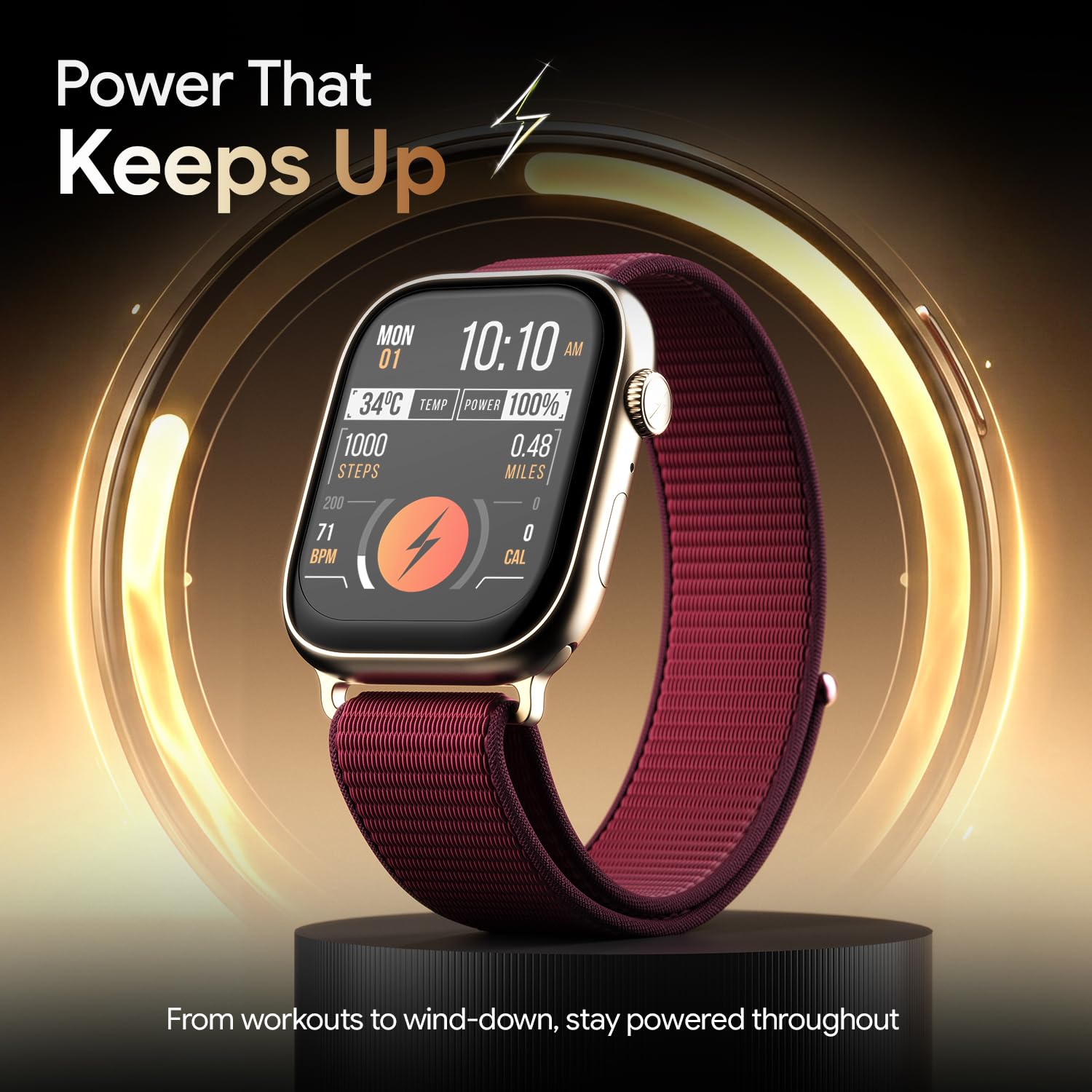
Image: The Fire-Boltt Ninja X Ring AMOLED Smart Watch connected to its magnetic charging cable.
3.2 App Installation and Pairing
To unlock the full functionality of your smartwatch, download and install the companion application on your smartphone. Refer to the quick start guide for the specific app name (commonly "Da Fit" or similar for Fire-Boltt devices).
- Download the App: Scan the QR code in the quick start guide or search for the official app in your smartphone's app store (Google Play Store for Android, Apple App Store for iOS).
- Create Account: Open the app and follow the on-screen instructions to create an account and set up your profile.
- Enable Bluetooth: Ensure Bluetooth is enabled on your smartphone.
- Pair Device: In the app, navigate to "Add Device" or "Pair Device." Select "BSW215" or "Fire-Boltt Ninja X Ring" from the list of available devices. Confirm the pairing request on both your watch and smartphone.
Once paired, the watch will synchronize data with your phone, and you can customize settings through the app.
4. Operating Your Smartwatch
4.1 Display and Navigation
The smartwatch features a 1.96-inch Super AMOLED display with 750 NITS brightness and 344x468 resolution, ensuring clear visibility. It supports an Always-On Display function.
- Touchscreen: Swipe left, right, up, or down to navigate through menus and features. Tap to select.
- Rotating Crown: Use the physical rotating crown on the side for smooth scrolling through lists, adjusting volume, or zooming in/out on certain interfaces. Press the crown to return to the watch face or access the app menu.
- Side Button: The additional side button can be customized for quick access to frequently used functions or sports modes.

Image: Close-up of the 1.96-inch AMOLED display of the Fire-Boltt Ninja X Ring Smart Watch, showing a watch face with Roman numerals.

Image: Detailed view of the precision rotating crown on the Fire-Boltt Ninja X Ring AMOLED Smart Watch.
4.2 Bluetooth Calling and Voice Assistant
With the integrated microphone and speaker, you can make and receive calls directly from your wrist when connected to your smartphone via Bluetooth.
- Making Calls: Access the dialer or contacts list on your watch to initiate a call.
- Receiving Calls: Answer or reject incoming calls directly from the watch screen.
- Voice Assistant: Activate the built-in voice assistant (e.g., Siri or Google Assistant via your phone) by pressing and holding the rotating crown or through a dedicated icon. Use voice commands for various tasks like setting alarms, checking weather, or initiating calls.

Image: The Fire-Boltt Ninja X Ring AMOLED Smart Watch displaying an incoming call notification.
4.3 Health Monitoring
The smartwatch provides real-time health data to help you monitor your well-being.
- Heart Rate Tracking: Continuously monitors your heart rate throughout the day. Access the heart rate widget or app on the watch to view current and historical data.
- SpO2 (Blood Oxygen) Monitoring: Measure your blood oxygen levels on demand. Ensure the watch is snug on your wrist for accurate readings.
- Sleep Analysis: Tracks your sleep patterns, including deep sleep, light sleep, and awake times. View detailed reports in the companion app.
- Female Health Tracking: Provides features for tracking menstrual cycles and predicting ovulation periods (requires setup in the companion app).

Image: The Fire-Boltt Ninja X Ring AMOLED Smart Watch displaying heart rate data with BPM, max, and min values.
4.4 Sports Modes
The watch supports over 120 sports modes to track various physical activities. Select your desired sport from the watch's sports menu to begin tracking metrics such as steps, distance, calories burned, and heart rate during your workout.

Image: The Fire-Boltt Ninja X Ring AMOLED Smart Watch displaying a list of exercise options, including walking and running.
4.5 Smart Notifications
Receive notifications for calls, messages, and app alerts directly on your wrist. Customize which app notifications you receive through the companion app settings.
4.6 Other Features
- Music Control: Control music playback on your smartphone (play, pause, skip tracks) directly from your watch.
- Camera Control: Use your watch as a remote shutter for your smartphone camera.
- Find Phone: If your phone is misplaced, use this feature on your watch to make your phone ring (within Bluetooth range).
- Games: The watch includes built-in games for entertainment.
- Weather: View current weather conditions and forecasts.
- Alarm Clock: Set alarms directly on your watch.
- Sedentary Reminder: Receive alerts to move if you've been inactive for too long.
5. Charging and Battery Life
The Fire-Boltt Ninja X Ring AMOLED Smart Watch is equipped with a battery that provides up to 7 days of typical usage and up to 20 days of standby time on a single charge. Charging time is approximately 120 minutes.
- To Charge: Use the magnetic charging cable provided. Align the magnetic pins with the charging contacts on the back of the watch.
- Battery Optimization: To extend battery life, consider adjusting screen brightness, reducing the frequency of heart rate monitoring, and limiting notifications from less critical apps.
6. Maintenance and Care
Proper care ensures the longevity and performance of your smartwatch.
- Water Resistance (IP67): The watch is IP67 rated, meaning it is protected from dust and can withstand immersion in water up to 1 meter for 30 minutes. It is suitable for daily use and light water exposure (e.g., hand washing, rain). Avoid hot water, saunas, or diving.
- Cleaning: Regularly clean the watch and strap with a soft, dry cloth. If necessary, use a slightly damp cloth for the watch body. Ensure the charging contacts are clean and dry before charging.
- Avoid Chemicals: Do not expose the watch to strong chemicals, detergents, or solvents, as these can damage the materials.
- Storage: Store the watch in a cool, dry place when not in use.
7. Troubleshooting
If you encounter issues with your smartwatch, try the following steps:
- Watch Not Turning On: Ensure the watch is fully charged. Connect it to the charger for at least 30 minutes.
- Cannot Pair with Phone:
- Ensure Bluetooth is enabled on your phone and the watch.
- Make sure the watch is within the Bluetooth range of your phone.
- Restart both your phone and the watch.
- Try unpairing and re-pairing the device through the app.
- Inaccurate Health Data:
- Ensure the watch is worn snugly on your wrist, not too tight or too loose.
- Clean the sensor on the back of the watch.
- Avoid excessive movement during measurements.
- Notifications Not Received:
- Check if the watch is connected to your phone via Bluetooth.
- Verify notification permissions for the companion app in your phone's settings.
- Ensure notifications are enabled within the companion app for specific applications.
- Screen Unresponsive: Restart the watch by pressing and holding the rotating crown until it powers off, then power it back on.
8. Specifications
| Brand | Fire-Boltt |
| Model Name | Ninja X Ring (BSW215) |
| Display Type | AMOLED |
| Screen Size | 1.96 inches (49.78 mm) |
| Resolution | 344x468 |
| Brightness | 750 NITS |
| Connectivity | Bluetooth |
| Battery Life (Average) | 7 Days |
| Charging Time | 120 Minutes |
| Water Resistance | IP67 |
| Sensors | Accelerometer, Heart Rate Sensor, SpO2 Sensor |
| Special Features | Bluetooth Calling, Voice Assistant, 120+ Sports Modes, Built-in Mic & Speaker, Games, Find Phone, Music Player, Notifications, Sleep Monitor, Sedentary Reminder |
| Compatible Devices | Smartphone, Tablet (Android, iOS) |
| Item Weight | 46 g |
9. Warranty and Support
For warranty information, technical support, or service inquiries, please refer to the warranty card included with your product or visit the official Fire-Boltt website. Keep your purchase receipt as proof of purchase for warranty claims.


